BETA 0.96 Update: NEW BLOCK!
Craftomation 101: Programming & Craft · published · build 22365921
https://store.steampowered.com/app/1724140/Craftomation_101_Programming__Craft/
We’ve added a new block to the game — Repeater
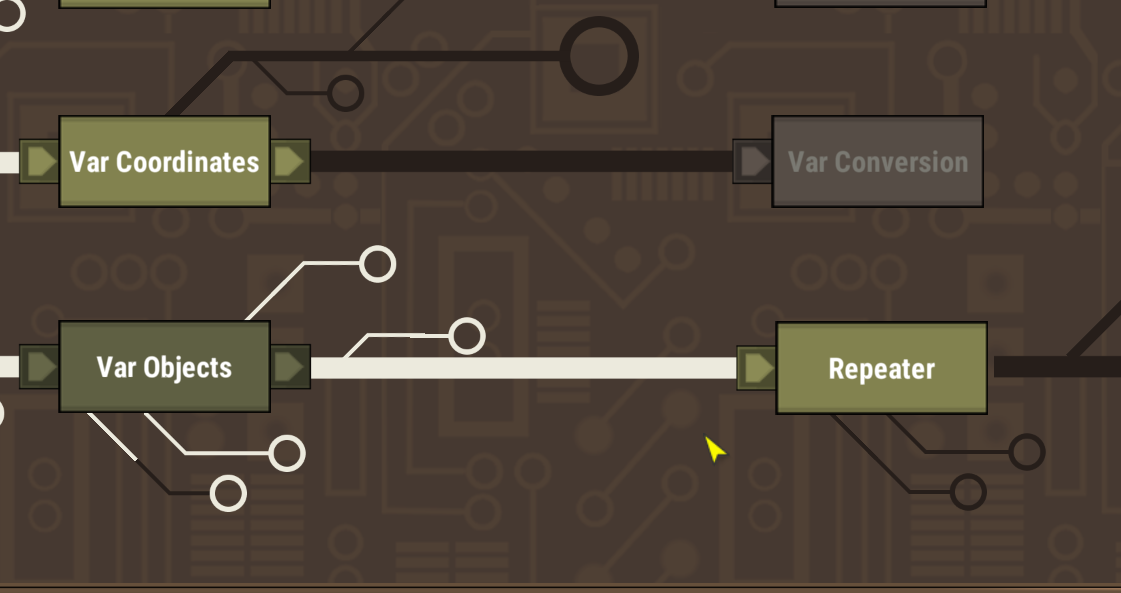
If you’re familiar with programming, it works just like a for loop: it lets you repeat a piece of logic N times.
The number of repetitions can be set manually, or taken from a variable.
How it works:
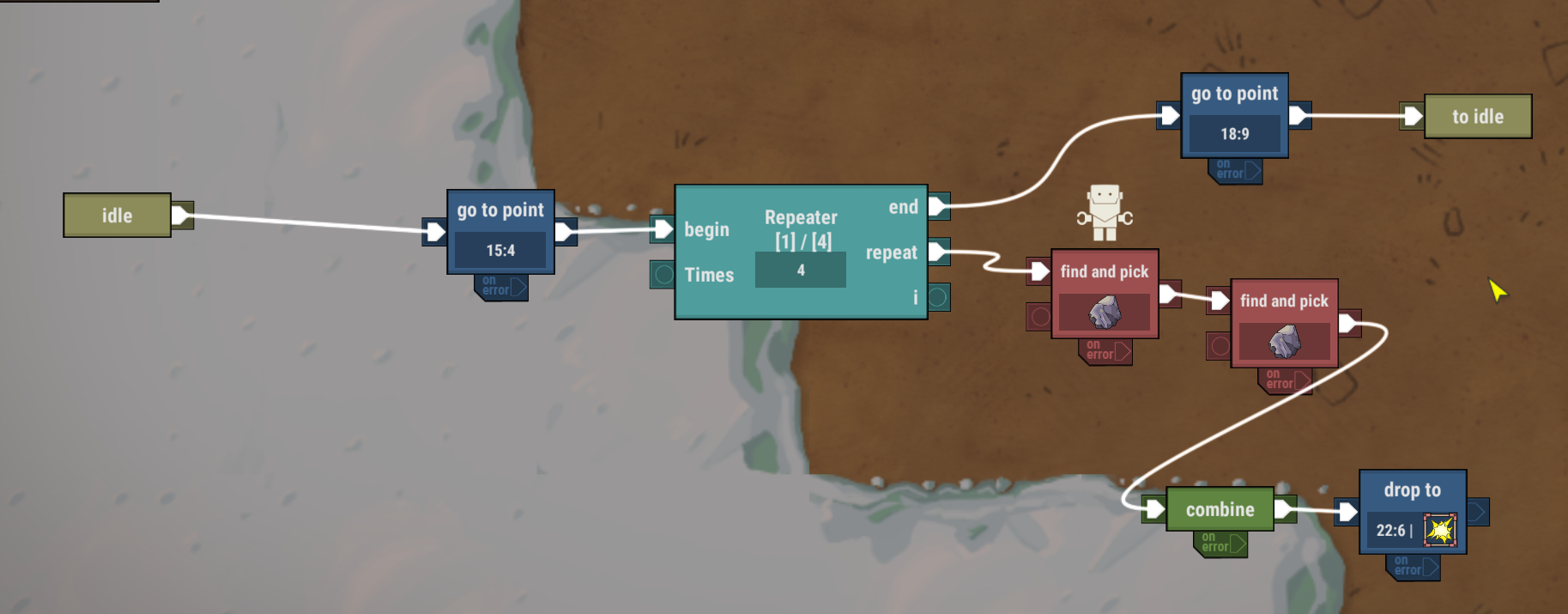
- The Repeat output goes to the actions that should run on each iteration of the loop.
- The End output leads to the actions that should happen after the repeater finishes all its runs.
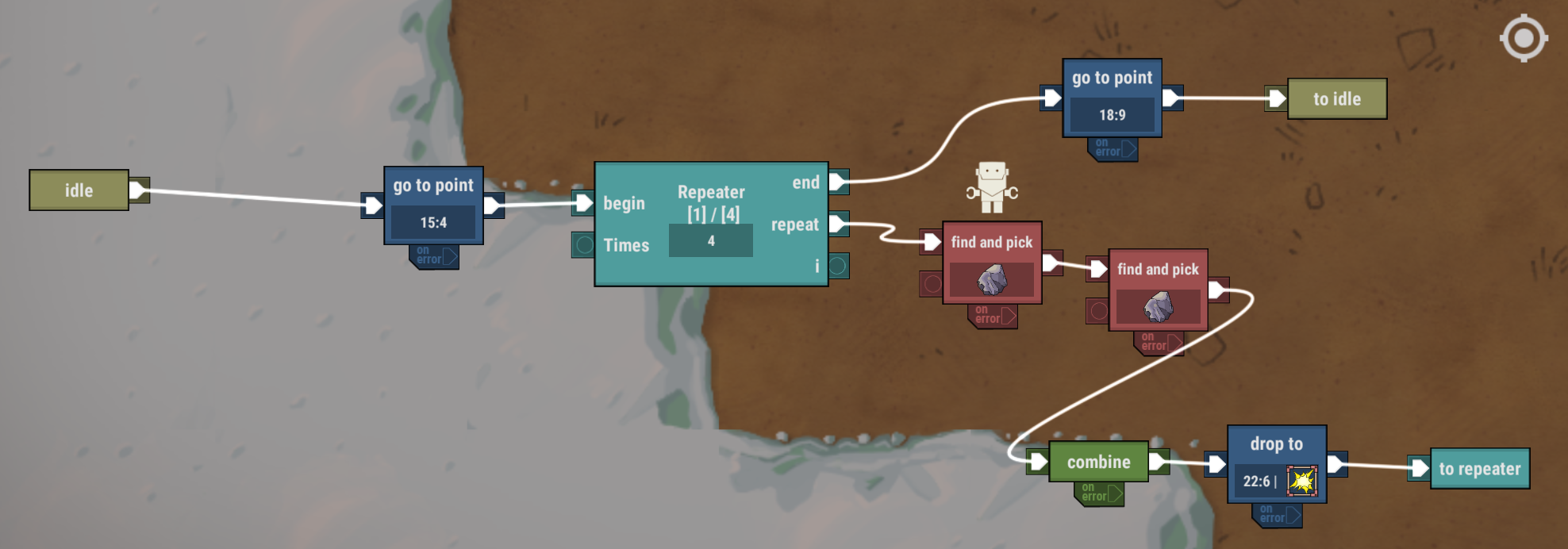
For convenience, iteration actions can be ended with a To Repeater block. THIS BLOCK IS COMPLETELY OPTIONAL — it doesn’t affect how the logic works. It’s simply there to make your setups cleaner and easier to read.
As always, we’d love to hear what you think!
If you don’t remember how to join the beta, here’s a quick guide:
Step 1
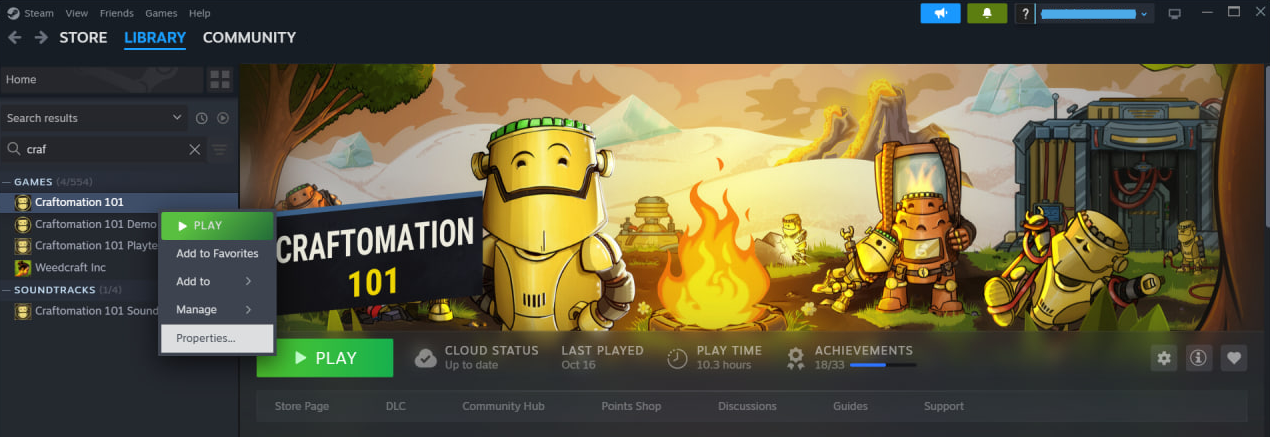
Find the game in your Steam Library, right-click it, and select “Properties.”
Step 2
In the pop-up window, go to the “Betas” tab.
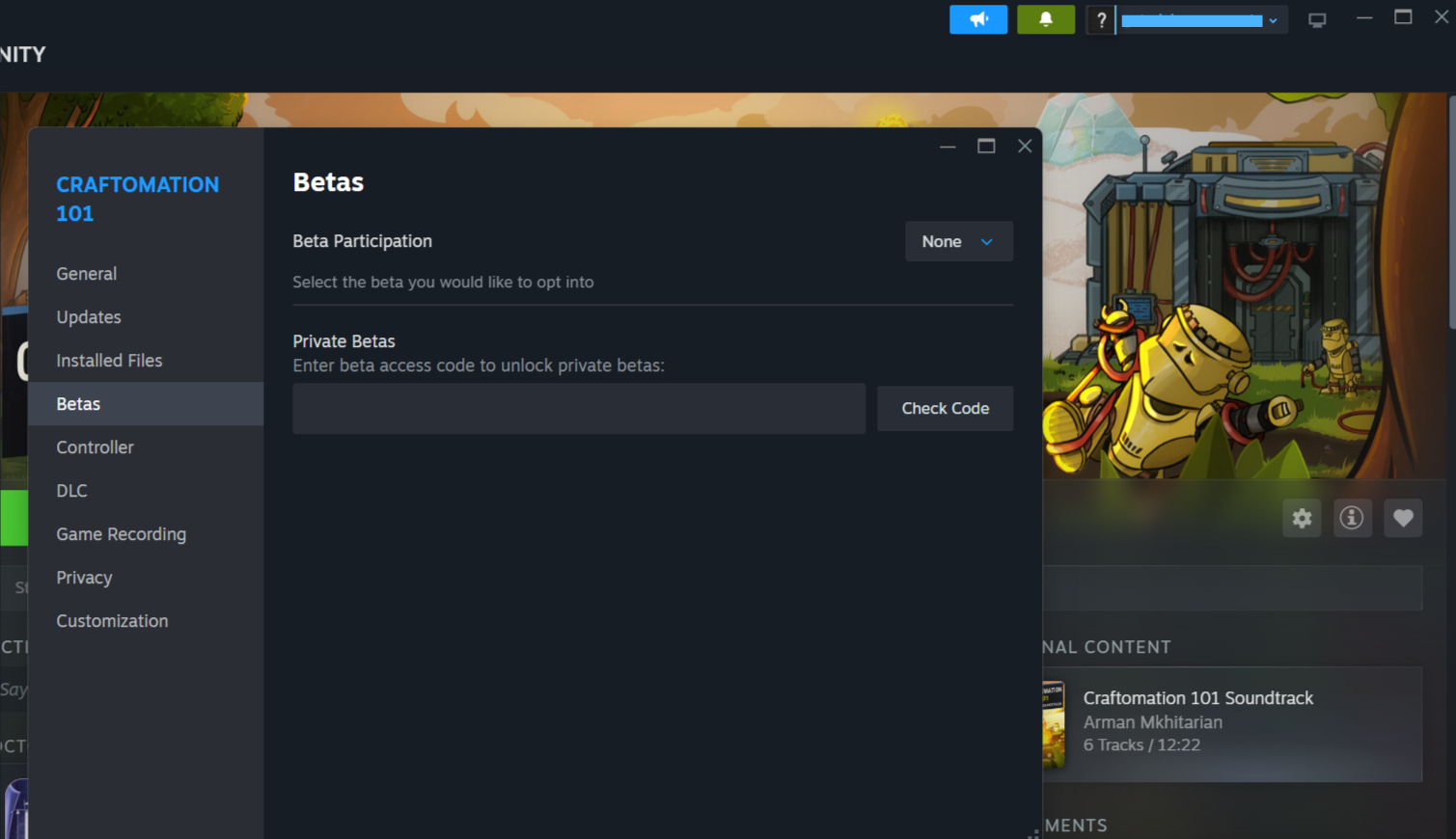
Step 3
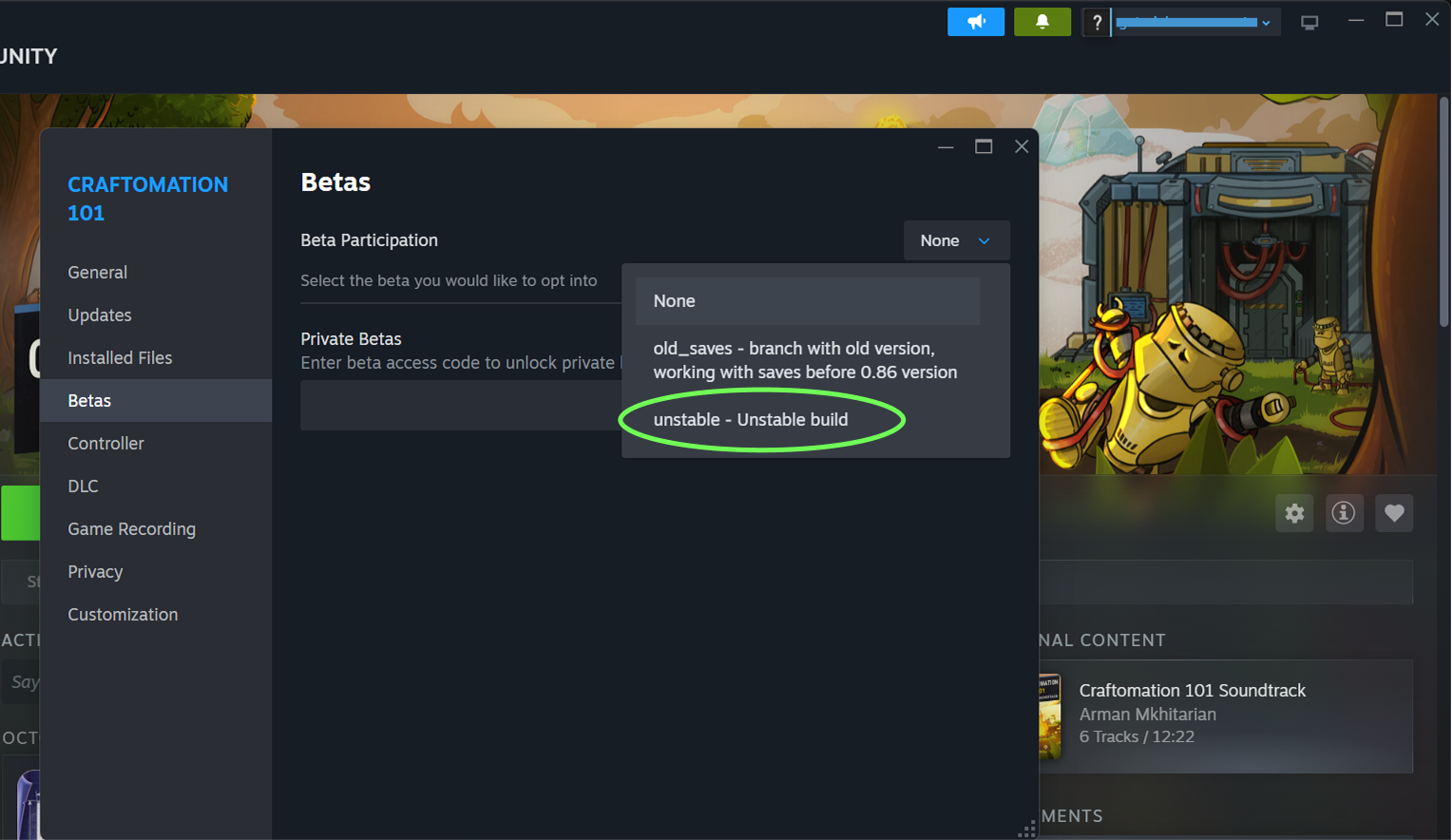
Under “Beta Participation,” select the branch “unstable” and close the window.
The correct version will automatically start downloading. Enjoy!
Something broke?
We’d be extremely grateful if you report any issues through the in-game feedback form or on our Discord.
Want to return to the default branch?
No problem! Just repeat Step 1, but this time choose “None” instead of “unstable.” When you restart the game, the “Continue” button will be unavailable, along with your beta saves.
Our DLCs
Friends! We make games about robots — but for people. And games are made by people, too.
If you enjoy our soundtracks, please consider supporting the developers and our wonderful composer Arman Mkhitarian by picking up the music DLC. Your support helps us keep making more games (and more music) for you!
https://store.steampowered.com/app/2795680/Craftomation_101_Soundtrack/
How to join the development?
Want some more Craftomation 101? We got you! Here's what you can do:
- Suggest your ideas for the game on our Discord server
- Help us translate the game into your native language
- Subscribe to our YouTube channel, and follow studio news
- Follow Craftomation 101 on Twitter
- Leave a comment under a video of your favorite content maker, to let them know about the game
- Sign up for our Newsletter