Quaver Update 0.21.0 Patch Notes
A new Quaver client update has been released!
In this update, we've made a few improvements to our editor, squashed a couple bugs, and have made several changes to our back-end.
Editor Waveform
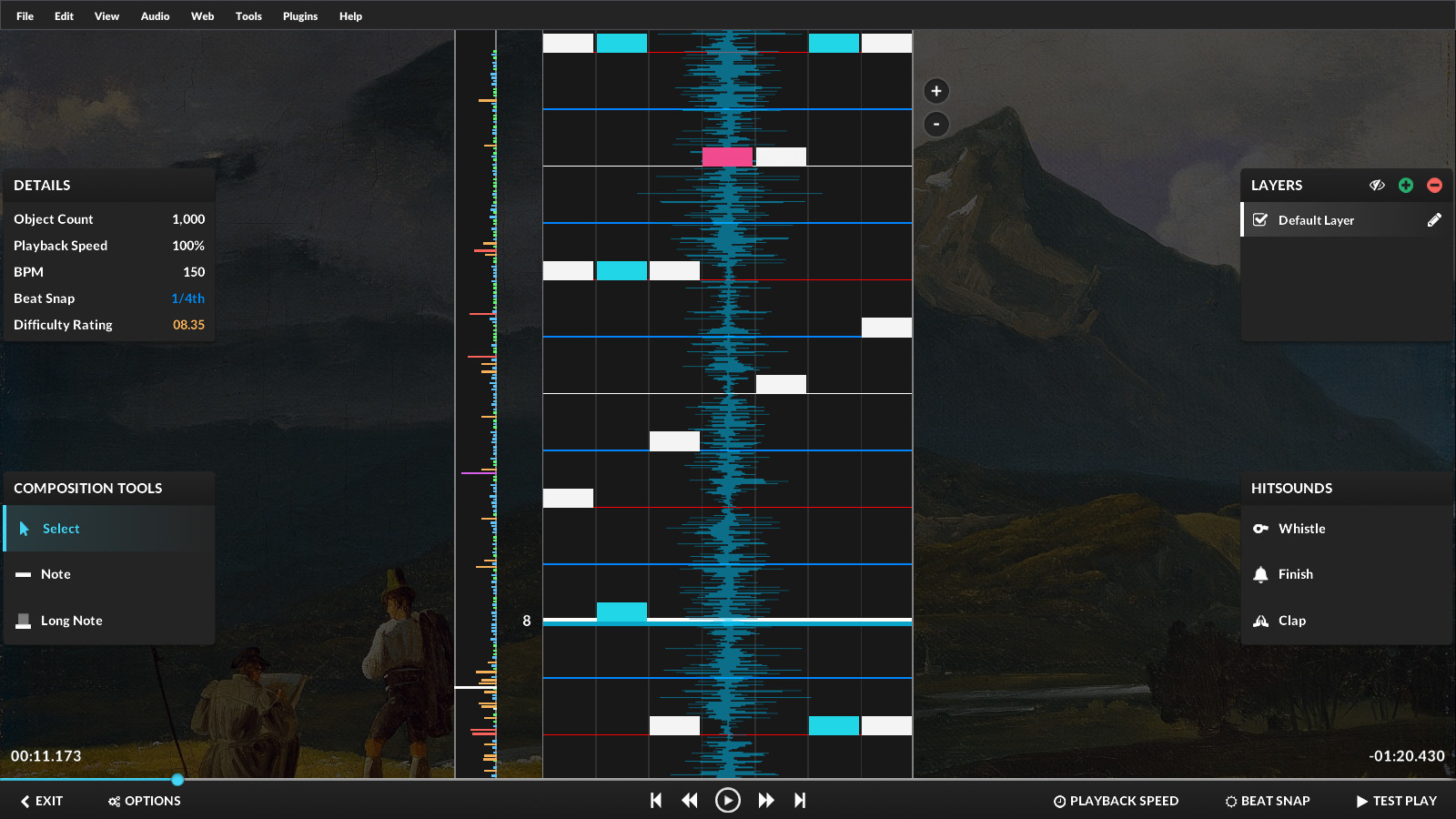
This is a feature that many of you guys have requested for a long time. In the editor, you are now able to display an audio waveform. This tool should help you identify sounds more clearly in the song you're editing as well as make the process of timing your maps easier.
If you'd like to enable or disable the waveform, you can do so by going to "View -> Show Waveform."
Timing Point & Scroll Velocity Editor Improvements
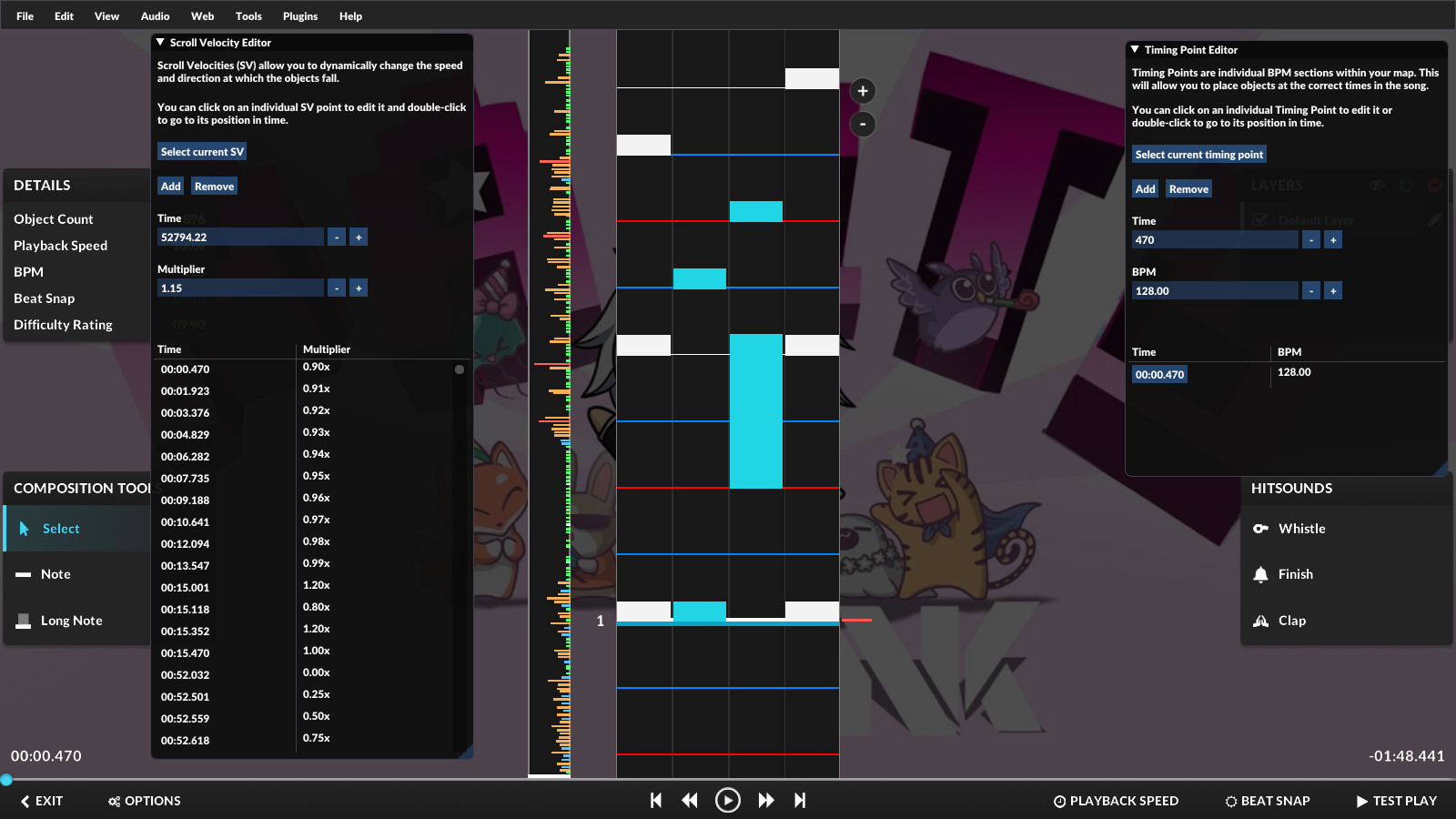
A few improvements have been made to both the timing point & scroll velocity tools in the editor.
They now include the following features:
- Both panels are now vertically resizeable.
- You can now select a range with Shift + Click.
- Added a "Select Current..." button to jump to the current point and select it.
- You can now deselect all points with CTRL + D.
- The "Multiplier" and "BPM" fields are now automatically focused when creating a new point.
Other Additions
- Migrated to cdn.quavergame.com for fetching mapset banners.
- Removed the "Smooth Accuracy Changes" setting from the options menu.
- Removed the "Audio Device Period" and "Audio Device Buffer Length" settings from the options menu.
- Added support for loading "AdditionalSongFolders" when importing .sm charts.
Image Host (CDN) Migration
We've mentioned this in a brief update on our Discord server, but if you are a developer that has a project that used our old domain (http://quaver.blob.core.windows.net/) for fetching images, you will need to update it to our new domain.
Our old domain will no longer be available to fetch images from.
Base URL: https://cdn.quavergame.com/
- Mapset Banners - https://cdn.quavergame.com/mapsets/:id.jpg
- Playlist Covers - https://cdn.quavergame.com/playlists/:id.jpg
- Profile Covers - https://cdn.quavergame.com/profile-covers/:id.jpg
- Profile Badges - https://cdn.quavergame.com/badges/:id.png
We hope you enjoy this update!
- The Quaver Team 💙