Quaver v1.6.0 Update Patch Notes - Clans Beta, New Gameplay Features, & More!
Quaver · published
Quaver v1.6.0 Update Patch Notes
A new Quaver client update has been released!
This update contains a ton of new features, improvements, and bug fixes!
Please read below for all information regarding this update.
Clans Private Beta
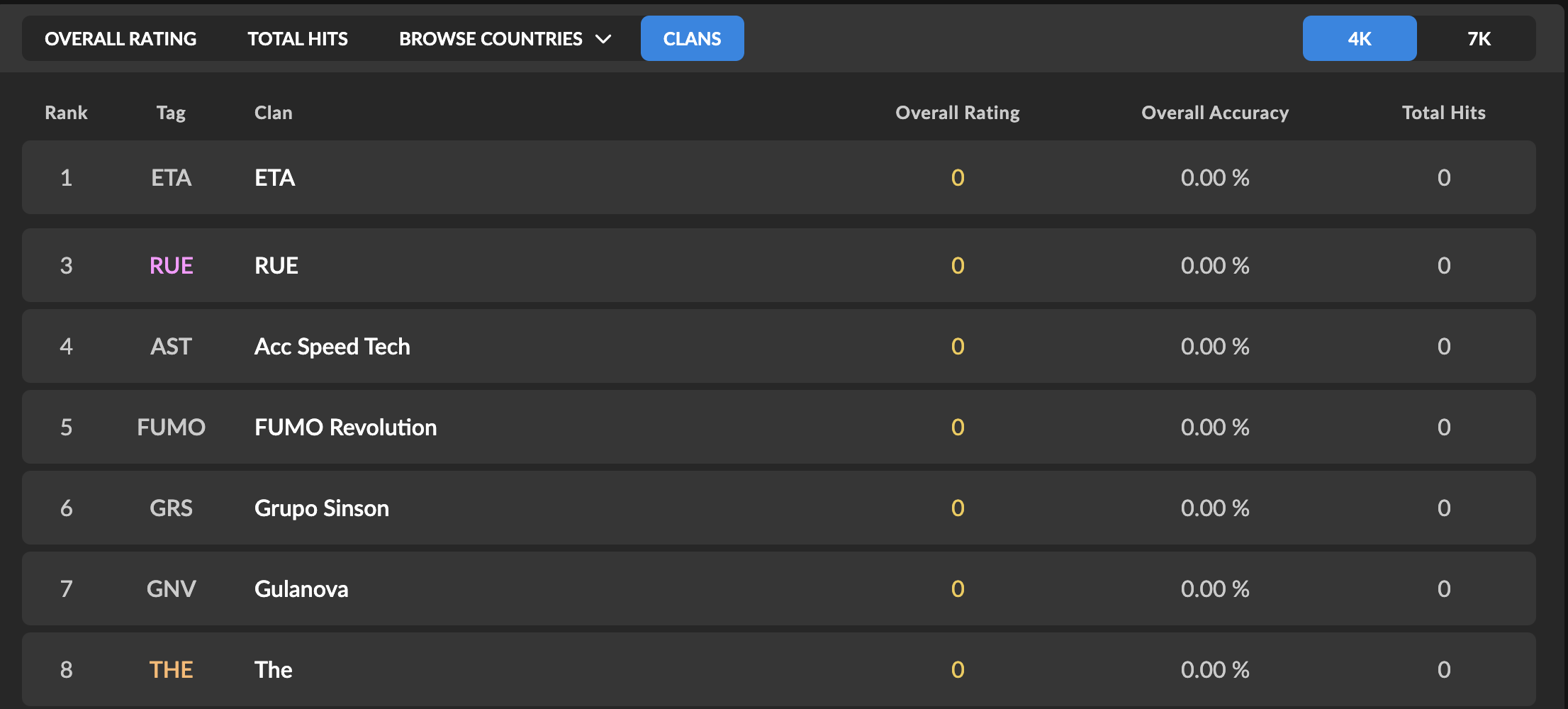
After first being teased in 2022, clans are finally arriving to Quaver!
Clans is an interactive game mode where players work together to achieve the highest scores on maps.
We are currently releasing it in private beta which is exclusive to donators while we work on ironing the game mode out.
If you want to participate in the private beta, you can grab a 7-day free trial of donator here.
Here's How It Works
The clan ranking system is fairly simple, so here's how to get started.
- Make sure you and all of your clan members are donators, as only donators will be able to participate submit clan scores during the private beta.
- Create your clan on our new website here.
- Invite members to your clan.
- Every day, one map per game mode will be ranked. These are the maps your clan needs to play. You will receive a notification on the new website, in-game, and on Discord when this happens.
- The top 10 scores from your clan will be combined into one clan score which will be used for scoreboards and your clan's overall rating.
Tips
Here are some tips to help your clan have the advantage.
- Make sure you have at least 10 active members in your clan.
- Make sure the members of your clan are diverse when it comes to their skillset. If you have players who excel at one particular skillset but not others, you are at a disadvantage.
- Log in every day to keep up to date with the newly ranked maps.
Clan Customizables
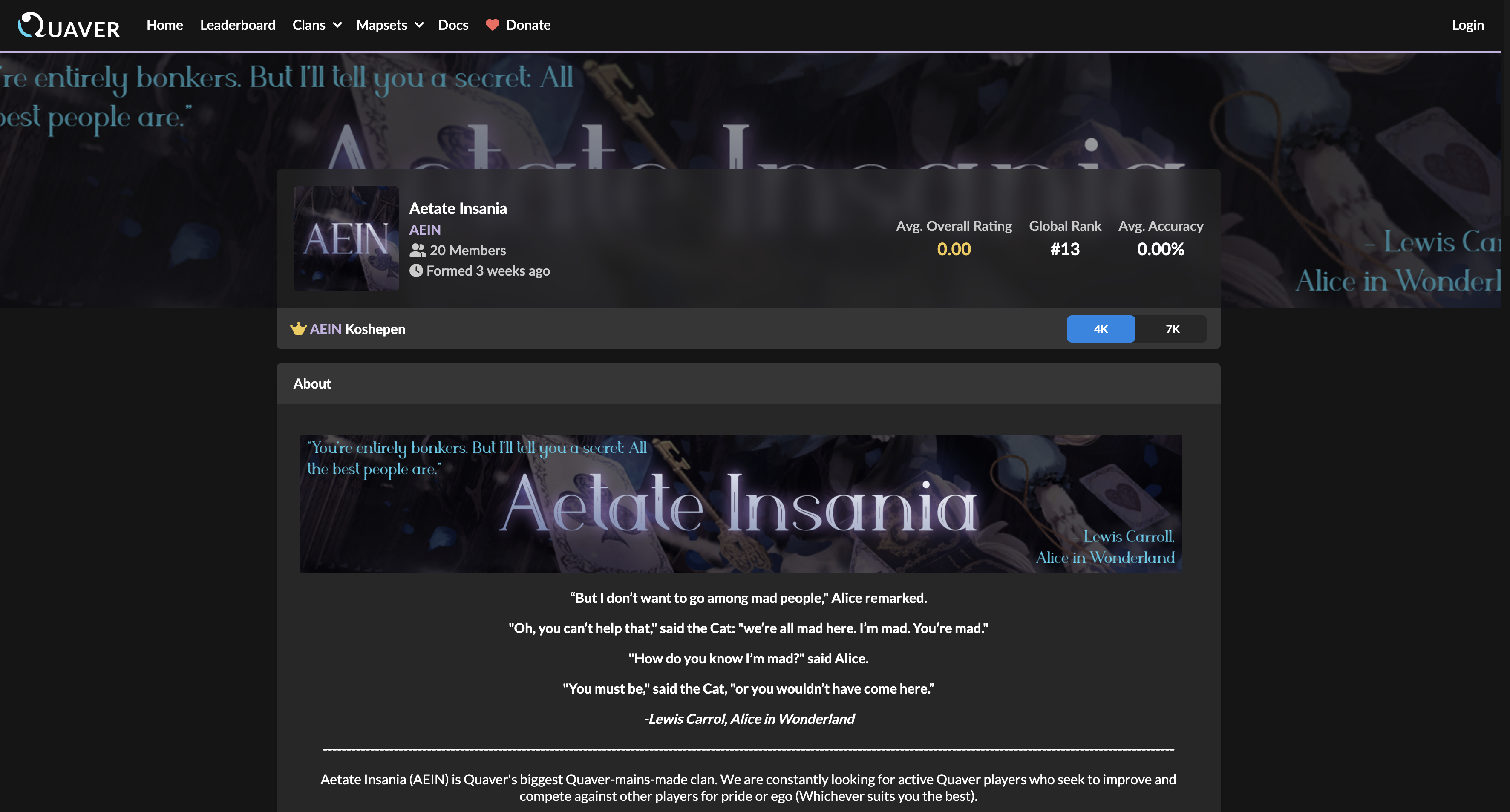
If you would like to customize your clan's profile, any member of your clan can purchase customizables for $9.99.
The clan leader can customize any of the following:
- Clan Name
- Clan Tag
- Avatar
- Banner
- About Me
- Accent Color
Timing Groups
https://www.youtube.com/watch?v=MXOhdH6hBgo
Timing groups are a brand new mechanic that pushes the limit of the visual effects of maps.
This allows different sets of notes to adhere to completely isolated visual effects. It is now possible to make maps where some notes are bouncing and some are going backwards — all at the same time.
As a scroll velocity player, this means that you may now see much fancier maps coming out in the future.
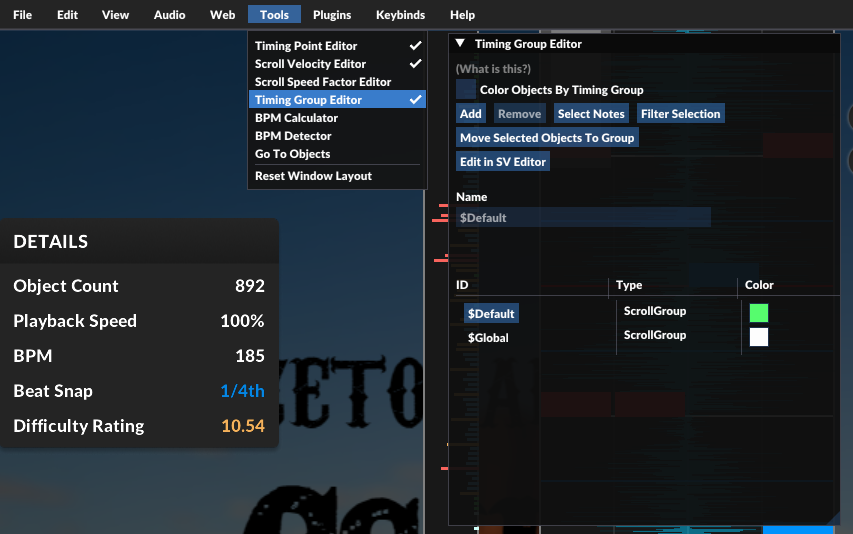
As a mapper, this means that you could now assign different scroll velocities to different sets of notes by using the new Timing Group Editor.
You can also find that in the scroll velocity editor, you can now make separate SV effects for different timing groups.
Scroll Speed Factor
https://youtu.be/QWOYMk2HoWY
In addition to scroll velocity, which changes the velocity of notes, you can now directly manipulate the spacing between the notes.
With Scroll Speed Factor (SSF), you can scale the spacing between notes. This has the same effect as directly multiplying your scroll speed by a factor, hence the name 'Scroll Speed Factor'.
As a mapper, you can now find the editor for SSFs under `Tools`. It has the exact same view and behavior as the scroll velocity editor. The SSF will smoothen between adjacent SSF points, so you can easily create effects with a few points (e.g. parallax effect).
Editor Keybind System Rework
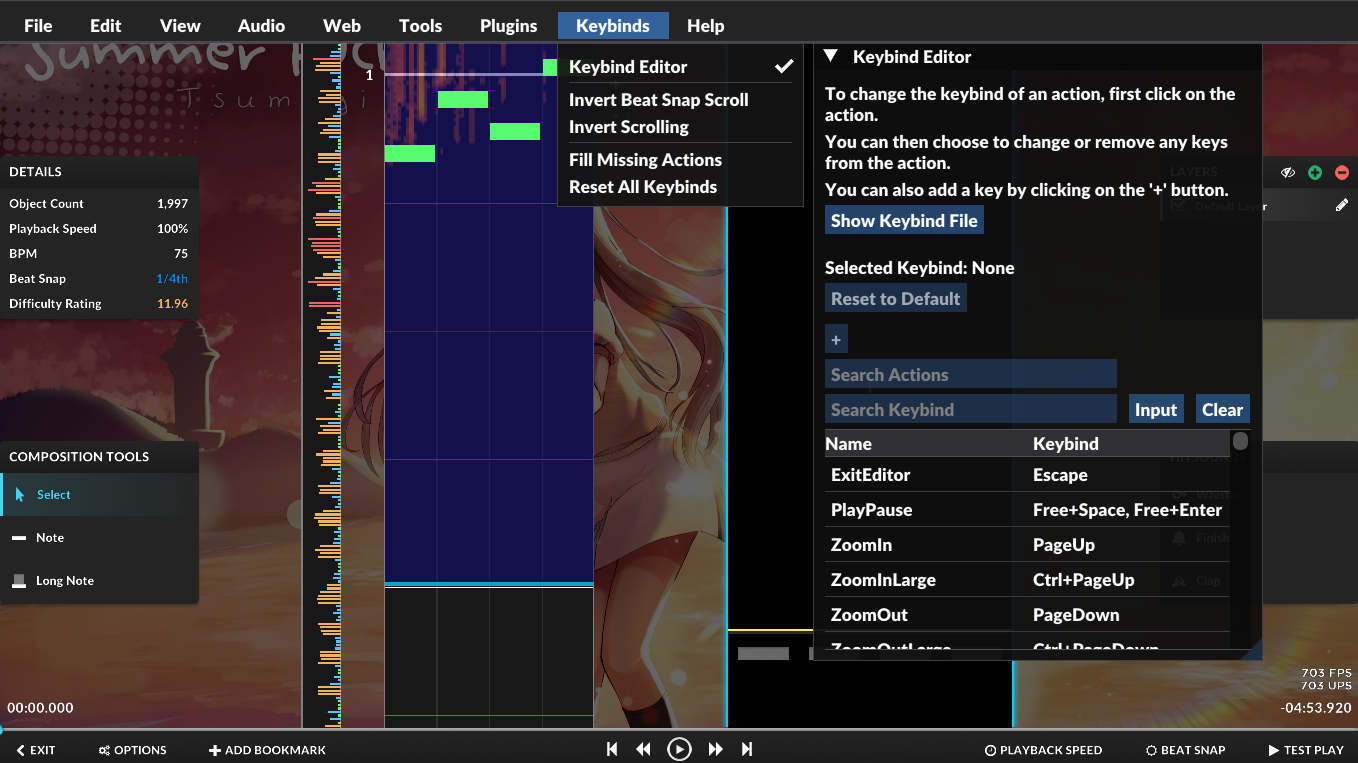
The editor input system has been reworked, so that you could now customize your own keybinds for most of the actions in the editor. You can check this out via the `Keybind Editor`, located under the new `Keybinds` menu:
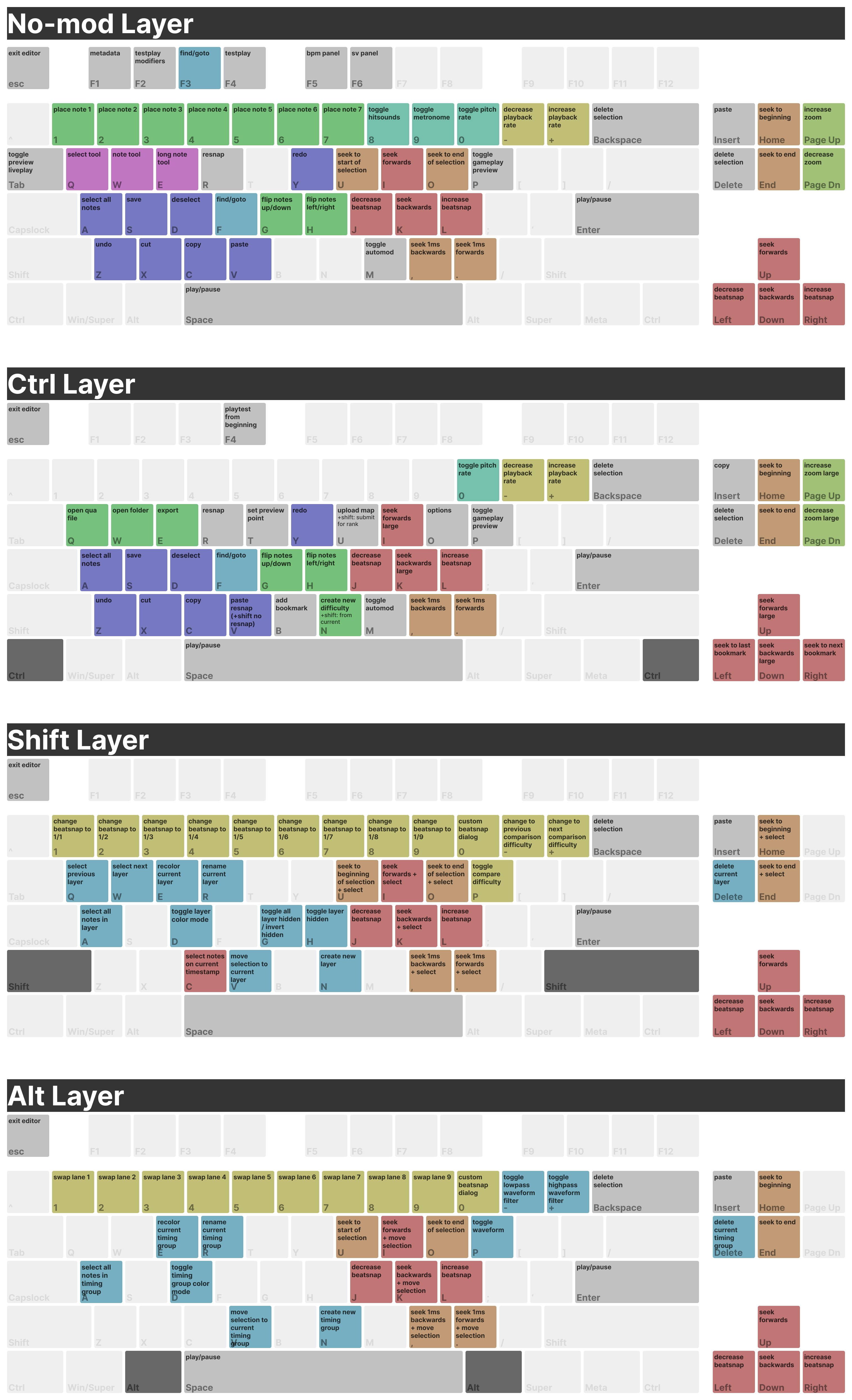
The default keybinds have undergone a massive change. You could find all of the existing keybinds in the screenshot above.
Furthermore, you can also share your keybindings to others using the `Show Keybind File` button. All they have to do is drag the file into the editor window so they could use your keymap.
Hit Bubbles
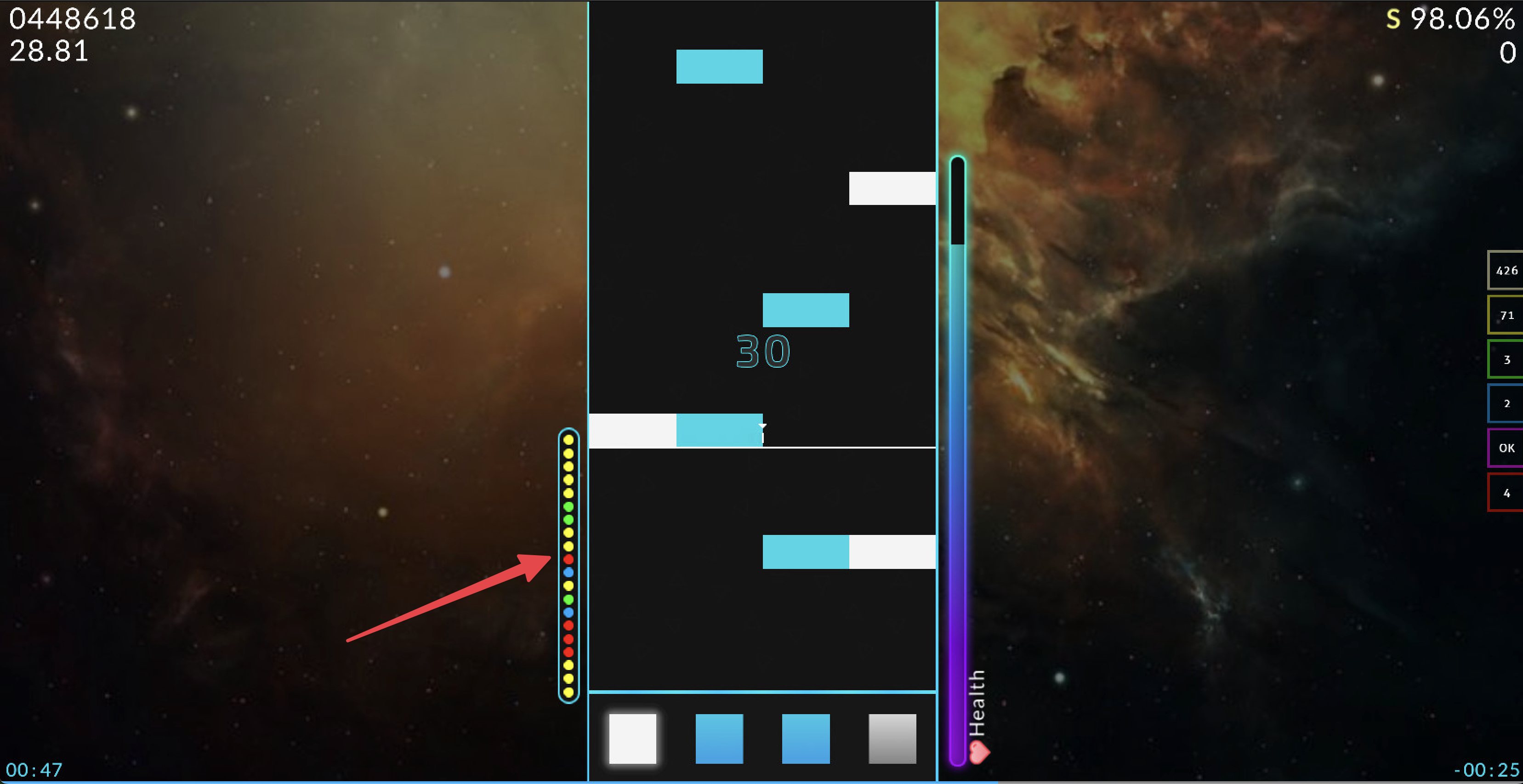
Hit Bubbles are a new skinnable element which displays an ordered version of the previous judgements that were achieved during gameplay.
You can learn how to skin the Hit Bubbles on our wiki.
New Additions
- Added & improved sorting options in the map download screen.
- Added cancel & retry buttons to the mapset download notifications.
- Added an experimental option to smoothen the audio to reduce lag at the beginning of maps.
- The layout of the panels in the editor now preserve its location.
- Improved song select mapset searching. You can view more info here.
- Updated audio engine libraries.
- The window title now displays the game's build revision.
- Improved the speed of mapset importing by retrieving online information asynchronously.
- Added the option to disable Discord Rich Presence.
- Migrated network usage to API 2.0.
- Updated ImGUI to the latest version.
- Various editor plugin API improvements.
- Various performance improvements
Bug Fixes
- Fixed an issue with judgement burst & combo bump.
- Fixed longer replays not loading.
- Fixed an issue where the map background would not update when changing difficulties in the editor.
- Fixed various issues when playing converted maps from other games.
- Fixed an AutoMod issue with feat., ft., etc metadata.
Contributors
The following people were involved in making this update happen. If you would like to contribute to the game, you can do so on GitHub.
AiAe, Emik, Swan, Warp, WilliamQiufeng, & more!
If you enjoyed this update, consider donating in order to support the game and its development!
Thanks for reading!
- The Quaver Team 💙