The primary focus of this iteration was the development of the new Thermal System. Additionally, several old interior items in the factory have been replaced with brand new models. Furthermore, numerous playtesters contributed to this iteration by identifying bugs and enhancing the tutorial.
Thermal System
While one might assume that space is cold and constant heating is necessary, the actual challenge lies in managing heat. In space, where there is very little matter, heat cannot be transferred to the surroundings like it can on Earth. Instead, your vessel is heated by the sun, as well as the heat generated by humans and electrical devices.
In this iteration, we have introduced the General Thermal Architecture of the ISS, consisting of two layers connected by a cooling pipe, into the game. Each ship section has its own temperature, and the environment system aims to maintain it at an ideal 22 degrees Celsius for human comfort.
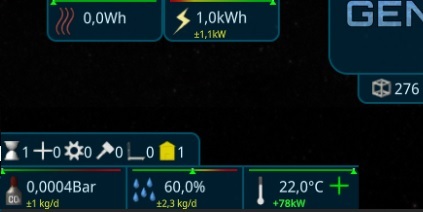
Layer 1: Heat Collectors
The first layer serves as heat collectors, responsible for gathering heat from the rooms. To achieve this, you can construct Cool Panels that utilize internal Peltier technology. These panels do not require external power and efficiently transfer the heat from the Ship Section to the Cooling Pipes.
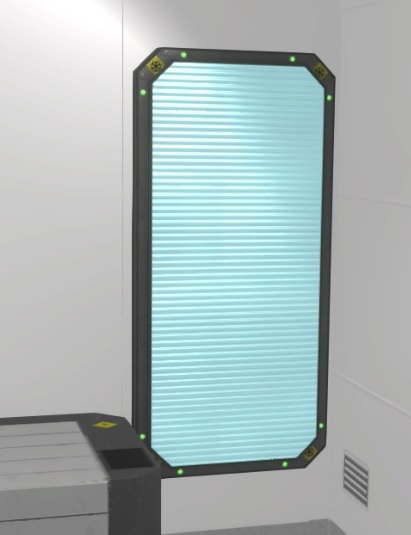
Additionally, a Stirling engine has been introduced, which can extract energy from the heat. However, it necessitates frequent maintenance.

Layer 2: Ship Radiators
The second layer consists of large radiators that extend into space. These radiators effectively dissipate the heat from the cooling pipes into space. To prevent overheating, they are positioned 90° away from the sun.
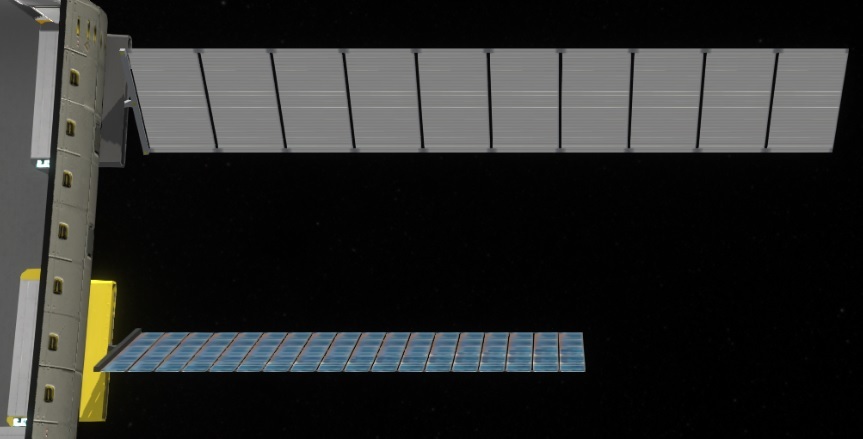
Construction Slot
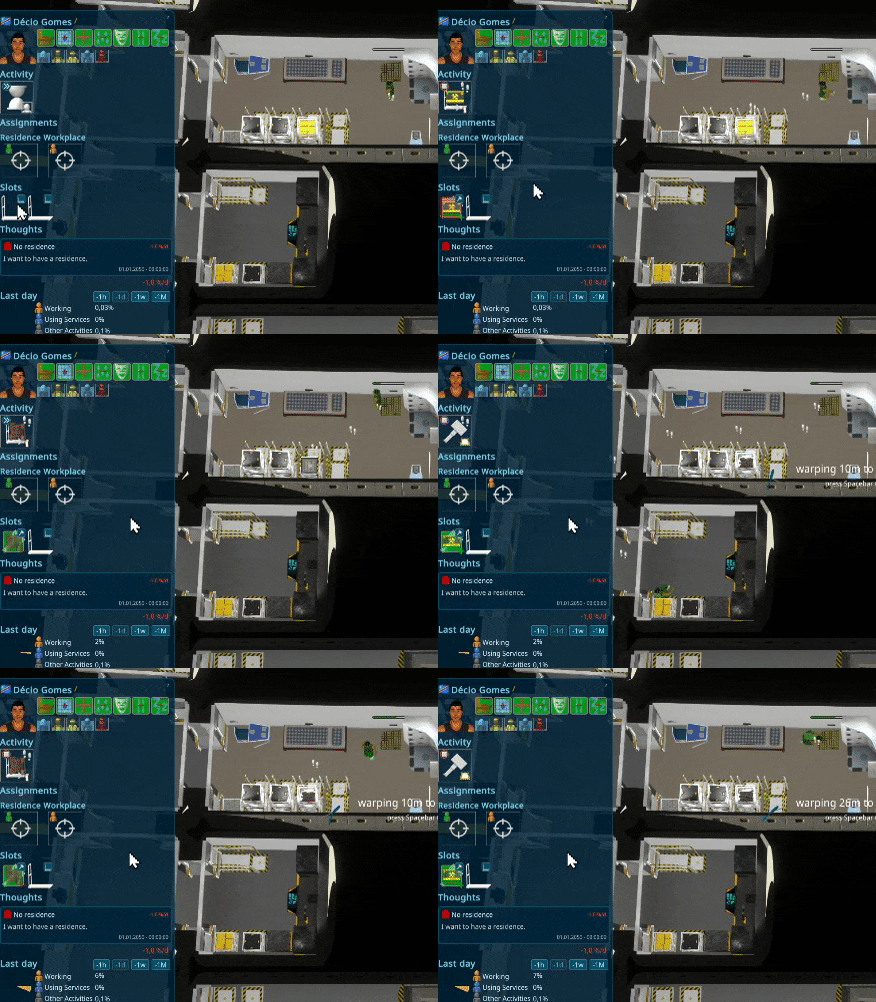
Another significant gameplay change involves the introduction of specialized slots. In order to construct or maintain rooms and interior items, each person now requires an equipped Construction Slot. The person must then gather and place tools into the slot to use during their work. As the person works, the quality of the tools gradually diminishes, and when it reaches zero, they are converted into Garbage Iron, which can be recycled.
Effects
Furthermore, several new effects have been incorporated into the game. One notable addition is the representation of air leaks, which are now visually displayed on the exterior of modules.
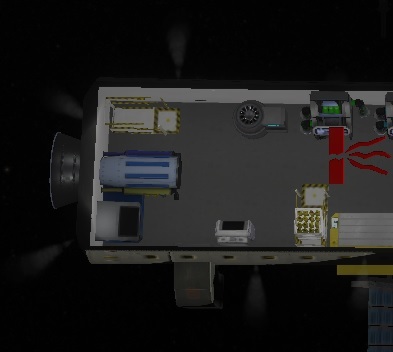
Additionally, doors can now be opened to the vastness of space. There is a force open mode available, causing the air to rush out. While it serves various emergency purposes, its primary usage will likely be more prominent in upcoming releases, particularly when fire mechanics are introduced.

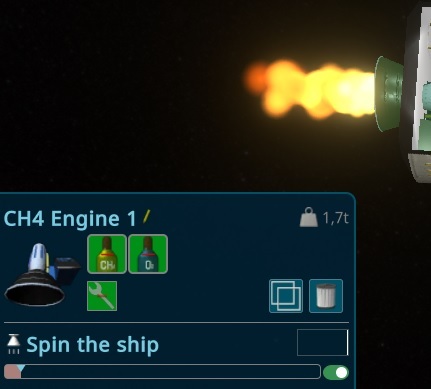
Another effect modification relates to the rocket engine's flame, which now accurately reflects the corresponding thrust.
Scene Tooltips
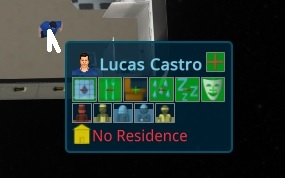
Hovering over objects in the scene now displays a helpful summary of their details. Similar to other tooltips, you can fix them in place using the middle mouse key and interact with them, such as turning them on/off or accessing additional information.
Notification Bell
Thanks to a suggestion from the community (special thanks to Revolus), an alert feature has been added to notify you when something is completed. This feature operates similarly to the Arrived Supply Ship Notification and can be activated for rooms and interior items. It pauses any running timewarps and displays a notification in the upper right corner, allowing for easy selection of the completed room or item.

Ship-wide Resource History
Global resources now have their own history, providing a comprehensive overview of, for example, food or oxygen consumption. This feature offers a better understanding of resource management throughout the entire ship.

New Electrolytics Machine
Continuing with the graphic updates, the new Electrolytics machine has been introduced. This machine utilizes electricity to convert water into oxygen and hydrogen.

New Smelting
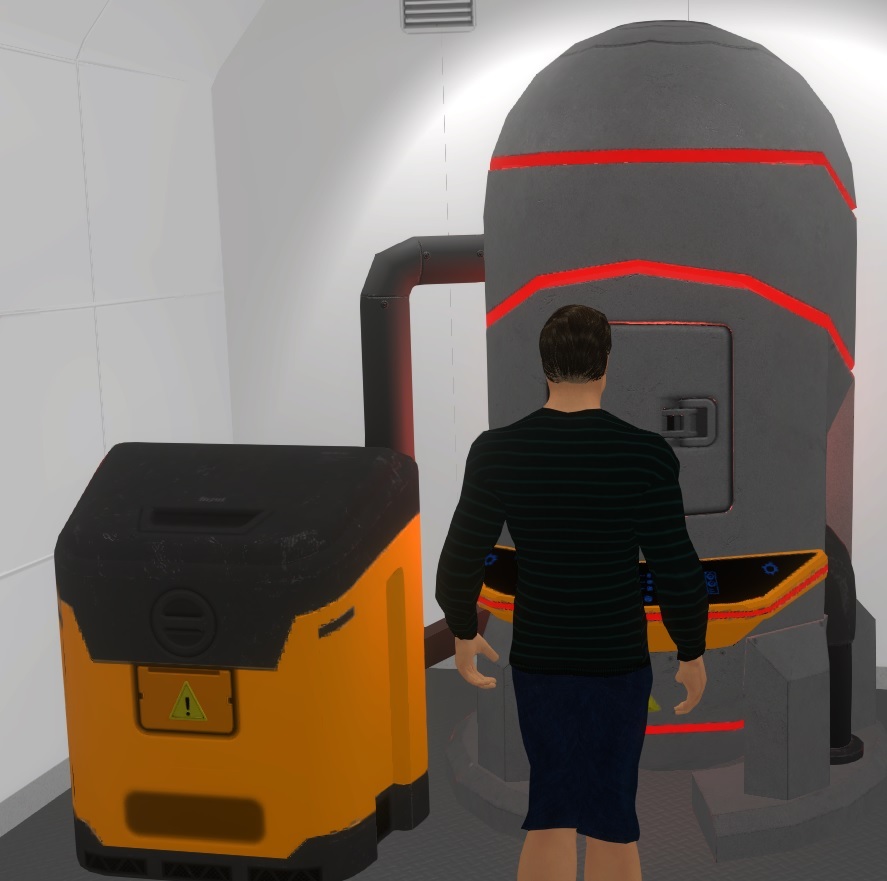
The Smelting process has also received a visual upgrade, featuring a new model. This machine can transform garbage metal into new plain steel.
New Purification Plant
Introducing the Purification Plant, another new model in the game. This plant serves as the primary recycling machine for water, purifying garbage water into biomass and clean water.

New Sabatier Machine
The Sabatier machine has been updated as well. Using the Sabatier process, you can now create methane by combining hydrogen and CO2, offering an effective way to recycle CO2.

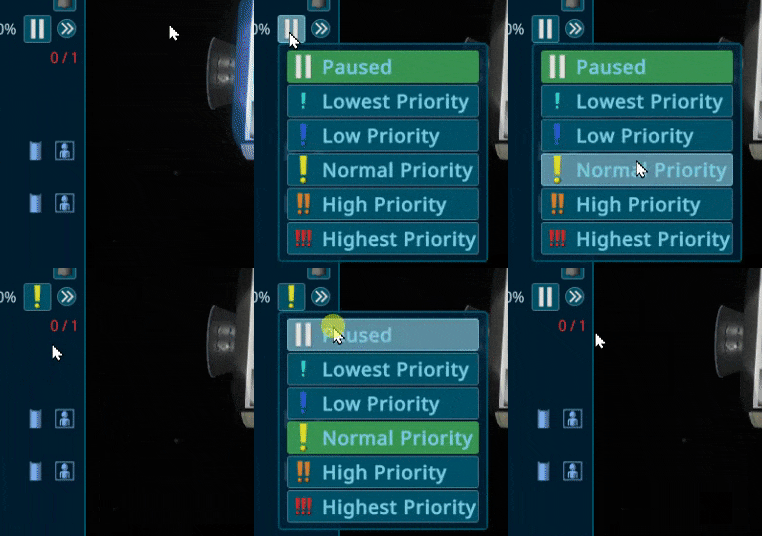
Single Click Chooser
To enhance UI interactions and make them faster, I have improved the chooser buttons. You can now use them with a single click by holding down the mouse button. This functionality is similar to PiMenus.
Tutorial Updates
Throughout this iteration, additional playtesters were invited to try out the game, resulting in minor releases. These valuable playtesting sessions have allowed for further improvements to the tutorials. A big thank you to all participants! The tester queue has now been cleared, but if you are interested in participating in a playtest, please join our Discord community.
Other changes
Fixes
- Fixed an issue where ResourceContainer was not shown on Docking Port.
- Fixed smooth updating of World Ship Section Gauge elements.
- Fixed a bug where the next speech was not initiated.
- Fixed the preview of InteriorItems not hiding when moving the mouse over the menu.
- Fixed calculation of Gravity.
- Removed the old ThrowAway Action.
- Fixed wrong amount displayed in PiMenu for Empty Transport Slot with containers.
- Fixed Action Point of Mass balancer.
- Fixed a special case where transport was possible when it should not be.
- Fixed slightly wrong rotated ConstructionShader.
- Fixed multiple MiddleClick actions creating empty tooltips.
- Fixed a bug where persons took a long time to shower (thanks to gthbryce).
- Fixed crashes in special cases (thanks to gthbryce).
- Fixed an exception and changed it to a warning (thanks to Frayboy).
- Fixed rounding issue with percentage values.
- Fixed a problem when exiting the scene while an async savegame was in progress.
- Fixed a problem when using Esc to close Loading Popups.
- Fixed a warning for the workbench.
- Fixed wrong Storage Warnings in special cases.
- Fixed wrong Ship Rotation.
- Fixed a special case for wrong Auto-Balancing to Optimum.
- Fixed Walls being droppable when the neighboring tile is blocked.
- Fixed overlapping placement of rooms allowed in a special case.
Added
- Added RightMouse functionality on Marker to timewarp to the reach time.
- Added the option to show tutorial Help as Dialogue in the Help Section.
- Added Construction World Elements to show progress without selecting.
- Added the shortcut Del to cancel or dismantle multiple selected items.
- Added iterative naming for rooms and interior items (adding numbers to the name).
- Added animation to Help Button to increase visibility.
- Added Tooltips for Building Selection Panel Buttons.
- Added the option to hide resources to prevent overflow for new players.
- Hide interior Item Boxes when interior items are hidden.
Improved
- Improved opening positions of hover at gauge elements.
- Improved Mission Timewarp for PersonTimewarp.
- All InteriorItems activities stop working when condition is below 10%.
- Hide Condition, Gravity, and Player effect in Productivity if the item has no effect for a cleaner UI.
- BuildMenu Room Tooltip now shows possible interior items instead of possible activities.
- Using a PiChart for Person History.
- Prevented Person from walking to the neighbor Section.
- Right Click on TargetMarker now also timewarps to it.
- Hide Storage for Dock to indicate it is part of the ship.
- Highlight area of Rooms with more precision.
- Close Blueprint submenu of BuildMenu when nothing is selected (thanks to FriendCalledFive).
- Special Event now uses ScrollView to support more elements.
- Prevented PiMenu on Itself, making it possible to create looping connections.
- Skipped asking for Target-Dock when only one dock exists.
- SpecialEvent-Panels now recover at save/load.
- Removed "MainDoor." The construction door is chosen when the construction starts.
- Air Bar Arrows are now more visible (thanks to Ɗґɑɡе Relgimi ƊɑґK).
- Live update of Person History.
- Added Problems to PersonPanel.
- Reduced light of hygiene area.
- Added support for new Discord IDs (thanks to Ichao and Frozzie).
- FillBars in Icons now also adapt to new Markers.
Balancing
- Condition Effect on Interior Items is now exponential until zero.
- Balanced Humidity Air Leak with other Air Values.
- Kitchen now uses less Electrical Energy (thanks to Frayboy15).
Playtest
The Game Core is nearing completion and will soon be ready for its first public Beta release. In order to ensure the best possible experience, we are looking for playtesters to help us identify any remaining bugs and assist with further polishing. If you are interested in participating, we invite you to join our Discord Community.
Additionally, we regularly post updates on the progress of the game and share more pictures there. If you would like to see more, feel free to visit our Discord community.
And don't forget to wishlist and follow us to keep up to date.
https://store.steampowered.com/app/1638030/Generation_Ship/