Status
SteamPeaks
ChartsSalesUpcomingPatchesEventsCalculator
New on SteamEvery app, DLC and depot the minute Steam creates itAppsEvery app on Steam, newest change firstPackagesSubs and bundles, and what each containsDepotsDepots, manifests and install sizesTagsSteam's user tags and the games under themDevelopers & publishersCompanies and their cataloguesTechnologiesEngines, SDKs and anti-cheat found in the filesChange historyEvery PICS changelist as it lands
SignalsNineteen readings of the whole catalogueCompareAny games side by sideRecordsAll-time peaks and the days they were setReportsWeekly and monthly write-upsAlerts & newsroomWatch a game, get told when it movesSteam statusIs Steam up, right nowWeb API explorerTry the endpoints in the browser
EventsSteam's own events and the sales calendarCalculatorWhat a Steam account is worth, and its pile of shame
/
Sign in
/
SteamPeaks
The ultimate resource for Steam data.
ExploreChartsSalesSales and festsUpcomingPatchesEventsRecordsTrendingSignals
DatabaseAppsPackagesDepotsTagsDevelopersTechnologiesChange history
ToolsCalculatorCompareSearchAlertsSteam statusAPI
SiteMethodologyFAQDiscordSupportSign in via Steam
Not affiliated with Valve or Steam. Game names and artwork belong to their owners. All times UTC.
PrivacyCookiesFair useStatus
SUPERVERSE›Events›Update #8: Gamma display settings
In-game event

Update #8: Gamma display settings

SUPERVERSE · published 7 years ago

All eventsPlayers around this dateRead on Steam

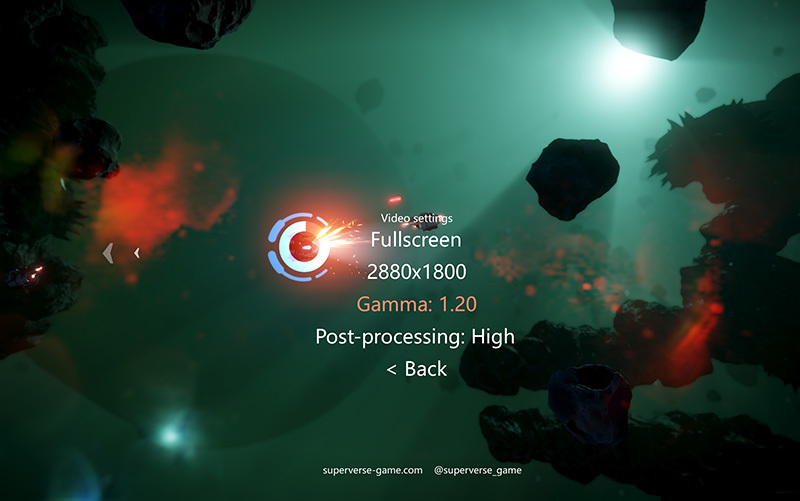
The latest update adds support for adjusting the gamma correction of your display. This may be useful if the game appears to be too dark on your monitor, in that case, you can increase the gamma value in the video settings section and you will be able to see the darker parts better.
In addition to that FMOD Studio engine, responsible for sound and music playback, has been updated to the latest version and the game sounds are now preloaded into the memory on the game startup - this may have a slightly positive effect on the performance.

For a more detailed list of changes please read below:

2020-03-06


Added
- Display gamma adjustments added to video settings

Changed
- FMOD Studio updated to v1.10.20
- Game sounds preloaded into the memory

Thank you for your support.

More from SUPERVERSE

Other announcements

All events
Major update4 Sep 2026Take Aim: Mouse Controls & In-Game HelpThe first update of September brings three big additions to SUPERVERSE: a brand new mouse and keyboard control scheme, a full in-game Help system, and on-screen glyphs that finally show you which button to press. Mouse and keyboard controls You can now play SUPERVERSE the way you'd play any shooter on PC: aim with the mouse, move with the keyboard . Your pointer sets the direction, WASD does th…In-game event16 Aug 2026Every Day, in Every Way, We're Getting Better and Better!A smaller update this time, all about clarity: a better tutorial, cleaner menus, and improved text throughout SUPERVERSE. The tutorial has had another pass. Text has been corrected and expanded, new messages have been added. The starting camera also sits at a tilted angle for a more cinematic opening. The Settings > Controls menus have been updated for both Keyboard and Joypad, and the Steam Li…Major update14 Aug 2026The Hangar Update!A new look for the place where every run starts, plus a round of improvements to how SUPERVERSE runs and handles your hardware. At a glance: · Redesigned hangar with a new Maneuverability stat · Reworked intro with updated story and a smoother start · VSync support, for tear-free rendering · Controllers now detected the moment you plug them in · A Controls Guide you can open in your browser The…