Lynium 2.1.0 — Patch Notes
major updateLynium: Play the Rhythm · published
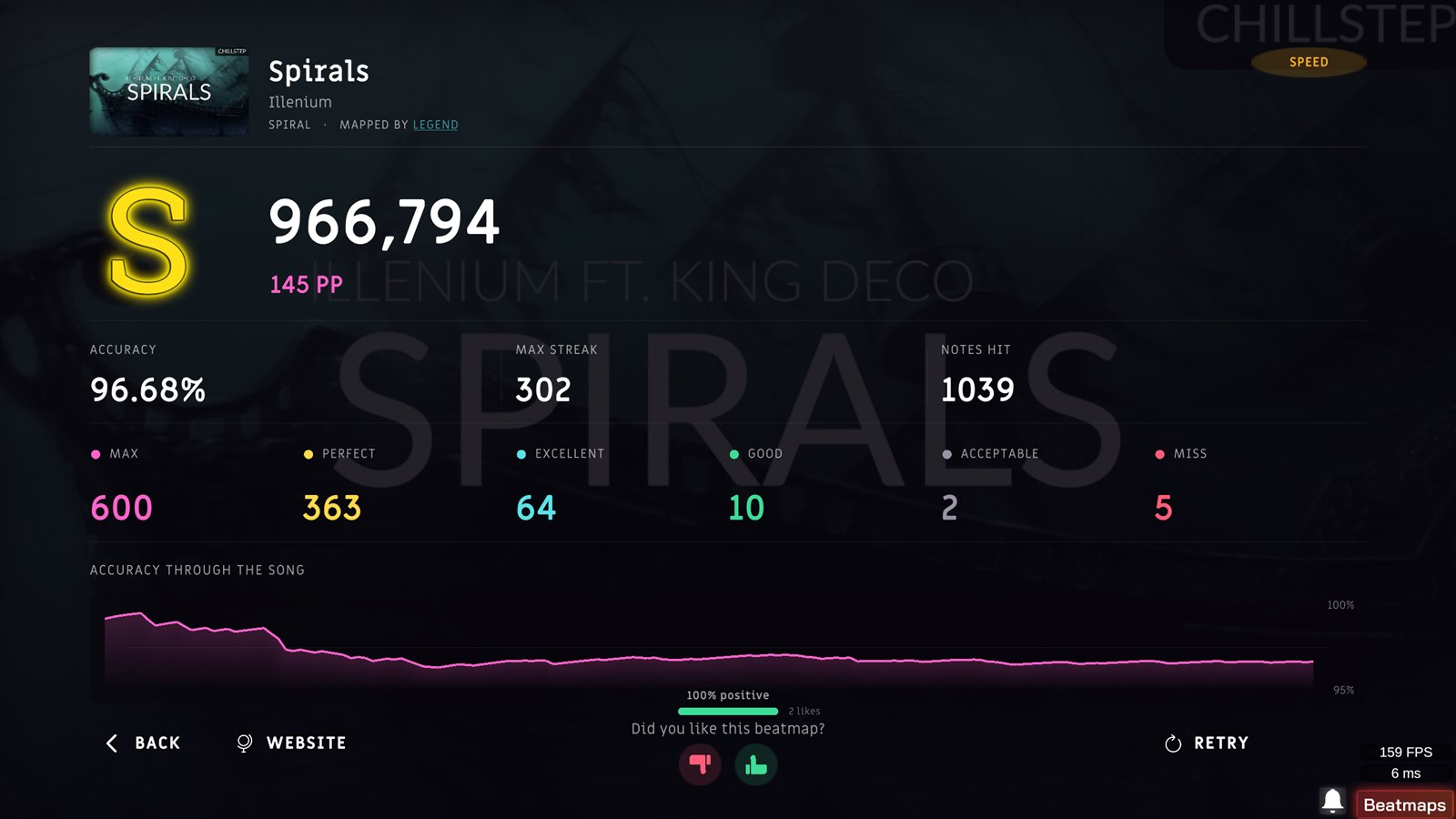
2.0.3 made the game honest. 2.1.0 gives it a memory. The screen at the end of a run was eleven numbers in a grid that told you the score and nothing about the run; it is now a whole scene that shows the performance points you had been earning invisibly, draws every hit you made, and has something to say when you do something extraordinary. There is a grade above SS that accuracy alone can never reach. A beatmap can bring its own video and its own weather. And a link on the website now opens the exact chart, in the game, on your machine.
THE RESULTS SCREEN
Everything the game knew about your run, and none of it on screen.
The old screen was a grid of labels and values with the score at the bottom, and size was the only hierarchy it had. This one is a new scene, generated rather than restyled, and it lands one block at a time: the header, the score, the stats, the six judgments one by one, and last the accuracy curve drawing itself from left to right.
- PERFORMANCE POINTS:
already calculated, already sent to the backend, already ordering the World Ranking — never shown at the moment you earned them⇒ under the score, on every run - YOUR TIMING:
each note's offset was computed and thrown away⇒ a full-width accuracy graph for the whole song - THE ENTRANCE:
eleven figures rolling inside half a second⇒ each block lands alone, draws its rule and rolls its own numbers - THE FOOTER:
BACK and RETRY⇒ both with icons, plus WEBSITE, which opens that exact play - THE MAPPER:
uncredited⇒ named on the difficulty line

- THE LIKE PROMPT:
the server returned the count only to the player who had just voted, and nobody carried dislikes at all⇒ both numbers, public — 72% positive over a bar, 61 likes beside it. With no votes yet, the bar is not drawn.
THREE CELEBRATIONS, ONE AT A TIME
Zero misses and twenty misses used to produce the same screen.
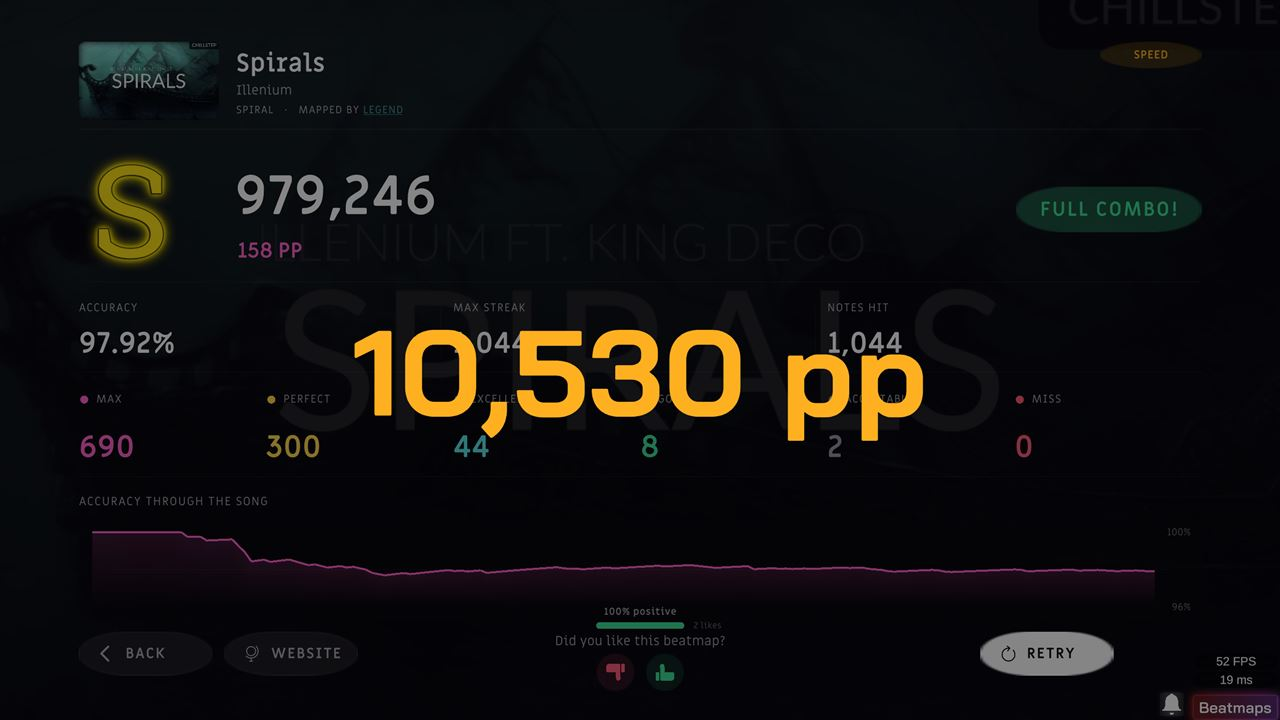
There was no concept of a Full Combo anywhere in the code. Now there are three nested tiers and only the highest one shows.
- FULL COMBO! — no misses. Green.
- PERFECT CLEAR! — nothing below Perfect. Cyan.
- MAX SCORE! — every note inside the MAX window, ±50 ms. Amber.
- THEY SCALE:
one animation with a different word⇒ veil 0.78 / 0.85 / 0.92, no flash / a soft one / a strong one, zero / one / three rings, and a shake at the top - THE NEWS STAYS:
the banner said it once and left⇒ the same tier lands as a badge beside the score and holds with a slow pulse
- THE ORDER:
the banner, the pp gain and the world-rank change ran on three clocks that did not talk to each other, so the rank card dimmed the screen while the score was still counting⇒ one turn each — banner, then the screen revealed in full, then pp, then rank - THE PP CARD:
a +55 pp balloon in the corner while the score still read zero⇒ a centred card counting from your old total to the new one - THE RETRY BUTTON:
built, tinted as the row's primary action, and never given a handler⇒ it relaunches the beatmap
SSS
A grade you cannot reach by being accurate.
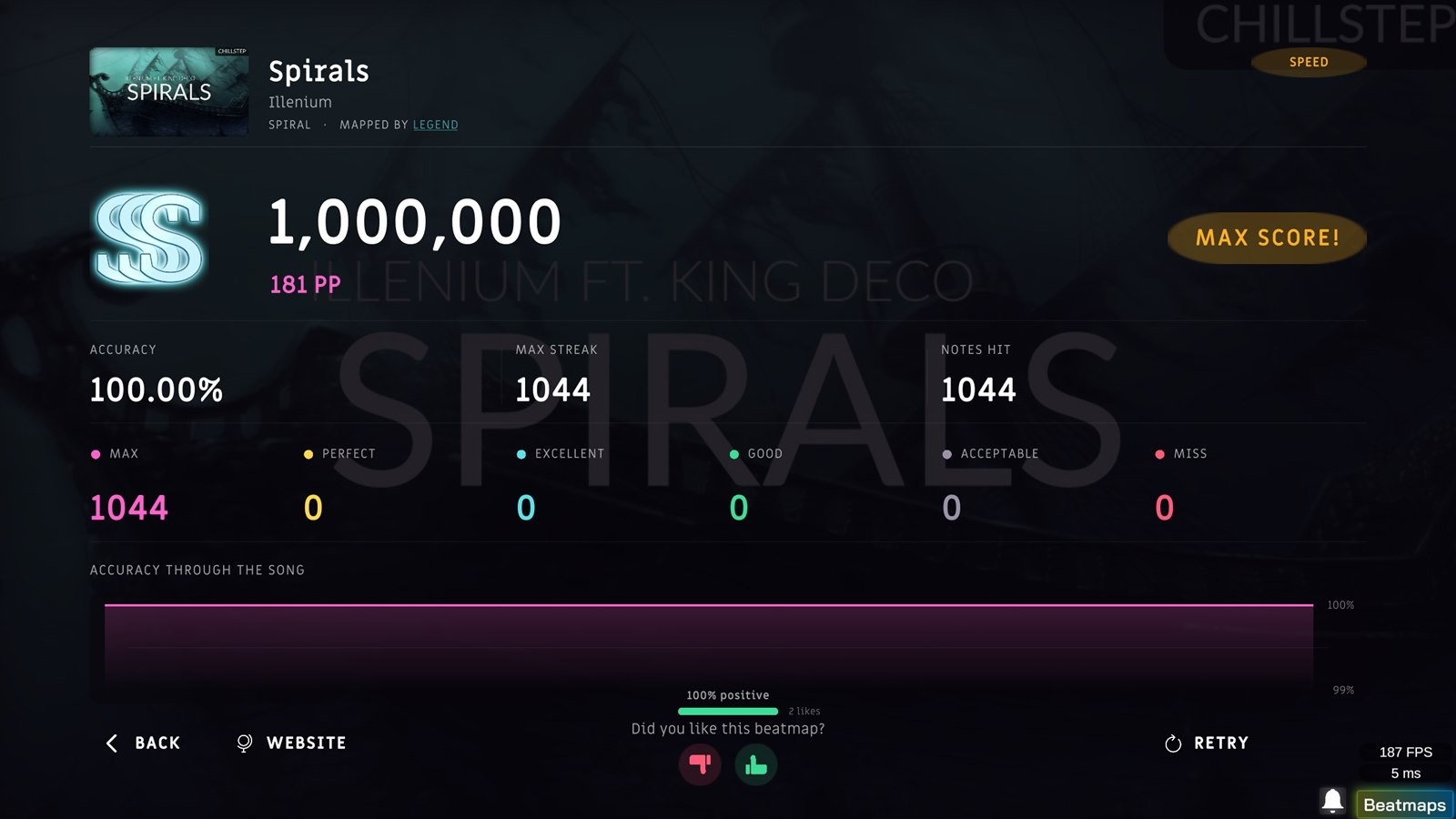
MAX and Perfect are both worth 300. A run that is entirely MAX and a run that is entirely Perfect are therefore the same 100% and the same SS — accuracy has no way to tell them apart. SSS is decided by a different question: was every single note inside ±50 ms?
- THE CONDITION:
unreachable — the sprite existed and the letter function never returned it⇒ IsMaxScore, the strictest thing the game can measure - THE MARK:
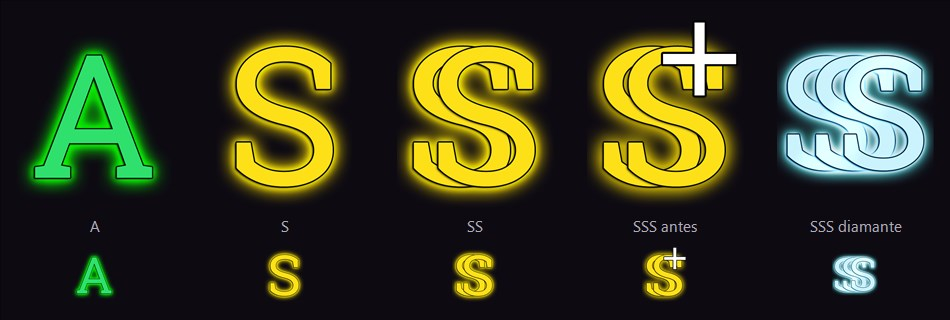
the SS mark with a white plus on top, which read as "SS+"⇒ three S's in diamond - EVERYWHERE ELSE: leaderboard rows show SSS, and the website computes it the same way
BEATMAP VIDEO
The playback existed. The packing existed. There was simply no way to pick the file.
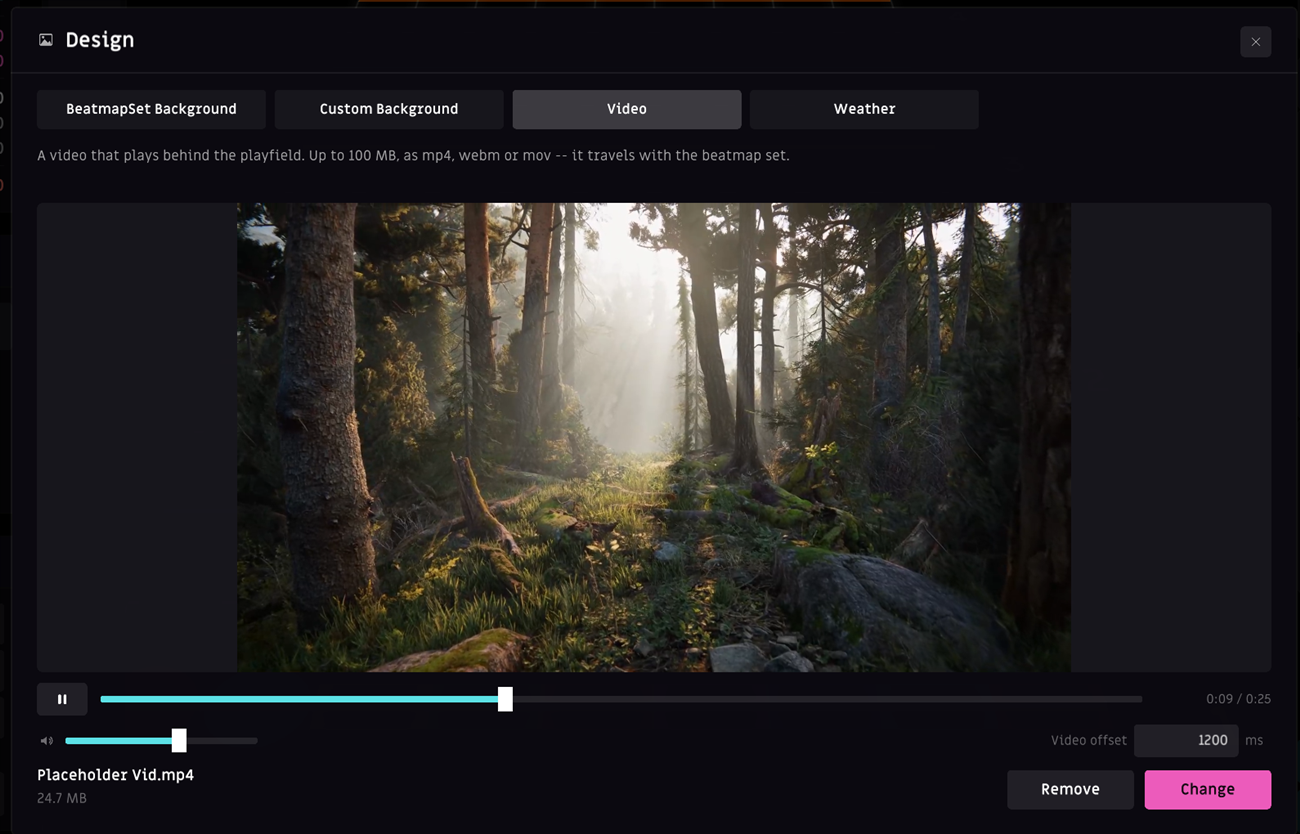
- THE VIDEO TAB:
disabled, and behind it an unconverted panel wired to a method that no longer exists⇒ a real one — looping 16:9 preview, transport, volume, file name and size, Change and Remove - THE FILE: up to 100 MB, mp4 · webm · mov, 16:9, copied into the beatmap folder the moment you pick it and travelling with the set
- VIDEO OFFSET:
a fixed -500 buried in the playback code⇒ a per-beatmap value, VideoOffset in , editable in the tab and as a third row in BPM and Offset - THE DESIGN WINDOW:
940x580⇒ 1180x760, because a background is judged as a thumbnail and a video has to be watched - IN THE EDITOR:
a beatmap with a video looked identical to one without⇒ it plays behind the grid, with a marker on the timeline at its millisecond
BEATMAP WEATHER
A chart can now say what the sky is doing.
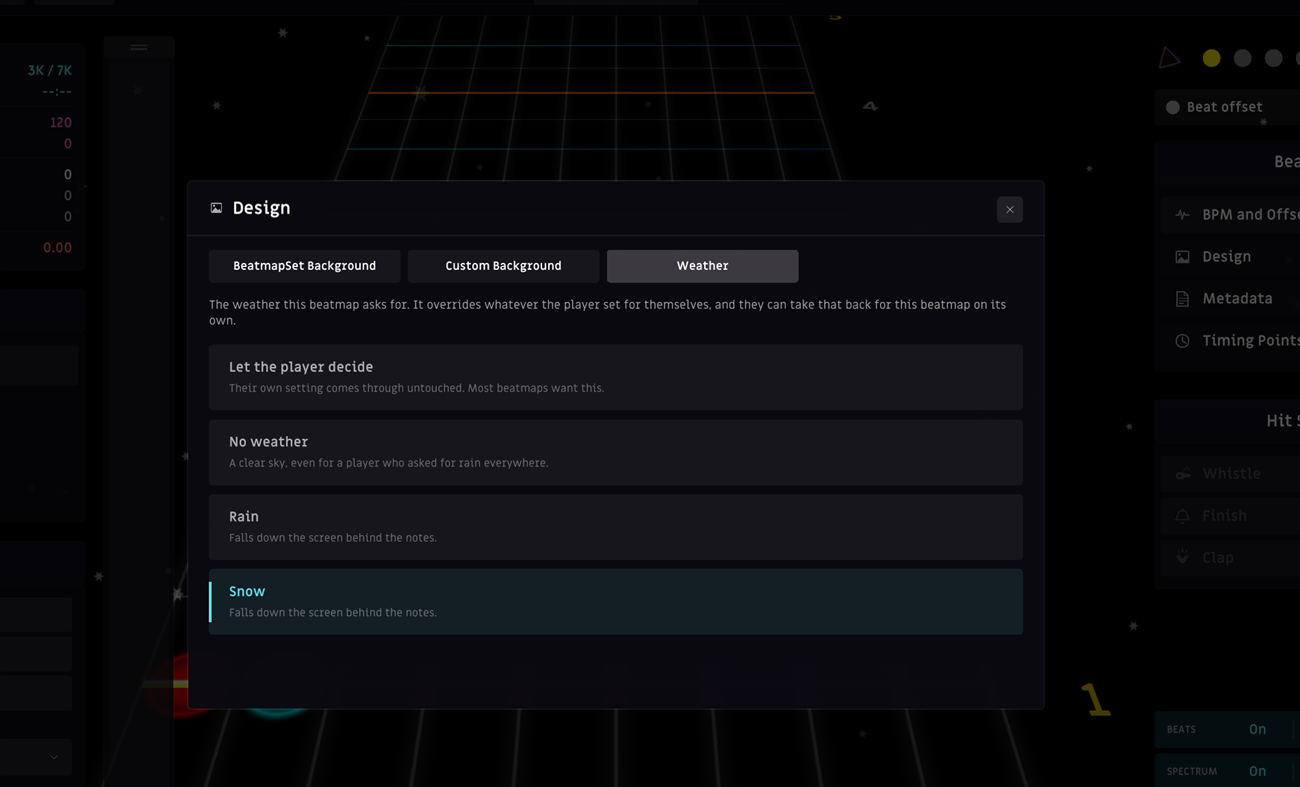
- A THIRD TAB in Design: Let the player decide (the default), No weather, Rain, Snow
- NO APPLY BUTTON:
weather was a typed value you could not see until you played the chart⇒ it starts falling over the editor at the next frame - IN THE FILE: a Weather key in . Absent or empty means the beatmap does not opine, so every existing beatmap behaves exactly as before.
- WHO WINS:
your setting, always⇒ three steps — your override for this beatmap, then what the beatmap declares, then your general setting - YOUR WAY OUT: a new Beatmap weather row in Customize → Ambience, saved for that beatmap alone
- YOUR GLOBAL SETTING: untouched, and still governs every chart that says nothing
NOTE SPEED, ONE STEP AT A TIME
37 was not a speed you were allowed to have.
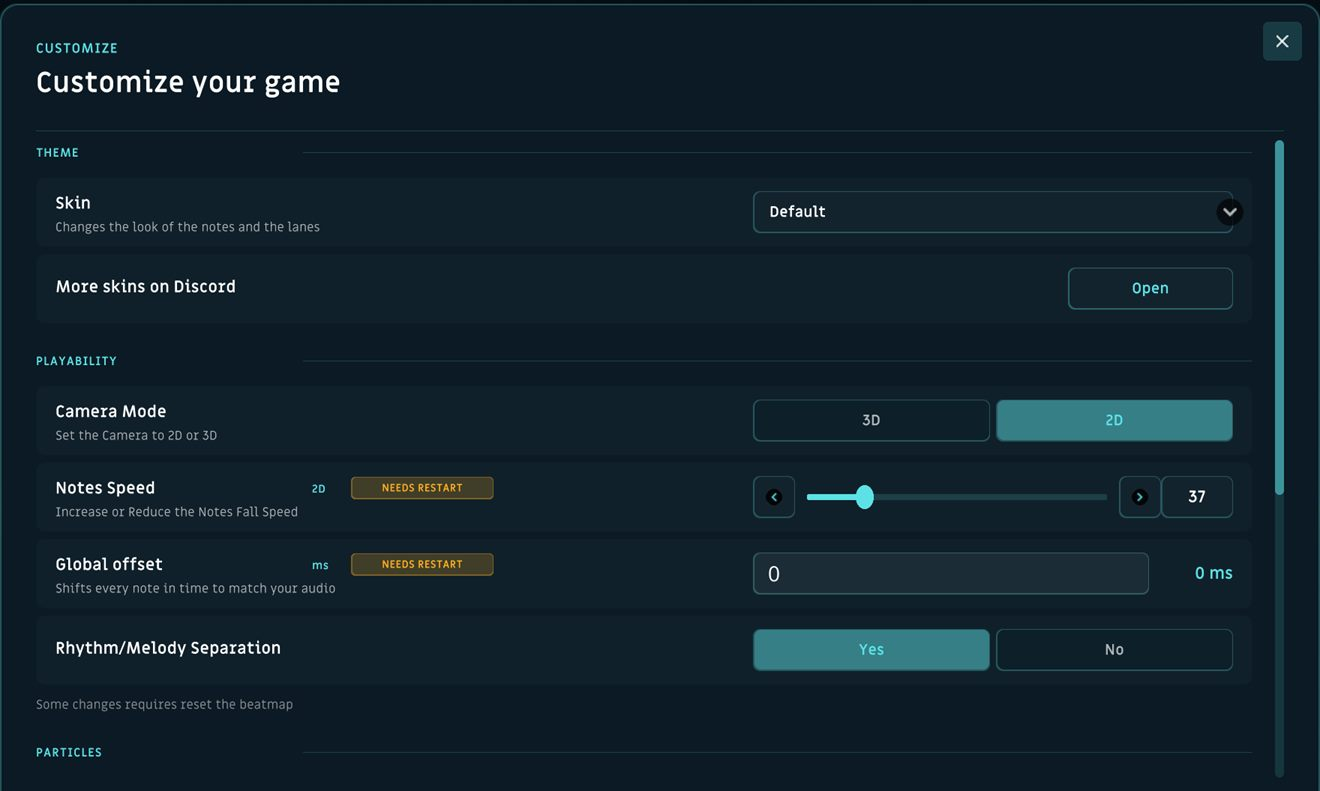
The slider was moving between the indices of a hidden fifteen-entry dropdown — 10, 20, 30 and so on. Anything in between was rounded off, and a saved 37 was written back as 50 the moment you pressed Play. In memory and in the config file.
- THE RANGE:
fifteen fixed steps⇒ every value from 10 to 150, one at a time, arrows included - THE ROWS:
"Notes Speed 3D" and "Notes Speed 2D" both on screen with different values, only one of them doing anything⇒ one row, showing whichever camera you are in - MID-SONG KEYS:
±10⇒ ±5 - FIXED NOTE SPEED (new, off by default):
the number was multiplied by the song's BPM, so 83 reads as 37 on a 90 BPM ballad and 99 on a 240 BPM stream⇒ the number is the fall rate, and every song scrolls alike - THE PANEL:
white at 4-16% over near-black⇒ cyan mixed into the dark, contrast from 4.0:1 to 5.4:1
OPEN IT FROM THE WEBSITE
The Download button was not connected to anything. Clicking it did not even fail.
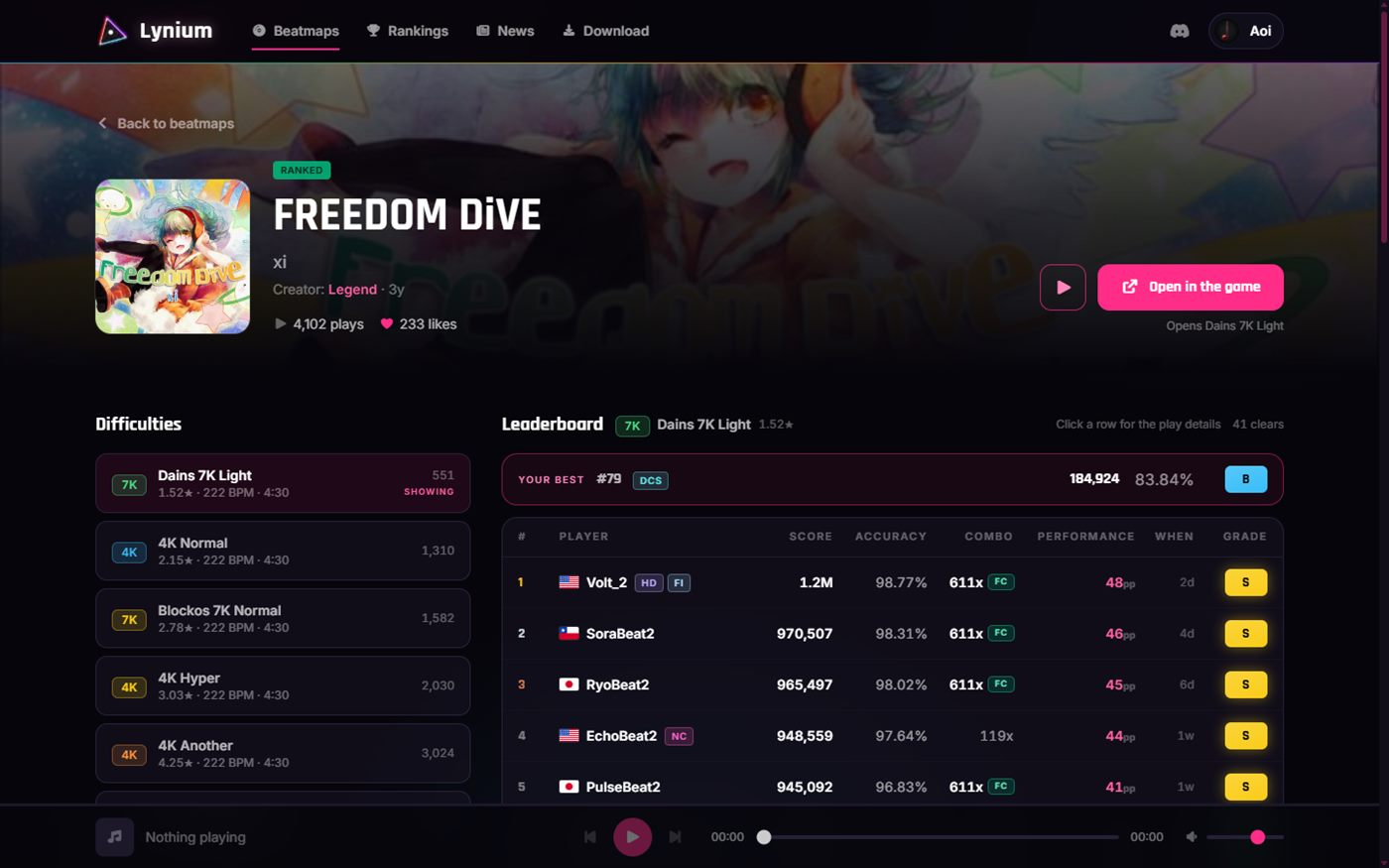
- THE BUTTON:
Download, wired to nothing⇒ Open in the game, with the promise written under it — Opens Dains 7K Light - THE ADDRESS:
?d= only appeared after a click, so a link copied on arrival opened whichever difficulty sorted first⇒ mirrored from the first paint - IF NOTHING TAKES IT:
a browser cannot report whether a custom scheme was picked up⇒ after 1.8 seconds a notice offers Open through Steam and Get the game, without claiming the game is missing
- THREE WAYS IN: game closed (Windows launches the scheme, which the game registers for itself at boot), game already running (the second process hands the link down a named pipe and raises the window), never launched (steam://rungameid wrapping the same link)
- NOT INSTALLED: the set is fetched, imported and opened
- MID-RUN: the link waits until you reach a screen it may interrupt
- THE EXACT CHART:
a set with nine difficulties opened whichever sorted first⇒ the one the link names
SHARE FROM THE PAUSE SCREEN
The pause card knew everything about the beatmap and none of it could leave the process.
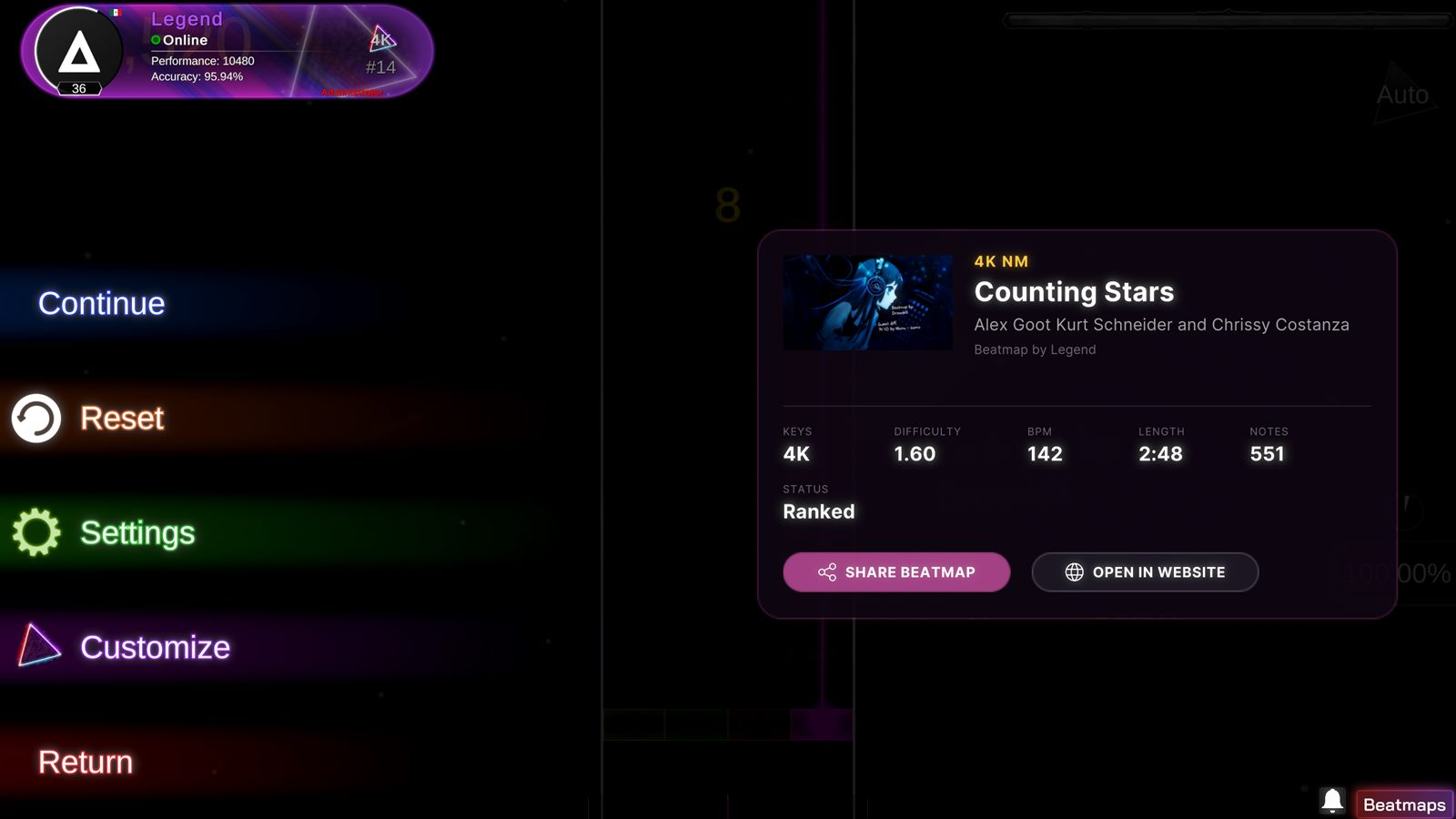
- A NEW ROW under the numbers: SHARE BEATMAP and OPEN IN WEBSITE, side by side
- THE CLIPBOARD: the whole address, https:// included, and the value is read back before the button claims a copy that never happened
- CONFIRMATION:
a clipboard write is otherwise completely silent⇒ the pill turns green, the glyph becomes a tick, the label reads Link Copied for 2.2 real seconds — real, because pausing sets the timescale to zero - OPEN IN WEBSITE: opens the beatmap's page in the Steam overlay, with a browser fallback for anyone who turned the overlay off
- AN UNPUBLISHED CHART has no page, so the row is not drawn and the card closes above it
THE BEATMAP MENU
Six centred labels with four verbs and no subject. Nothing said which beatmap Delete was about to act on.
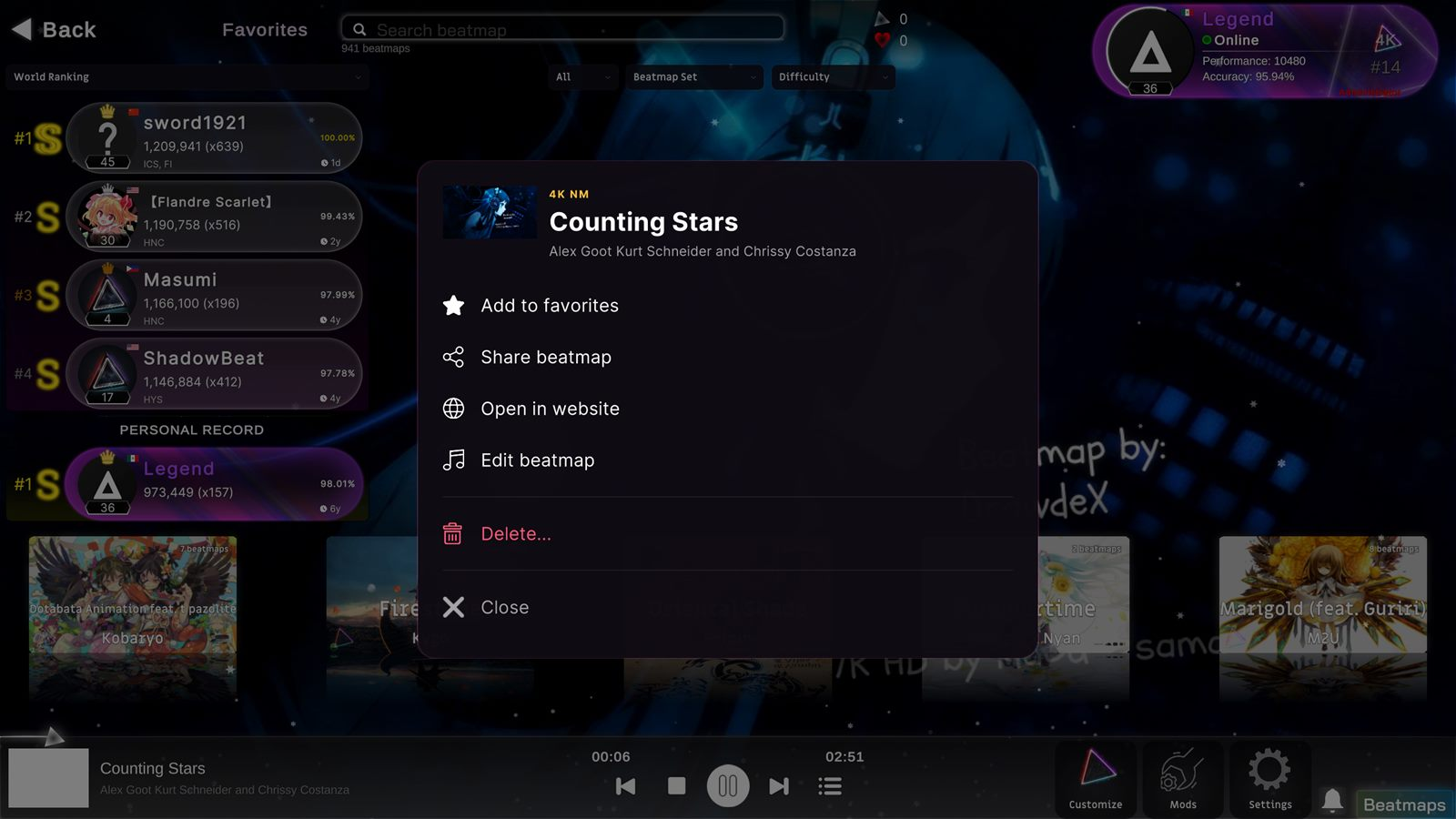
- IDENTITY:
none⇒ cover, difficulty in gold, title and artist across the top — the same block the pause card uses - THE HIT AREA:
only the glyphs and a 2px rule were clickable; everything between fell through to the screen behind⇒ each row is a full-width surface that lights wherever the pointer is - CLICKING OUTSIDE:
the backdrop swallowed the click without closing or passing it on⇒ it closes the menu - DELETING: confirmed inside the same card — Delete only this version, Delete all versions, Back
- CONTRAST:
white 32pt over 20% black on the beatmap's own cover art, and half the library's covers are bright⇒ a proper dimmer and a solid card
- FAVOURITES AND LIKES:
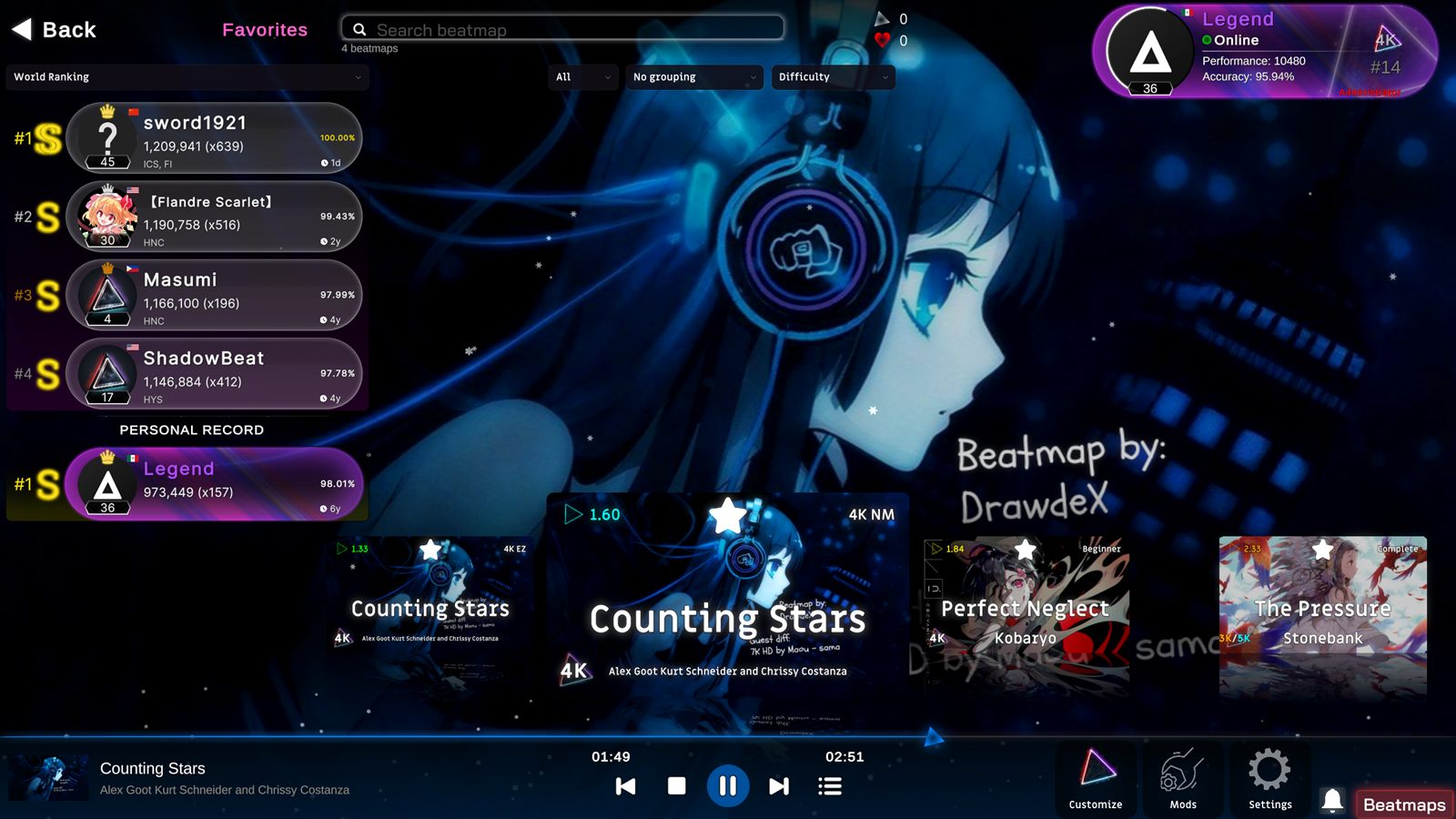
the same list — removing a favourite withdrew your public vote, and pressing the star announced a rating to the server⇒ two files. Favourites are private and go nowhere; likes are the local half of the public vote. - THE MARK:
the menu row said Add to favorites beside a star and the card came back wearing a heart, which is the public like counter⇒ a star, matching the row
HOW LONG THE CHART ACTUALLY IS
Every screen was telling you how long the mp3 was.
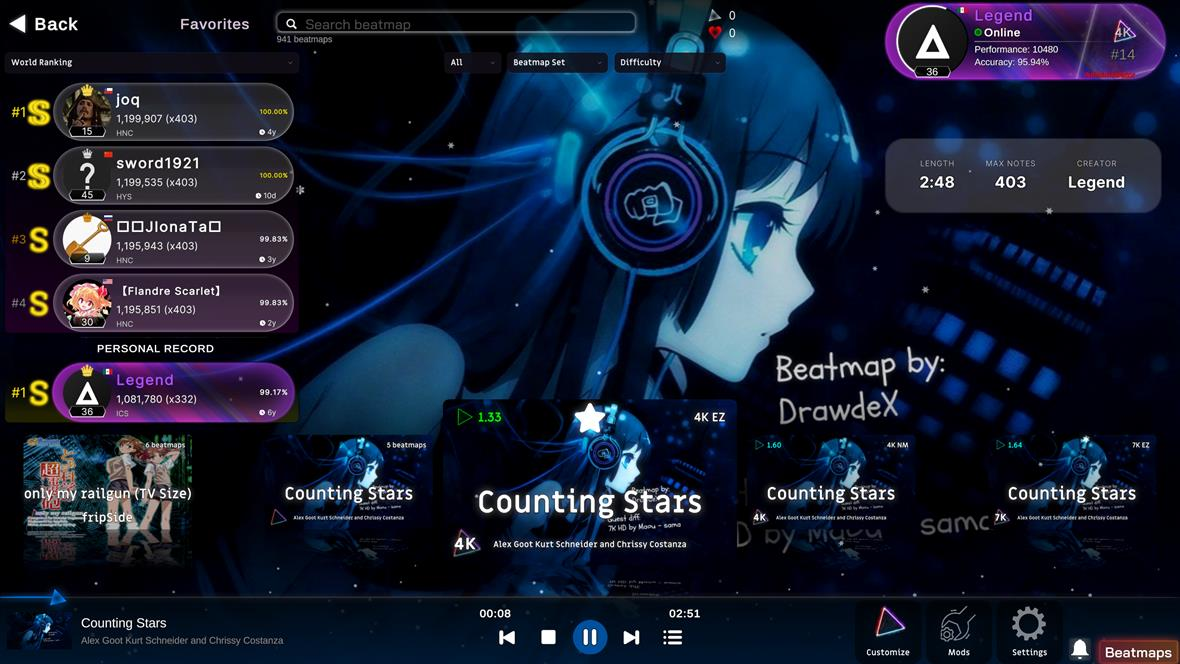
All four difficulties of a set announced the same number, because that number came from the audio file. It now comes from the notes — first to last — per difficulty.
- SONG SELECTION:
an empty top-right corner⇒ a glass card with LENGTH, MAX NOTES and CREATOR - SORTING:
five criteria⇒ seven, adding Beatmap length and Audio length - THE PAUSE CARD:
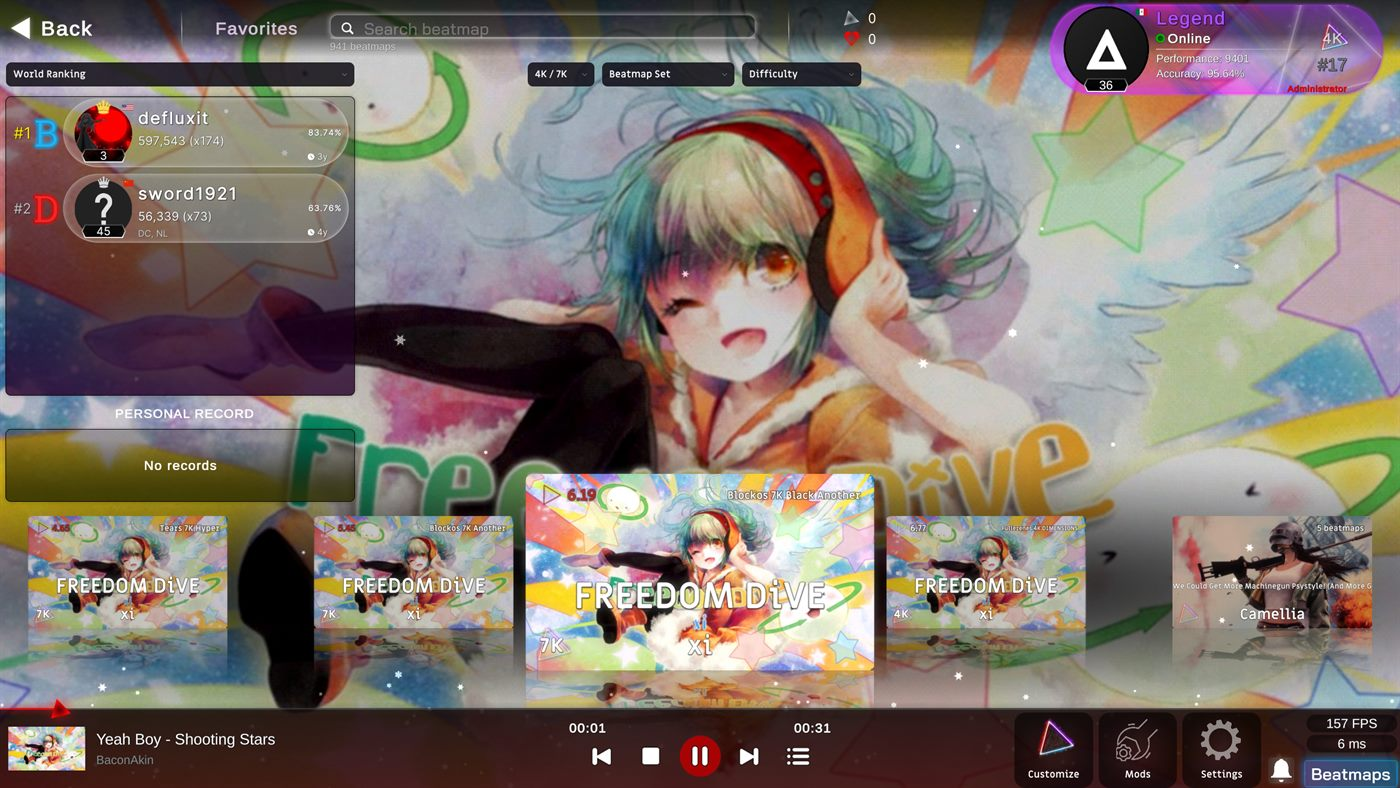
2:51 on Counting Stars [4K EZ]⇒ 2:48, the chart. On GHOST the gap was thirty-five seconds. - ON THE SITE: in the listing, on Top plays and on every difficulty row. A set whose charts disagree shows a range — FREEDOM DiVE reads 2:25 - 4:19.
THE BEATMAP BROWSER
Three filters that could not filter, and one line of magenta to tell you that you already owned something.
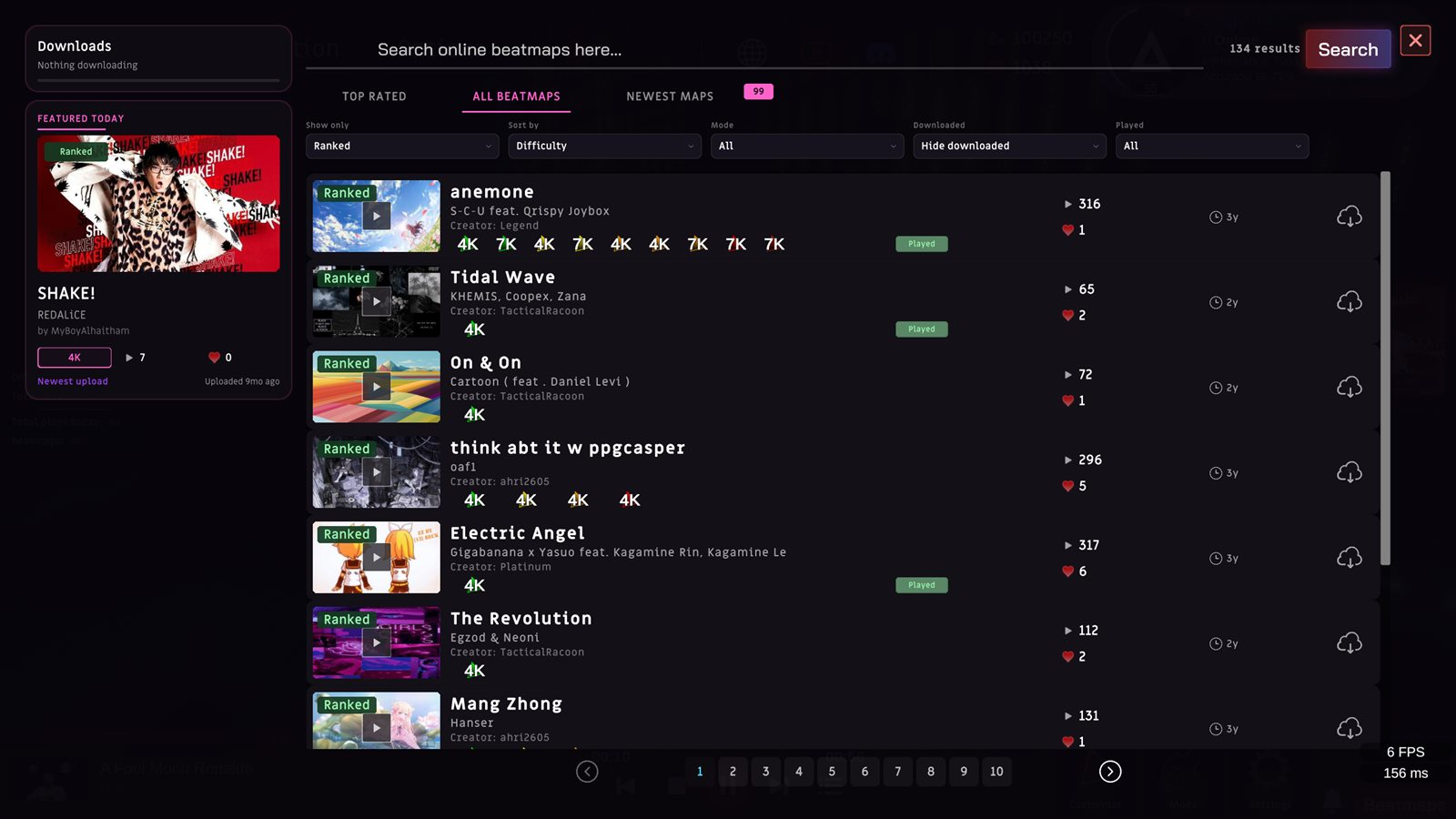
- DOWNLOADED (new): all, hidden, or only downloaded — resolved on the server. The code had been sitting commented out in three branches against a toggle that was never wired up.
- PLAYED (new): all, played, not played. The row only knew how many times everyone had played a set, never you.
- A SET YOU OWN:
a 4px magenta hairline and grey text⇒ the row goes green, a DOWNLOADED pill sits over the cover, and the download cloud becomes a check - AUDIO PREVIEW:
website only⇒ a play button on the cover, starting at the mapper's preview point, with the menu music stepping aside - NEW MAPS: a count pinned to the tab, visible from all three, and a NEW mark on anything submitted this week
- THE DROPDOWNS:
three off-style ones that clipped their fourth option and pushed the frame to 175 ms while open⇒ five, from the same factory as Song Selection
253 CHARTS FROM OSU!MANIA
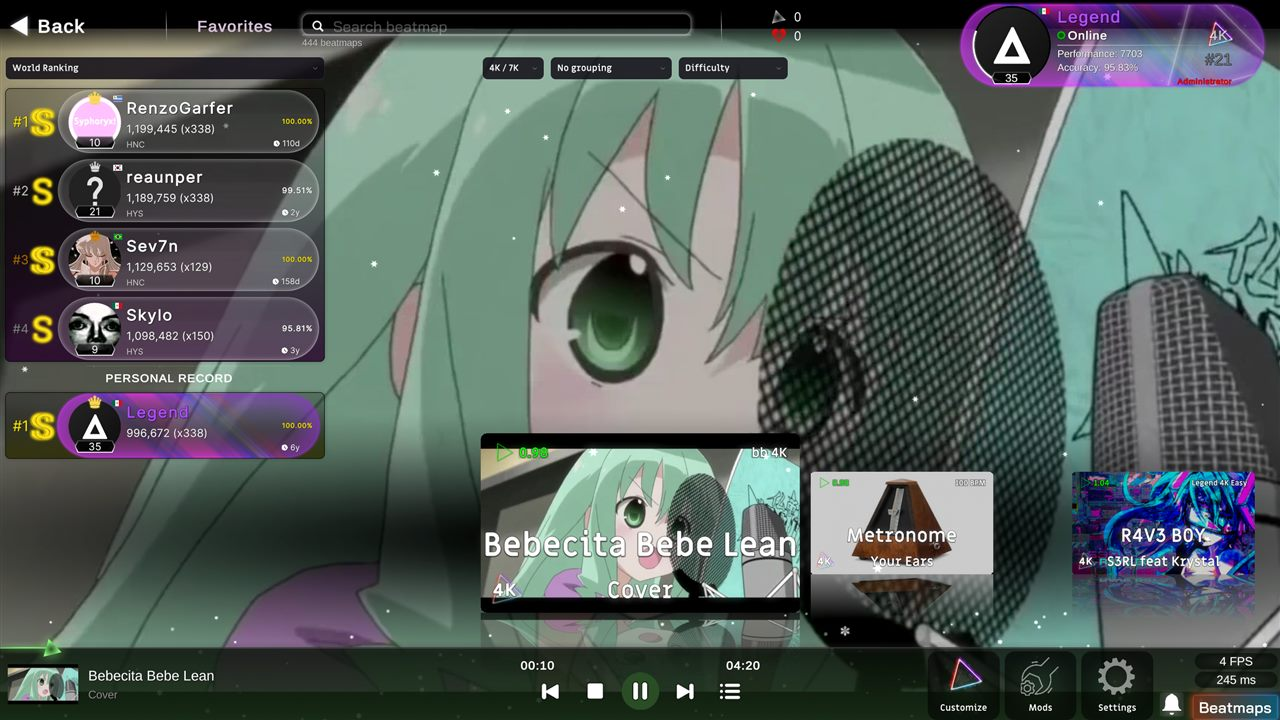
The importer took a loose .osu file, opened it in the editor, and left you there.
- THE FILE:
a single .osu⇒ the .osz you actually download, assembled into a whole set — audio, background and one chart per difficulty - THE MAPPER:
the creator fields were commented out and the authorship was discarded⇒ read and kept, with the osu! ids in Source and Tags - THE LANES:
an X coordinate compared against eleven constants, with 5K and 6K left as empty comments⇒ a formula over the circle size that covers any column count - IN THE CATALOGUE: 49 sets and 253 difficulties published — 206 ranked, 47 in review
THE WEBSITE
Seventeen languages
The picker had two entries in plain text.
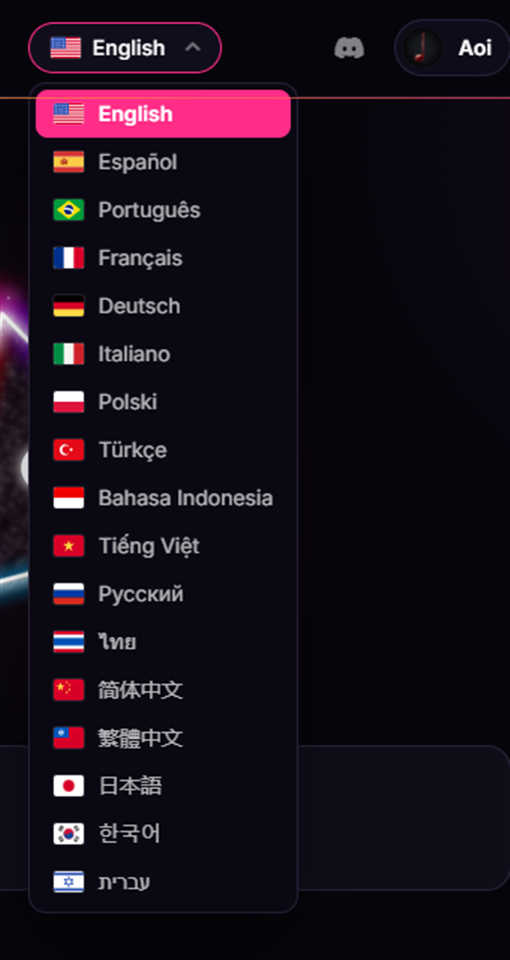
- LANGUAGES:
2⇒ 17, each with its flag and its own name in its own script — seven scripts in total - COVERAGE: 354 keys per language, the complete tree, checked before every build. Not a subset.
- HEBREW turns the document right to left
- YOUR BROWSER'S LANGUAGE:
truncated to two letters, so zh-TW landed on simplified Chinese⇒ the full tag first, then its root
Your profile, yours to edit
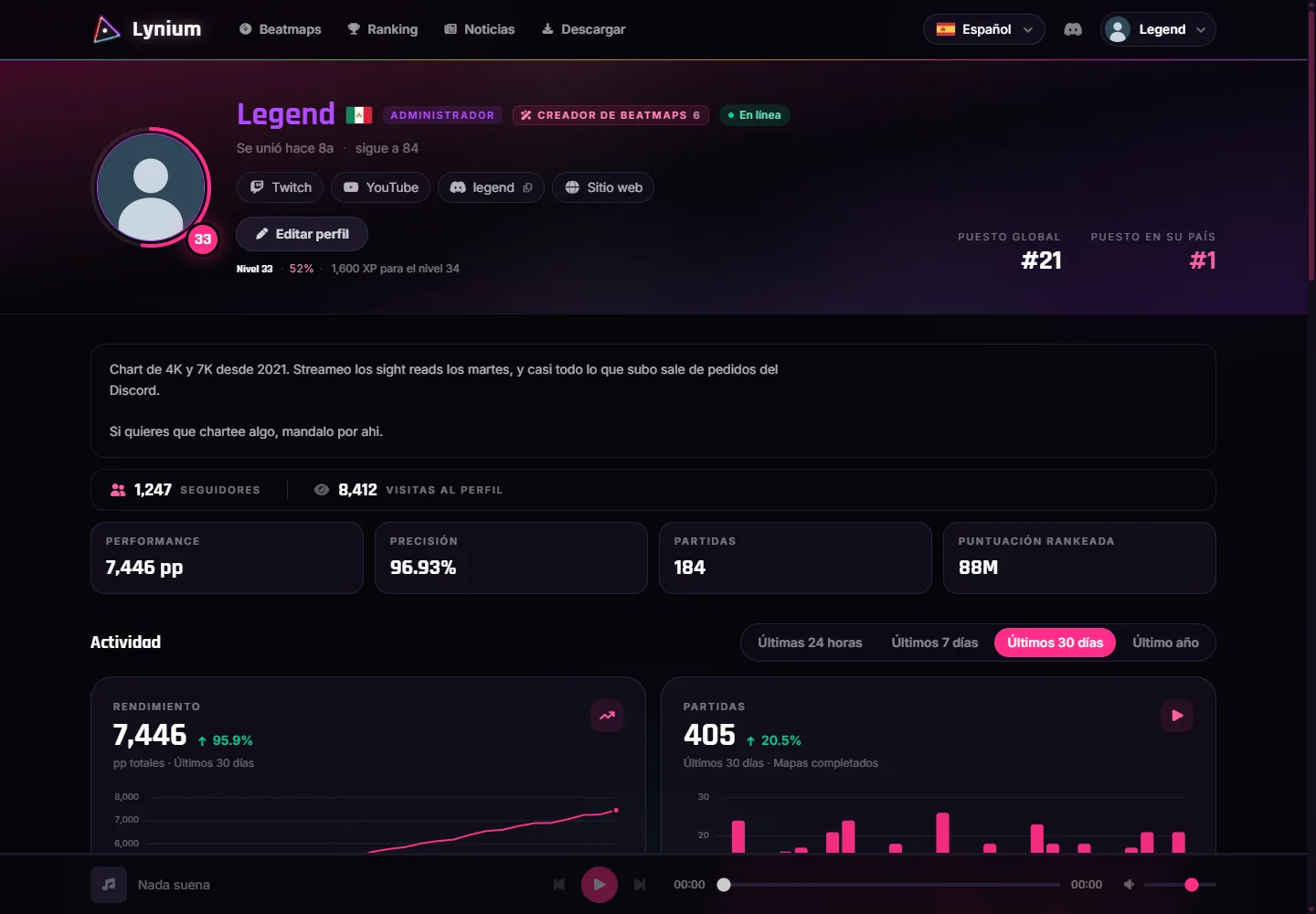
- COUNTRY:
fixed by an IP lookup on the day you registered, and unchangeable⇒ yours to pick, in /settings - A BIO: 500 characters, in its own panel above the stats
- SOCIAL LINKS: six networks, shown as chips beside your flag. You type the username; the address writes itself.
- FOLLOWERS AND VISITS: both on the profile, with a follow button. One visit per person per day; your own does not count.
Latest plays
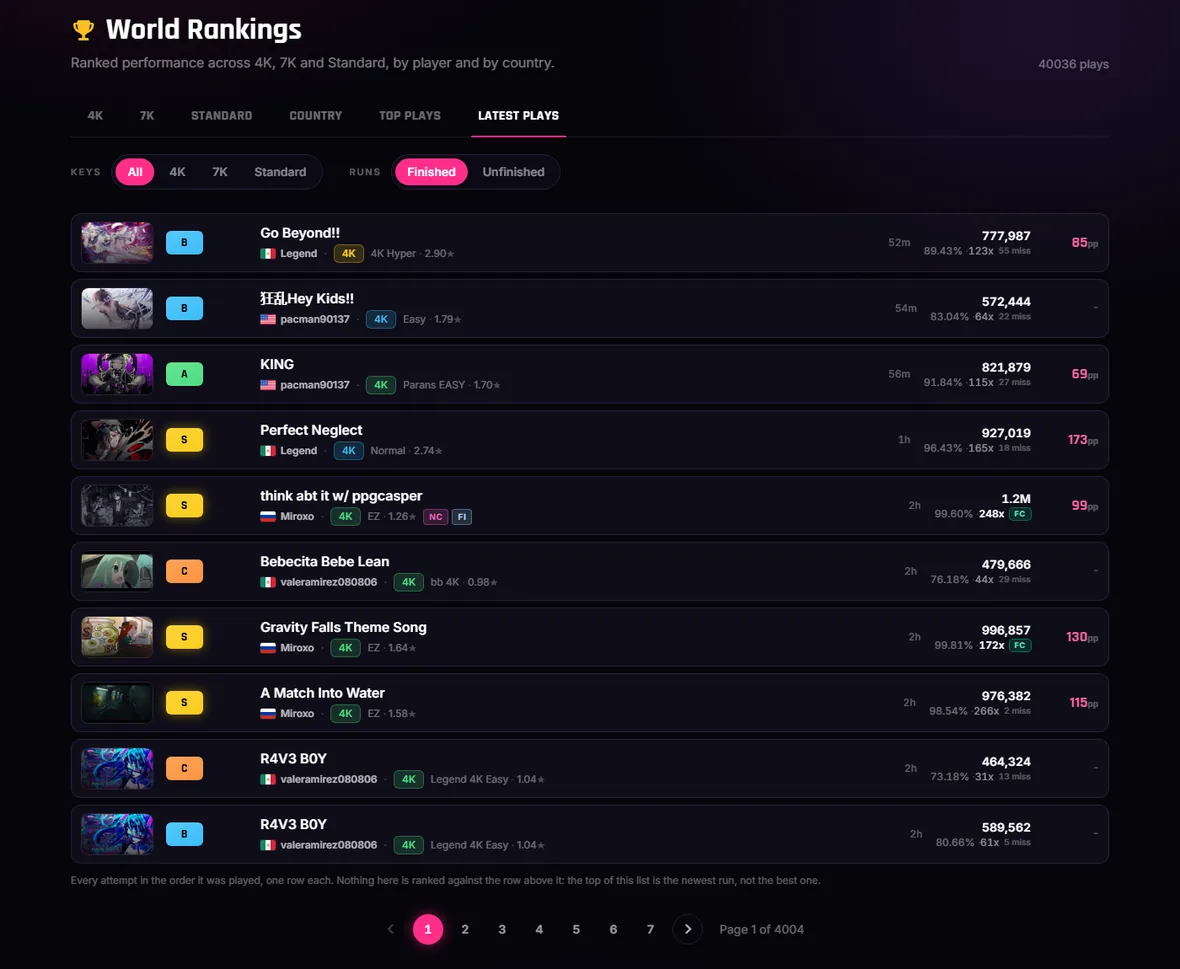
- A SIXTH TAB:
nothing on the site was chronological — Top plays only shows a run if it beats the rest on pp⇒ one row per attempt, newest first, no positions because it ranks nothing - FAILED AND ABANDONED RUNS:
invisible sitewide⇒ their own half of the board - IT OPENS ON ALL, which is the only view that counts the 1,791 plays of 3K, 5K and 6K that belong to none of the three boards
- ON THE HOME PAGE: five rows, with a link that carries whatever you were looking at into the full feed
And
A TAB LEFT OPEN during a deploy used to find out by breaking⇒ a strip with a reload button- SIGNING OUT:
there was no way to, short of clearing the site's data⇒ the account chip opens a menu - COPYRIGHT:
there was no policy and no address to send a takedown to⇒ a DMCA policy and a transparency page, in Spanish and English
BUGFIXES
- The Early Access notice is out of the intro.
- The entrance has a backdrop instead of a rectangle in the dark.
- You come back to the difficulty you played, not to the first one in the set.
- Song selection has the bar, so pausing there pauses.
- Only the key labels for lanes the beatmap actually has are drawn.
- Fixed the layout change on 6K and 7K.
- A beatmap preview stops the music instead of talking over it, and stops itself when its window closes.
- The downloads search says what it found, and Enter runs it.
- The game says what you already have before offering to download it again.
- The ratio bar rounds properly, and the mapper is credited on the row.
- The results screen speaks one language.
- A ranked set announces itself once, not once per approved version.
SEE YOU ON THE PLAYFIELD
Found something broken, or want to tell us what to build next? We read everything.