Announcing Ver.3.0.0
major updateMETAL GEAR SOLID 3: Snake Eater - Master Collection Version · published
Ver.3.0.0 releases February 13th, 2026.
Ver.3.0.0 Patch Notes
Please check the list of changes below for details on the main improvements and fixes in this patch.
○ New DLC "High Resolution Texture Pack" added
For instructions on how to install the DLC on Steam®, please refer to the Steam news post titled "How to install the DLCs", which was posted on October 26, 2023. The following amount of free space will be required in order to install the High Resolution Texture Pack.
Steam®:Approx. 70 GB
System specifications for this DLC when used with the Steam® version are listed below.
Minimum system requirements
*If the internal resolution is set to FHD with the High Resolution Texture Pack enabled
Processor
Intel(R) Core(TM) i5-10400
Memory
16 GB RAM
Graphics
NVIDIA GeForce GTX 1070
Additional Notes
SSD recommended
Recommended system requirements
*If the internal resolution is set to 4K with the High Resolution Texture Pack enabled
Processor
Intel(R) Core(TM) i7-10700
Memory
16 GB RAM
Graphics
NVIDIA GeForce RTX 2070
Additional Notes
SSD required
Please note that while installing the High Resolution Texture Pack is possible on the Steam Deck™, it is not possible use it in-game.
Screen settings will display additional options upon applying the High Resolution Texture Pack.
The following options will be added to the Screen settings.
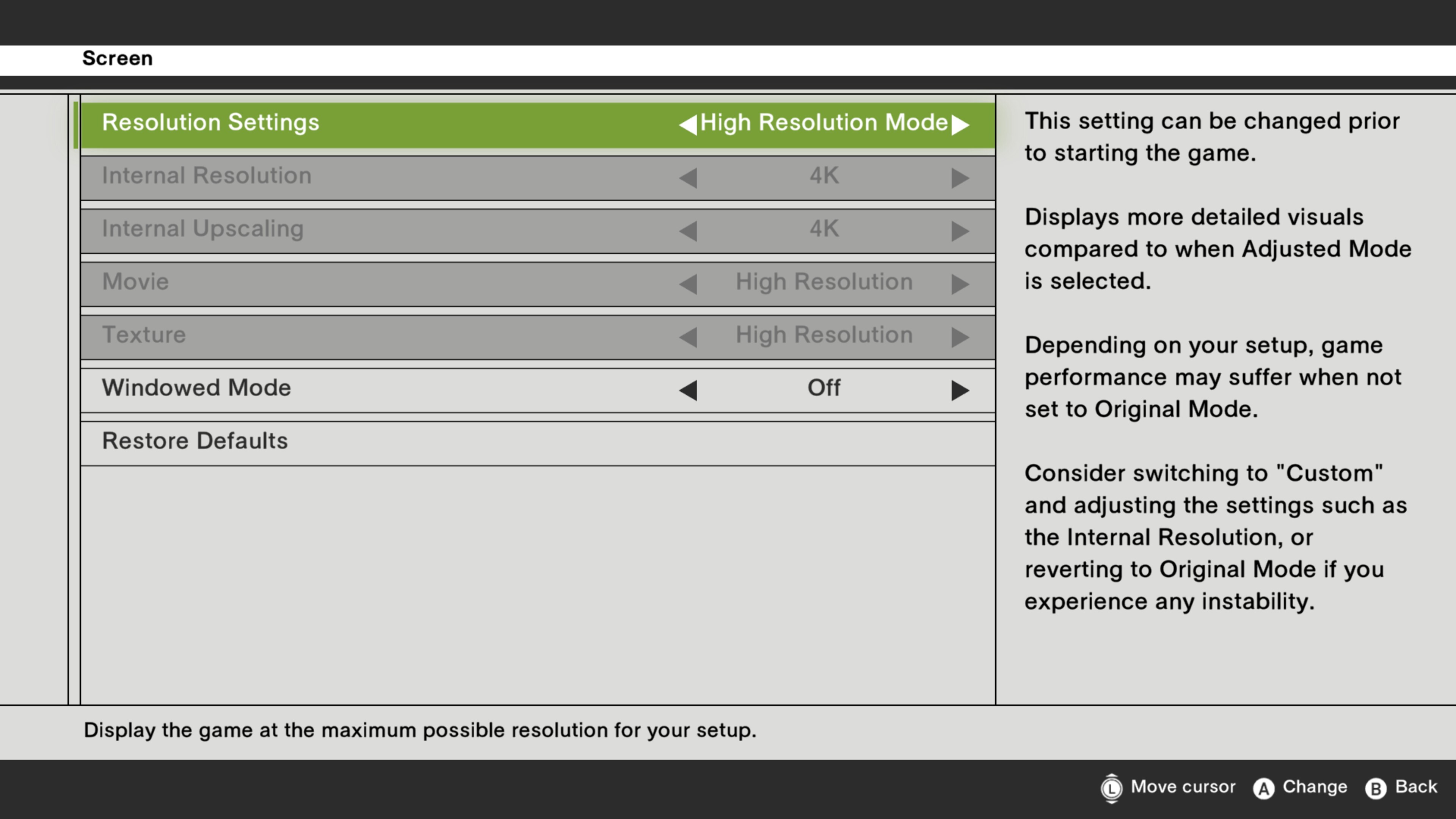
(1) "High Resolution Mode" preset added
A "High Resolution Mode" preset will be added to the Screen settings under the Options menu.
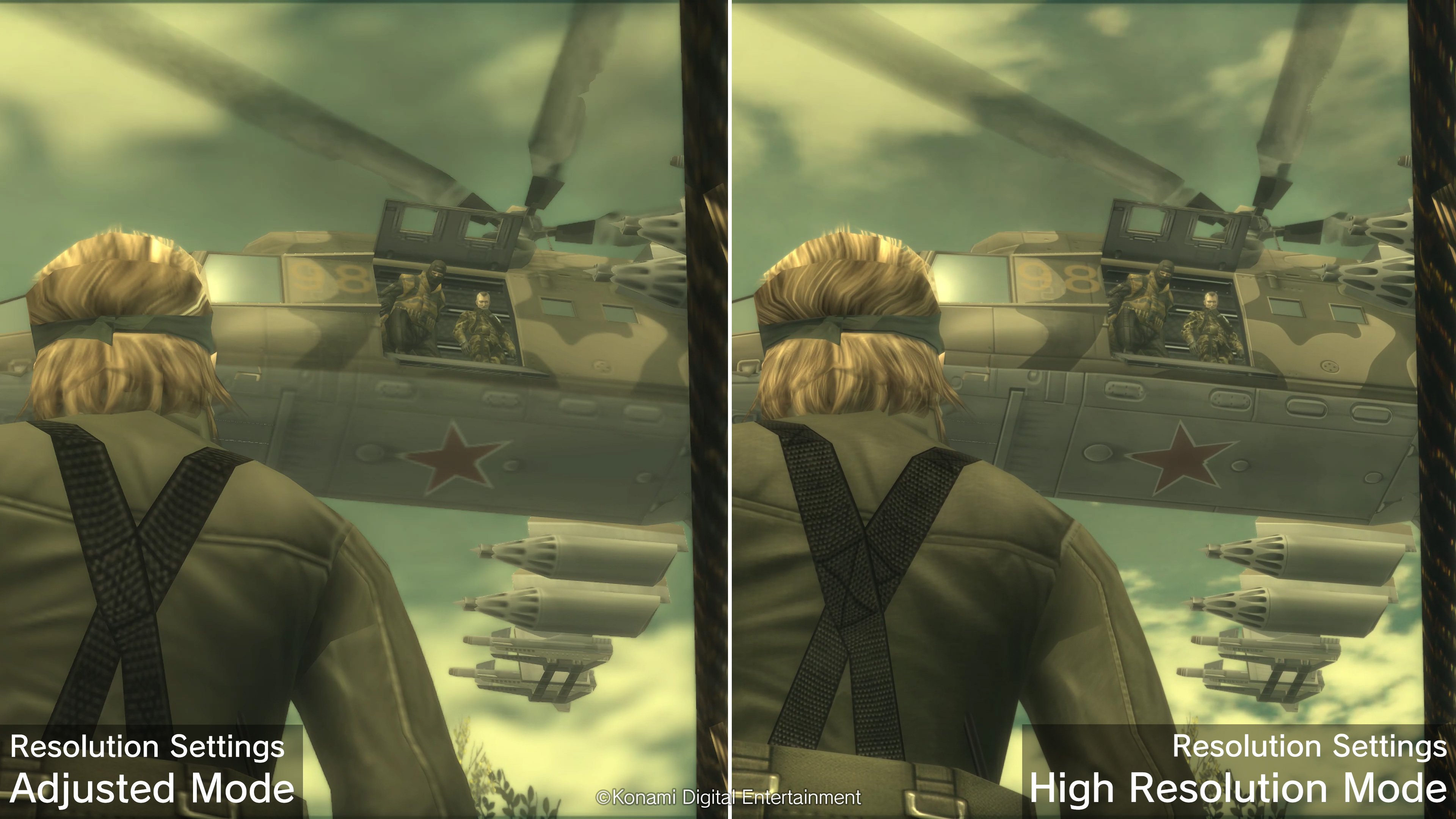
In High Resolution Mode, the game will be displayed in greater detail compared to Adjusted Mode.
The specific settings for the "High Resolution Mode" preset are as follows.
Internal Resolution: Maximum resolution possible on your device from FHD (1080p)/WQHD (1440p)/4K (2160p)
Internal Upscaling: Maximum resolution possible from FHD (1080p)/WQHD (1440p)/4K (2160p)
Movie: High Resolution
Texture: High Resolution
(2) "Custom" preset expanded
The number of options available for the "Custom" resolution setting in Screen settings under the Options menu will be expanded.
(A) Increased maximum possible internal resolution
The maximum possible internal resolution increased.
The maximum possible internal resolutions are as follows.
Steam®: 4K(2160p) *1
*1 This option may not be available depending on your setup.
(B) Textures
High resolution textures can now be selected in addition to original textures.
By selecting High Resolution, certain textures will be displayed at a higher resolution.
These settings cannot be changed after starting the game.
Applying high resolution textures may cause longer loading times than previously.
Some setups may experience some instability if these settings are changed.
Consider reverting back to the default settings if you experience any instability.