TRS22 / Trainz Plus - HD Terrain Update and More!
major updateTrainz Railroad Simulator 2022 · published
Release Features for TRS22 & Trainz Plus
Builds
- TRS22 Windows (Trainz Store): 122418
- TRS22 Mac (Trainz Store): 122419
- TRS22 Windows (STEAM): 122427
- TRS22 Mac (STEAM): 122432
- TRS22 Mac (App Store): 122478
- Trainz Plus Windows: 122411
- Trainz Plus Mac: 122431
- Trainz Plus Windows (STEAM): 122428
- Trainz Plus Mac (STEAM): 122433
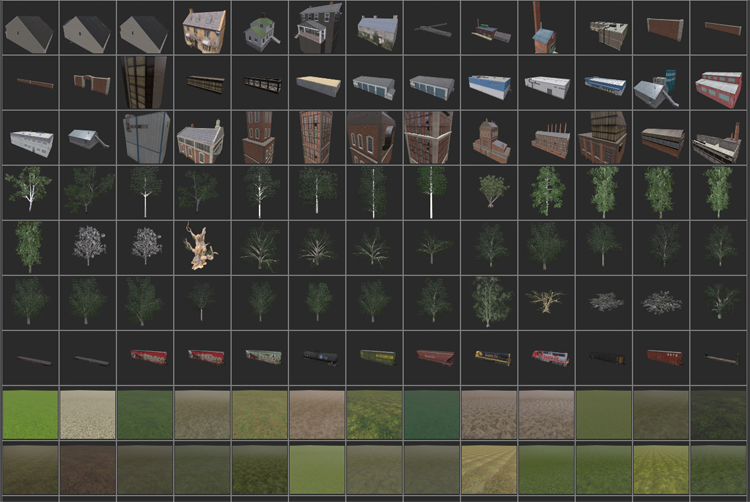
S20 3D Asset List
- The existing 2D thumbnail option will be removed in favor of 3D previews.
- The toggle to a text-only list remains available.
- S20 only, not available to retail TRS22 users.
GPU Clutter
- This is a code-level upgrade to the existing clutter effect layer which increases performance. Future releases will build on the groundwork here by way of advancing clutter to completely replace turffx.
- Static performance (fps) should be as good or better.
- Dynamic performance (fps while moving the camera) should be better.
- The latency of clutter updates in response to camera movement should be substantially better.
- The latency of clutter updates in response to editing should be substantially better.
- Available to all WINDOWS builds.
- MacOS has this feature disabled due to a late-cycle-identified critical bug.
HD Terrain
- This is a new selectable baseboard option, not a drop-in replacement for the existing options. This will be the default for new routes, and the existing options are deprecated.
- Render performance is equivalent to existing terrain while sustaining a much higher visual quality.
- Editing performance will vary depending on the demands placed on the tools. Basic editing remains smooth, however HD scrapbook edits may be noticeably jerky in this release.
- Improved spatial resolution.
- 0.125m, as compared to 5.0m previously.
- Down to 2.0m is lossless; lower than that uses lossy compression.
- Less texturing flexibility (16 textures per baseboard, down from 250).
- This can be mitigated by:
- Clever texture management.
- Scrapbooking various texture patterns together using a small brush radius.
- Generous use of clutter effects to reduce the visibility of the underlying texture.
- Increased spatial resolution.
- Improved visual quality.
- Use of vertex color painting (Color Tint Effects Layer).
Surveyor Classic
- Editing of HD baseboards will be entirely disallowed.
- A brief notification will be displayed on any editing attempt which hits a HD baseboard.
- Edit operations which span both classic and HD baseboards will take effect on the classic boards and will have no effect on the HD boards.
- Conversion of HD baseboards to either 5m or 10m grid is permitted.
- Creation of HD baseboards is not an option.
- Conversion to HD grid is not an option.
TRS22
- HD terrain will display at degraded resolution.
- Data buffers will cap out at 4m resolution, except for hole/color data which will cap out at 2m resolution.
- Tessellation will be equivalent to the lowest quality setting in Trainz Plus.
- Displacement mapping is disabled.
- Editing of HD terrain is not possible.
The Living Railroad (TLR) Properties User Interface
- Available to all builds.
- Will continue to be improved and extended in future releases.
- TLR itself is not active in this release, so TLR scheduling features are not visible in the UI.
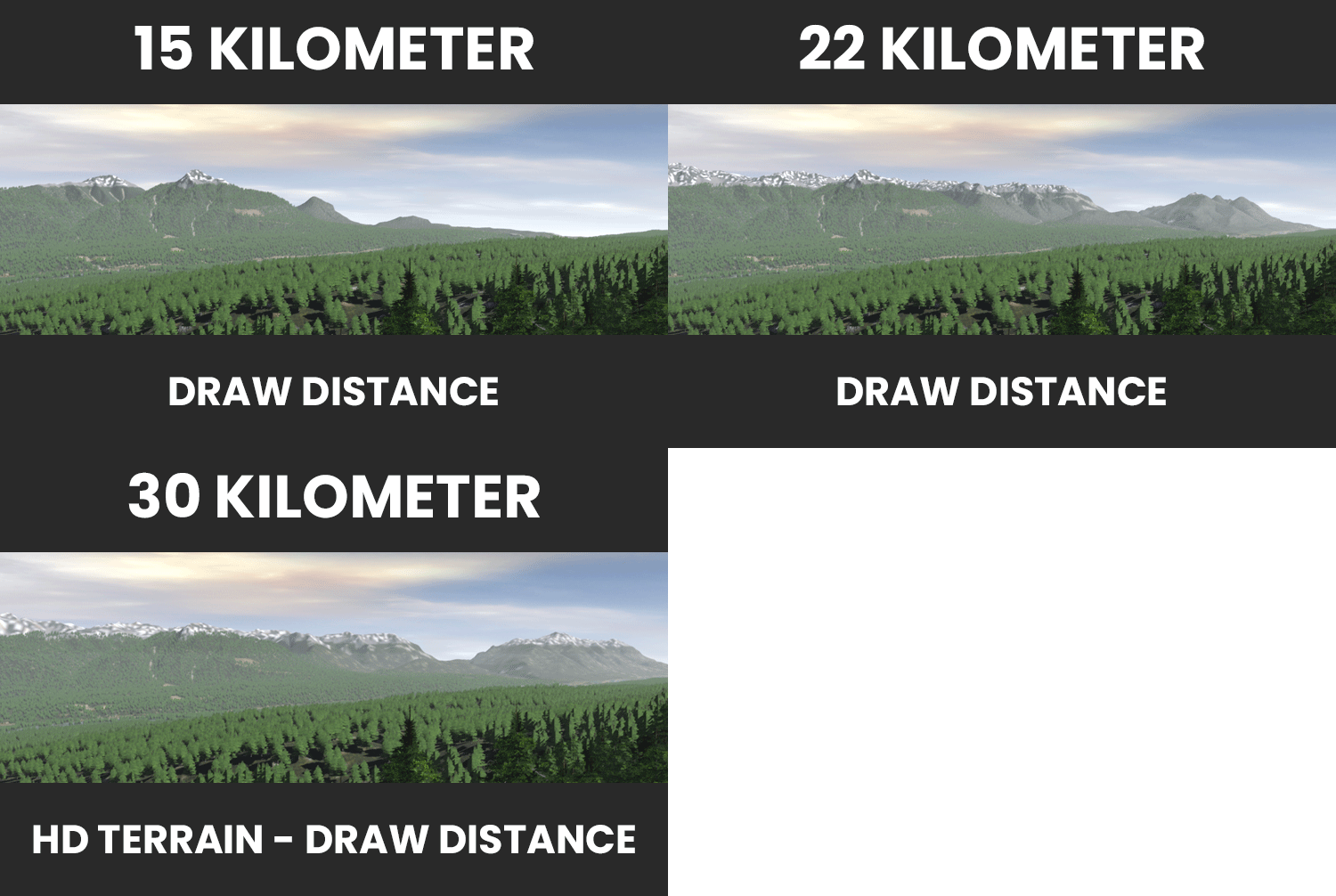
Increased maximum draw distance to 22km.
- Available to all builds.
- HD Terrain renders out to 30km as the lower lod single-pass terrain is much more efficient than legacy terrain.
Removed shadow texture size setting.
- Available to all builds.
- 2048 is now used at low shadow detail, 4096 at higher settings.
The Driver List is now available in S20.
- The limit on total Effect Layer data size has been raised substantially.
Multiplayer Surveyor Compatibility
- MPS users must always have the latest retail build, as we only run servers compatible with the latest build.