New versus, arcade and lobby features! (update 1.4.0)
INVERSUS Deluxe · published
Today's update adds improvements across all parts of the game. There are new game settings to customize your versus matches, new challenges for your arcade games, and a better lobby experience for your online games!
So what is new in versus mode? I've added some new settings that let you customize the rules. These are available in local games and private online games. Public online matches always play by the standard rule set. First up, you can change how much ammo players get. This has a large impact on the pacing and risk/reward of taking a shot. The second new option adjusts what types of pickups can spawn on a map. You can either turn pickups off completely or make them random per round. With random pickups, you'll find all sorts of new surprising encounters!
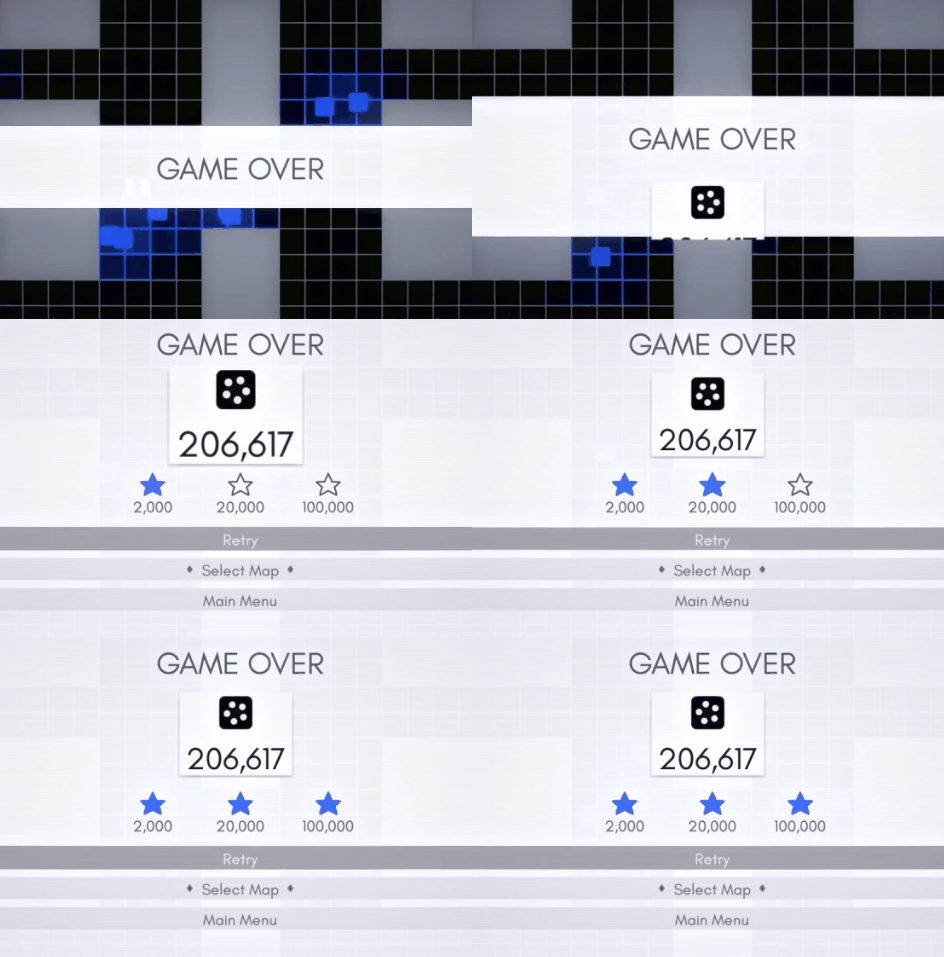
How about arcade mode? Your performance on maps is now rated with a three star system. Each map has set goals in the solo and cooperative modes. Earning stars unlocks more maps and lets you brag to your friends. If you've already unlocked arcade maps with the old system, don't worry. Your existing unlocks will remain intact regardless of how many stars you have.
What's new with online lobbies? Previously, INVERSUS had the "Play Arcade While Waiting" feature in public lobbies. This was a big hit but there was room for improvement. You could only play solo arcade mode which was great for most cases, but not great for when you had a friend over and wanted to search for some 2v2 games as a team. With INVERSUS 1.4, you can now play any of the local game modes from any public lobby! This includes 1v1, 2v2 and coop arcade!
For a video demo of the bigger items, click right here. For all the little details, see below!
Primary Updates
- Local and private versus games have new options for tweaking the game rules. These can be found under the options button when selecting players for the game.
- Change the number of shots each player gets (between 2 and 6)
- Change which pickups spawn on the map (standard, random, or disabled)
- The setting for points needed to win the match has also been moved to this menu.
Minor Updates
- The first few maps in the basic tutorial have been adjusted to feature a single player instead of two players.
- Added nine new emotes to unlock.
- The menu indicator for new unlocks is now a diamond instead of a star.
- Drop down menus now play audio when navigating the items.
- Fixed a bug where the multiplier display in arcade games could remain blinking due to a mispredicted death in online play.
- It is now easier to see unselected emote icons in the customize menu.