0.3.2 Improve Settings section
Screen Cat · published · build 16942123
Hello!
List of changes:
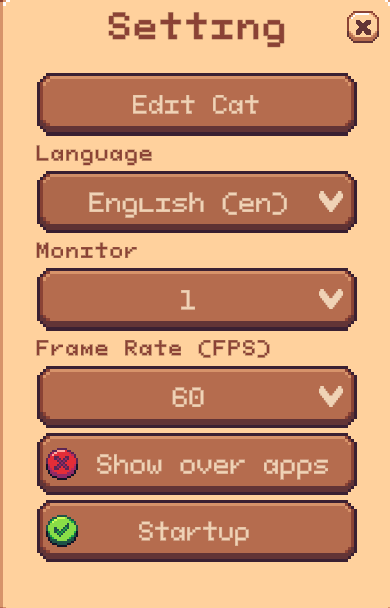
1. Possibility to choose the monitor on which the cat will be located. Settings -> Monitor
2. Possibility to change frame rate (support 160, 144 hz monitors) Settings -> FPS
3. Prevent the cat from appearing on top of other windows. Settings -> Show over apps
P.S
Some users complain about performance issues.
I don't have deep knowledge of optimization, so I added the ability to adjust FPS from settings menu.
If this solves the problem, I'll try to fix them in the next iteration.