Space Engineers: Economy 2 Update & Pack Live Now!
major updateSpace Engineers - Frostbite · build 22174035 · published
Hello, Engineers!
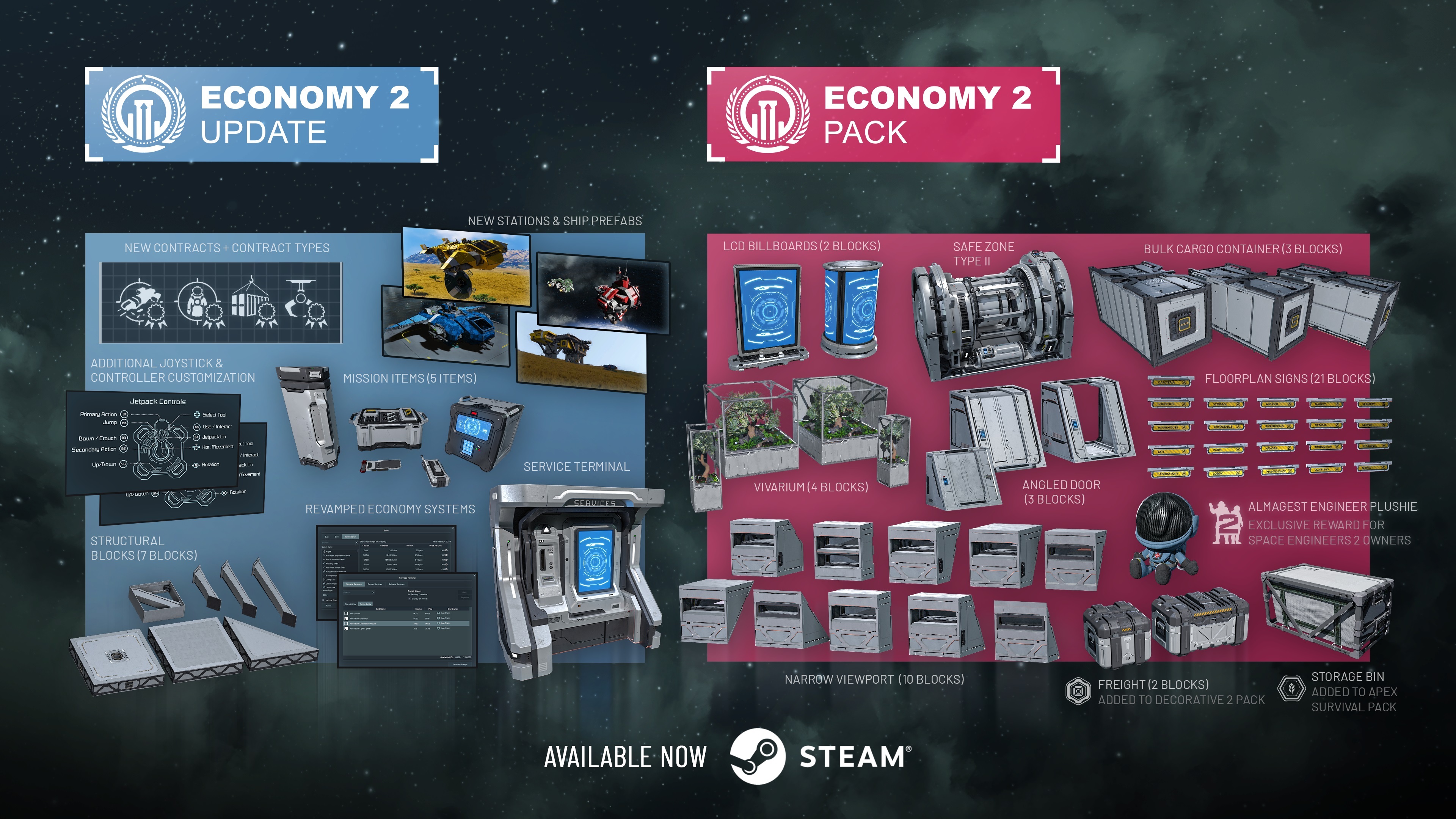
The Economy 2 Update is here - and it changes how you play. Store entire grids and redeploy them when you need them. Repair your ship at a trade station without replacing a single component. Hunt bounties, haul cargo through pirate space, and sell scrap for credits. Trade stations now have NPCs walking around inside them. And further ModAPI improvements open new possibilities for modders, server gamemasters, and scenario makers.
Everything in this update is free. Alongside it, we're releasing the Economy 2 Pack with new decorative blocks and variants to expand your creative options.
https://store.steampowered.com/app/4502100/Space_Engineers__Economy_2_Pack/
Watch on YouTube

We’re bringing you all the important gameplay changes for free in our Core Systems Update.
Services Terminal: Grid Storage, Repair & Salvage
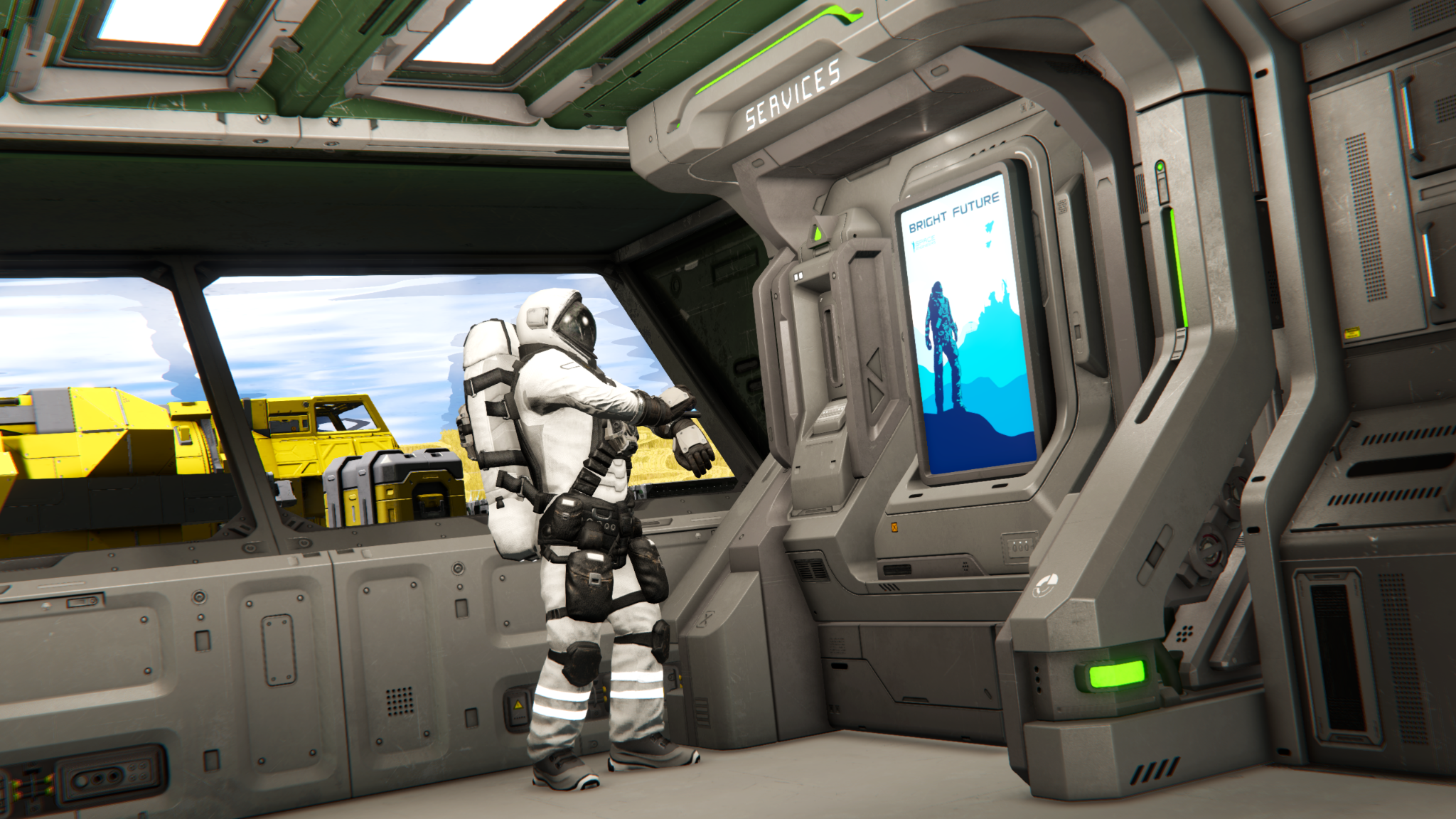
The Services Terminal block is one of the core new infrastructure features of the Economy 2 Update. Its purpose is to give players new ways to quickly store, repair, and sell grids. Repair and Salvage services are exclusive to the economy system, making trade stations useful hubs of activity, and not just of an optional side system.
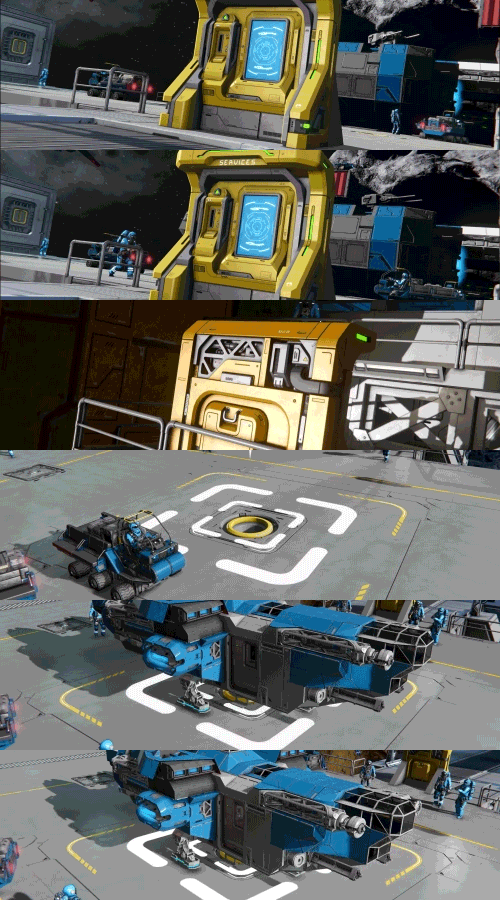
Services Terminal (1 block, L grid)
Grid Storage
The Services Terminal lets you store entire grids and bring them back when you need them. Free up your PCU and unleash your creativity, store a specialized grid until an activity calls for its use, or clean up the crowded area around your busy base.
When retrieving a stored grid, you can deploy it into the general area or place it more precisely by using Precision Mode controls. These controls give you better control over where your ship appears and makes it easier to handle tighter parking spaces or more organized hangars.
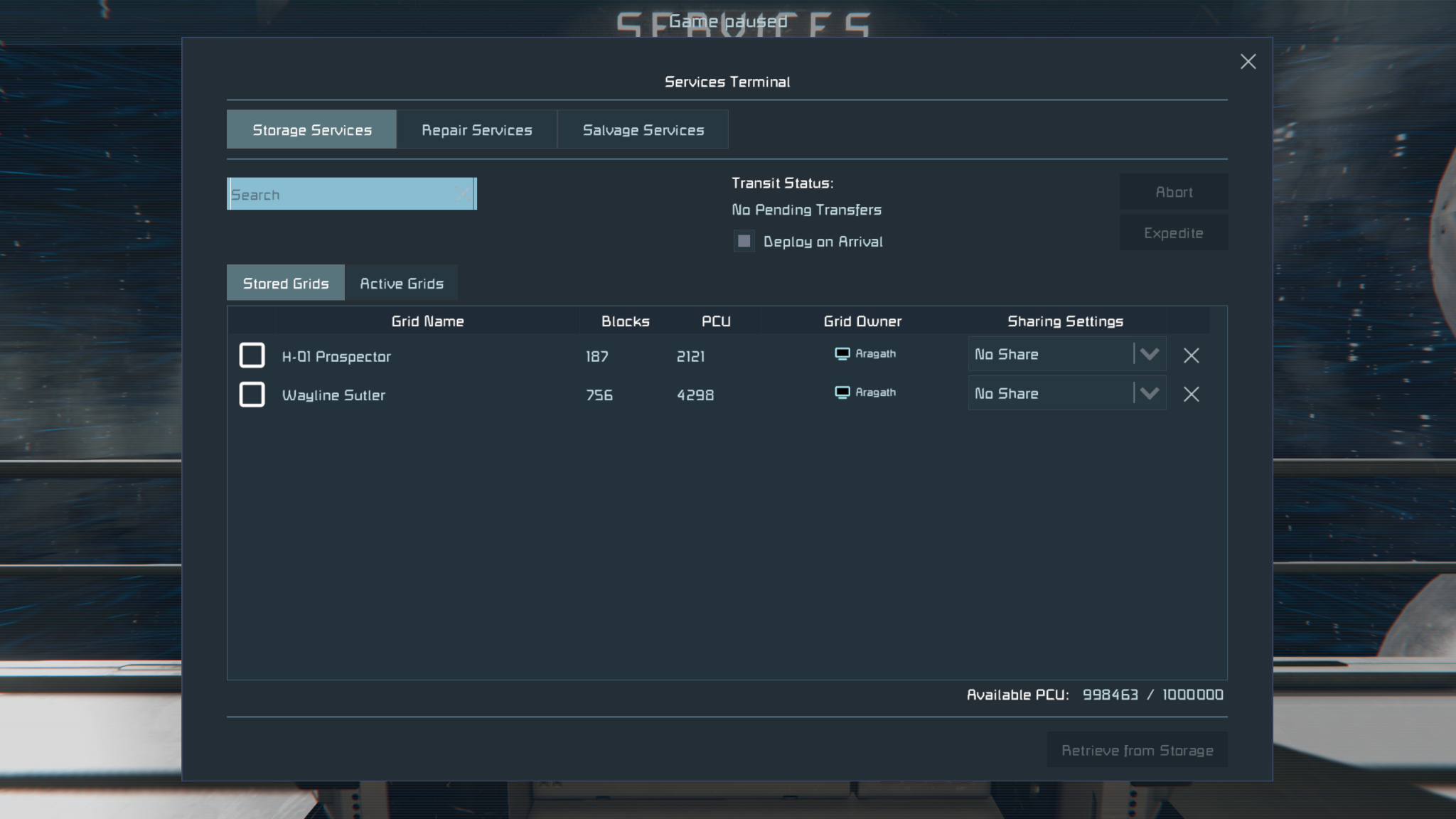
Grid Storage can also be used in more flexible ways depending on how the terminal is set up. An "Anyone Can Use" option allows other players to interact with the storage system at trade stations or allied bases, and a per-grid "Share with Faction" option lets you share specific stored grids with your faction members.
By default, retrieving a grid can take some time, but new world settings can let you dial in these times to make it behave exactly how you want.When retrieval timers are enabled, you can expedite the redeployment process by paying Space Credits. This block is loaded with optional settings, allowing admins the ability to configure to their liking - including whether or not items are allowed to remain inside stored grids, giving server owners and scenario creators fine control over how the system can be used.
Watch on YouTube
Grid Repair
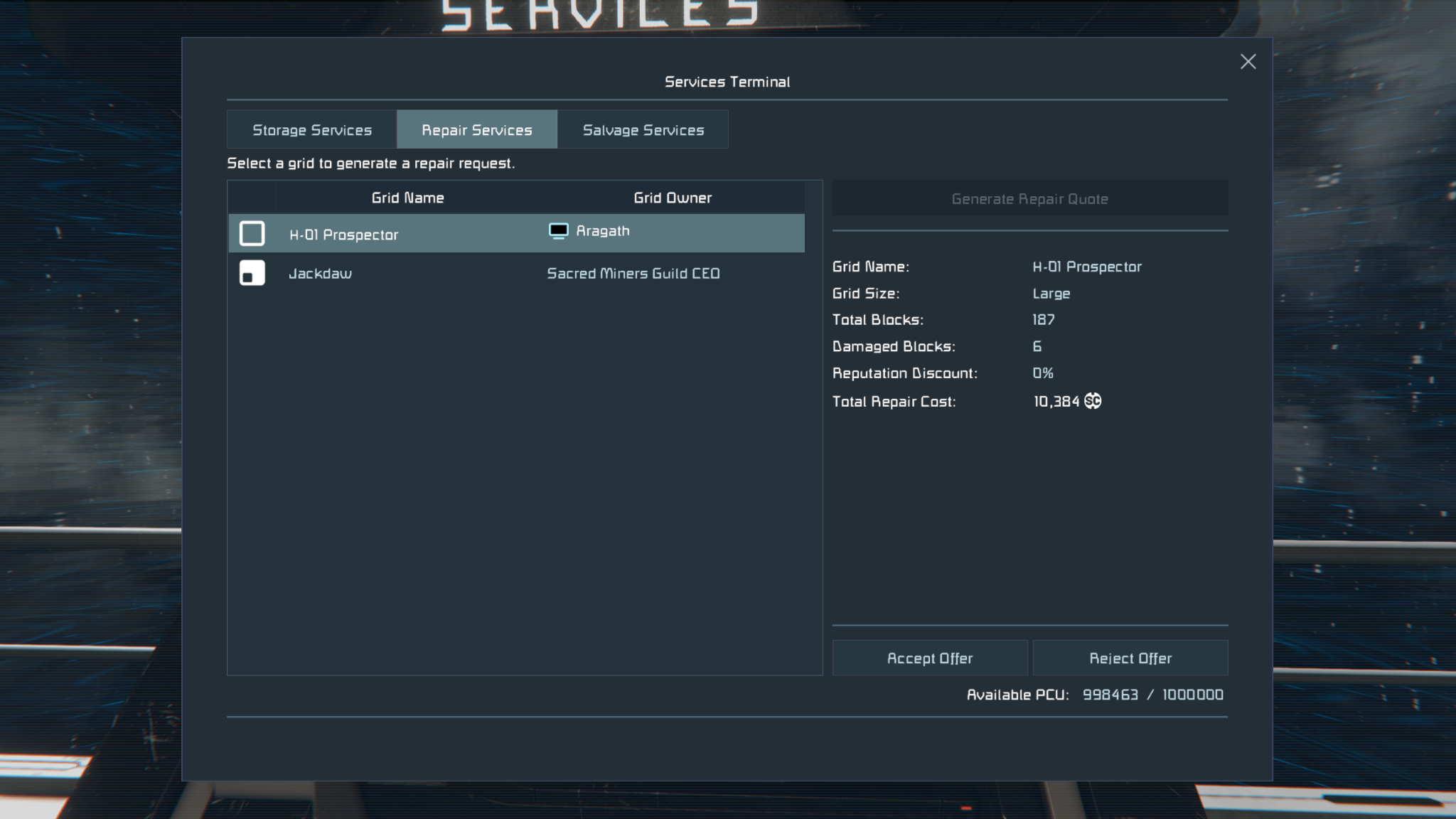
The Grid Repair Service lets you bring a damaged grid to an NPC Trade Station and pay Space Credits to quickly restore damaged systems. It is a fast and convenient way to get ships and vehicles back into working shape without handling every missing component and damaged block manually - making it a practical recovery option after combat, accidents, or long expeditions. To use this service, you must be the majority owner of the grid.
Grid Salvage
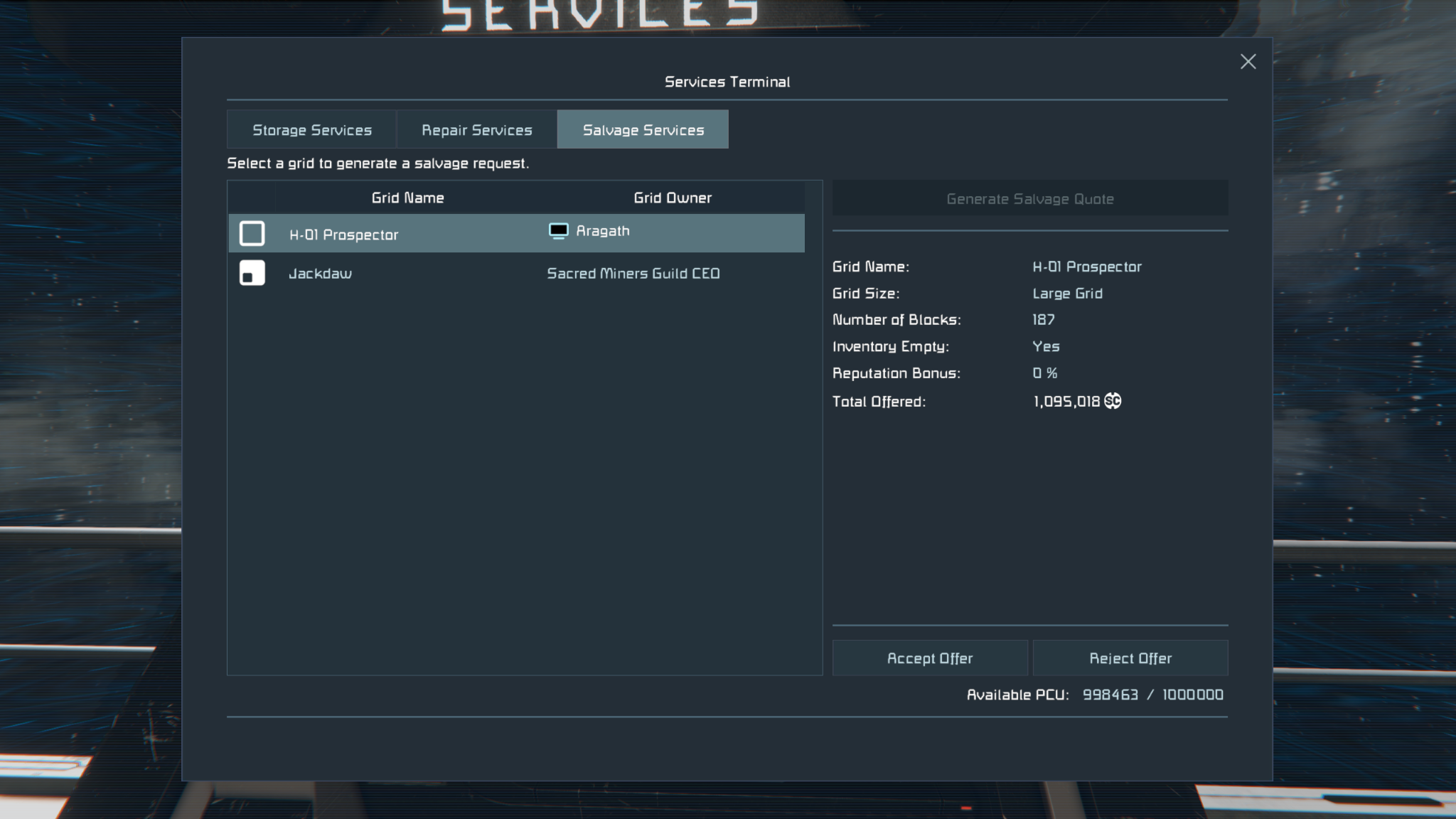
Grid Salvage lets you bring a grid to an NPC Trade Station and sell it as scrap for Space Credits through the Services Terminal. It is a quick and convenient way to turn damaged, outdated, or unwanted ships and vehicles into useful credits instead of taking them apart by hand. To use this service, you must be the majority owner of the grid. If the grid still contains items, you will get a warning before completing the sale, as those items will not be recoverable after the transaction is complete.
Revamped Economy Systems
The Economy 2 Update brings a major overhaul to the economy systems in Space Engineers, making trading, station visits, and market information much easier to understand and use. With the new Economy Overview, Item Search, Store Block improvements, and expanded modding support, economy gameplay now feels more connected, more readable, and more responsive to player activity.
Economy Overview
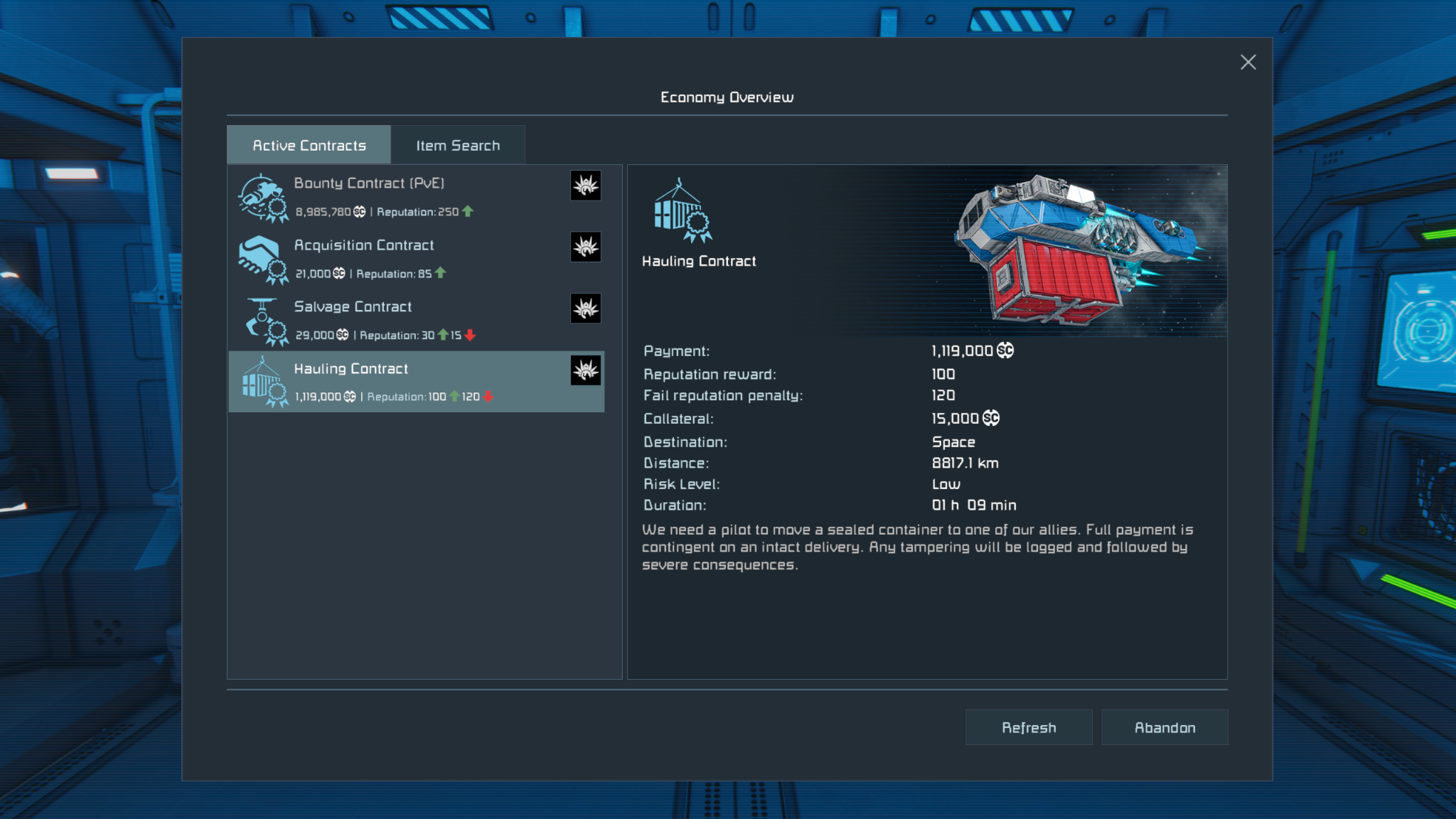
The old Contracts screen has been repurposed into the new Economy Overview, giving you a better view of important store and contract information in one place. It is designed to make price changes, item availability, and the overall state of the economy much easier to interact with while playing.
When interacting with NPC-owned Store Blocks and Contract Blocks, you can now also see the time remaining until the next economy update, making it easier to understand when stores will restock and when new contracts will become available. The default time between Store Block restocks and Contract Block refreshes has also been reduced, helping the economy feel more active and responsive. This timing can also be configured on Dedicated Servers.
Item Search
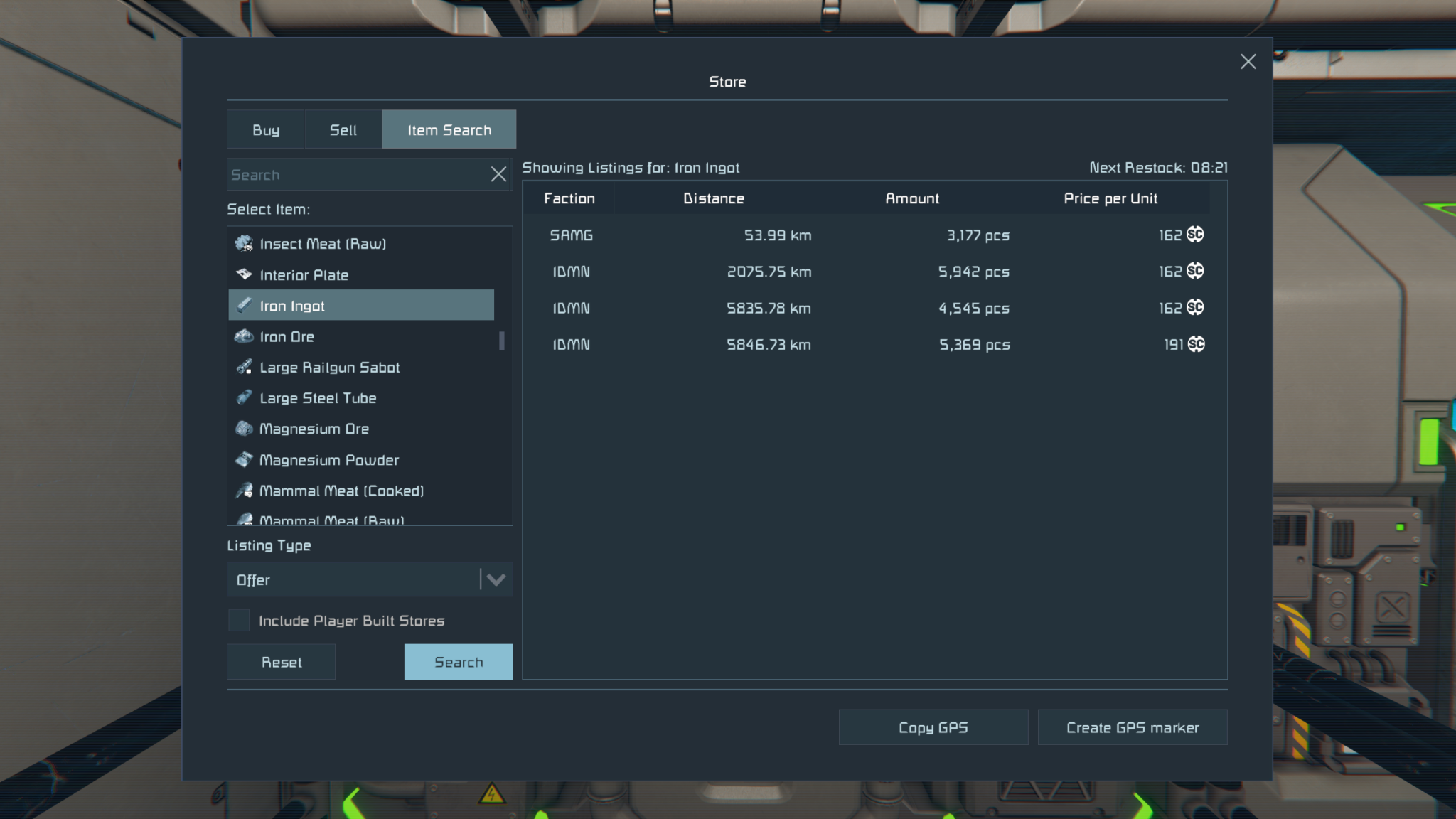
A new Item Search tab has been added to Store Blocks and the Economy Overview, making it much easier to find the items you need. You can remotely search listings from NPC and player-built stores, compare prices, and browse the market without having to travel from station to station.
Searching shows all matching listings, not just the best one, and lets you compare price, amount, distance, faction, and time until restock in one place. It can also include player-built stores in search results, giving you a much better view of the wider economy and making trading with other players far more practical.
Store Block Improvements
Store Blocks have also received several important improvements. Players can now trade Hydrogen, Oxygen, and modded gases between each other through player-built Store Blocks, opening up new opportunities for player-to-player logistics, refueling services, and trade networks.
The maximum number of listings per Store Block has also been increased from 30 to 50. In addition, NPC station prices have been rebalanced so player-built stores can more easily compete in multiplayer worlds.
Economy ModAPI
Economy 2 Update also greatly expands modding support for the economy system, opening new possibilities for modders, server gamemasters, and scenario makers.
With more features exposed through the ModAPI and more SBC files open for editing, creators can build player-made contracts and contract variants, rebalance and reshape trade, and create more dynamic economies around factions, stations, and player-driven markets. It also opens up more advanced control for custom worlds and scenarios, including planet subtype blacklists for trade station and contract spawns, along with a Regenerate Station Locations admin option for scenario makers and server operators.
Contracts
Contracts in Economy 2 Update have been significantly expanded and rebalanced to make them feel more rewarding, more varied, and more enjoyable to play. This update adds several new contract types, improves payouts and contract flow, and gives players more reasons to engage with stations as part of their regular gameplay loop instead of treating contracts as a simple credit grind.
Escort Contracts have also been removed, with their role now replaced by more interesting and engaging alternatives.
Courier Contracts
Courier Contracts focus on delivering packages between stations, but they are no longer just simple point-to-point jobs. They now come with different risk levels, with more dangerous deliveries offering better rewards and the possibility of pirate interference along the way.
Search Contracts
Search Contracts send you out to locate missing grids and return them to their owners. Once you find the target, the contract updates to guide you back to the delivery location, and your reward depends on the condition of the grid you bring home - giving you a good reason to recover it intact.
PvE Bounty Contracts
PvE Bounty Contracts add a new combat-focused mission type built around hunting down enemy NPC grids. These contracts give players a more direct way to take on hostile targets for rewards, and help fill the role of more action-oriented station jobs.
Hauling Contracts
Hauling Contracts task you with transporting heavy cargo containers between stations. These jobs place more emphasis on the kind of ship you bring, with container size, value, and risk affecting the reward. Damage, destruction, or tampering with the cargo can reduce your payout or fail the contract entirely, making hauling feel more like a true logistics job.
Salvage Contracts
Salvage Contracts send you to damaged or abandoned grids in search of valuable mission items. You are free to tear into the wreck, recover what you can, and keep the salvage - but the contract itself is completed by finding the target item and returning it to the station. This creates a nice mix of exploration, scavenging, and profit.
Item Recovery Contracts
Item Recovery Contracts come from exploring existing encounters in the world. Special items hidden in cargo ships, random encounters, and other points of interest can be delivered to an interested station for payment and increased reputation.
Grid Recovery Contracts
Grid Recovery Contracts give you the chance to recover damaged or derelict grids you discover while exploring and return them to their home station for a reward. These contracts help connect exploration, encounters, and the economy system more naturally, giving players another reason to venture out into the void.
Factions Improvements
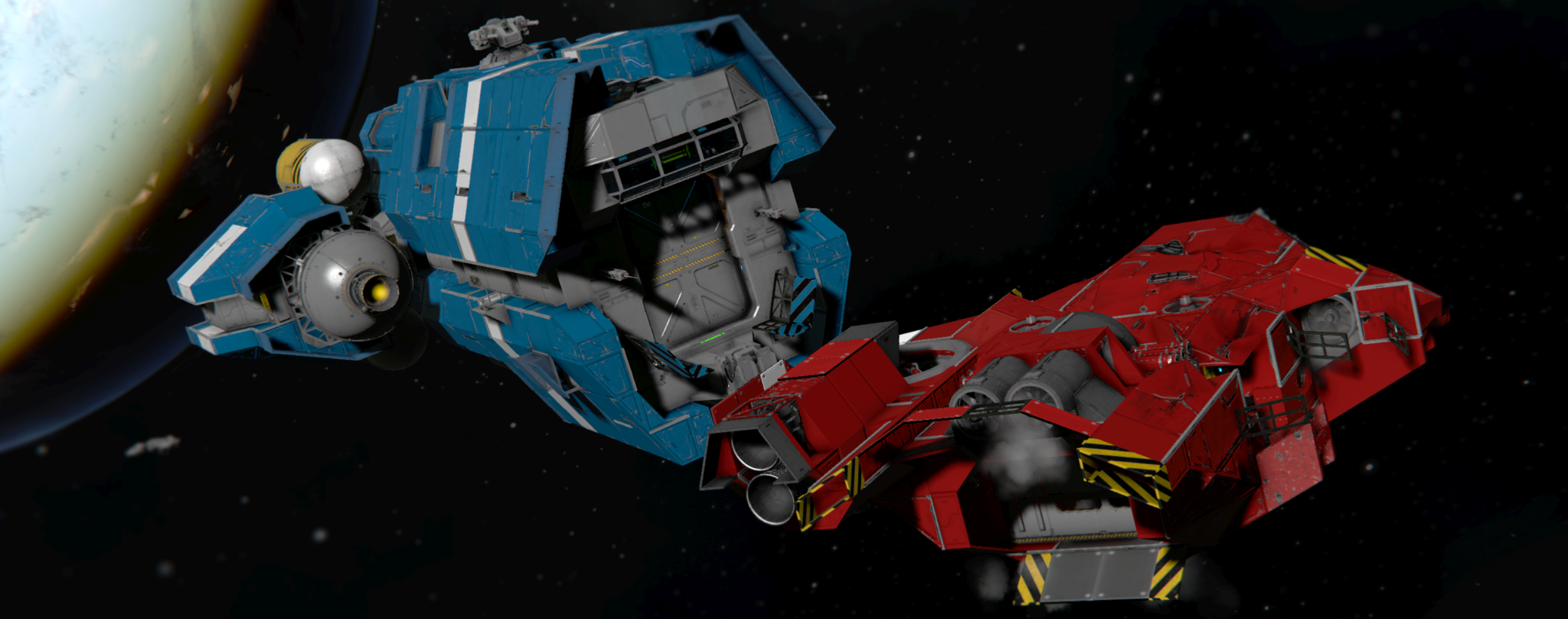
This release is also a major update to faction gameplay, making NPC factions easier to discover and more interesting to interact with. Trade stations now feel more alive.
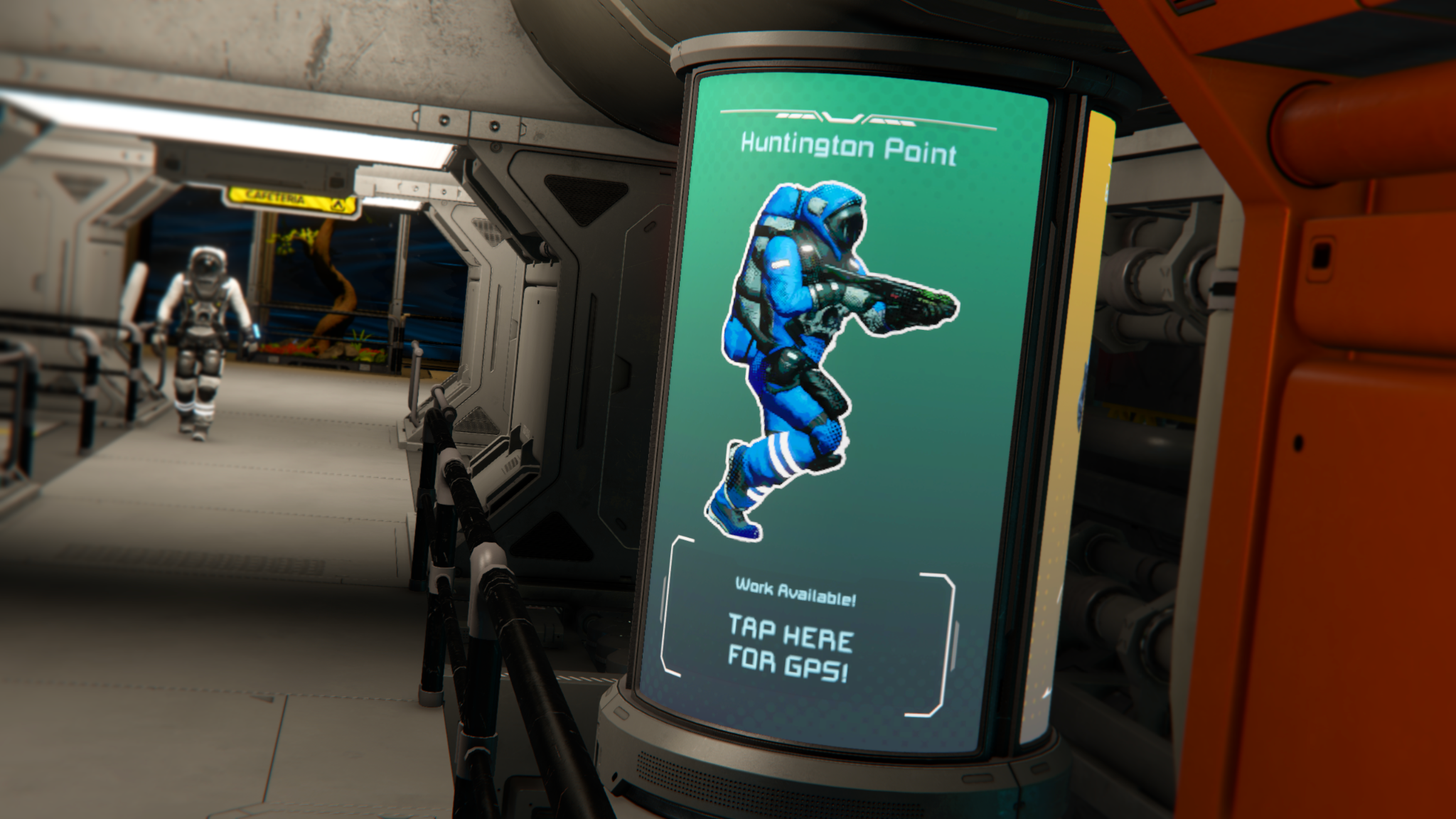
Finding new stations and factions is now much more intuitive. Trade stations can display dynamic billboard advertisements that grant GPS locations when interacted with, datapads with station locations can now appear as loot, and some encounters can trigger contracts that guide you to new stations. Any reputation change now also makes that NPC faction visible to the player, helping the world feel more connected and easier to navigate.
Reputation has also been reworked to be more flexible and easier to recover from. A hostile reputation with an NPC faction no longer blocks access to their stores or contracts - instead, those factions will offer fewer contract types and worse prices until you improve your standing. Negative reputation no longer spreads to allied factions, and reputation is no longer lost or gained from interactions between player factions.
A new world option, Reputation Decay Over Time, slowly moves reputation back toward its default values during active play, giving players a reason for continued interaction with the contract system.. This helps keep faction relationships dynamic over time instead of locking them in permanently.
New Stations & Ship Prefabs
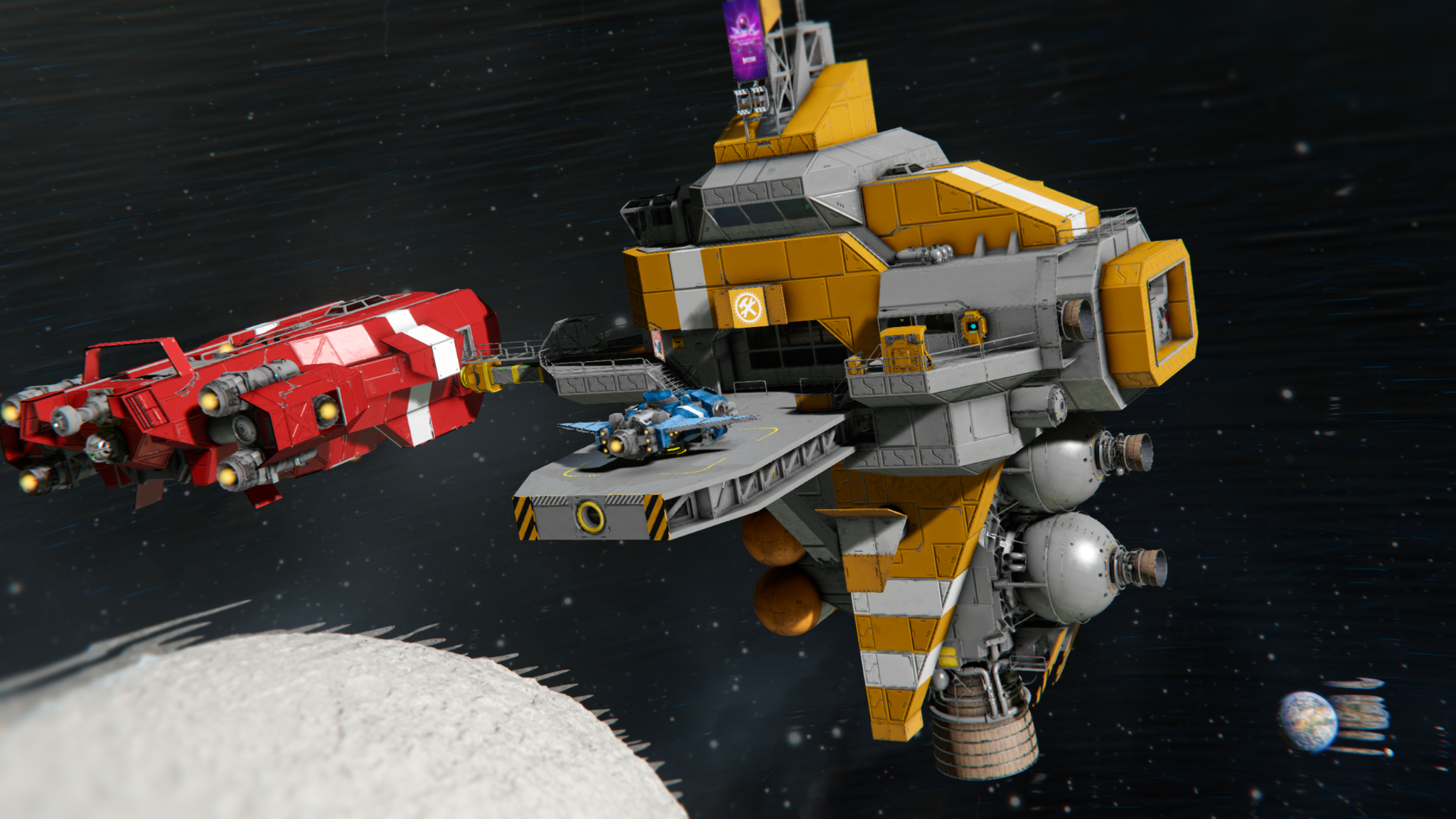
This release also gives Trade Stations a major refresh with 17 new prefabs for planetary, orbital, and deep space locations. These new stations are designed to feel more varied, intuitive to navigate, and more connected to the wider world, with a broader range of station types spread across different environments.
Trade Stations now also have unique names, helping each location and playthrough feel more distinct and memorable. This includes Meridius Station, added in honor of the creator of Modular Encounters Systems. Stations can now also be discovered in more natural ways through billboard advertisements that grant GPS locations, datapads found in loot, and encounter contracts that can guide you to new locations.
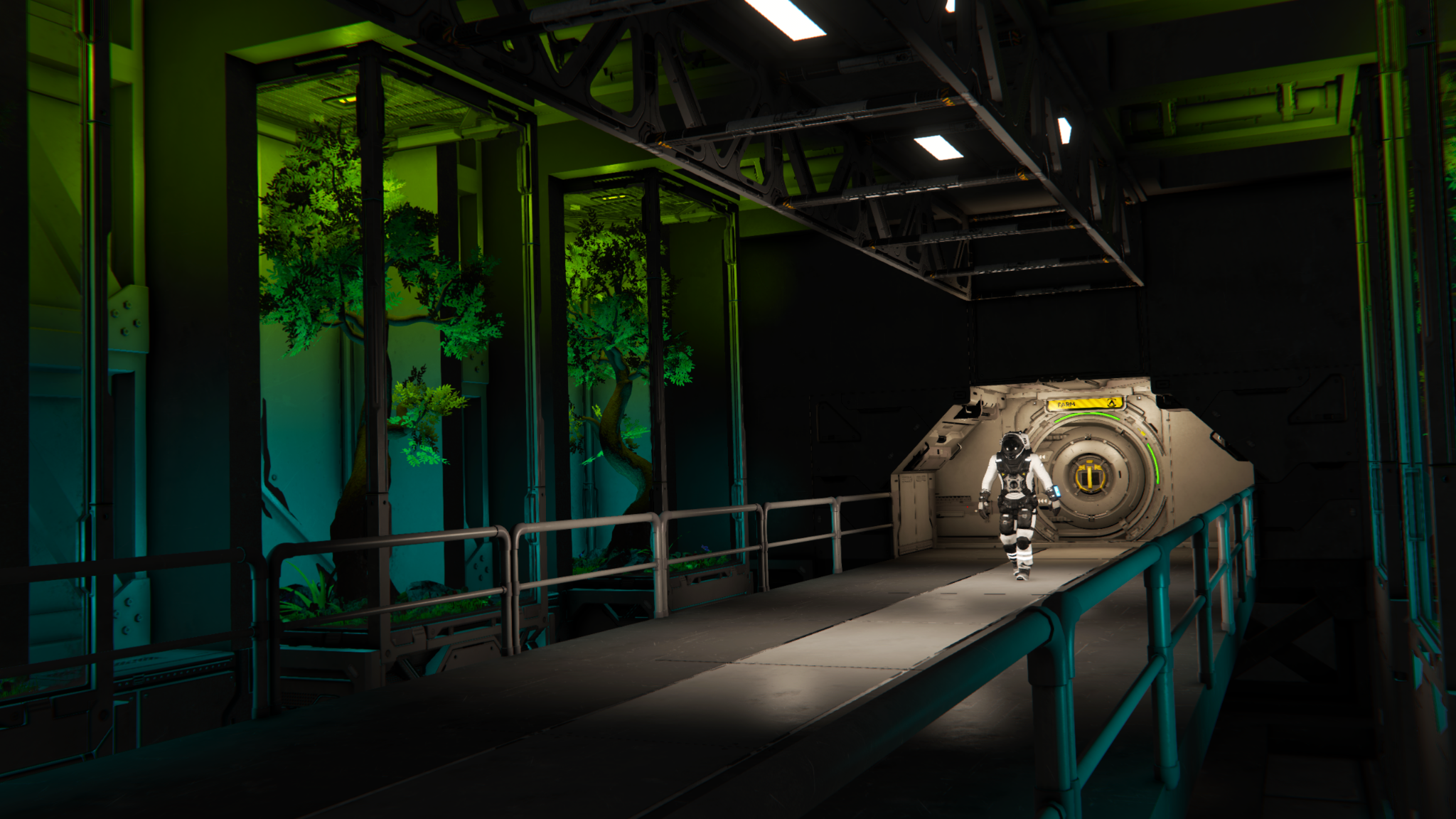
Space Pirate stations have also been expanded to better reflect their faction. Different faction types can now use their own station prefabs, helping Trade Stations feel more varied depending on whether you are visiting traders, miners, builders, military factions, or pirates.
All Trade Stations now sell Hydrogen, making them more useful as reliable refueling stops during longer journeys. Together with the new station layouts, improved ship sales, and better ways to discover new locations, this update makes stations feel much more like a connected part of everyday gameplay.
Ship Prefabs / Station Sales
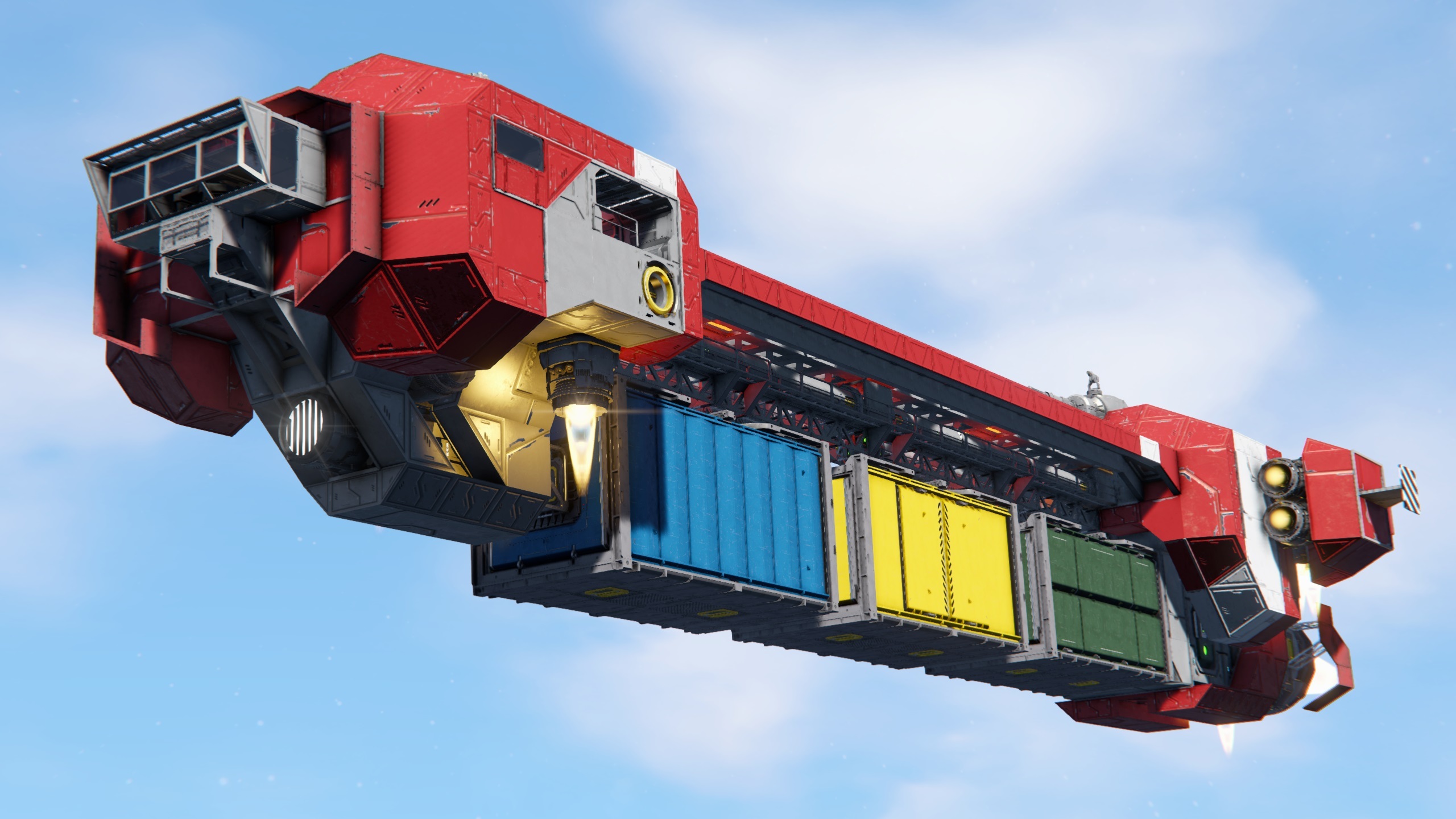
The ship market has also been greatly expanded with 43 new and updated purchasable grids, including ships, rovers, drones, and missiles. This gives players a much wider range of ready-made options at Trade Stations, whether you want to jump straight into combat, pick up a useful utility vehicle, or buy a solid starting point for your next custom build.
These purchasable grids are meant to be practical foundations that players can easily adapt and make their own. Many are designed to support customization and expansion, giving you a better launching point for cargo hauling, combat, exploration, or logistics without needing to start completely from scratch. Drones, rovers and even missiles are now also part of station sales, giving players even more ready-to-use options straight from the market.
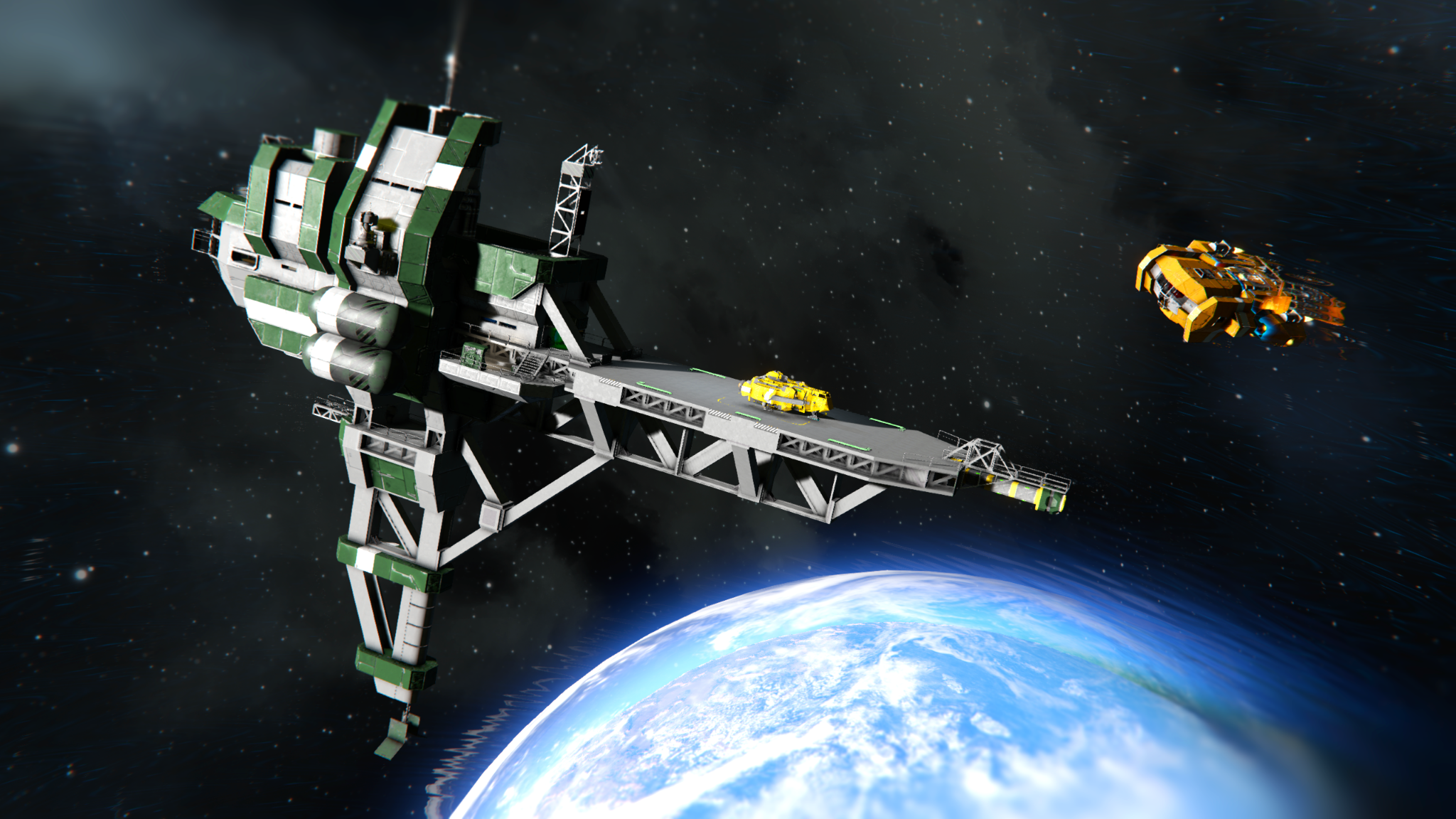
Animated Characters on Trade Stations
Trade Stations now feel more alive thanks to the addition of animated NPC characters that move through Trade Stations, emote and react to player presence.

This feature is the result of a lot of research and experimentation on character pathfinding on custom grids, and AI reactions to player presence. We were quite successful, and this is the first stage of that work that we are ready to release and share with you.
Structural Blocks
We are adding a new free set of Structural Blocks for large grids which includes several platforms, beams, and frames. These are perfect building foundations for stations, large hangars, and support structures. These blocks expand your building palette with heavier structural pieces that feel practical, versatile, and easy to build with.
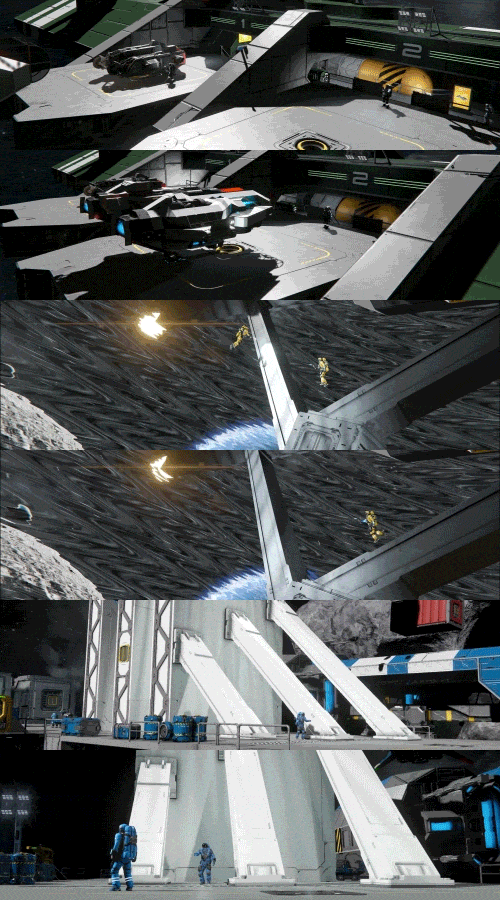
Structural Blocks (7 block, L grid) - Structural Platform, Structural Platform Connector, Structural Platform Corner, Structural Frame, Diagonal Beam 3x3, Diagonal Beam 4x4, Diagonal Beam 5x5
Safe Zone Improvements
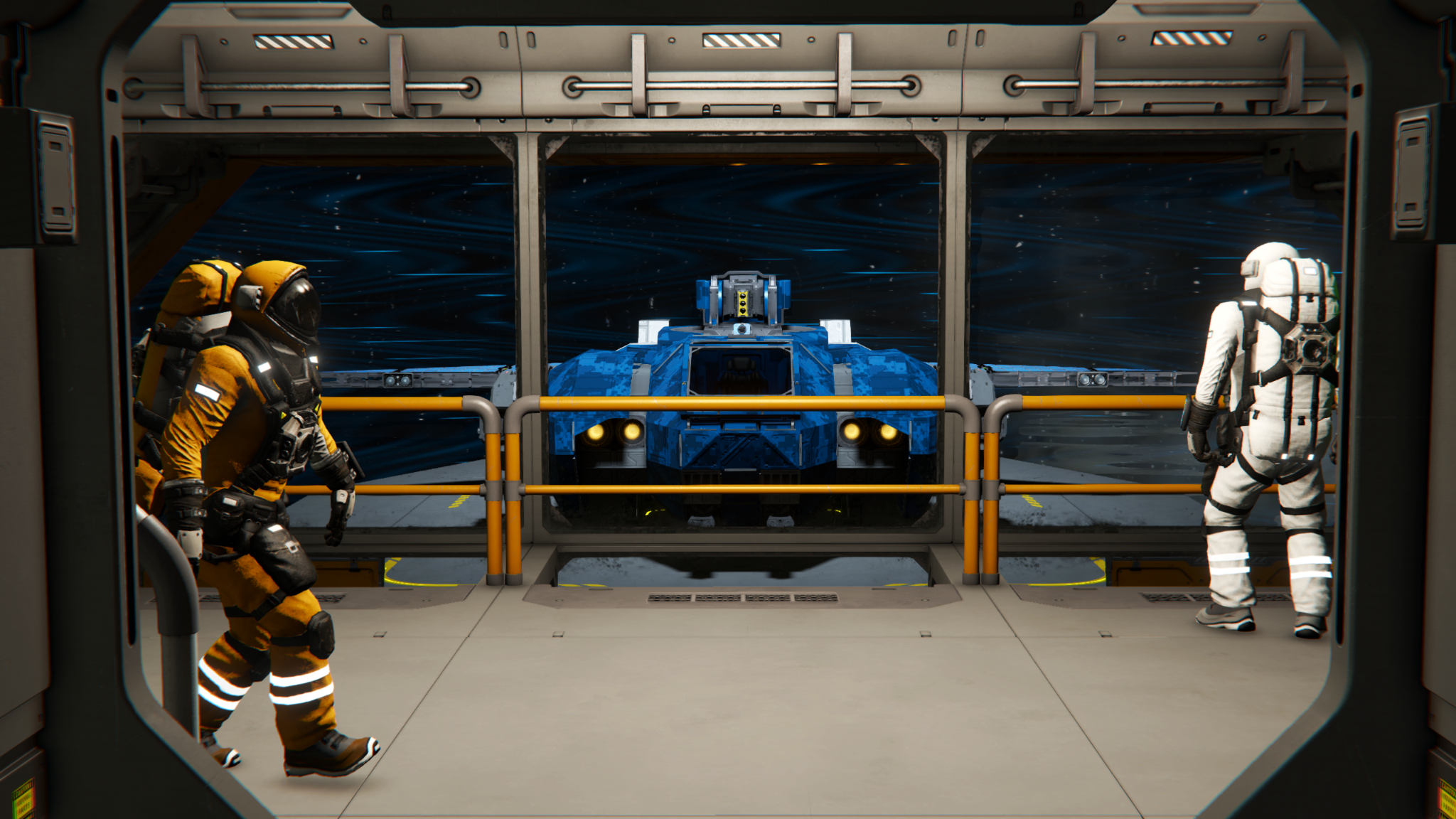
Safe Zones have also received a set of practical quality-of-life improvements. They now automatically pull inventory like other blocks, have reduced power requirements, and no longer use a separate filter for floating objects. Floating objects can now pass through Safe Zones and come to rest much faster inside them.
Additional Improvements
- Additional Joystick & Controller Customization and expanded controller settings
- Support for more flexible rebinding of Joystick Controls
- Inventory improvements, including better sorter cooperation.
- Added a variety of Mission Items
There are many additional improvements and fixes in the Economy 2 Update - you can explore everything included in the detailed Changelog.
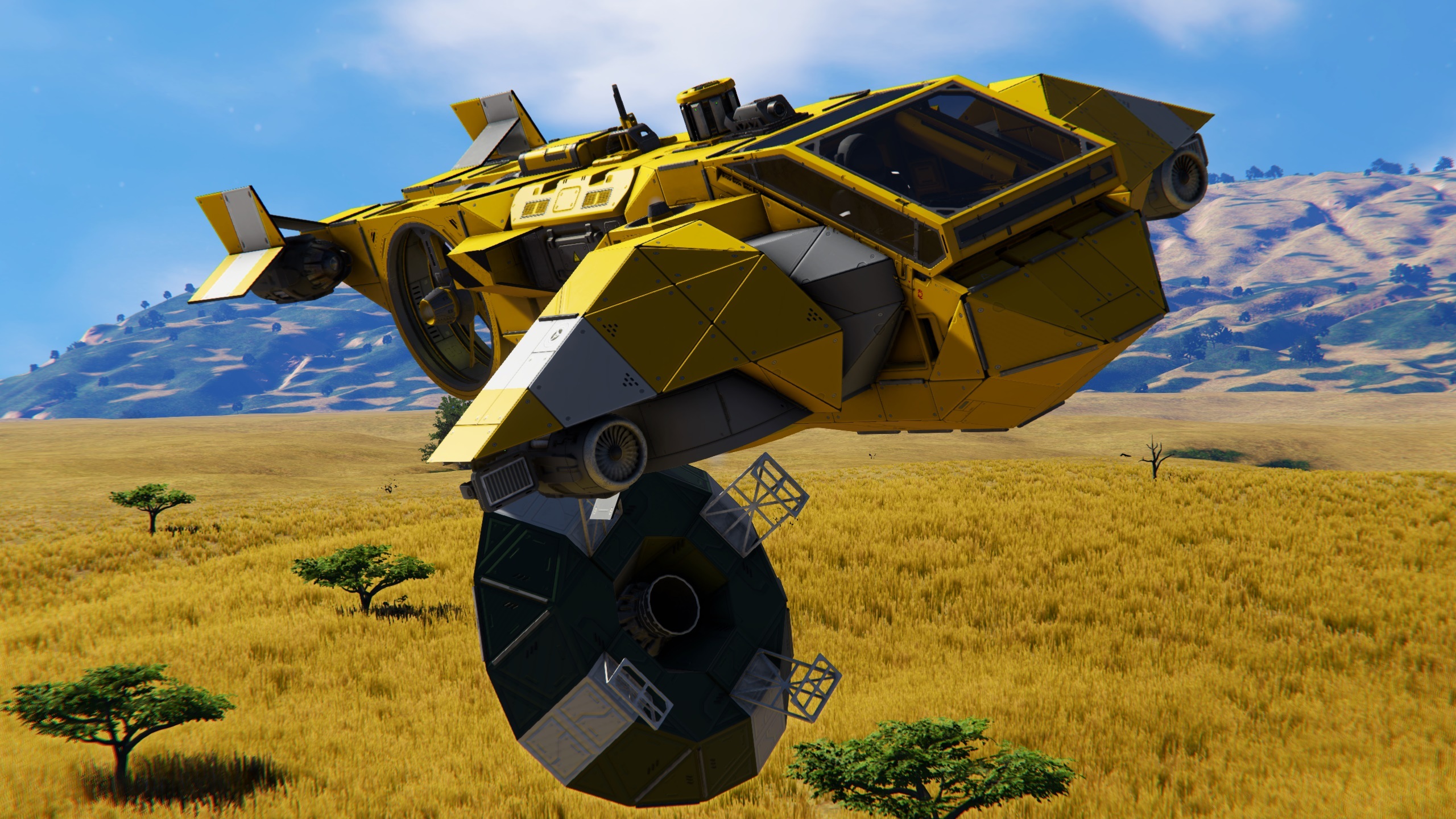

A special package has arrived - apparently from a place called the “Almagest System”. Inside, you will find the Almagest Engineer Plushie, a small decorative gift for all Space Engineers 2 owners on Steam. It is a fun little crossover between our two universes, and a small thank you to everyone already supporting the future of Space Engineers.
If you own Space Engineers 2, you will receive the Almagest Engineer Plushie in Space Engineers on Steam as a free bonus small-grid block. Whether you place it in a crew quarters, station interior, or hidden somewhere aboard your favorite ship - it is a small reminder that even across distant systems, Engineers are never too far apart.
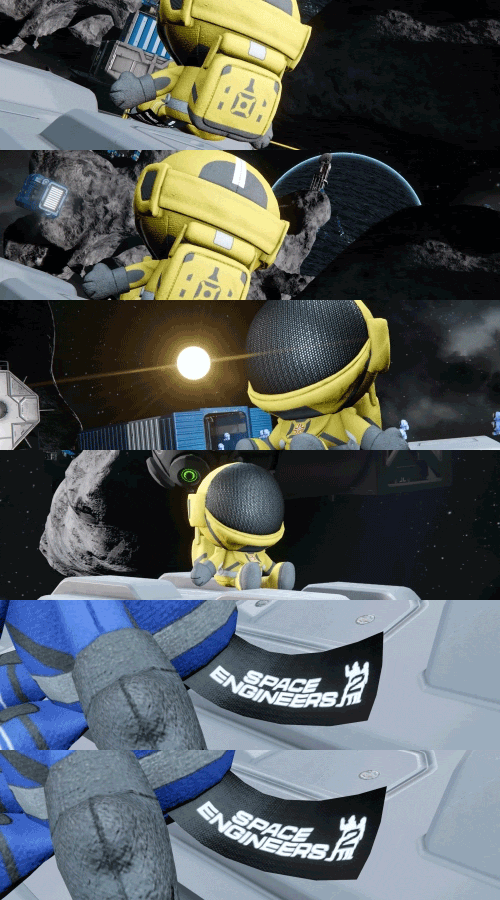
Almagest Engineer Plushie (1 block, S grid)
https://store.steampowered.com/app/1133870/Space_Engineers_2/

We are always looking for ways to improve, and that includes adding value to prior releases. During this update, we are adding new content to Decorative Pack #2.
Those who already own Apex Survival Pack will get this content for free, as part of the update.
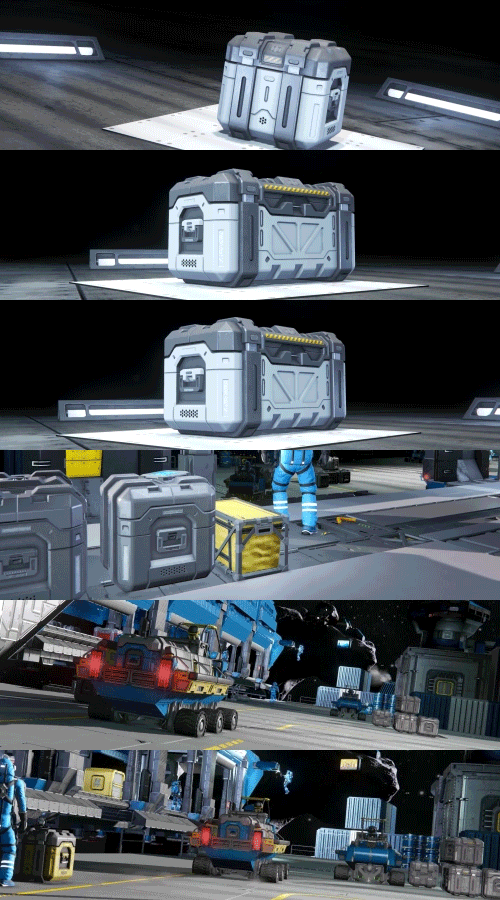
Small Grid Freight (2 blocks, S grid)
https://store.steampowered.com/app/1167910/Space_Engineers__Decorative_Pack_2/

We are always looking for ways to improve, and that includes adding value to prior releases. During this update, we are adding new content to Apex Survival Pack.
Those who already own Apex Survival Pack will get this content for free, as part of the update.
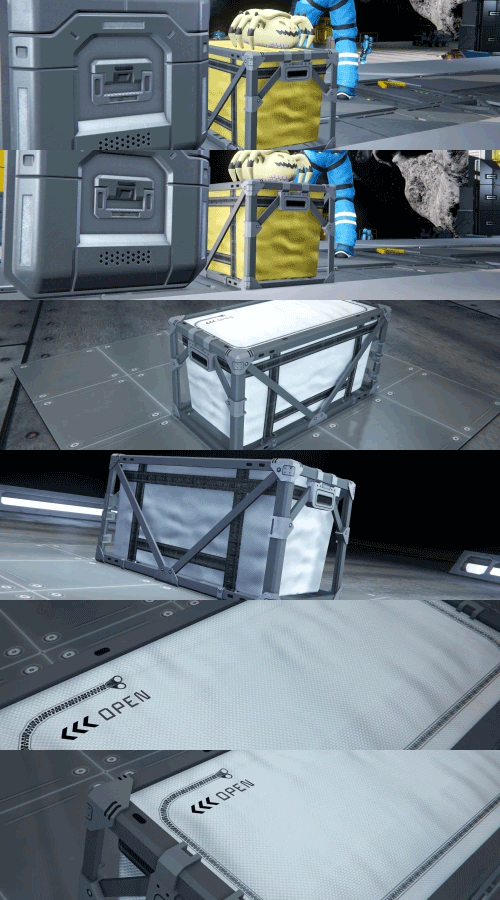
Small Grid Storage Bin (1 block, S grid)
https://store.steampowered.com/app/3858380/Space_Engineers__Apex_Survival_Pack/

The Economy 2 Pack adds over 40 new blocks - Vivariums, Billboard LCDs, Bulk Cargo Containers, Floorplan Signs, Angled Doors, Narrow Viewports, and a reimagined Safe Zone generator with an exposed animated core. These are cosmetic and decorative blocks that don't affect gameplay balance.
If you enjoy Space Engineers and want to support its continued development, this is a great way to do it - and you'll get a lot of new building options in return.
The price of the Economy 2 Pack is $4.99 USD or your regional equivalent.
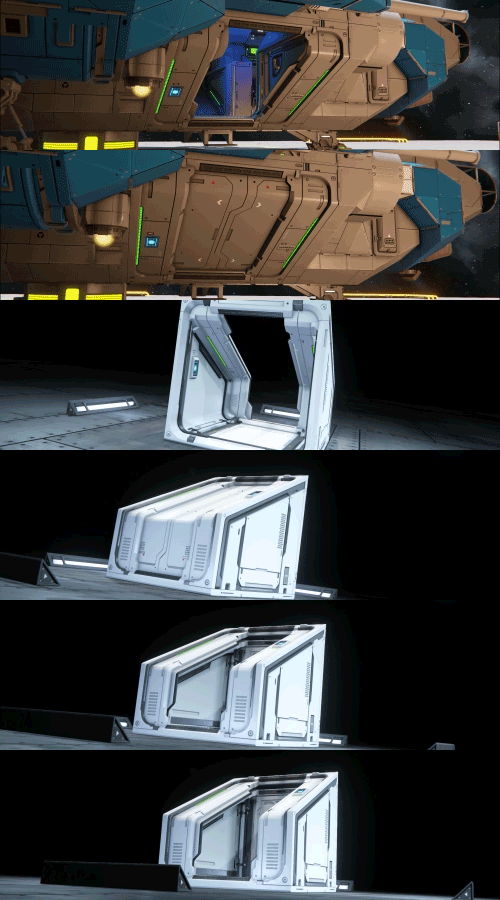
Angled Door (2 blocks, L grid + 1 block, S grid) - A sleek, sloped door design with variants that allow for use in any orientation.
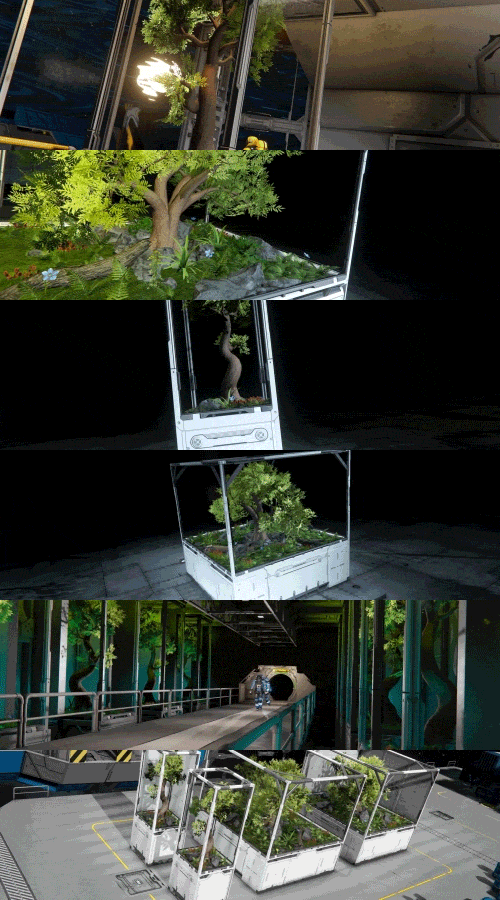
Vivariums (4 blocks, L grid) - A collection of self-contained habitats filled with greenery. Perfect for bringing a touch of nature into your build.

Billboard LCD (2 blocks, L grid) - Display panels purpose-built to catch the eye. Perfect for advertisements or announcements.
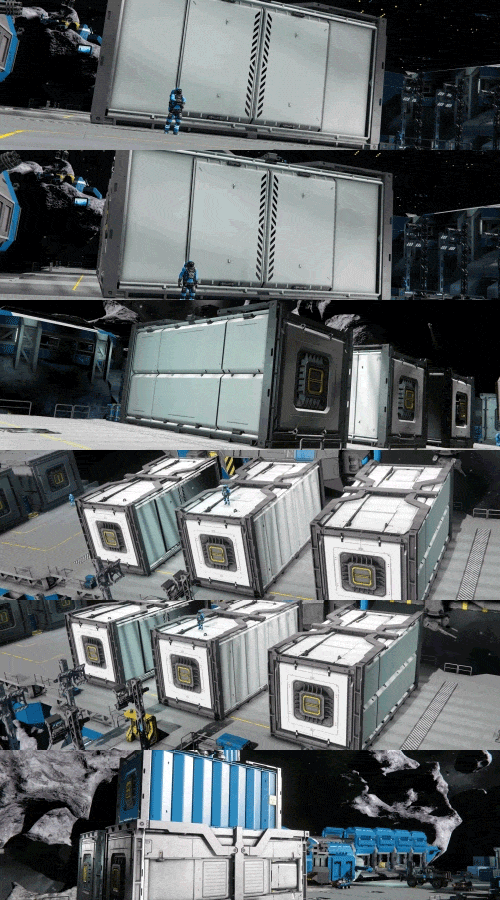
Bulk Cargo Container (3 blocks, L grid) - A heavy-duty cargo container designed for hauling large volumes of materials.
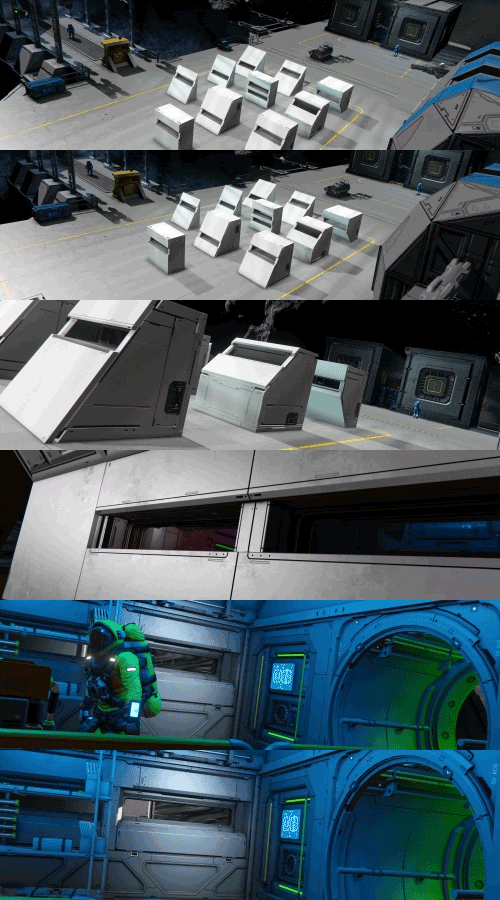
Narrow Viewport Set (10 blocks, L grid) - Reinforced windows that add visibility while providing structure and preserving the armored look of your build.
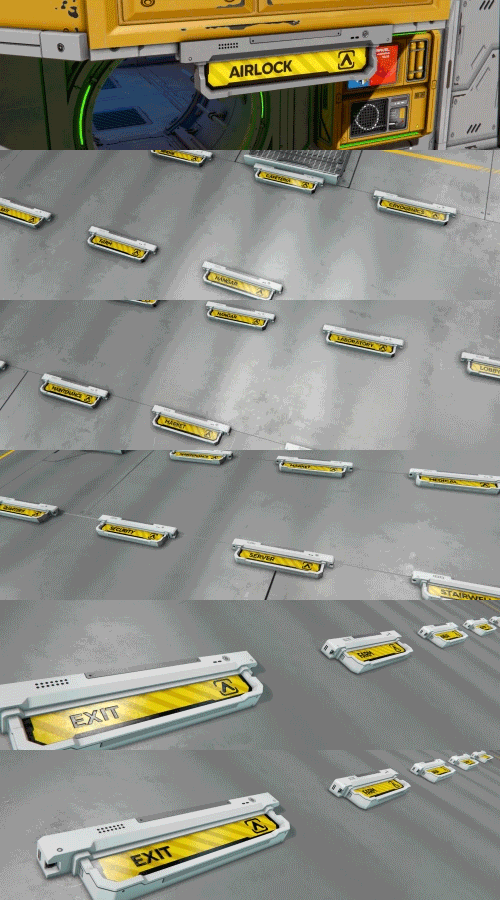
Floorplan Signs (21 blocks, L grid) - A large set of signs for marking rooms, routes, and key areas throughout your grid, making them easier for others to navigate.

Safe Zone Type II (1 block, L grid) - A reimagined Safe Zone generator with an exposed animated core.
https://store.steampowered.com/app/4502100/Space_Engineers__Economy_2_Pack/

- Revamped Economy Systems for Better User Experience
- Repurposed the Active Contracts screen (colon key) into a new Economy Overview screen, which displays all important store and contract related information in one place
- Added Item Search tab to Store Blocks and Economy Overview screen, allowing players to remotely search for items listed at NPC and Player Built stores. Compare prices and browse the market all from your own base!
- Time between restocking stores or posting new contracts is now displayed when interacting with NPC owned Stores and Contract Blocks
- Increased the default time between Store Blocks restocking items and Contract Blocks posting new contracts to 10 minutes. This time is configurable on Dedicated Servers.
- Rebalanced item prices at NPC stations so that player-built stores are easily able to undercut them in multiplayer worlds. Play together, thrive together!
New Blocks/Items
- Services Terminal (1 x L)
- Structural Blocks (7 x L)
- Structural Platform
- Structural Platform Connector
- Structural Platform Corner
- Structural Frame
- Diagonal Beam 3x3
- Diagonal Beam 4x4
- Diagonal Beam 5x5
Reward for Space Engineers 2 Owners (Steam Only)
- Almagest Engineer Plushie (1 x S)
Added Content to existing DLCs:
- Additions to Decorative Pack 2
- Added Small Grid Freight (2 x S)
Economy 2 Pack
- Safe Zone Type II (1 x L)
- Bulk Cargo Container (3 x L)
- Floorplan Signs (21 x L)
- Billboard LCD (2 x L)
- Vivariums (4 x L)
- Angled Door (2 x L, 1 x S )
- Narrow Viewport Set (10 x L)

- ModAPI Economy Improvements
- Many elements of economy based features that were previously not accessible are now capable of being interfaced with.
- Significant improvements related to contracts API
- Added faction station interface
- Added access to store items on NCP trading stations

Stability
 Fixed a crash when a modded farm plot was placed
- Fixed a crash when a modded turret had no overlay texture defined
- Fixed a crash when a sun-tracking custom turret was detached and deleted
- Fixed a crash when a block with Maintenance panels was removed
- Fixed a crash when a modded item had a localisation index with too high a number in its tooltip (index is used to add stats from item definition into the tooltip, max is now capped at 100)
Functional
- Fixed an issue where a LG grid with SG subgrid was prevented from being pasted into voxel as static
- Fixed an issue where a prefab had a typo in the name Repair_Satalite to Repair_Satellite
- Fixed an issue where a Repair contract would generate even when the world ran out of NPC PCU
- Fixed an issue where Asteroids had an uneditable and predefined deposit of Ni and Ice when manually spawned (New deposit seed setting added to the Spawn screen)
- Fixed an issue where gaining SPRT reputation through contracts hit a cooldown
- Fixed an issue where pasting a vehicle BP with non-default wheel orientation caused the grid to smash into the ground, explode or float above the wheels with an offset
- Fixed an issue where the controls for Spectator Up/Down (ascend/descend) were colliding with other Spectator functionality on a controller
- Fixed an issue where the Economy stores/contracts would update on world start instead of the proper time
- Fixed an issue where the lead indicator position was offset relative to the subgrid of a target
- Fixed an issue where the Sci-Fi Hydrogen Thrusters would not allow mounting other blocks onto parts of the conveyor ports
- Fixed an issue where the screen aspect ratio of Medical Room and (Inset) Refill Station blocks was not fitting the display shapes
- Fixed an issue where the mirroring of Hinges and Small Battery was incorrect
- Fixed an issue where a block preview could not be rotated after using a Voxel hand
- Fixed an issue where a block preview could not be rotated upon reconnect to a server
- Fixed an issue where a Safe Zone would force 3rd person view into 1st person
- Fixed an issue where huge seams were running along the edges of planet heightmaps (now should be much smoother)
- Fixed an issue where it was not possible to use a faction membership for the purpose of docking to an Economy station and trading
- Fixed an issue where it was possible to buy gases from a Store even when the tank was completely full
- Fixed an issue where Solar Panel blocks were harder to hit with turrets because their AimingOffset was missing
- Fixed an issue where smaller mechanically connected grids (through landing gear) could obstruct the 3rd person camera view of a controlled bigger grid
- Fixed an issue where the AI Offensive targeting logic saw characters as enemies even when their reputation relation was Friendly
- Fixed an issue where the bases of the Large Grid Gatling and Missile Turrets were not airtight
- Fixed an issue where the character Jetpack ON/OFF and dampener status were not respected after leaving a ladder on a vehicle
- Fixed an issue where the client side of door opened/closed state was desynced from server side opened/closed door, causing a visual gap between door leaves
- Fixed an issue where the collateral for a Contract was not respecting the defined Min and Max values
- Fixed an issue where the Industrial Cockpit received more damage from collisions than other cockpits
- Fixed an issue where the Ladder Shaft block was missing a mountpoint preventing attachment of new Floor plan and other blocks
- Fixed an issue where the power demand of a disabled/non-functional Jump drive was 1kW instead of 0
Animation
- Fixed an issue where the character was not moving smoothly over small differences in surface height while in gravity
UI
- Fixed an issue where a ghost input would cause flicker between UI for different input methods even though they were not both actually used at the same time
- Fixed an issue where the Help screen was not scrollable using a controller
- Fixed an issue where a contract collateral was not visible in the contract card even when it was higher than 0
- Fixed an issue where it was not possible to focus the reputation bar using a controller to gain the tooltip info about current reputation status
- Fixed an issue where player-made contracts with Collateral and/or Duration did not list them in the Contract card
- Fixed an issue where the Artificial Horizon indicator was smaller on higher than 1080p resolutions
- Fixed an issue where the list of available rotors/hinges or cameras for a custom turret controller were not alphabetically sorted
- Fixed an issue where the sorting in a Store UI was not preserved between purchases
- Fixed an issue where the UI focus in the GPS screen would change while editing another GPS as a new GPS was added in the background
- Fixed an issue where the Volume was not displayed for player-made Acquisition contracts
Art
- Fixed an issue where the Irrigation System inventory access points were connectable to the conveyor system
- Fixed an issue where the respawn dummy was not centered for the Survival Kit (Type II) (LG)
- Fixed an issue where the Warfare Gatling had the spawn position for the bullet placed too far forward
- Fixed an issue where the Willis Duct (LG) had a collision larger than armor blocks
- Fixed a set of graphical issues with the Rounded (Corner|Slope) (collisions inconsistency with Rounded Edge blocks)
- Fixed a set of graphical issues with the (Drill|Grinder|Welder) Type II (LG/SG) (UVs)
- Fixed a set of graphical issues with the (Half) Troffer Light (Inv.) (holes in geometry)
- Fixed a set of graphical issues with the Half Bed Open (LG) (Z-fighting, holes in geometry, shading)
- Fixed a set of graphical issues with the Industrial cockpit (LG/SG) screens
- Fixed a set of graphical issues with the Inset Terrariums (Desert|Forrest) (holes in geometry)
- Fixed a set of graphical issues with the Irrigation System (holes in geometry)
- Fixed a set of graphical issues with the Jump Drive Type II (holes in geometry, decals, UV, LoDs, collisions)
- Fixed a set of graphical issues with the Lab Experiment B (collisions, decals, holes in geometry, UVs, flipped triangles, light dummy orientation)
- Fixed a set of graphical issues with the Landing Gear Type II (LG) (holes in geometry, missing geometry)
- Fixed a set of graphical issues with the Landing Gear Type II (UVs, decals, Z-fighting)
- Fixed a set of graphical issues with the Ore Detector Type II (LG) (holes in geometry, collisions)
- Fixed a set of graphical issues with the Sci-Fi Hydrogen Engine (decals, Z-fighting, materials, UVs)
- Fixed a set of graphical issues with the Sci-Fi Hydrogen Engine (holes and issues in geometry)
- Fixed a set of graphical issues with the Sci-Fi Large Hydrogen Thruster (LG/SG) and the Sci-Fi Hydrogen Thruster (LG) (LoD and CS consistency, materials, missing LoDs, model size)
- Fixed a set of graphical issues with the Simple Bed (LG) (holes in geometry, decals, LoDs)
- Fixed a set of graphical issues with the Survival Kit (Type II) (LG) (Screen, LoDs)
- Fixed an issue where the Corridor Round Door (Inv.) had a stretched texture
- Fixed an issue where the Half Slope Corner Inv. Heavy Armor was using the Light armor texture on the sloped part
- Fixed an issue where the Lab Sink would extend too much out of it's block space and cause flickering when combined with other blocks due to Z-fighting
- Fixed an issue where the Large Hydrogen Thruster (SG) had a collision larger than the block space
- Fixed an issue where the screen in the Fighter Cockpit screen was partially stretched
- Fixed an issue where the Suspended Control Seat (SG) had a slight difference in the arm rest part when compared to the Station version of the block
- Fixed an issue where the vanilla Cockpit (LG) had a collision larger than the block space
Audio
- Fixed an issue where the Jetpack Idle sound would continue playing after character death and respawn
- Fixed an issue where the MaxDistance definition for DistantSounds was ignored and distant sound kept playing at unlimited distance
Particles
- Fixed an issue where the particles of a block would be offset if the block was unmerged and merged back in at a different angle
Modding
- Fixed an issue where Asteroids spawned through ModAPI had the same deposit of Ni and Ice (Now possible to pass a deposit seed as an argument)
- Fixed an issue where it was not possible to block global chat through mods when it was sent from terminal
- Fixed an issue where it was not possible to see custom HUD textures added by a mod
- Fixed an issue where items drag&dropped inside a modded inventory would disappear
- Fixed an issue where the lighting component of a modded block with a sub-model would not load in Survival
- Fixed an issue where the model subpart referenced by a modded block would not move with the block after it was built in Survival
- Fixed an issue where the SessionComponents_Economy.sbc was not moddable
- Fixed an issue where custom contract icons and headers were not visible in the contract screens
- Fixed an issue where modded AdvancedDoors used hardcoded emissive colors instead of EmissiveColorPreset definition
- Fixed an issue where tooltips of a modded items in the Production screen would not be updated dynamically
- Fixed an issue where the icons were not visible for ships added through a mod into a Store block
- Fixed an issue where the PB Inventory.GetAcceptedItems() was claiming Seeds and other Consumables were not allowed into several block inventories
- Cleaned up several definitions containing extra characters and typos CubeBlocks_(Fieldwork|Symbols|ContactPack).sbc and ContainerTypes.sbc
Removed
- Removed the toolbar actions for adjusting the size of a Safe zone (not intended to be automatable and had missing actions for some axes)

https://steamcommunity.com/sharedfiles/filedetails/?id=3708850158 https://steamcommunity.com/sharedfiles/filedetails/?id=3708841436 https://steamcommunity.com/sharedfiles/filedetails/?id=3708842135 https://steamcommunity.com/sharedfiles/filedetails/?id=3708840493 https://steamcommunity.com/sharedfiles/filedetails/?id=3708839746 https://steamcommunity.com/sharedfiles/filedetails/?id=3708838494

https://steamcommunity.com/sharedfiles/filedetails/?id=3608265058 https://steamcommunity.com/sharedfiles/filedetails/?id=3021174700 https://steamcommunity.com/sharedfiles/filedetails/?id=2999534461
Community Hub & Spotlights
Check out our Community Hub!
- Official Keen Workshop
- Monthly Spotlights
- Creator Spotlights
- Official Guides
- and much more!

🛠️ Feedback & Support - https://support.keenswh.com/
🛰️ Discord: https://discord.gg/keenswh
📫 Newsletter: https://www.keenswh.com/newsletter
🚀 Community Hub: https://www.spaceengineersgame.com/community-hub/
➡️ Connect and find us on your platform of choice: https://www.keenswh.com/connect/

https://steamcommunity.com/games/244850/announcements/detail/499477287644697776 https://steamcommunity.com/games/244850/announcements/detail/521994651777894972 https://steamcommunity.com/games/244850/announcements/detail/491591553126500925