Borderless Gaming v1.0.23
Borderless Gaming · build 20252292 · published
Hey friends,
This update fixes some issues introduced in our last two releases. My attempt to fix older Unreal Engine games inadvertently broke newer ones. Rather than playing cat and mouse trying to make everything work automatically, I've added these parameters directly to the interface, giving you full control over which fixes and behaviors to apply.
To apply any fixes to older Unreal games, you'll need to enable 'Flip Processing Order' in your game profiles. This setting is also applied by default to all Game Maker games
⚠️ Important: Unreal Engine Games
If you apply a profile with incorrect settings to an Unreal Engine game and it fails to go borderless properly, you MUST restart the game for any profile changes to take effect. Older Unreal Engine games store their window state in memory, which can cause issues when switching between different profile settings. Simply changing the profile while the game is running won't work - a full game restart is required.
Profile Examples
LET IT DIE:
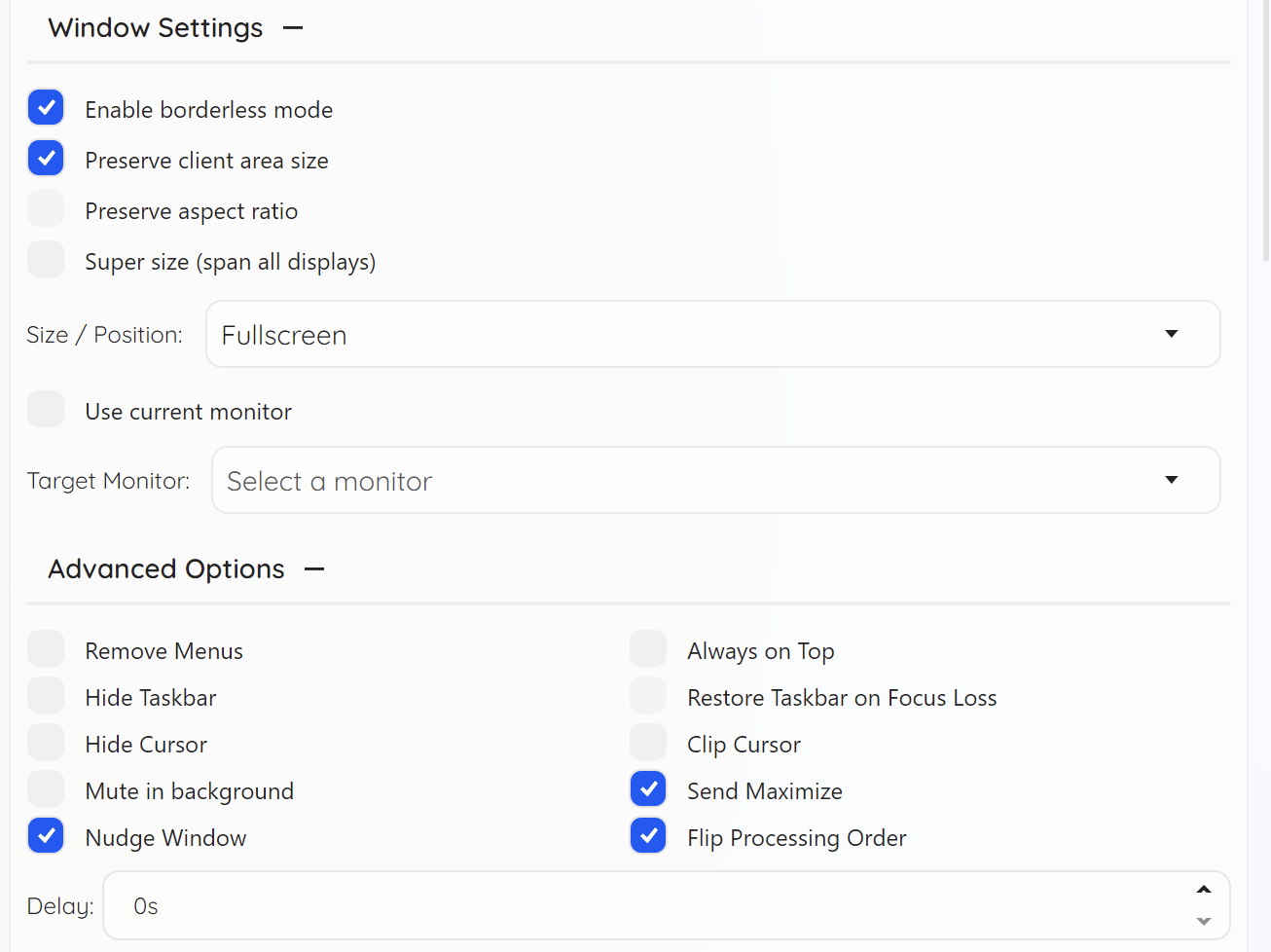
- 'Preserve Client Area Size' - Maintains correct internal resolution
- 'Send Maximize' - Properly expands the game window width
- 'Nudge Window' - Expands height to cover the taskbar area (works whether taskbar is hidden or visible)
Dishonored:
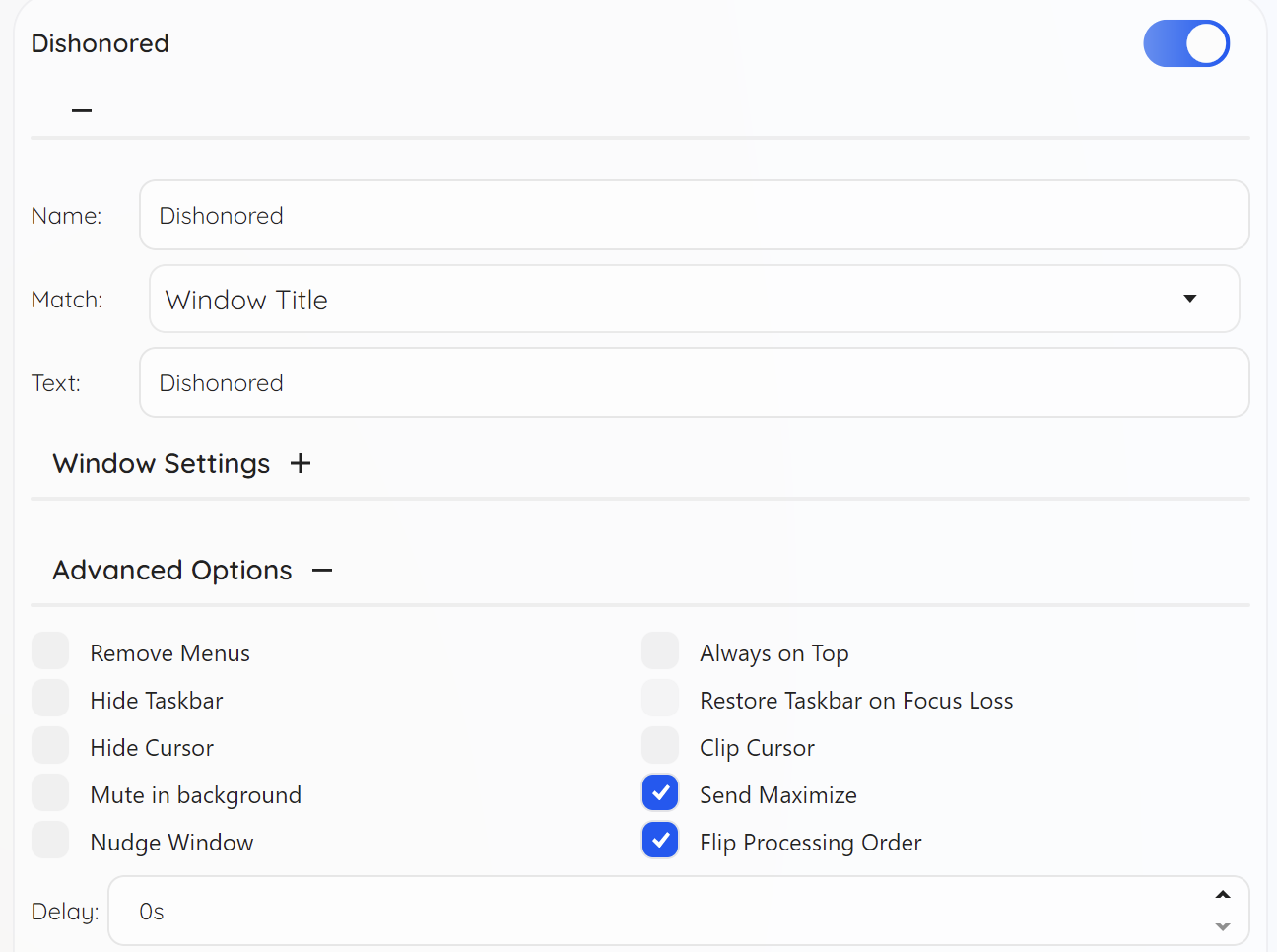
This game doesn't support window nudging. You only need:
- 'Send Maximize' + 'Flip Processing Order'
Borderlands:
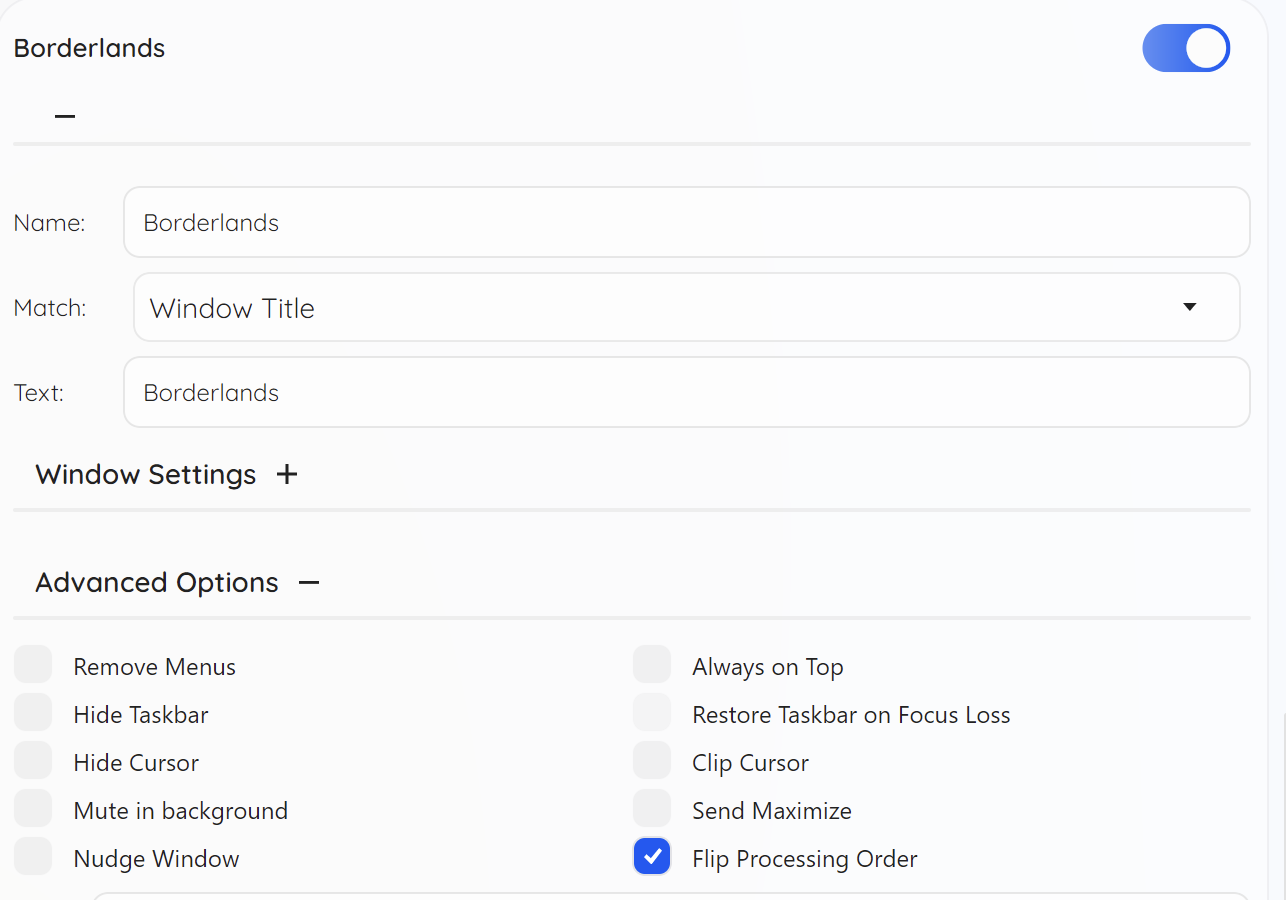
Works well with minimal configuration - just enable:
- 'Flip Processing Order'
Gears of War: Reloaded:
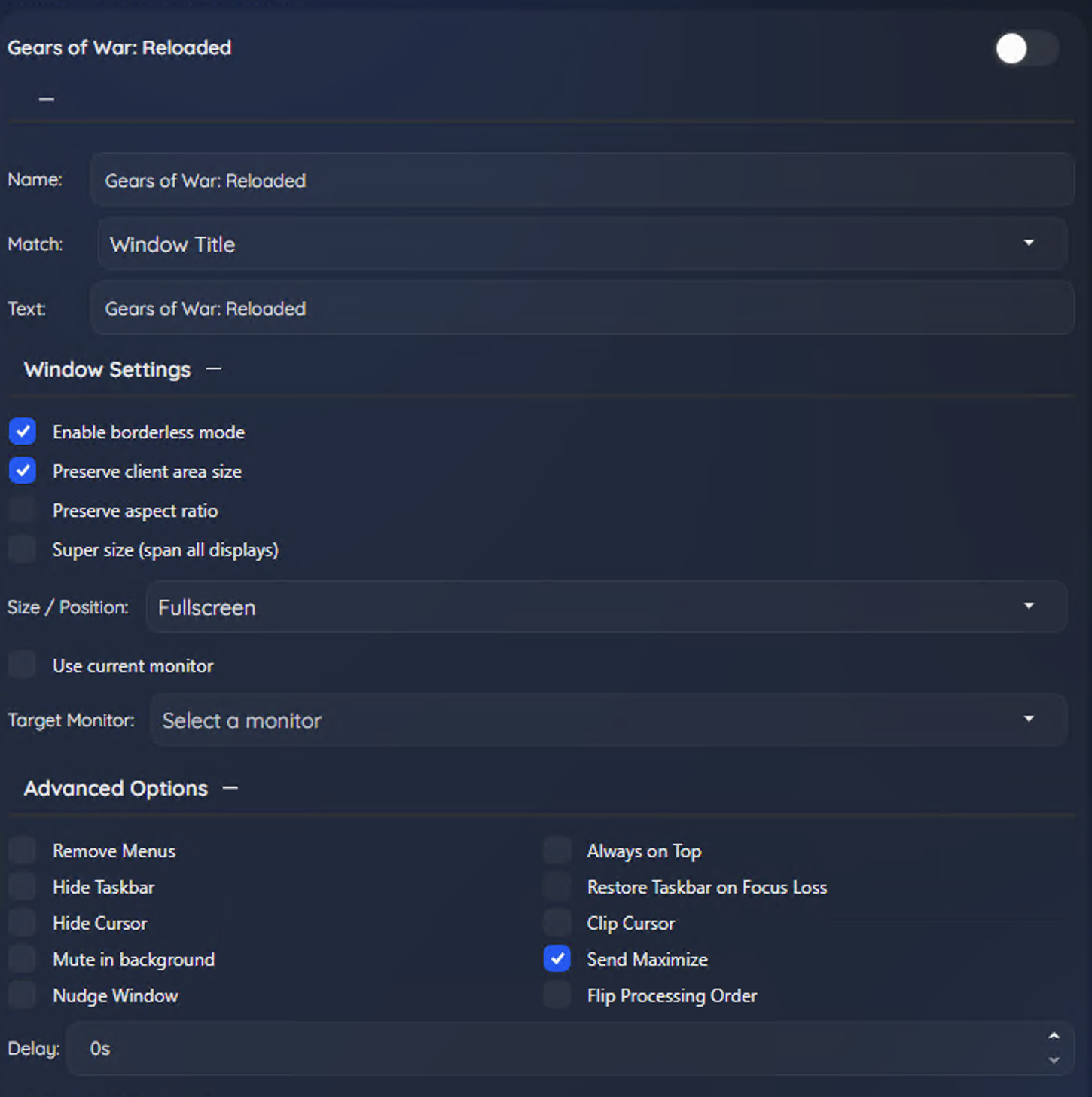
Newer Unreal Engine game that needs:
- 'Preserve Client Area Size' + 'Send Maximize' (no 'Flip Processing Order' needed)
Additionally, I changed the default hot key for hiding task bar to Ctrl+Shift+L
Important Notes
- Every game behaves differently, so experiment with your profile settings if the defaults don't work
- Remember to restart Unreal Engine games after changing profiles if they're not working correctly
- To make this easier, I'm adding Steam Workshop support in version 1.1 so you can share working profiles with the community!