Build 1.0.10
Rusty's Retirement · build 14271379 · published
If you are experiencing a black screen and restarting doesn't help, please follow this step-by-step guide on how to fix it: https://imgur.com/a/7LOAktG
Black screen fix!
Go to Rusty's Retirement in your Steam library > Gear icon > Manage > Browser local files

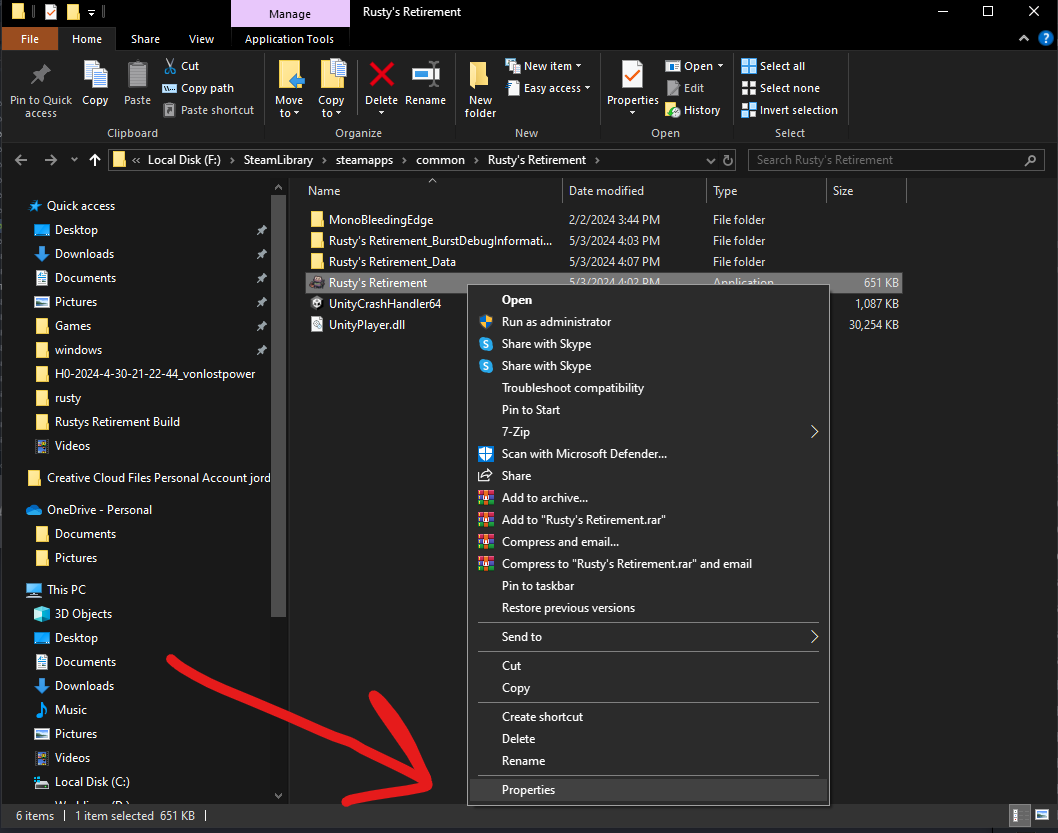
Select Rusty's Retirement.exe > Right-click > Properties
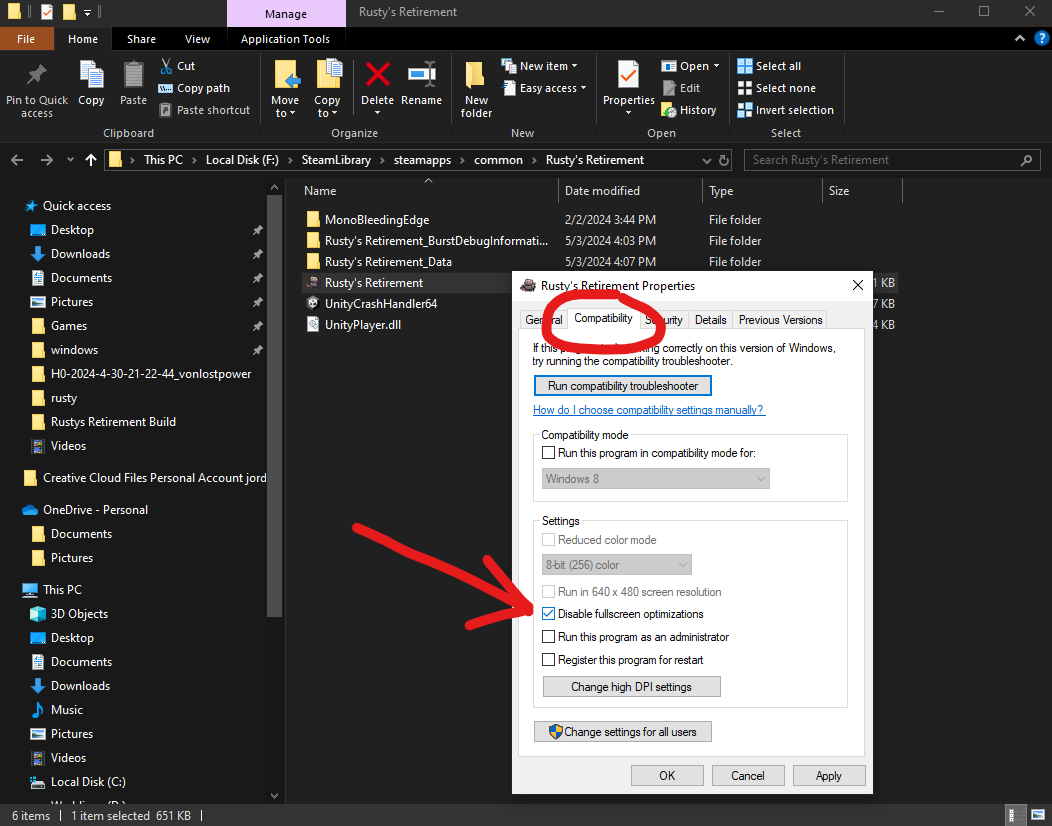
Go to the Compatibility tab > check Disable fullscreen optimizations > you should be good to go!
We are still investigating the black screen bug on Windows. We have found a fix but it’s a bit tricky to get it working. For now, please follow the guide above to fix it!
—
Hey folks,
Here are some tweaks that have been made to the game. Hopefully, it will ease some balancing issues and frustrations.
- Splunk no longer wanders off the screen.
- Splunk will wander around less if there is work to be done.
- Splunk also received a bit of a speed boost + 25%
- Feeder bots were still causing a lot of frustration among players, so they will now take the lowest crop that is available in your inventory.
- To remove further frustration, Biofuel bots will now ignore the lowest crop available in your inventory. However, they will still use said crop if there is no other option available - this is to prevent the early game from breaking.
- Animals will eat less crops and roam around the farm more. They should still poop roughly the same amount.
- Added a check to retroactively fix any unlocked lands that were still acting as if they were blocked.
- Fixed an issue where the game was getting stuck on Mac when switching to another desktop or fullscreen application.
Idea:
Splunk currently seeds a crop patch if it is entirely empty. I was thinking of changing it to > Splunk will seed a crop patch that is half empty. The only problem with this approach is that he will run around the farm a lot more and as a result it may lead to him becoming even less efficient from constantly walking back and forth.
Let me know what you think!
Thank you for all your continued support! :orange_heart: