Thank you very much for using Textvas.
New Features
・Tables
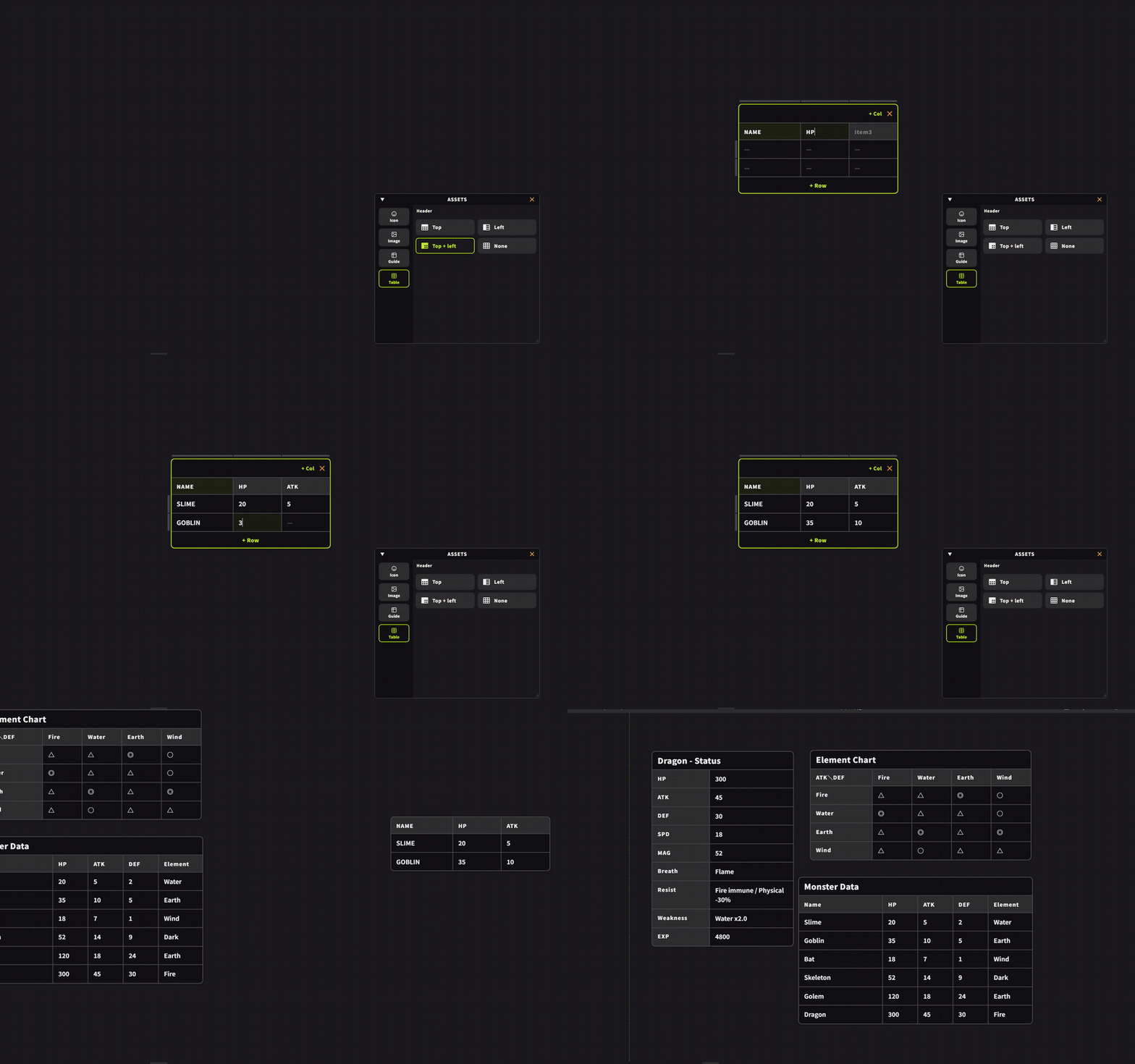
You can now place a table on the board from Add Material → Table in the context menu of the board screen. Four types with different header positions are available. Cells can be typed into directly, rows and columns can be added or removed later, and column widths and row heights can be adjusted by dragging. By dragging the end of each one, you can also reorder the rows and columns of the table. Right-clicking a table now opens a context menu that covers most of the available operations.
・Toggling Wheel Zoom
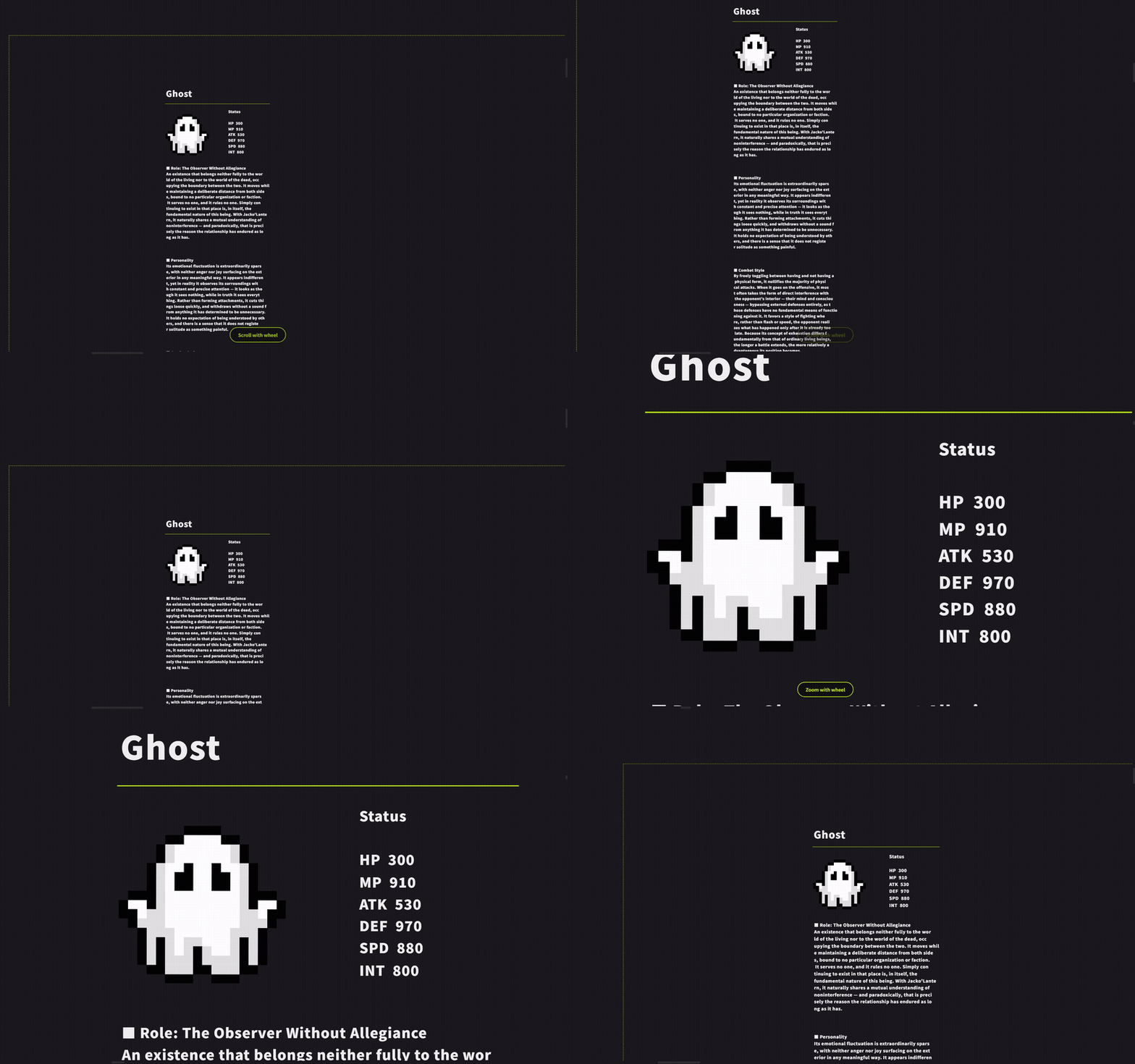
Pressing the middle mouse button (wheel click) twice in quick succession now toggles wheel zoom on and off on the spot. When you switch, the screen shows whether the wheel is currently set to zoom or to scroll. This makes it easy to switch between scrolling through text and panning around the board.
・Export as TXV
Export as TXV has been added to Export in the menu. You can export only the tabs you have selected as a .txv file. This is useful when you want to take just part of a project with many tabs and share it (shortcut: Ctrl+Alt+T)
It can also be combined with Merge.
Improvements
・Checklists on Text Cards
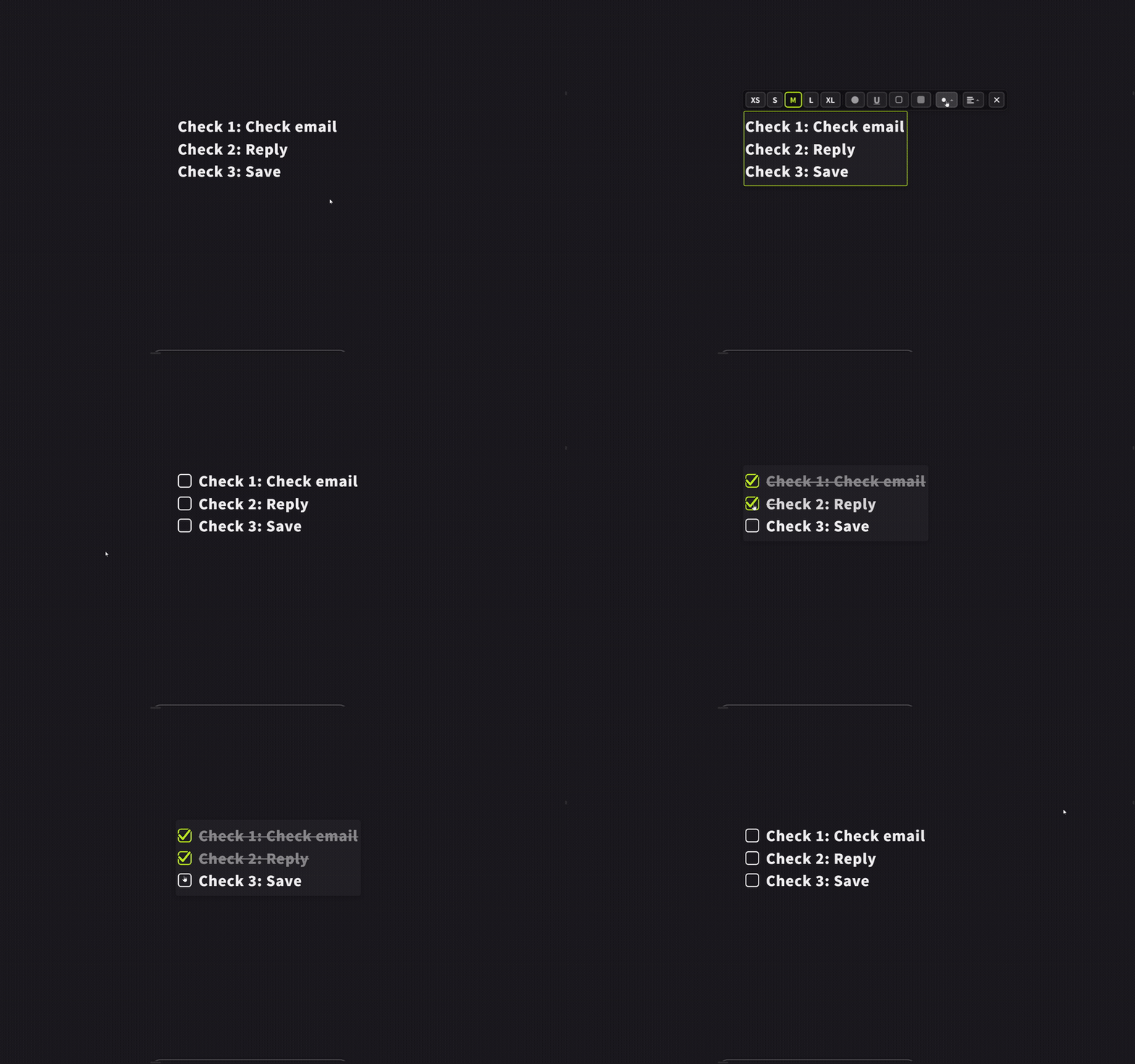
Checklists on text cards have been made easier to use. They work the same way as before: simply select the text and choose the checklist from the text toolbar. Clicking the square that appears beside an item switches it between done and not done. Completed items are struck through and dimmed, so you can see at a glance what is still left.
・Wheel Controls in the Node Editor
You can now move the view up and down with the wheel in the node editor as well. Until now, nothing happened when you turned the wheel while wheel zoom was off. Shift+wheel moves the view left and right.
・List Icons on the Text Toolbar
The list icons (bulleted, numbered, checklist) have been enlarged so that they are easier to tell apart.
・Project Name and Board Name Fields
The project name and board name fields in the header now support the right-click menu (Cut / Copy / Paste / Select All).
・Material Window Title
The material window now has a title showing the material and its name.
・Other in Preferences
The Other page in Preferences has been tidied up. The items are now split into Loading and Display, with revised headings and order.
・Notes
The border colour now matches the border of tables.
Bug Fixes
・Fixed an issue in flowcharts where double-clicking the background created an unintended rectangle. Shapes can still be added from the right-click menu on the background as before.
・Fixed an issue where the Preferences window trembled slightly while being moved by its title bar, and an issue where the contents appeared to stick out slightly beyond the frame. A minimum and maximum window size have also been set.
・Fixed an issue where the Default button in Preferences was in the wrong position.
We will continue working to improve Textvas.