Spriter 2 Beta Release 2026.07.26
Spriter: Radius-Wing SHMUP Animated Art Pack · published · build 24401247
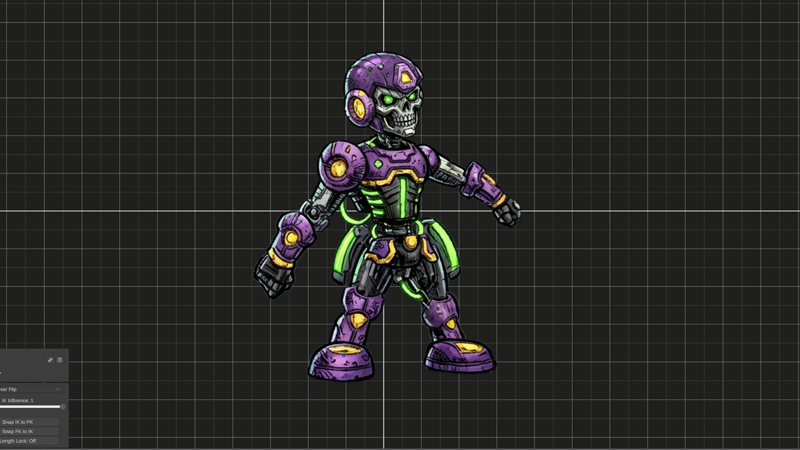
Hello everyone. Apologies for the radio silence. We've been busy building up some really exciting features that are in this build. Multiple features in this changelog are quite powerful and will require full videos to explain. We're excited to show them off, but we didn't want to make you wait any longer while we prepared art and videos. With all the changes, expect some bugs. Spriter Two is now getting dogfooded by a team of artists and animators, and that process is helping us find bugs and enhance workflows rapidly. The dogfooding is helping throughout the pipeline, including workflows that move beyond the Spriter Two editor. More on that later.We realize that some in-depth tutorials are sorely needed at this point, especially for the newer more novel features. The dogfooders are helping there as well, as we are learning where things are most unclear to new users.More coming soon. In the meantime, please poke around and enjoy.
New Features
Sound support - with silky smooth sound scrubbing
Interactive Rule System
Events for Rules
Time Windows for Rules
Interactive Onion Skinning
Onion Skinning for previous frames or keyframes or manually set frames in timeline
Alt-Click and drag to alter the animation at the time showed by the onion skin
Alt-Click on an Onion Skin to instantly switch to that time in the animation clip
Hold Alt and Scroll Wheel to select onion skins obstructed by the currently hovered onion skin
Facing Grid Enhancements
Added shortcuts (find by hovering the mirroring buttons), that allow you to mirror all items from the clicked side of facing grid
Hold Shift and drag on a part to change its current facing grid image without having to move mouse over the panel
Bezier Easing Curves
Import videos, gifs, and image sequences to use as animation references with synced playhead
MP4, Gif, and Image Sequence Export
Multi-Project Multiple Character Workflow (alpha)
Multi-Project Accessory Slot Workflow (alpha)
The crossfade for automatic morphing between neighboring facing grid deformable meshes is now optional and adjustable
Toggles for which types of items are visible and selectable
Soft Drag now works for attractors and all classes of attractor movement (repositioning, rerigging, previewing, and keying)
Control and Scroll Wheel to select parts obstructed by the currently hovered part
Holding 'i' while clicking and dragging now allows you to move an entire subtree (a part and all of its children, recursively)
Hold 'z' and use Scroll Wheel to change the z-order of the current part
Enhancements
Complete UI Overhaul rebuilt from the ground up. More responsive, more customizable, faster startup time, prettier, and arbitrarily resizable, and easier to extend with new features. There are a few bugs with the placement or size of things. We will be cleaning that up over the next few builds.
Parts now highlight in the canvas and the timeline when hovered
Clicking on a track label now selects that part
Performance optimizations galore
Improved initial project launch times ≈10x for large projects
Added progressive loading to projects so you can begin seeing and editing your character while mages cache in the background
Enhanced picking so already selected parts stay picked even when clicking them under obstructing parts
Enhanced meshing algorithms produce more usefully deforming meshes
Filenames shown for currently hovered/selected items in File Palette
Bug Fixes
Myriad of UI bugs fixed by the overhaul
Fixed miscellaneous bugs with keyframes, undos, and saves.
Fixed bug where having any facing grid keys would break z-order