Status
SteamPeaks
ChartsSalesUpcomingPatchesNewsCalculator
New on SteamEvery app, DLC and depot the minute Steam creates itAppsEvery app on Steam, newest change firstPackagesSubs and bundles, and what each containsDepotsDepots, manifests and install sizesTagsSteam's user tags and the games under themDevelopers & publishersCompanies and their cataloguesTechnologiesEngines, SDKs and anti-cheat found in the filesChange historyEvery PICS changelist as it lands
SignalsNineteen readings of the whole catalogueCompareAny games side by sideRecordsAll-time peaks and the days they were setReportsWeekly and monthly write-upsAlerts & newsroomWatch a game, get told when it movesSteam statusIs Steam up, right nowWeb API explorerTry the endpoints in the browser
NewsSteam's own announcements and the sales calendarCalculatorWhat a Steam account is worth, and its pile of shame
/
Sign in
/
SteamPeaks
The ultimate resource for Steam data.
ExploreChartsSalesSales and festsUpcomingPatchesNewsRecordsTrendingSignals
DatabaseAppsPackagesDepotsTagsDevelopersTechnologiesChange history
ToolsCalculatorCompareSearchAlertsSteam statusAPI
SiteMethodologyFAQDiscordSupportSign in via Steam
Not affiliated with Valve or Steam. Game names and artwork belong to their owners. All times UTC.
PrivacyCookiesFair useStatus
Spirefall DemoNewsSpirefall on Steam Deck - Native, Full Controller Support
Community

Spirefall on Steam Deck - Native, Full Controller Support

Spirefall Demo · published 24 Aug 2026, 18:02 UTC

All newsPlayers around this dateRead on Steam

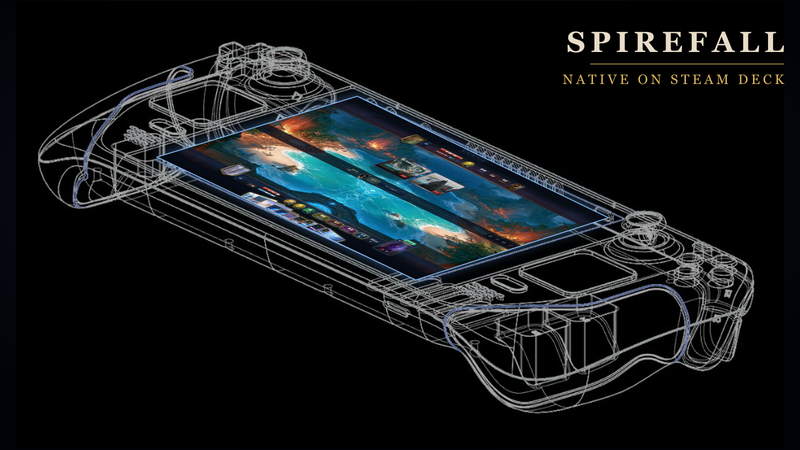
Spirefall runs natively on Steam Deck

The Spirefall demo ships a native Linux/SteamOS build — no Proton, no compatibility layer. Steam picks it automatically on Deck and on desktop Linux, and it runs in the Steam Linux Runtime, so there is nothing to configure: install and play.

Here's exactly what that means, and what we tested.

Full controller support

Every screen in the game — menus, the tavern map, deck panels, shops, settings, and matches themselves — navigates on the gamepad with a visible focus ring and a sensible landing focus. No touchscreen, no trackpad-as-mouse, no on-screen keyboard required anywhere in the demo. Pressing 'Y' now triggers tooltips on Deck.

The pad map, everywhere in the game:

  • A — confirm / play the focused card
  • B — always backs out exactly one layer (close a panel, cancel a prompt — never further than you meant)
  • Y — inspect anything on demand: cards, fortresses, abilities
  • Select — toggle attack-all during your attack phase
  • LB / RB — ride the rails between board zones and menu chapters
  • D-pad / left stick — spatial navigation across the board and menus

Built for the Deck's screen

The UI was reworked for 1280×800 handheld play, not just scaled down:

  • At handheld heights the fortress crest and commander card pop out of the banner and overhang the battlefield — more presence, no board rows sacrificed.
  • Ability gems wear compact two-letter sigils on short screens; the full text is always one Y-press away.
  • A UI scale setting in Settings lets you tune the whole interface to taste.
  • Panels, sliders, and scrollable lists are all engageable with the pad — including the block-assignment cycle during combat.

How we tested

Deck support wasn't a checkbox pass — the demo went through eight rounds of on-device Steam Deck audits, each one played by hand on Deck hardware, with fixes shipped between rounds: focus-trapped overlays, pad-reachable tooltips, scroll regions, safe defaults on confirmation prompts, and the B-button contract above.

Saves

Steam Cloud backup is enabled for your demo save. Progress carryover between a Deck and a Windows PC is in testing — we'll confirm it in a patch note once we're satisfied it's solid.

Found something off?

If anything reads small, focuses wrong, or fights the pad, we want to know — Deck play is a first-class target for us, not a port. Tell us on our Discord or in the community hub discussions, and include your UI scale setting if it's display-related.

Back to the Tavern — it plays great on a couch.

More from Spirefall Demo

Other announcements

All news
Major update14 Sep 2026September Major Update - New Region!Three weeks since the Kraken. This one is bigger. The Journey Map has been promising a second tavern since Day 9. It's open. Take the Antiok node and you go down a stair, not into a taproom: the Undercroft is the stone cellar under the Grand Cathedral where the Church drinks after vespers, and the Church does not think you should be there. The Undercroft · Beat Tully's Ale Haus Tavern Keeper on…Major update24 Aug 2026August 2026 Major UpdateNine days since the last patch, and the tavern got rowdier. The Tavern Keeper stopped hiding her difficulty inside the AI and put it on the table where you can fight it. The Bards hired thieves. A merchant lord bought a blimp. And the whole game now runs natively on Steam Deck (and Linux, for that matter), full controller support, top to bottom. Fair warning about the headliner: there is a krak…In-game event14 Aug 2026Day 9 PatchWin a run and the tavern shows you what it was always sitting inside of: a map. The world beyond the Ale Haus is on the table now — and while you're out there reading it, we rebuilt the tutorial's pacing from the ground up and gave Tully a mute button. (He took it well.) The Journey Map · After your first run win, the tavern menu becomes a painted map of the world's taverns. Tully's Ale Haus is…