Status
SteamPeaks
ChartsSalesUpcomingPatchesNewsCalculator
New on SteamEvery app, DLC and depot the minute Steam creates itAppsEvery app on Steam, newest change firstPackagesSubs and bundles, and what each containsDepotsDepots, manifests and install sizesTagsSteam's user tags and the games under themDevelopers & publishersCompanies and their cataloguesTechnologiesEngines, SDKs and anti-cheat found in the filesChange historyEvery PICS changelist as it lands
SignalsNineteen readings of the whole catalogueCompareAny games side by sideRecordsAll-time peaks and the days they were setReportsWeekly and monthly write-upsAlerts & newsroomWatch a game, get told when it movesSteam statusIs Steam up, right nowWeb API explorerTry the endpoints in the browser
NewsSteam's own announcements and the sales calendarCalculatorWhat a Steam account is worth, and its pile of shame
/
Sign in
/
SteamPeaks
The ultimate resource for Steam data.
ExploreChartsSalesSales and festsUpcomingPatchesNewsRecordsTrendingSignals
DatabaseAppsPackagesDepotsTagsDevelopersTechnologiesChange history
ToolsCalculatorCompareSearchAlertsSteam statusAPI
SiteMethodologyFAQDiscordSupportSign in via Steam
Not affiliated with Valve or Steam. Game names and artwork belong to their owners. All times UTC.
PrivacyCookiesFair useStatus
Code My Robot VacuumNewsUpdate 0.1.2.9: Breakpoints, Step-by-Step Debugging, and Better Python Support
In-game event

Update 0.1.2.9: Breakpoints, Step-by-Step Debugging, and Better Python Support

Code My Robot Vacuum · published 18 May 2026, 22:05 UTC · build 23270732

All newsPlayers around this dateRead on Steam

Hello Coders,

This update makes coding and debugging your robot programs much clearer. You can now set breakpoints, step through code one statement at a time, get better support in external Python editors, and receive clearer feedback when upgrades become available.

Major Additions

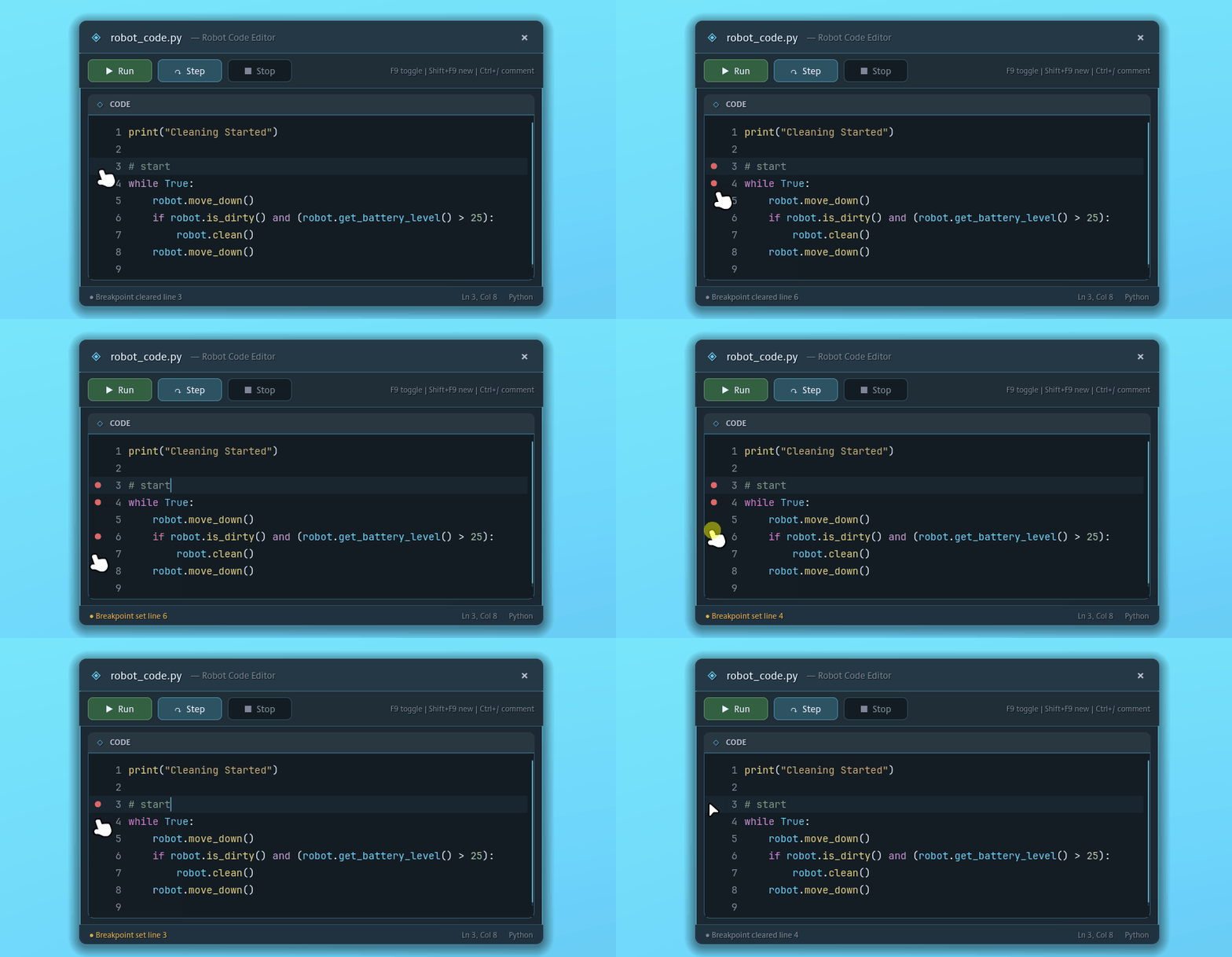
Breakpoint Debugging

The code editor now supports breakpoints. Set a breakpoint, run your program, and execution will pause when that line is reached so you can understand what your code is doing before continuing.

  • Breakpoint gutter support in the editor
  • Keyboard shortcut support for toggling breakpoints
  • Run button changes to Continue while paused
  • Breakpoints work through the shared interpreter flow
Step-by-Step Execution

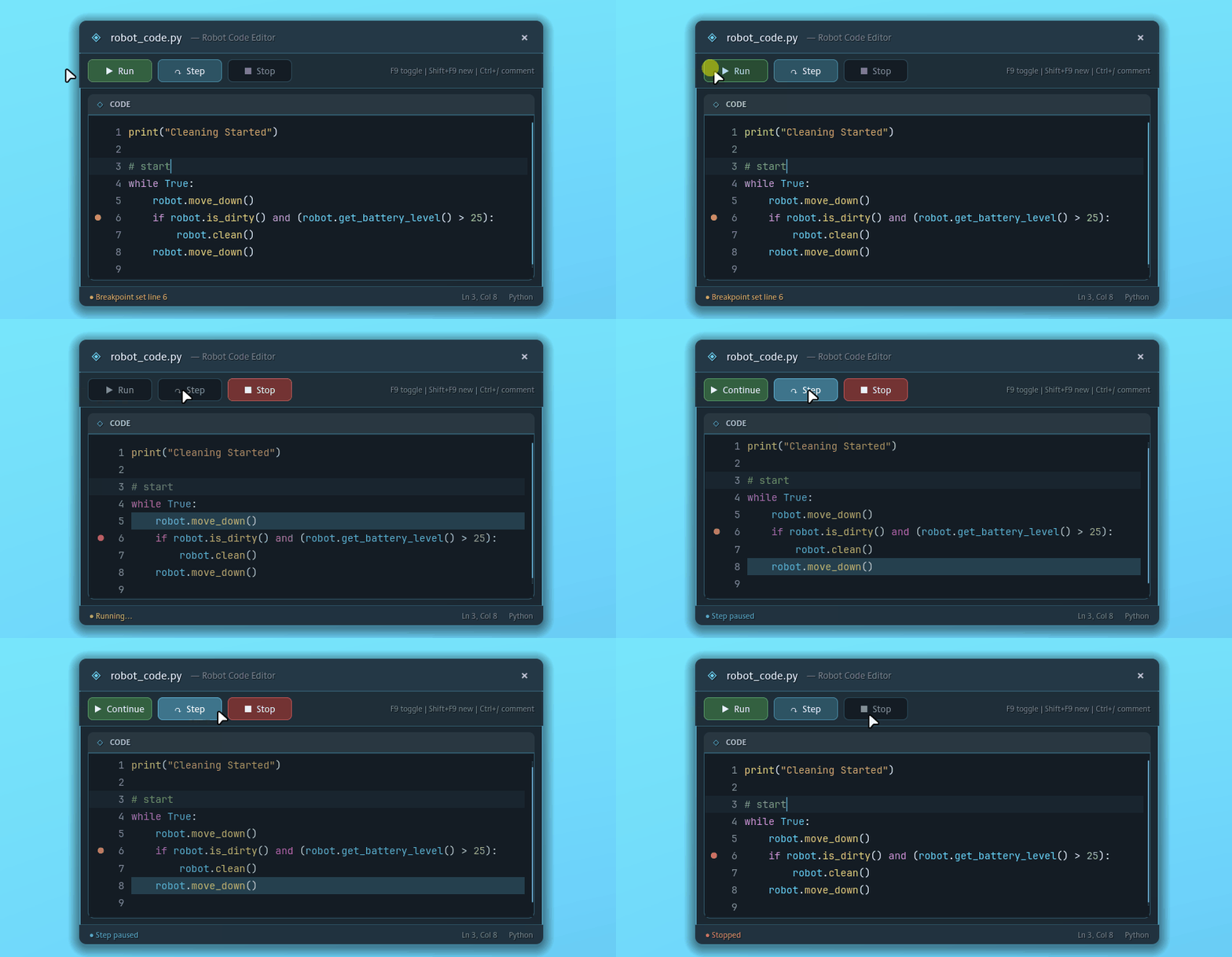
You can now step through your program one statement at a time. This makes loops, conditions, and robot decisions easier to follow while testing your automation logic.

  • Added a Step button
  • Improved execution highlighting
  • Cleaner Run, Step, and Stop button behavior
  • Better pause/resume handling during code execution
Editor & Learning Improvements

Better External Editor Support

External Python editor support has been improved with automatically copied helper files, Python stubs, and Pyright configuration. Compatible editors should now provide better autocomplete and type information for the game’s scripting API.

Gameplay & UI Improvements

  • Standardized upgrade menu labels
  • Improved code highlighting consistency across branches, loops, and functions
  • Added Limited and Full diagnostic data privacy options
  • Replaced “Profile” wording with “Save” and “Save Slot”
  • Added toast notifications when new buyable upgrades become available

Fixes & Polish

  • Improved HUD objective update timing
  • Improved camera and docking station setup timing
  • Cleaned up robot spawn positioning
  • Removed the redundant docking station direction field in favor of opening_direction
  • Removed the old player-facing robot.recharge_battery() command now that docking stations handle recharging
  • Improved menu map background preview handling
  • Added build/export security and packaging updates

Closing Note

Thanks for playing and sharing feedback as Code My Robot Vacuum continues to improve.

More from Code My Robot Vacuum

Other announcements

All news
In-game event13 Sep 2026Campaign Results, Rebalanced Stages 5–10 & Bug FixesThis update brings a new Campaign Results overlay , a substantial rebalancing pass for stages 5–10, and several improvements to tutorials, the code editor, and campaign progression. Major Additions New Campaign Results Overlay Campaign stages now end with a dedicated results screen, giving you a clearer summary when you finish a stage and a more polished transition before continuing your campai…In-game event23 May 2026Update 0.1.3.9: Cleaner Coding API, Smoother UI, and New Credits ScreenHello Coders, This update focuses on making Code My Robot Vacuum feel cleaner to play, read, and navigate. The biggest change is a coding API cleanup: the old dirt-checking function has been renamed to robot.detect_dirt() , with tutorials, examples, completions, guides, wiki entries, and objectives updated to match. There are also smoother UI hover animations across many menus, a working FOV sl…Game update18 May 2026Update 0.1.3.3: Battery Failure and Rich Guide PagesHello Coders, This update makes failure states clearer, learning tools more useful, and stage transitions smoother. The biggest change is battery depletion: when your robot runs out of power, the game now clearly stops execution, shows a failure state, and gives you a clean restart path. The in-game Guide also received a major usability pass with rich formatting, highlighted Python examples, co…