AutoClick Pro 1.5.0: Image Detection
AutoClick Pro: Macro Recorder & Input Automation · published
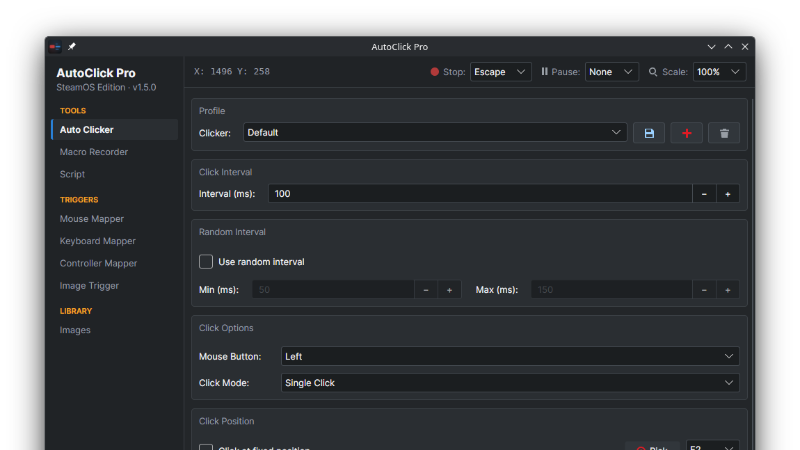
AutoClick Pro 1.5.0 can see the screen. Capture a small picture of anything (a button, an icon, a loot drop) and AutoClick Pro can wait for it, click it wherever it appears, or react the moment it shows up.
What's new
Images: capture anything from a frozen screen, or import a PNG. Test shows where it was found and how well, and if it is not there, AutoClick Pro says so instead of guessing.
Image Trigger: when an image appears or a pixel changes color, run a clicker, macro or script, or simply click it. It keeps watching in the background.
Scripts: new waitimage, clickimage, ifimage and waitpixel commands, plus a run log that shows what each line saw.
Auto Clicker: click wherever an image is found, or only while one is on screen.
Macro Editor: Wait for Image and Wait for Pixel steps.
New sidebar: the pages are now grouped on the left as Tools, Triggers and Library.
The mapper and Image Trigger pages now ask before discarding unsaved changes.
Good to know
The screen is only read while you capture or a search runs. Nothing is recorded or uploaded.
On Wayland (SteamOS, KDE, GNOME) the first capture asks for screen-sharing permission.
Macros that use the new wait steps need 1.5.0 or later to open.
Questions or ideas? Use the Feedback button at the bottom of the sidebar.