AutoClick Pro 1.4.0: The Macro Editor
AutoClick Pro: Macro Recorder & Input Automation · published
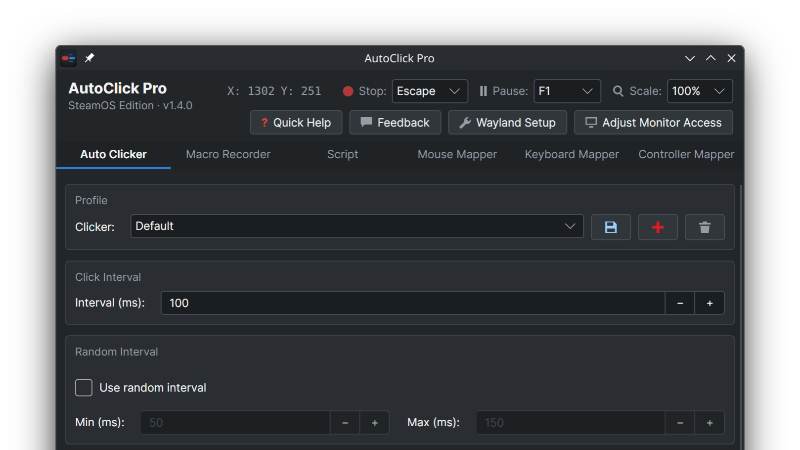
The Macro Editor
Until now a recording was take-it-or-leave-it: if one click was a little early or a pause a little long, you recorded the whole thing again. 1.4.0 changes that.Press ✎ Edit on the Macro Recorder tab and the loaded recording opens as a list of actions: clicks, key presses and mouse paths. From there you can:
Set the gap before any action to the millisecond
Change how long a key or mouse button is held
Move a click by typing a position or picking it on screen
Change which key a step presses
Add, duplicate or delete steps
Simplify or remove mouse paths in one click, so a menu-driven recording becomes just its clicks and keys
Preview plays your edits with the same timing as Play and highlights each row as it goes. Undo and Redo are there for when you go too far, Save as New keeps variations without touching the original, and the editor has its own Help page.Record a rough version by hand, then tighten the timing until it's perfect.
Cleaner recordings
On Linux and SteamOS, the Record and Emergency Stop hotkeys are no longer captured when you use them to stop a recording. The editor offers to remove them from recordings made with earlier versions.
On Windows, Enter is no longer recorded twice.
Every click and key press is recorded, however short. Fast double clicks and quick repeats of one key are kept as separate presses on Wayland and Windows.
On Wayland, a recording that can't see your mouse now says so instead of silently leaving the clicks out.
More precise playback
On Windows, actions after a long pause no longer fire late. Every action now plays within about a millisecond of its time.
A click can no longer turn into a small drag toward the next movement.
A key a macro or script still holds when it ends or is stopped is now released. No more stuck keys.
Emergency Stop and Stop Everything also let go of keys and buttons held by controller bindings, and cancel a Pick.
More accurate on Wayland and SteamOS
Clicks, macros and scripts use the real screen size from the moment the app starts, and again after docking or a resolution change.
The first click after a long mouse move lands on target.
Starting the Auto Clicker no longer initially pulls the cursor to the middle of the screen.
Pick works on every monitor.
A keyboard or mouse connected after the app started now works for hotkeys, the mappers and recording, and unplugging one no longer keeps a CPU core busy.
Windows
The Auto Clicker, Pick and scripts can target monitors to the left of or above the main screen.
Capital letters in scripts work.
A mapped mouse side button no longer also goes back or forward in browsers and Explorer.
Keys and buttons the app takes over are taken press and release together, so nothing leaks to the app underneath.
The Controller Mapper follows a controller connected after the app started, whatever kind it is.
Hotkeys and the mappers react to keys sent by other software, such as Steam Input's keyboard emulation.
The app now properly starts for accounts whose user name has letters outside ASCII (José, Müller).
Scripts
wait understands unit words: 5sec, 10mins, 2 hours.
A goto to a missing label, a label used twice or a loop without its endloop is reported while you write the script, not when it runs.
type handles quotes and comments correctly.
And more
Hotkeys and the mappers on X11 Linux react within a millisecond instead of up to 10 ms, and the app uses less CPU while idle.
Holding a hotkey no longer fires it again and again.
Profile, macro, script and mapping names are checked so they save exactly as typed on both platforms, and a crash during a save can no longer leave a half-written file.
When something can't start, the status line now says why.