Status
SteamPeaks
ChartsSalesUpcomingPatchesNewsCalculator
New on SteamEvery app, DLC and depot the minute Steam creates itAppsEvery app on Steam, newest change firstPackagesSubs and bundles, and what each containsDepotsDepots, manifests and install sizesTagsSteam's user tags and the games under themDevelopers & publishersCompanies and their cataloguesTechnologiesEngines, SDKs and anti-cheat found in the filesChange historyEvery PICS changelist as it lands
SignalsNineteen readings of the whole catalogueCompareAny games side by sideRecordsAll-time peaks and the days they were setReportsWeekly and monthly write-upsAlerts & newsroomWatch a game, get told when it movesSteam statusIs Steam up, right nowWeb API explorerTry the endpoints in the browser
NewsSteam's own announcements and the sales calendarCalculatorWhat a Steam account is worth, and its pile of shame
/
Sign in
/
SteamPeaks
The ultimate resource for Steam data.
ExploreChartsSalesSales and festsUpcomingPatchesNewsRecordsTrendingSignals
DatabaseAppsPackagesDepotsTagsDevelopersTechnologiesChange history
ToolsCalculatorCompareSearchAlertsSteam statusAPI
SiteMethodologyFAQDiscordSupportSign in via Steam
Not affiliated with Valve or Steam. Game names and artwork belong to their owners. All times UTC.
PrivacyCookiesFair useStatus
GammaBoost+NewsGammaBoost+ 1.4 — Stream Deck Support
In-game event

GammaBoost+ 1.4 — Stream Deck Support

GammaBoost+ · published 1 Oct 2026, 04:08 UTC

All newsPlayers around this dateRead on Steam

New: Stream Deck support

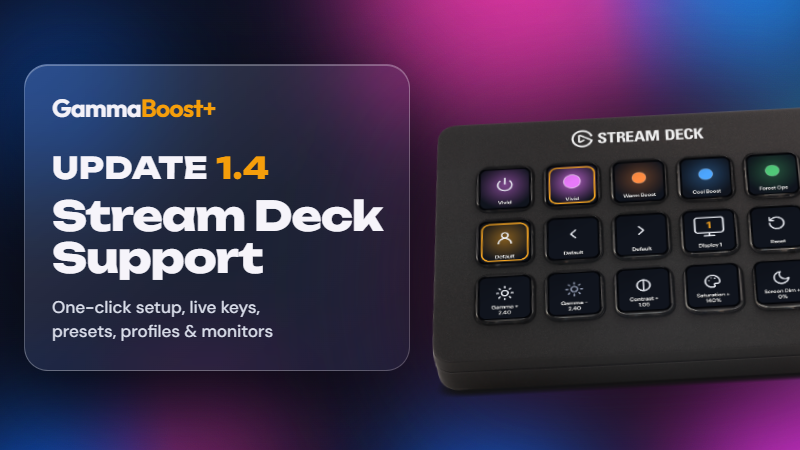
  • Control GammaBoost+ from an Elgato Stream Deck: turn it on and off, put a preset on screen, switch profiles and monitors, and step gamma, brightness, contrast and more. On a Stream Deck+ you can turn a dial to fine-tune.

  • Keys that show what's on screen: On / Off lights up in your preset's color and shows its name, preset and profile keys light up while they're in use, and the Monitor key shows which display presets go to.

  • Set up in Settings → Stream Deck: install the GammaBoost+ plugin in one click (Stream Deck asks you to confirm), turn on Control from Stream Deck, then drag GammaBoost+ actions onto your keys.

  • Private by design: it's off until you turn it on, and only apps on your PC can connect.

  • Needs the Stream Deck app 7.1 or later.

Fixes

  • Closing GammaBoost+ from outside works properly: when Task Manager or another app asked GammaBoost+ to close while it was in the tray, it could keep running and lose its in-game preset pop-up. It now quits and puts your screen back.

  • Close to tray off: closing the window now quits GammaBoost+, instead of leaving it running in the tray.

More from GammaBoost+

Other announcements

All news
In-game event10 Oct 2026GammaBoost+ 1.6 : a preset for each monitorA preset for each monitor · Pick a monitor, then a preset: only that monitor changes. All displays still sets every monitor. · The picker shows each monitor's preset. · The on/off switch and key act on the picked monitor. With All displays picked, they act on all of them. · "Apply last preset on launch" restores each monitor's preset. · OBS sync follows your primary monitor. Profiles · Monitors…In-game event7 Oct 2026GammaBoost+ 1.5 — UI Rework & LUT ImportsUI rework · A new design: graphite colors, squared menus and dialogs, cleaner preset and Community art. · Read before you turn on: clicking a preset card shows it without turning it on. Turn it on from the banner, or double-click the card. · A small on/off switch in the bottom bar. · The window resizes smoothly, scales up on big screens and opens a little smaller. · Rainbow Mode now flows throu…Game update3 Oct 2026GammaBoost+ 1.4.1 — Default Profile FixFixes · Your Default profile turns on at launch: GammaBoost+ now opens in your profile with its ★ preset on screen, as the profile's "★ turns on when you switch to this profile" setting says. Before, it opened on the last preset you used, even one from another profile, switched off. · Back to your Default profile after a game: when a game with its own profile closes, your Default profile's ★ pr…