Status
SteamPeaks
ChartsSalesUpcomingPatchesNewsCalculator
New on SteamEvery app, DLC and depot the minute Steam creates itAppsEvery app on Steam, newest change firstPackagesSubs and bundles, and what each containsDepotsDepots, manifests and install sizesTagsSteam's user tags and the games under themDevelopers & publishersCompanies and their cataloguesTechnologiesEngines, SDKs and anti-cheat found in the filesChange historyEvery PICS changelist as it lands
SignalsNineteen readings of the whole catalogueCompareAny games side by sideRecordsAll-time peaks and the days they were setReportsWeekly and monthly write-upsAlerts & newsroomWatch a game, get told when it movesSteam statusIs Steam up, right nowWeb API explorerTry the endpoints in the browser
NewsSteam's own announcements and the sales calendarCalculatorWhat a Steam account is worth, and its pile of shame
/
Sign in
/
SteamPeaks
The ultimate resource for Steam data.
ExploreChartsSalesSales and festsUpcomingPatchesNewsRecordsTrendingSignals
DatabaseAppsPackagesDepotsTagsDevelopersTechnologiesChange history
ToolsCalculatorCompareSearchAlertsSteam statusAPI
SiteMethodologyFAQDiscordSupportSign in via Steam
Not affiliated with Valve or Steam. Game names and artwork belong to their owners. All times UTC.
PrivacyCookiesFair useStatus
WARSHIFT 2 DemoNewsUpdate v2.2 - Commanding Troops in Action Mode
In-game event

Update v2.2 - Commanding Troops in Action Mode

WARSHIFT 2 Demo · published 13 Jul 2026, 16:57 UTC

All newsPlayers around this dateRead on Steam

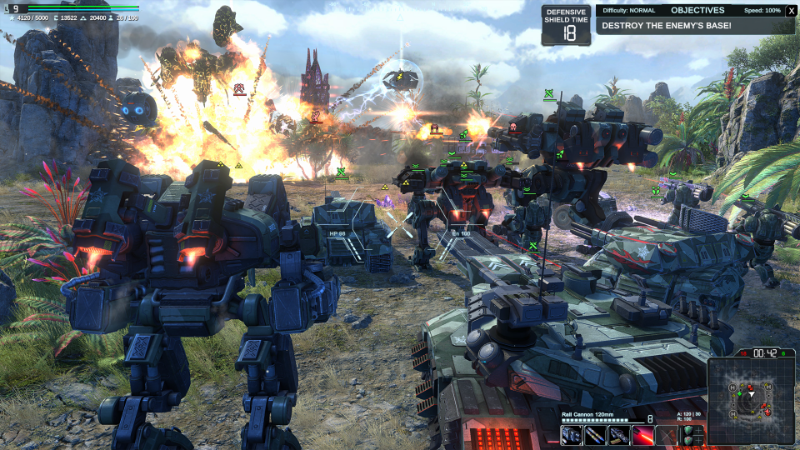
Following numerous player requests, I have added the ability to command your troops directly while playing in Action Mode. You can now lead groups of units across the battlefield or call in artillery and air support at the right moment without switching back to RTS Mode. This feature created a surprisingly engaging new way to play, and it is definitely worth trying.


To get started, create unit control groups in RTS Mode by pressing Ctrl + 1–9. You can create up to nine groups.

Then switch to Action Mode and select a unit group using the 1–9 keys. Press 0 to clear the current selection.

You can issue the following commands:

E — Send the selected units to the location targeted by sight of your combat avatar.

T — Activate Artillery Mode.

Y — Activate Guard Mode.

U — Activate Patrol Mode.

I — Stop and cancel all current orders.

I would also like to remind you that the WARSHIFT 2 Feedback Survey is still available. Your answers will help me understand what should be improved before the game’s release:
WARSHIFT 2 - Player Feedback / QA Survey

More from WARSHIFT 2 Demo

Other announcements

All news
In-game event5 Sep 2026Update v2.34 – Redesigned Gamepad Controls & Other ImprovementsIn version 2.34, the gamepad control scheme for Strategy mode has been significantly redesigned and improved. I tried to make it as close to the classic control scheme for console games as possible, while taking into account the features of WARSHIFT 2. Among other changes, you can now navigate unit and building menus using either the D-Pad or the Right Stick without having to hold the Left Bump…In-game event14 Aug 2026Update v2.28 – Campaign Improvements & Bug FixesBased on player requests, the campaign now allows you to select a hero when replaying completed missions. You can choose from the heroes compatible with each mission’s storyline and map requirements. · More enemy structures and activity have been added to “Siege Of The Island”, making the mission more engaging and challenging. · The hero in “Lost In The Glacier” has been replaced with Vargor—be…In-game event10 Aug 2026Update v2.27 – Gameplay Improvements and Bug FixesFixed an issue with soundtrack playback after pausing and resuming the game. The current music track will now continue from where it was paused instead of restarting. · Added stat point descriptions to the Customization menu. Hover over a stat point button to view detailed information about its effects. · Improved the accuracy of object positions displayed on the minimap. Minimap navigation and…