🚂 Major Update: Bandit Leader Boss, Flower Shop, Mill, Thermal Generator, and More
Dear Conductors,
This update expands production, exploration, animal care, and combat aboard your train.
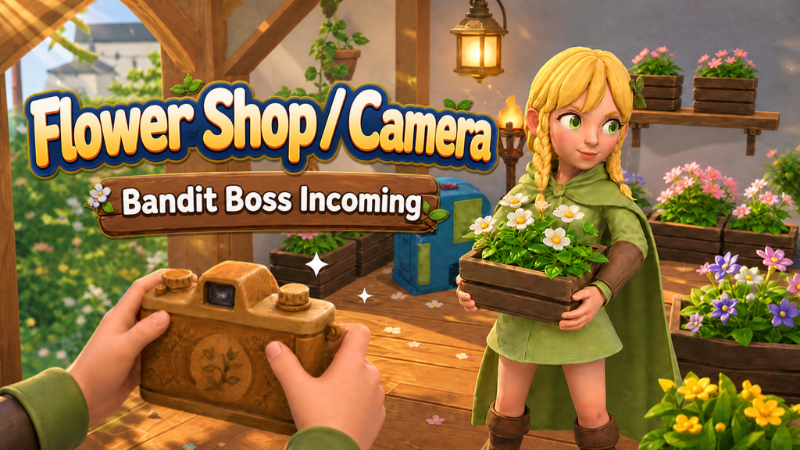
The water and power systems have been upgraded into a more intuitive resource network. New additions include the Thermal Generator, a Mill area, Map Posters, Standing Torches, Standing Electric Lamps, and a Flower Shop. The experimental Camera item is also here, giving you access to a free-roaming photo mode.
A new Bandit Leader has arrived at the desert bandit camp. Meteor and bear events have been adjusted, alongside numerous improvements to fish tanks, animal pens, building, interface controls, multiplayer loading, and cloud saves.
Here are the full details of this update.
🖱️ Improved Interface Feedback
The blueprint tech tree and several other screens now provide new interaction feedback.
Now:
Blueprint nodes enlarge slightly when you hover over them
Clicking a node makes it expand, shrink, and bounce back
Clicks and switching actions now have sound feedback
Navigation buttons in the inventory and other screens now have the same animation and sound effects
💧 Water, Power, and Resource Network Upgrades
The water and power systems have been reorganized to make water supply, power generation, and energy storage easier to understand.
Water collector changes:
Small Water Collectors always require you to collect water manually
Small Water Collectors no longer open a complex water network panel
Once built, Medium and Large Water Collectors automatically send clean water to water tanks and devices that need it
Water devices now show only clear, simple status messages beside them, such as:
Supplying Water
Water Tank Full
Not Enough Clean Water
The Central Controller now has a Resource Network page, where you can check water sources and power across the entire train.
Power system changes:
Key power values are displayed as clear whole numbers
Generated power is supplied to running devices first
Only the remaining power is stored in batteries
Generators now clearly show whether power is going to devices or batteries
If stored energy is not increasing, you can check exactly where the power is going
We also fixed several display issues in the resource network:
Fixed some devices incorrectly showing “Waiting for Hand-Crank Power”
This message is no longer mistaken for a fully charged battery status
Flow rates as low as 0.01/s are no longer incorrectly rounded away
Reduced frequent fluctuations in water supply status and the displayed number of connected devices
🔥 New Facility: Thermal Generator
The Thermal Generator is now available.
Add combustible materials such as wood or planks to generate a continuous supply of power.
Features:
Consumes fuel about 10 times as fast as ordinary fuel-burning equipment
Generates about a quarter as much power as a Nuclear Power Plant
Automatically stops when it runs out of fuel
Its blueprint is in Tier 4 technology
The Thermal Generator is useful when fuel is plentiful but advanced power equipment is still limited.
🌾 New Mill Area
A new Mill area has been added to the world.
You can spend Oxygen Coins here to buy:
Potatoes
Corn
Wheat
The Mill can also process the following items:
Turn 2 portions of wheat into 1 portion of flour
Turn 4 portions of milk into 1 portion of cheese
🗺️ New Map Posters
Map Posters have been added to the open world.
While exploring, you may come across noticeboards with maps posted on them.
Approach a noticeboard and press the interact key to read the poster:
Learn about the local geography
Reveal an area hidden by fog on the world map
Open the world map to see the newly discovered locations
If the area covered by a poster has already been fully explored, reading it again will not reveal the map a second time.
📷 New Experimental Item: Camera
The experimental Camera item and a free-roaming photo mode have been added.
How to use it:
Hold the Camera and left-click to enter photo mode
Fly freely in photo mode
Move the camera through walls
Adjust the camera distance
Take selfies or group photos
Controls:
Control hints hide automatically
Hold Tab to view the control hints at any time
Photos are saved directly to your Steam screenshot library
Right-click or press Esc to return to your character's view immediately
This feature is still in testing.
🐟 Fish Tank System Upgrade
You can now manage fish and feed through a container interface, just like with animal pens.
How it works:
Aim at a fish tank and press E to open it directly
Press F while holding a fish to place it in the tank
Press F without holding a fish to take out a random fish
Storage rules:
Every type of fish tank now has 3 additional seed storage slots
Fish tanks only accept fish and seeds that can be used as feed
A clear message appears when the tank is full
Fish automatically eat seeds stored in the tank
The following will all be preserved in existing saves:
Your existing fish
Fish weights
Remaining food progress
🐔 Duck, Goose, and Coop Improvements
Fixed issues with duck and goose drops and cooking.
Now:
Defeating a duck gives you a Duck Leg
Defeating a goose gives you a Goose Leg
Roasting a Duck Leg gives you a Roasted Duck Leg
Roasting a Goose Leg gives you a Roasted Goose Leg
Coops now play the correct sounds for the animals housed inside:
Chickens make chicken sounds
Ducks make duck sounds
Geese make goose sounds
Ducks play their own egg-laying call when laying eggs
Geese play their own egg-laying call when laying eggs
The coop description has also been revised to make the animal-raising rules easier to understand.
The prompt for adding eggs now correctly changes to match the item you are holding:
Add Chicken Egg
Add Duck Egg
Add Goose Egg
🐄 Animal Pen Fixes
Fixed issues with production and breeding in animal pens.
Now:
The amounts of products such as fat, wool, and milk no longer revert when you reopen a pen
If a pen has no free space when breeding finishes, the offspring will no longer be lost
Once you free up space, the pen will produce the offspring as expected
Interface explanation changes:
“Production Progress” in a pen refers to the production of animal byproducts
It does not indicate breeding progress
Manure is an extra chance-based product and is not guaranteed in every production cycle
☄️ World Event Changes
Bear and meteor strike events have been reworked.
Meteor events now:
Occur only in volcanic areas
Include more meteors in each strike
Drop meteors one after another at random intervals
Have slower-moving meteors
Give you more time to spot and dodge meteors
Continue until the world event notification ends, instead of finishing early
Event timing rules:
No world events occur during the first 15 minutes after entering the game
Bear and meteor strike events have separate timers
The two events no longer share one long cooldown
An event that is ready to occur is delayed by another event, rather than being cleared
Bear events last up to 5 minutes
Meteor strikes last 1 minute
The two world events cannot occur at the same time
Meteor damage rules:
Floors and walls block meteor explosion damage
If a meteor hits the upper floor, players downstairs who are protected by the floor will not take damage through it
Players within the blast radius without solid cover still take damage as usual
Meteor rewards:
Each meteor that lands and explodes has a 50% chance to drop a supply pack at the impact site
Each pack randomly contains one of three types of basic ore fragments
Each pack contains 8 to 20 fragments
The world event notification interface has also been upgraded:
Now uses a more compact alert card at the top of the screen
Each event has its own warning color
Improved text layout
Reduced awkward line breaks in centered text
Added smooth appearance and disappearance animations
⚔️ New Boss: Bandit Leader
The desert bandit camp now has a new boss: the Bandit Leader.
Combat rules:
The Bandit Leader locks on and pursues a target when a player enters his alert zone
The boss's name, current phase, and health appear at the top of the screen during combat
As his health drops, he progresses through increasingly dangerous combat phases
Later phases unlock powerful attacks such as heavy slams and whirlwind slashes
He cannot be staggered while attacking, but still takes damage as usual
In multiplayer battles, the boss's health increases based on the number of players
If lured too far from camp, he leaves combat and returns to his spawn point
The player who lands the final blow on the Bandit Leader receives:
Pigskin Backpack ×1
Gold Ingot ×5–20
💀 Improved Defeat Effects
Players now collapse with ragdoll physics when defeated.
Now:
Defeated characters go limp and fall naturally
Other players in multiplayer can also see the corresponding fallen pose
The view switches to a fixed third-person camera
The camera automatically avoids nearby walls and train cars
Defeat screen changes:
Now uses a translucent card at the bottom of the screen
No longer obscures a large part of the view
The respawn button becomes available 1.5 seconds after defeat
While defeated, you cannot move, attack, or interact with the world
We also fixed delayed item display updates after defeat.
Lost supplies are now reflected immediately and correctly. Items will no longer appear to remain in your inventory only to vanish later. The existing rules for losing supplies are unchanged.
🏗️ Building and Glass System Upgrades
When building floors and ceilings, structures now pop out naturally from the center, making completion easier to see.
Color customization for glass structures has also been expanded.
You can now color both the frame and the glass on these structures:
Glass floors
Glass walls
Glass doors and windows
Special-shaped glass structures
Colored glass remains transparent.
Glass colors now support:
Saving normally
Restoration when loading a save
Multiplayer synchronization
Material changes for standard glass floors:
Dismantling a standard glass floor returns 5 sand
Repairing a glass floor requires 2 sand
One-click repairs at the control console correctly count and consume the required sand
🔧 Control Console Repair Fixes
Fixed incorrect floor repair material requirements when using one-click repairs for the entire train.
Now:
Iron floors correctly consume iron ore fragments
They are no longer incorrectly shown as requiring stone
The materials shown at the control console, on the building hammer, and during repairs now match
Glass floors correctly benefit from the control console's reduced repair material costs
Sand requirements are calculated based on the actual damage
Also fixed:
Incorrect train speed limit text after switching pages on the control console
🧱 Placement and Interaction Fixes
Fixed the right-hand pointing animation immediately retracting just after it began when placing ordinary items.
While placing items:
The right hand consistently holds its pointing pose
The pose does not interfere with item placement
Also fixed:
Incorrect sizes for some items when placing or moving them
Mismatches between placement preview size and actual placed size
🥤 Drink Machine Display Fix
Fixed fruit incorrectly floating above the drink machine in its default state.
When the machine is not making a drink, the container on top now correctly appears as an empty water container.
🕯️ New Standing Lights
Two new types of standing lights can now be placed on your train.
Standing Torch:
Burns continuously after fuel is added
Lights up the surrounding area
Useful early in your train's development or when power is scarce
Standing Electric Lamp:
Provides steady lighting when connected to the train's power supply
Can be switched on or off manually
Uses the same amount of power as other electric lamps
Suitable for long-term lighting and train decoration
🏪 The Flower Shop Is Open
A Flower Shop has been added to the terraced fields map.
The Flower Shop sells:
Red Flower Decoration: 5 Oxygen Coins
Yellow Flower Decoration: 5 Oxygen Coins
White Flower Decoration: 5 Oxygen Coins
Decorative Flower Box: 5 Oxygen Coins
Blue Flower Seeds: 3 Oxygen Coins
Yellow Flower Seeds: 3 Oxygen Coins
Red Flower Seeds: 3 Oxygen Coins
White Flower Seeds: 3 Oxygen Coins
Bright Flower Seeds: 3 Oxygen Coins
The Flower Shop also buys fully grown flowers:
Trade 20 flowers of the same type for 1 Oxygen Coin
Grow flowers, decorate your train, and sell any extras for Oxygen Coins.
📦 Stack Size Changes
Adjusted the maximum stack sizes of some items:
Iron Ingots: 20 → 50
Copper Ingots: 20 → 50
Gold Ingots: 20 → 50
Wool: 10 → 50
🛒 Shop Purchase Improvements
Fixed “Buy All” sometimes incorrectly reporting that there was not enough inventory space.
Now:
If your inventory cannot hold everything, you automatically buy the largest quantity that fits
Matching supplies already in your inventory stack correctly with purchases
A purchase is no longer canceled entirely just because all the goods will not fit
🎮 Tutorial Hint Fixes
The tutorial's control hints have been reorganized.
Interface changes:
All key and button icons are now aligned to the left
Explanatory text stays in the same position
Tutorial timing changes:
The tutorial hint timer no longer starts early while new players select a character or watch the character video
Control tutorials only appear after the character video ends and gameplay begins
Tutorial hints remain visible for their full intended duration
Input support:
Automatically detects keyboard and mouse or controller input
Displays the actual controls you have assigned in your settings
Controller players can dismiss hints with the back button
You can also select the button at the bottom to confirm and close them
🎬 Magician Story Transition Improvements
Added a transition clip to the Magician's character animation to better connect the parts of the character's story.
🖥️ Loading Screens and Display Support
Fixed loading progress showing 30% and then dropping back to 0% when entering the game.
Now:
Loading progress advances continuously from 0% to 100%
Loading progress no longer moves backward
The backgrounds on both loading screens have also been adjusted:
Preserve their original proportions on ultrawide screens
Preserve their original proportions on narrow screens
Fill the screen at different resolutions
No longer appear stretched or distorted
Other screen adjustments:
Fixed thin borders occasionally appearing around the loading screen on ultrawide displays
Fixed overlays failing to cover the full screen on several feature pages in widescreen mode
Page content layouts remain unchanged
Full-screen backgrounds and overlays now fully cover different aspect ratios
🧭 World Map and Minimap Fixes
Fixed shaking and ghosting on the minimap at maximum zoom.
Now:
The map remains stable at maximum zoom
Continuing to scroll at maximum zoom no longer causes shaking
Normal zooming is unaffected
Zooming toward the mouse pointer is unaffected
Map dragging is unaffected
Also fixed the locomotive icon sometimes missing from the world map, making it easier to check your train's location at any time.
🌫️ Map and Scene Improvements
To reduce the performance load in the current version, we have temporarily removed the more demanding fog effects in the mountain forest and countryside areas.
These effects will return to those areas in a new form once performance and visuals are more stable.
Also fixed:
Tracks unnaturally running through vegetable plots on the countryside map
🌱 Resource Respawn Fixes
Fixed several issues with resource respawning.
Now:
Resources respawn normally once their cooldown ends, even if you stay nearby
Resources return about 1 hour after being fully harvested
Time spent offline counts toward respawning
Reentering the game does not reset the respawn cooldown
Also fixed certain sand piles always generating a recipe on every respawn.
When sand piles respawn, a new random check now determines whether treasure chests and recipes appear.
🌐 Multiplayer and Loading Stability Improvements
Improved network stability during exit and object cleanup, reducing network manager errors when leaving a room or changing scenes.
Also fixed loading getting stuck at 61% in some cases when reentering single-player or multiplayer games.
This update also includes:
Improved the return flow after loading fails
Fixed an incorrect “Connection Interrupted” message when exiting the game normally
☁️ Cloud Save Stability Improvements
Further improvements to the Steam Cloud save system.
Changes include:
More efficient synchronization of large saves
Improved handling of insufficient cloud storage space
Better synchronization of deletions across devices
Stronger save protection when unexpected problems occur
More reliable retries after cloud save synchronization fails
🌐 Translation and Text Fixes
Fixed some new features not supporting translations correctly.
New interfaces, prompts, and feature descriptions are now more complete across languages, reducing unclear or missing translations.
💬 Thank You for Your Support and Feedback
Thank you to every conductor who has boarded OxyRail.
This update adds the resource network, Thermal Generator, Mill, Map Posters, free-roaming photo mode, Bandit Leader, Flower Shop, and new lighting, alongside a broad set of changes to world events, animal care, building, multiplayer, and cloud saves.
If you encounter any issues while playing, please keep sharing your feedback with us through the Steam Community.
⭐ Your Reviews Matter to Us
If you enjoy OxyRail, please consider leaving an honest review on Steam.
Every review and suggestion helps more players discover the game and helps us decide which improvements and new features to prioritize.
If you feel there are areas that still need work, please describe the issues in a review or in the community. We read player feedback carefully and will continue releasing fixes and updates.
Thank you to every conductor for helping keep this train moving forward.
We look forward to traveling even further into the future with you!
—The OxyRail Development Team