🚂 Major Update: Acid Rain, Collection Journal, Tech Tree Rework, and Multiplayer Room Codes
Dear Conductors,
This update brings acid rain events, a collection journal, room codes for multiplayer, a forward/reverse console, and an all-new Push interaction. We have also reworked technology blueprints and several core interfaces.
The game now supports Turkish, alongside extensive adjustments to the camera, Bandit Leader, Steam Deck, animal husbandry, fish tanks, inventory, train controls, map environments, and multiplayer synchronization.
Read on for the full update notes.
📷 Camera Mode Improvements
Fixed the image becoming abnormally dark in camera mode.
When entering photo mode, the following visual effects now match the normal character view:
Ambient lighting
Sky rendering
Weather effects
Post-processing effects
The camera can now move up to 500 meters away from your character.
At the maximum distance:
You can still move sideways along the boundary
You can return to your character normally
A “Camera too far away” message appears on screen
Also fixed rain effects staying around the character and forming an isolated column of rain when using the camera in rainy weather. Rain effects now follow the camera's viewing position.
🌐 Turkish Language Support Added
Turkish is now officially available, allowing more players to experience OxyRail in their own language.
Special thanks to the following channels for providing a Turkish translation pack for the game:
Hnd Gaming
Demlenmiş Oyuncular
Also fixed some interface prompts and level displays not changing with the game language.
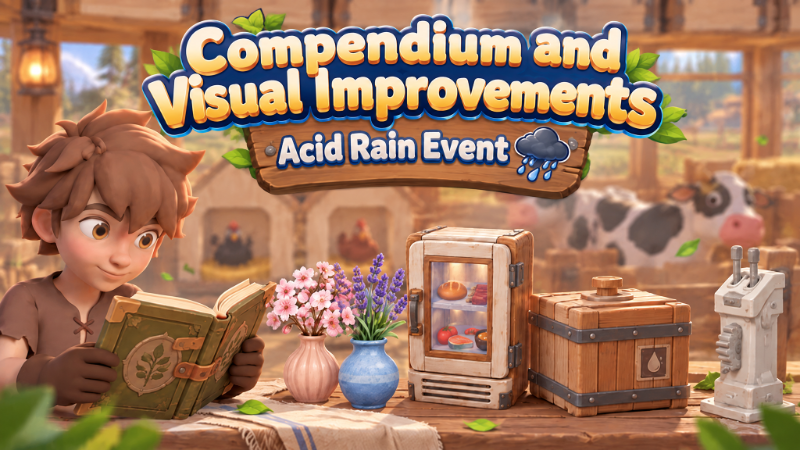
📖 The Collection Journal Is Here
Recipes learned, seeds and crops discovered, and fish encountered during your journey can now all be recorded in the journal.
Crafting and Use
Unlock the journal at the Research Table, then craft it using:
Wood ×2
Leaves ×4
Left-click while holding the journal to open its pages.
Checking Collection Progress
The journal has four sections:
Food recipes
Drink recipes
Seeds and crops
Fish
Each section shows:
Number unlocked
Current total
Discovered entries
Undiscovered entries
Unknown content appears as “???”, waiting to be discovered on your travels.
Reading Item Information
Click an unlocked entry to view:
Item icon
Item name
Item description
Recording Discoveries
Discoveries can be recorded by:
Holding the item
Viewing the item in a chest
Viewing the item in a furnace
Viewing the item in a fish tank or another facility
Discovery records are permanently stored in your save. Even if you later use, sell, or lose an item, its journal entry will remain.
🎣 New Fish Discovery Notification
The first time you catch an unrecorded fish, the screen will display:
The fish's name
The fish's weight
The new fish discovery notification has also been redesigned.
🧪 Technology Blueprint Overhaul
This update reorganizes research content, its interface, and the pace of progression.
Technology Pack Research
Related technologies are now grouped into technology packs.
A single research action can unlock up to 4 entries
Packs containing only one entry display that item directly
Research links between similar technologies are clearer
Five Technology Stages
The five technology stages now use a clearer branching structure.
Complete a stage's core technologies to move on to the next stage
Fill in other research branches gradually according to your needs
You no longer need to finish everything in a stage before progressing
Blueprint Interface Rework
The new technology interface features light-colored cards, dimensional shadows, and drag-to-browse navigation.
Each status has its own indicator:
Green background: unlocked
Red background: not yet unlocked
Lock icon: prerequisites not met
Technology details show:
Unlocks
Prerequisite research
Required materials
Rebalanced Research Costs
The first stage still has a low entry cost.
Later stages gradually introduce:
Processed materials
Circuit boards
Small amounts of rare resources
This creates a clearer connection between exploration, production, and technological progress.
Existing Progress Preserved
Items unlocked in older saves will not be lost.
If a technology pack is only partially completed:
You can continue researching the remaining entries
Research costs are calculated in proportion to the entries still locked
You will not have to pay again for completed entries
Improved Interaction Feedback
Technology cards now include:
Hover feedback
Click animations
Click sounds
After successful research, the blueprint unlock notification will still appear in the upper-right corner as usual.
🌧️ New World Event: Acid Rain
Rain can now occur in more map areas where rainfall is appropriate.
Each time the weather changes from clear skies to rain, there is a 20% chance of triggering an acid rain event.
During acid rain:
Players exposed to the rain slowly lose health
Find shelter under a roof, floor, or other overhead cover promptly
Once you are under effective cover, you will stop taking acid rain damage
Event rules:
Acid rain will not trigger again during uninterrupted rainfall
Acid rain will not occur while another world event is active
Areas where rain is disabled will have neither normal rain nor acid rain
Acid rain does not currently corrode train structures
🚂 New Forward/Reverse Console
The new Forward/Reverse Console can be unlocked and crafted early in the game.
The Forward/Reverse Console independently controls the train's:
Forward movement
Reverse movement
When changing direction while moving:
The train slows down first
It comes to a complete stop before moving in the opposite direction
The control lever reflects the current gear
The Forward/Reverse Console stays linked to the Central Console, keeping direction indicators more consistent when multiple players operate the train.
🚄 Train Collision and Braking Improvements
When the train hits an obstacle, only the first car now shakes. The cars behind it no longer shake at the same time.
Braking has also been adjusted:
Braking force increases with train speed
The train slows down faster at high speeds
It comes to a more stable stop at low speeds
Reduced repeated sliding and difficulty coming to a full stop
Fixed the Iron Cowcatcher losing no durability when hitting certain obstacles.
Cowcatchers of all materials now take the appropriate collision damage.
🤝 Multiplayer Room Codes
Room codes have been added to multiplayer.
The current room code now appears at the top of the ESC menu and can be copied with one click.
The Join Friends page now includes a room code field, allowing you to join open rooms hosted by players outside your friends list.
Hosts can:
Set a room password
Allow friends only
Pause new players joining
Remove room members after confirmation
Removed players receive a clear notification and cannot rejoin for the remainder of that room session.
Choosing Play Alone prevents other players from joining by default. The host can open the room later from the room management page.
🔗 Multiplayer Interaction and Synchronization Improvements
Fixed an issue where non-host players interacting with cabinets, cooking stations, and similar facilities would only perform the reaching animation without opening the interface.
Interactions under network latency have also been improved:
Fewer repeated reaching animations
Interfaces no longer reopen automatically after being closed
More reliable responses to interaction requests
Other synchronization fixes:
Fixed searched supply crates sometimes remaining only for the host and still being unusable after rejoining
Improved synchronization when picking up dropped items
Reduced lingering visuals and collision remnants from dropped items
Improved multiplayer fishing float spawning, synchronization, and retrieval
Reduced duplicate fishing floats and abnormal rod retrieval
Improved network stability when leaving rooms and cleaning up objects, reducing network manager issues when exiting or changing scenes.
💀 Downed Teammate Synchronization Fix
Fixed defeated teammates still appearing to stand upright to other players.
Other players now correctly see:
The character's collapse animation
The final downed pose
State changes after defeat
🏴☠️ Bandit Leader Fixes
The Bandit Leader's combat and movement have been improved.
Fixes:
The Bandit Leader now falls onto the ground correctly when killed, instead of floating
The Bandit Leader can chase players and climb very steep slopes
Reduced getting stuck on slopes and uneven terrain
Fixed bow attacks from extremely long range failing to draw the leader's aggression
After defeat, the Bandit Leader respawns after 2 in-game hours and can be challenged again.
The remaining wait time is preserved when you save and re-enter the game.
🍲 Recipe Availability Changes
Defeating the Bandit Leader grants the Provençal Vegetable Stew recipe.
You will not receive another copy if you have already unlocked the recipe.
Once your affinity with the Bandit Shop reaches 100, it may sell:
Bamboo-Tube Rice recipe
Sushi recipe
Each recipe costs 20 Oxygen Coins.
🎮 Steam Deck and Controller Improvements
Default Steam Deck and controller controls have been adjusted.
Basic Controls
View/Select now opens the backpack by default
B is used to crouch, dive, and go back in menus
Reduced accidental actions when opening the backpack
Map Controls
The world map now supports:
Panning with the left stick
Zooming with LT/RT
Displaying names of locations near the center of the map
Backpack Controls
New backpack features:
Quick transfer with L3
Split a stack in half with Y
The carrying icon and item details follow the currently selected slot
Multiplayer Text Input
Steam Deck multiplayer text fields can open the on-screen keyboard
The room password popup has been enlarged for small screens
🫸 New Mechanic: Push
You can now push other players.
Move close to a teammate, aim at them, and press E to push them a short distance forward.
Rules:
You can push once every 2 seconds
The push prompt is hidden during cooldown
If holding an item, your character first lowers their tool
Your character uses both hands to push
After the animation, your character holds the original item again
The player being pushed can also see the animation
The key for feeding teammates has changed to F.
🖥️ Major UI Visual Upgrade
Several core interfaces now use lighter colors and rounded shapes to better match the game's overall art style.
Redesigned notifications include:
New fish discovery
New technology unlock
New recipe unlock
Friend feeding notification
The fishing rod charge bar has also been adjusted in terms of:
Color
Position
Consistency with other interfaces
⏳ Loading Screen Improvements
Improved loading screen visuals for a more consistent overall style.
Also fixed loading getting stuck at 61% in some cases when re-entering single-player or multiplayer games.
Other adjustments:
Improved the return flow after a loading failure
Fixed an incorrect “Connection lost” message appearing when exiting normally
🏠 Main Menu and Language List Improvements
Replaced some display models on the game's main menu.
Models that are obsolete or no longer match the current style will no longer appear in the main menu scene.
Fixed the last language option being partially cut off when scrolling to the bottom of the main menu's language list.
The language list also received these improvements:
Adjusted spacing between options
The entire row is clickable
Clearer selection indicators
Improved mouse scrolling
Reopening the list automatically scrolls to the current language
The list automatically follows the selected option when navigating with a keyboard or controller
🎬 Character Animation Fixes
Fixed the Deer character's left arm staying stiff while walking or running.
The arm now resumes its normal swing after waving, picking up items, and similar actions.
Added a transitional cinematic for the magician's animations, making the character's story flow more smoothly.
🌱 Large Planter and Fertilizer Fixes
The Large Planter has a new model that better matches the game's current art style.
A bottom surface has also been added, so soil is no longer directly visible from below when the planter is placed on a glass floor.
Fixed remaining fertilizer in planting pots disappearing after re-entering the game.
This fix also applies to:
Planting pots containing crops
Empty planting pots that have been fertilized but not planted
🐔 Chicken Coop Visual Upgrade
The Chicken Coop has a more detailed new model.
LOD levels have also been added, using more appropriate detail at a distance to reduce the coop's impact on performance.
🐄 Animal Enclosure Upgrade
The Animal Enclosure has a new model with improved overall visuals.
The new model differs only slightly in size from the old one.
Animal enclosures in older saves will update automatically and usually will not need repositioning.
Also fixed animal care states sometimes reverting or being incorrectly overwritten after saving and re-entering the game.
Improved saving reliability for:
Fullness
Egg slot status
Growth progress
🐟 Fish Tank and Fishing Adjustments
Fixed sandworms and earthworms being unusable as fish tank feed.
They are now correctly recognized and automatically fed to fish when placed in the tank.
When catching the following non-fish items, you receive them immediately after reeling in, without entering the reaction minigame:
Shrimp
Freshwater mussels
Wood
Other non-fish items
Regular fish still use the existing fishing challenge.
🎒 Inventory System Improvements
Improved quick-transfer rules between the hotbar and backpack.
Now:
Transfers from the carried-items area or backpack prioritize the hotbar
Transfers out of the hotbar prioritize the backpack
If there is not enough destination space, any items that cannot be transferred remain in their original slot
You no longer need to click repeatedly for the remaining items
Also fixed fish tank quick transfers skipping the first row.
🏗️ Building and Dyeing Fixes
Fixed adjacent dyed glass walls incorrectly displaying their default color after removing an edge floor or resetting that floor's color.
Glass walls now retain the correct color without needing to re-enter the game.
Fixed moving items through the radial menu while holding a Building Hammer sometimes triggering an unintended hammer strike and dust effect.
Decorations can now be placed on top of the piano.
🏭 Windmill Upgrade
The old mill building has been fully replaced with a windmill, making the area better match its actual function.
The new windmill includes interior space that you can explore upwards.
💧 Small Water Tank Upgrade
The Small Water Tank has a new model with improved visuals.
The new model has a slightly larger footprint.
Small Water Tanks already placed in older saves will automatically update to the new model, so some conductors may need to reposition them.
The old model will not be retained because its appearance differs substantially from the current version's style.
📦 Storage Facility Model Upgrades
The Medium Storage Chest has a new model.
Its size is unchanged, so Medium Storage Chests in older saves will update automatically without needing to be moved.
The Small Storage Chest has updated textures for improved materials and visuals.
The Large Primitive Refrigerator has a rebuilt model and textures.
The Large Primitive Refrigerator's size is unchanged. Older saves will update its appearance automatically without requiring repositioning.
🌸 Dried Flower Decoration Update
Several dried flower decorations have new appearances.
Changes:
The yellow flower decoration has a new design
The white flower decoration has a new design
The pink flower decoration now has a cherry blossom theme
The purple flower decoration now has a lavender theme
New items sold at the flower shop:
Pink flower decoration: 5 Oxygen Coins
Purple flower decoration: 5 Oxygen Coins
Fixed the flower shop's location marker missing from the map.
🎵 Sound and Music Fixes
The gramophone now loops the current song continuously until you turn it off manually.
It no longer stops automatically after playing one song.
Fixed oxygen tank audio sometimes continuing after you stop breathing oxygen.
Improved audio stopping consistently for these oxygen tanks:
Small Oxygen Tank
Medium Oxygen Tank
Large Oxygen Tank
Releasing E, moving away from the oxygen tank, or switching targets now stops the breathing sound promptly and synchronizes this correctly for multiplayer players.
🧃 Drink Fix
Fixed Spooky Juice having no stat values.
Drinking it now applies the correct effects.
🌋 Volcanic Lava Improvements
Improved how volcanic lava meets the ground, fixing areas where lava floated above or clipped through the terrain.
Also fixed lava appearing to float on its own before distant terrain was displayed.
🎨 Color Adjustments
Adjusted the game's default hue.
Removed the unusually orange overall tint, bringing environments, characters, and items closer to their intended colors.
📦 Map Supply Crate Respawn Fix
Fixed map supply crates failing to respawn after being looted.
Now:
Supply crates reappear after 1 in-game hour
Crates that had stopped respawning in older saves can recover as well
Respawn status is correctly preserved after re-entering the game
💬 Thank You for Your Support and Feedback
Thank you to every conductor who has boarded OxyRail.
This update adds acid rain, the collection journal, multiplayer room codes, the Forward/Reverse Console, and the Push interaction, alongside reworked technology blueprints, several core interfaces, and many facility models.
If you encounter any issues while playing, please keep sending us feedback through the Steam Community.
⭐ Your Reviews Matter to Us
If you enjoy OxyRail, we would appreciate an honest review on Steam.
Every review and suggestion helps more players discover the game and helps us decide which improvements and new content to prioritize.
If you think the game still needs work, please describe the specific issues in a review or in the community. We read every piece of feedback carefully and will keep fixing and updating the game.
Thank you to every conductor for keeping this train moving forward with us.
We look forward to traveling even further together!
—The OxyRail Development Team