MUSTER is still in development, and a lot of its personality lives in very small images: a talent icon, a flickering flame, or a creature that needs to read clearly on a crowded battlefield.
The game's art combines licensed assets with original work. For this devblog, we wanted to share how we've been using PixelWall to build our own pixel art, organize spritesheets, and bring animation into the game.
Start with something you can read
Working at a small size makes every pixel count. A silhouette, a highlight, or a shift in colour can do a surprising amount of work. Adding detail only helps if you can still tell what you're looking at when the image is small.
We've used 32×32 canvases for talent icons and many other small illustrations. The newer combat-stat sprites use 48×48 canvases, then appear at 24×24 in the interface. That means checking them enlarged and at their actual display size is part of the process.
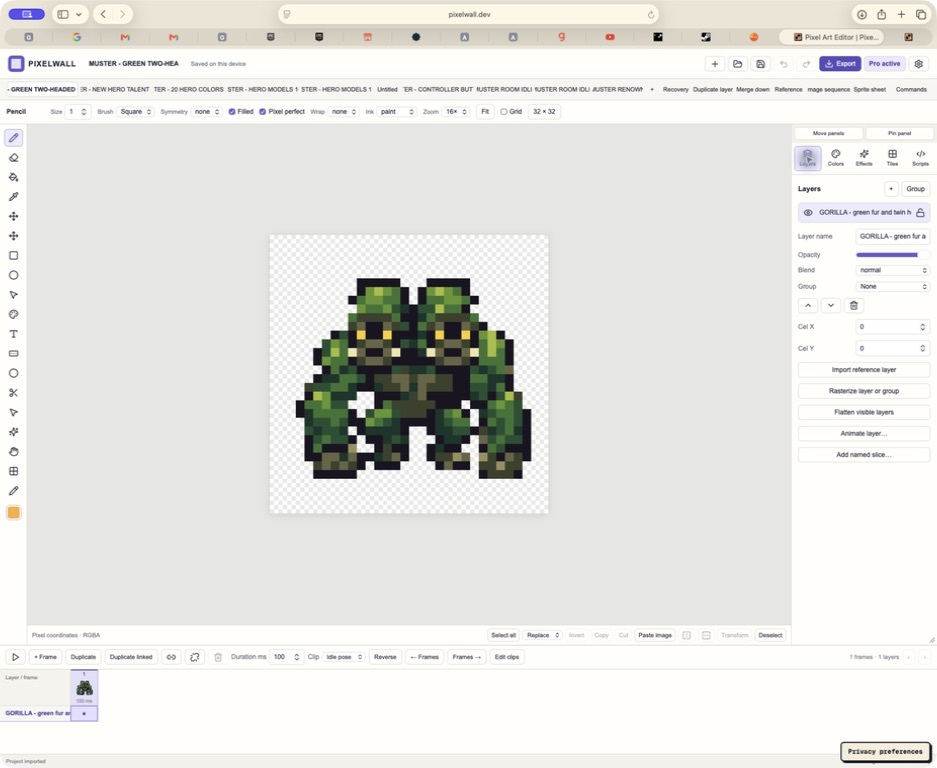
A 32×32 creature study in PixelWall, enlarged for inspection. The transparent canvas, layer panel, and timeline remain part of the editable project.
Keep the artwork editable
We keep the native PixelWall project alongside the exported images. That preserves the layers, frames, and animation clips so we can return to the artwork as the game changes.
For larger sets, we also use scripts to construct pixel shapes, apply consistent palettes, and assemble the editable projects. Some of our newer art uses PixelWall's native drawing commands directly. We then review the result and export through PixelWall, using both the browser editor and its local command-line tools.
This has been especially useful for the talent icons. Each class has a consistent palette, while motifs such as shields, blades, remedies, and spells help communicate what a talent is about. Grouping them together makes it easier to see whether they feel like one collection.
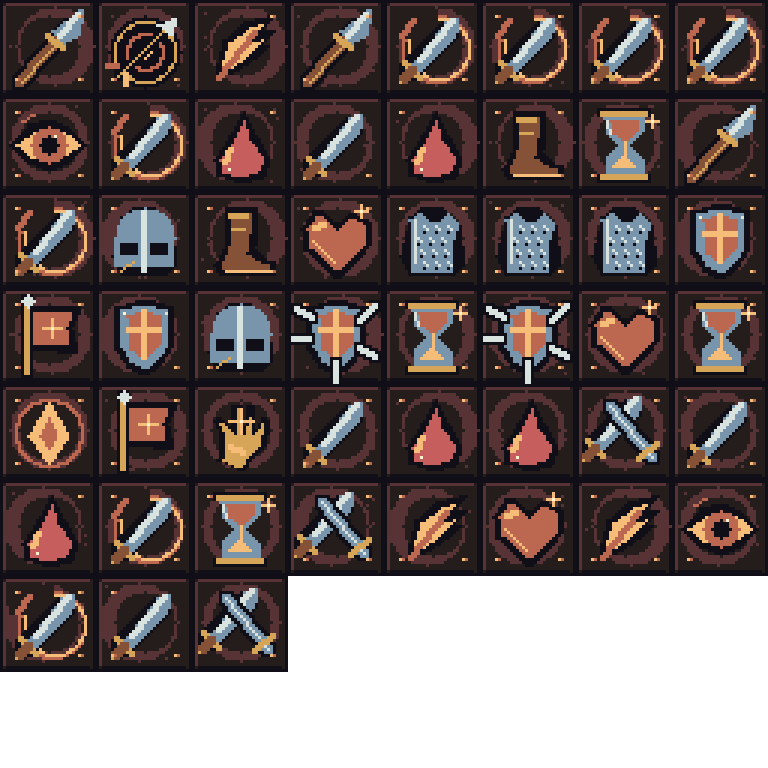
One Warrior talent atlas from our editable source, shown enlarged. Each icon occupies a 32×32 cell.
Turn separate images into sheets and clips
A spritesheet collects several images into one texture. For icons, that can mean a grid of different symbols. For animation, it can mean a sequence of poses. The game needs to know which part to draw and, for an animation, how long each frame should stay on screen.
Our talent atlases group icons by class, with a small lookup file connecting each talent to its position on the sheet. Animation projects also retain named clips and frame durations. Keeping that information with the artwork makes it much easier to export the right frames in the right order.
The combat-stat sprites are a small example: each has eight frames at 150 milliseconds per frame. The base symbol stays recognizable while a glint or accent moves. In the Warband screen, the animation plays when you hover or focus its row, and rests on a calm first frame otherwise.
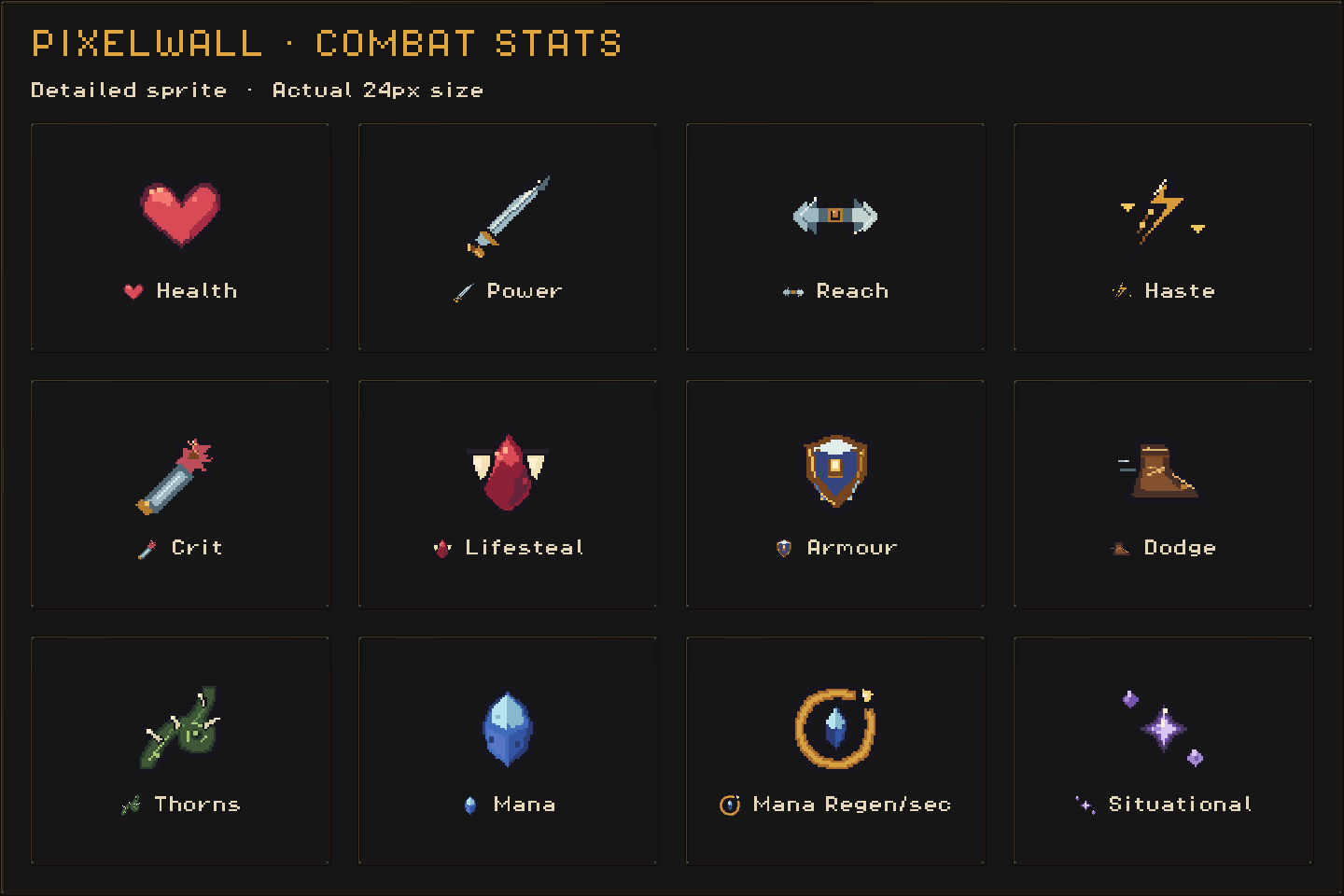
The stat sprites shown enlarged beside examples at their actual 24-pixel display size.
Let the rooms breathe
We use the same approach for larger scenes. In our newer armory and hero chamber, static architecture is shared across frames while candles, nearby light, and banner cloth move. Those rooms have sixteen frames in a four-second loop.
The earlier camp-room animation pass taught us to keep that movement restrained. We reused the outdoor campfire's flame shapes and palette inside the forge, then slowed the animation down. The room should feel alive while you read your equipment and make decisions.
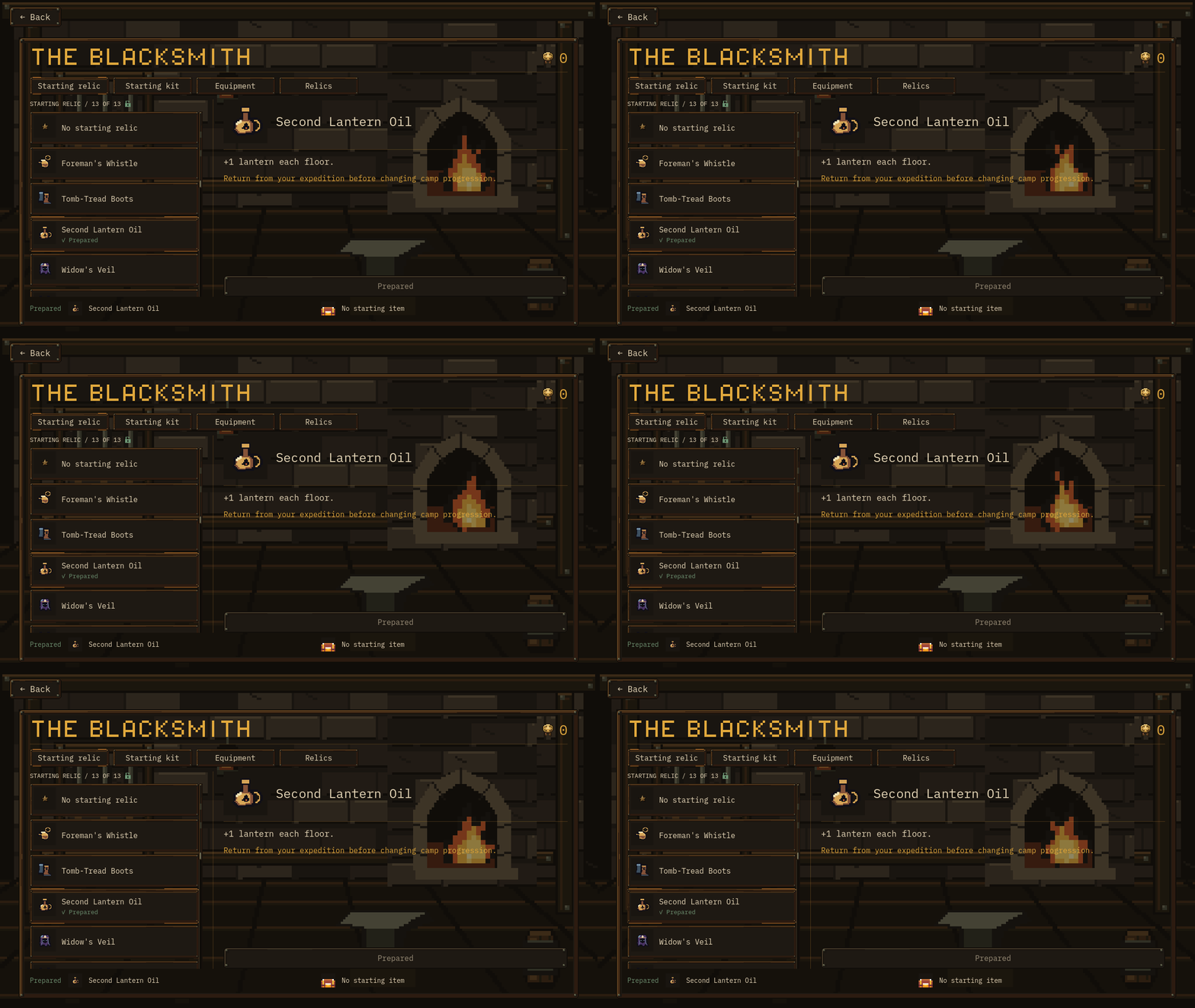
An earlier Blacksmith development capture, showing the quiet fire loop behind the menu.
Make sure the pixels survive the trip
Exporting is another part of the art process. For our fixed-cell sheets, we keep native dimensions and transparency, and turn off trimming and extra spacing. Our import tools slice or assemble the exported frames for Godot. Nearest-neighbour filtering keeps the pixel edges crisp.
We also compare exported pixels against the images installed in the game, then check the result in the actual interface. That catches problems a good-looking editor preview can miss: the wrong frame, an awkward crop, or an animation that competes with the text.
Keeping the editable source, exported artwork, and game presentation connected has made it easier to keep refining MUSTER as we work toward release.
Which side of the art process would you like to see more of: creature designs, item icons, or animated environments?
Thanks for following our small two-person dev team. You can explore PixelWall, wishlist MUSTER on Steam, or read our previous devblog about how itemization evolved.