MUSTER is still in development, and our battlefields have already been through a few different lives. They began as a flat 2D board, grew into an isometric space, and eventually became something you could rotate and tilt to find your own view of the fight.
For an autobattler, the battlefield does a lot of the explaining. You arrange your warband and watch the plan play out. The view needs to help you understand who is fighting, where they can move, and why your formation worked—or fell apart.
Here are a few development snapshots of how we got here.
First came the flat board
The early battlefield was deliberately simple: a flat grid, clear positions, and fighters moving between cells. It quickly became a hex board, giving each cell six neighbors and making movement and reach easier to reason about.
That gave us a foundation for building the actual battles: placing the front line, protecting ranged heroes, and watching units find their way around one another.
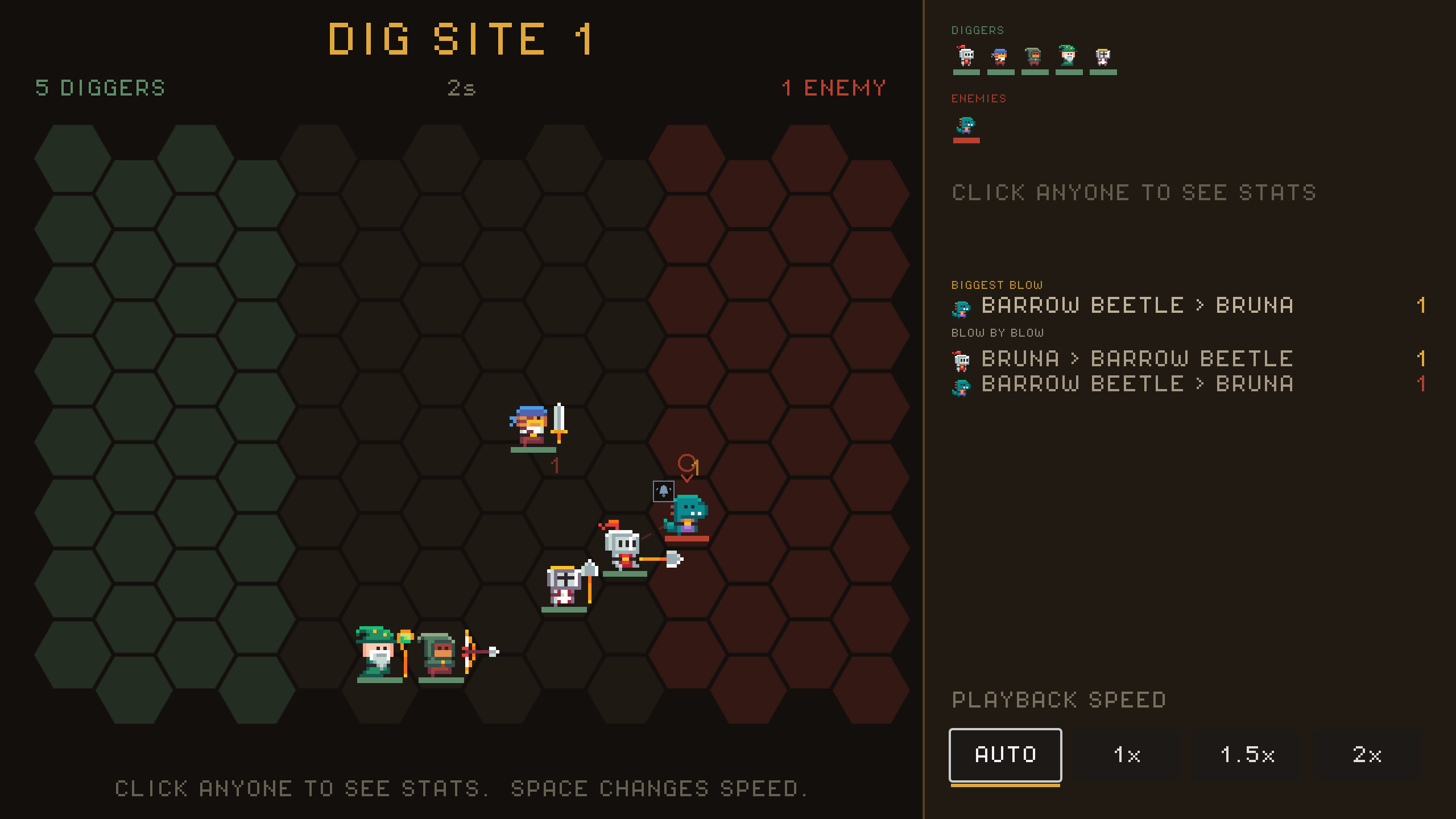
Early development: a flat hex board with the battle readout beside it.
Giving the battlefield depth
The next step was to tilt the board into an isometric view. That brought a stronger sense of depth and gave the warband a space to stand in.
We kept the characters upright, with their feet anchored to the ground. Shadows needed to follow the angle of the floor, and health bars and effects needed to stay attached to the right fighter as everything moved.
The combat rules continued to work on the same logical hex grid. Changing how we drew the battlefield let us develop its look while keeping movement, reach, and positioning consistent.
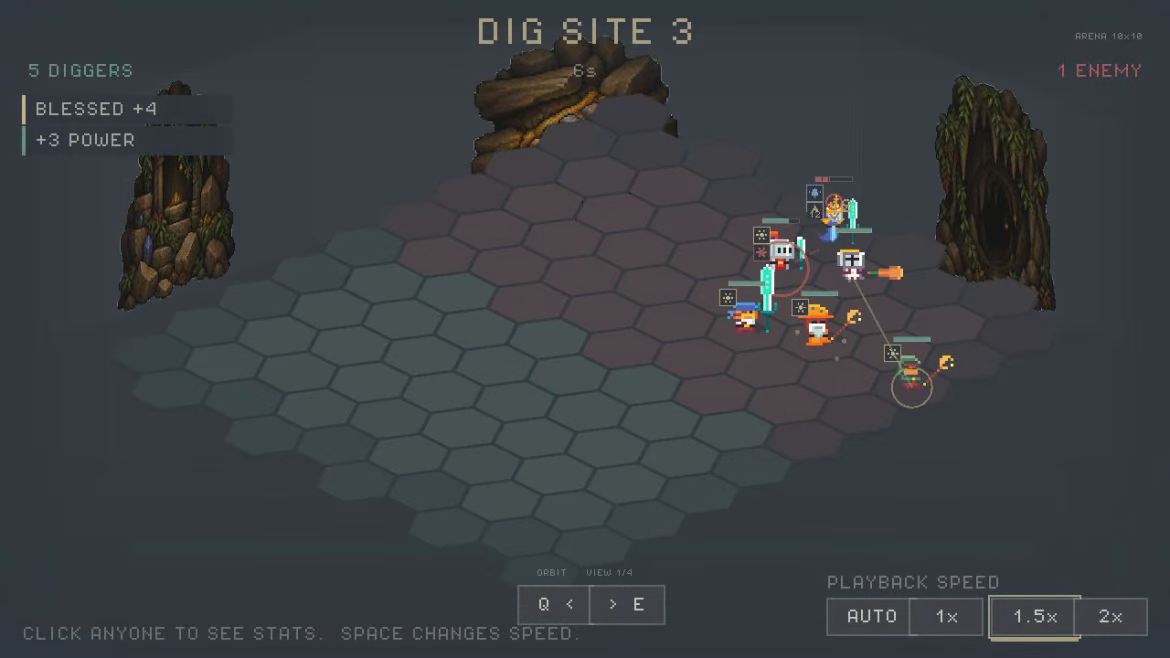
An intermediate build: the tilted battlefield, upright fighters, and early cave scenery.
Letting you choose the angle
Once the battlefield had depth, we wanted to be able to look around it. We started with quarter turns, then added continuous mouse control: drag empty ground to rotate around the arena and tilt between lower and higher views. Q and E still offer quick turns, and there is a setting to invert vertical camera movement.
That meant more than making the floor rotate. A click still needed to select the hex under your cursor. Dragging a fighter still needed to move that fighter during deployment. A short click on the ground and a deliberate camera drag needed to behave differently.
The surrounding room had to follow along too. Walls and floor art now move with the battlefield's perspective, and walls facing the player stay out of the way of the action. The view also adjusts its framing as the angle changes to keep the arena on screen.
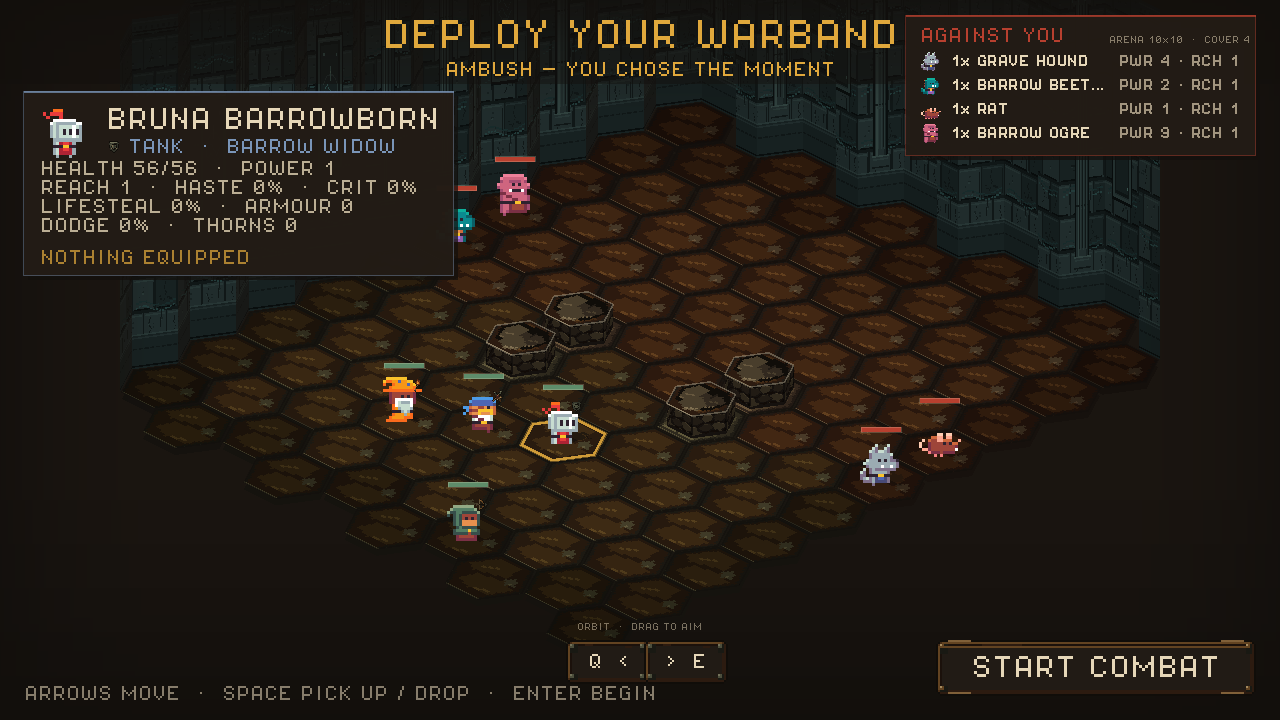
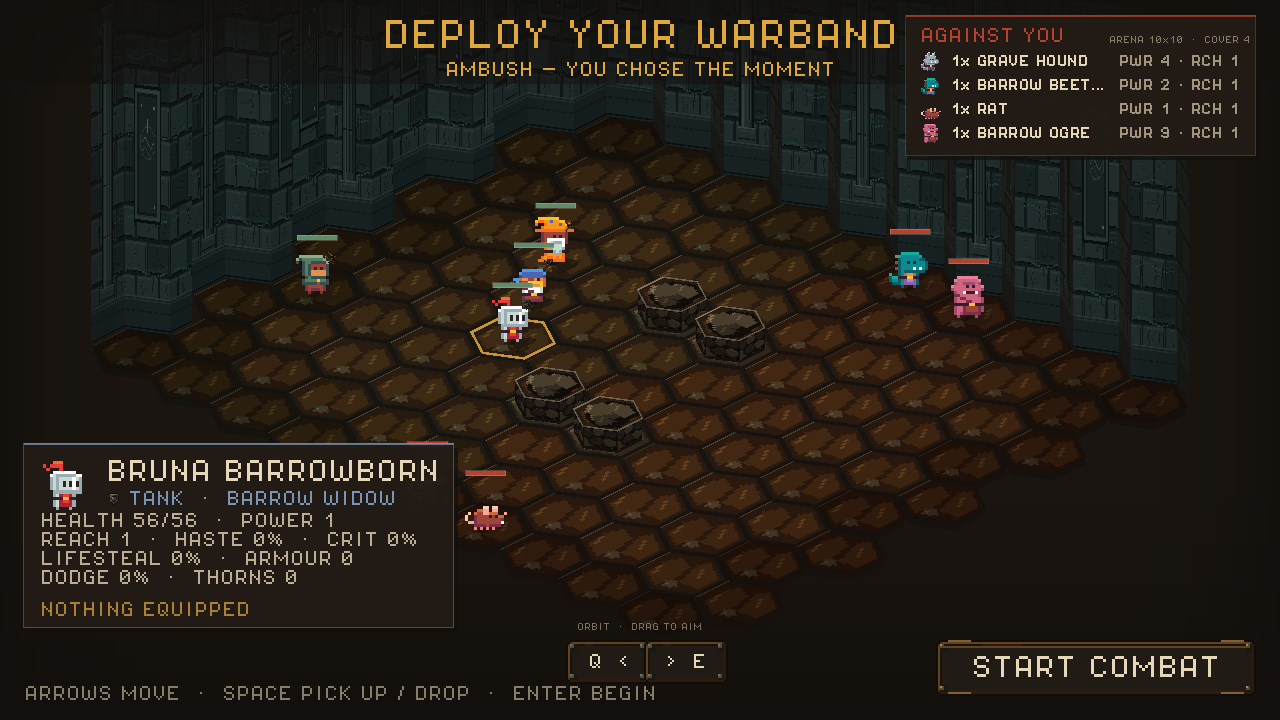
The same arena and formation from two angles. Turning the view changes how you see the fight; it doesn't move the fighters or change the rules.
Those details are easy to miss in a screenshot, but they matter when you're arranging a team. We want moving the camera to feel natural, and we want the fight to remain readable from the angle you choose.
What view do you prefer in an autobattler: a higher tactical angle, a lower view close to the action, or a bit of both? We'd love to hear it.
Thanks for following our super small 2 person dev team. Please bear with us as we keep refining MUSTER on the road to release.
Wishlist MUSTER on Steam to follow along. You can also read our previous devblog about making talents easier to understand.