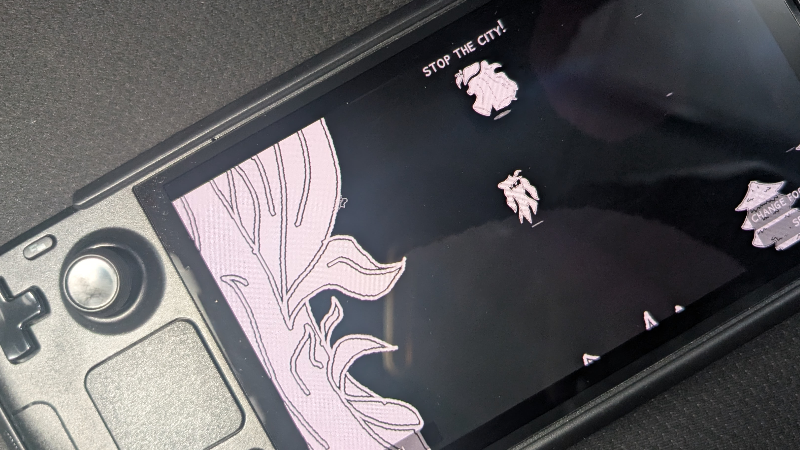
Heyyo, CraftedCircuitry here for a quick information dump of how well The Harbinger of the Deep runs on a Steam Deck or other SteamOS devices, as well as certain game mechanics pertaining to Linux and SteamOS.
Fun fact, I've actually been developing the game on a Steam Deck OLED from time to time or when I'm traveling and just want to get some dev work done. I have a USB hub and keyboard, and use it kinda like a laptop. And so, I've also been testing the game a lot on the Steam Deck. And from personal testing, the game works fine on the Steam Deck.
Steam Deck Performance Settings
Battery life estimates are rough estimates of my usage with the Steam Deck OLED and follows the estimate the system has when looking at the Performance Overlay and the Estimate in the Game Mode Options. My unit has 95% Battery Health so there may be some discrepancies but it should be in that range.
Settings above these will be more battery hungry and has diminishing returns in graphical quality. Desktop Mode may have slightly worse battery life.
Focusing on High Quality and Performance (reaches 8 hours)
5-6 TDP Limit
45+ FPS Limit
Half-Rate Shading Turned OFF
Manual GPU Clock UNSET
Better Graphics Option Turned ON
Focusing on Battery Life (reaches 8-9 hours)
5 TDP Limit
30-45 Limit (lower = more battery)
Half-Rate Shading Turned ON
Manual GPU Clock Set to 1000 and Below
Better Graphics Option Turned ON
Focusing Absolutely on Battery Life (reaches 9-9.5 hours)
4 TDP Limit
30 FPS Limit
Half-Rate Shading Turned ON
Manual GPU Clock Set to 1000 and Below
Better Graphics Option Turned OFF
No matter the settings, there will be stutters at the loading zones. Outside of that, there should be no stutters. There is a little bit of input lag when doing 30 FPS. I have been personally keeping the settings on the 5 TDP Settings with 45 FPS.
When docking the Steam Deck to a higher resolution display, checking the Fullscreen Option in the Options can fix the graphics being stuck at a lower resolution. If using the Battery focused settings and docked to a higher resolution display, TDP may be needed to be bumped up to 5-7 if the game is struggling.
Steam Machine Performance
I don't have a Steam Machine in hand. But, combining the fact that the Steam Deck can run this smoothly and it being 6x more powerful than the Steam Deck, the game should run fine and very buttery smooth on a Steam Machine.
Steam Frame Performance
I have finally tested the game's performance on a few ARM Devices (Redmi Note 8 Pro with Helio G90T 6GB and Google Pixel 8 with Tensor G3). On the Note 8 Pro, it runs roughly at 30 FPS, while on the Pixel 8, it runs buttery smooth. Considering that the Helio G90T is a seven-year old chip and both are weaker than the Steam Frame's chip, the game should run absolutely buttery smooth on the Steam Frame.
As I write this edit after v0.2.7, the Steam Frame has not released yet. If the Steam Frame has options to lower performance, you may even tweak some settings to make it less battery hungry!
Linux and SteamOS Save Folders
This is where the save files and backup files when using the Backup Option are stored.
Native Main Save Folder - .local/share/CraftedCircuitry
Native Downloads Folder - ~/Downloads