Owners of Half-Life 2 can now experience Ravenholm and Nova Prospekt remade and remastered with full ray-tracing, remastered assets, DLSS 4 with Multi Frame Generation, NVIDIA Reflex, RTX Neural Radiance Cache, RTX Skin and RTX Volumetrics in the Half-Life 2 RTX demo.
https://store.steampowered.com/app/2477290/HalfLife_2_RTX/
Learn more about the Half-Life 2 RTX Demo: https://www.nvidia.com/en-us/geforce/news/rtx-remix-half-life-2-rtx-demo-launching-march-18/
Learn more about Half-Life 2 RTX: https://www.nvidia.com/en-us/geforce/campaigns/half-life-2-rtx/
Half-Life 2 RTX is a community-made remaster of Valve’s classic game by Orbifold Studios, developed using NVIDIA RTX Remix. RTX Remix differs from other modding tools in that it opens up a large catalog of hundreds of classic games to be graphically remastered.
As a modder plays through a classic game with RTX Remix hooked up, textures, models, lighting, effects, and more can all be captured, categorized, and reassembled into an editable scene. Through an easily mastered interface, the RTX Remix application lets modders drag and drop lights, move objects, copy-paste existing objects into a scene to increase clutter and grass coverage, convert lights to be fully ray-traced, AI enhance textures, and add DLSS to improve image quality and accelerate performance.
With a mission to remaster the entirety of Half-Life 2, we’re updating every texture, model, and level, adding extra geometric detail to buildings and surfaces to realistically interact with fully ray-traced lighting. Each upgraded asset employs state of the art PBR-based workflows to make highly detailed meshes with realistic material properties, in place of the low resolution, low poly originals. And even particles and animations are being revitalized to bring Half-Life 2 to modern graphical standards.
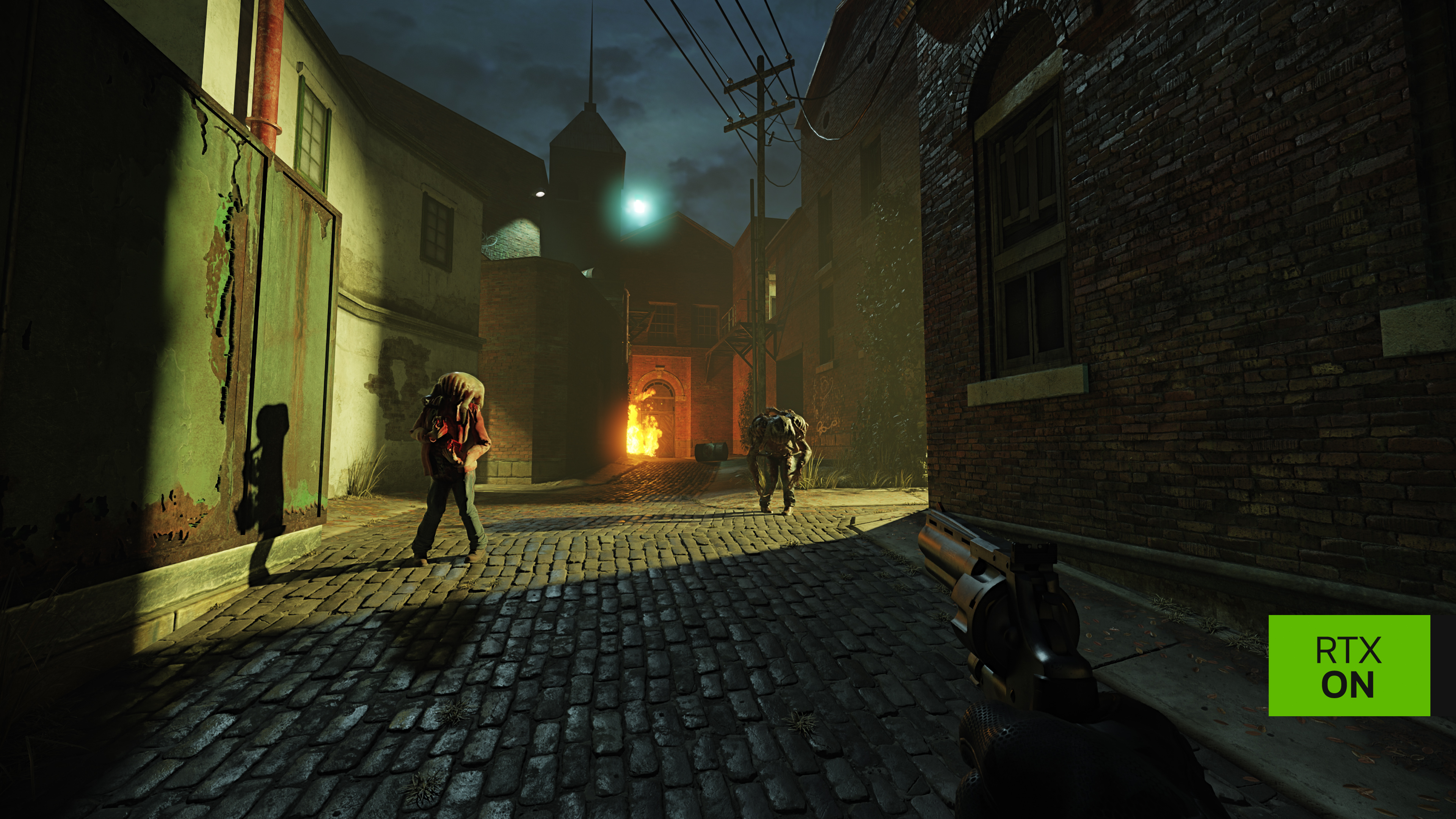
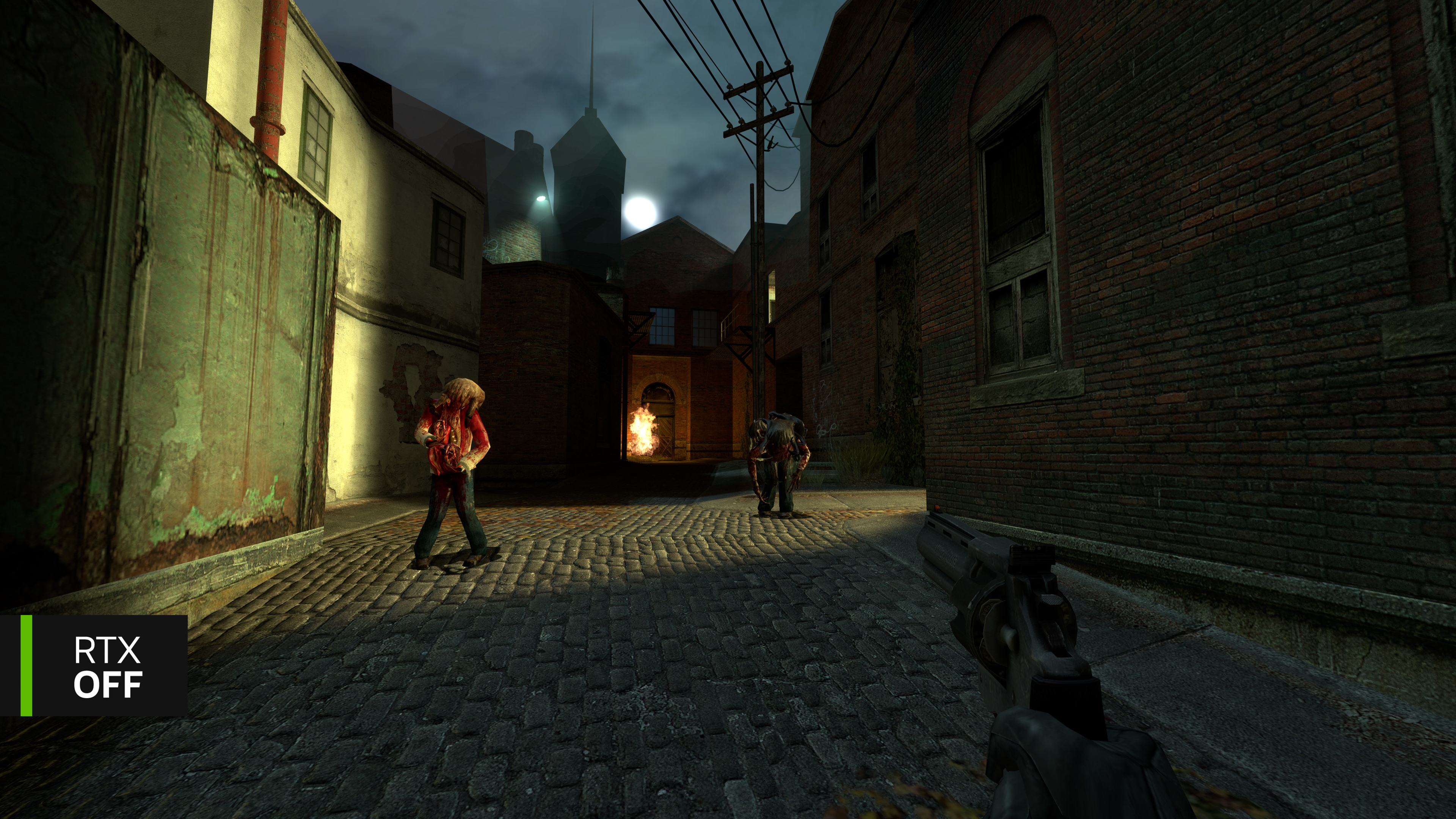
To ensure the tone and feel of Half-Life 2 is retained, while enabling remastered assets to look realistic in fully ray-traced environments, the entire game has also been relit, replacing twenty-year old tech with today’s cutting edge lighting through RTX Remix. Essentially, we’re remaking the entirety of Half-Life 2 graphics, while leaving its beloved gameplay untouched.
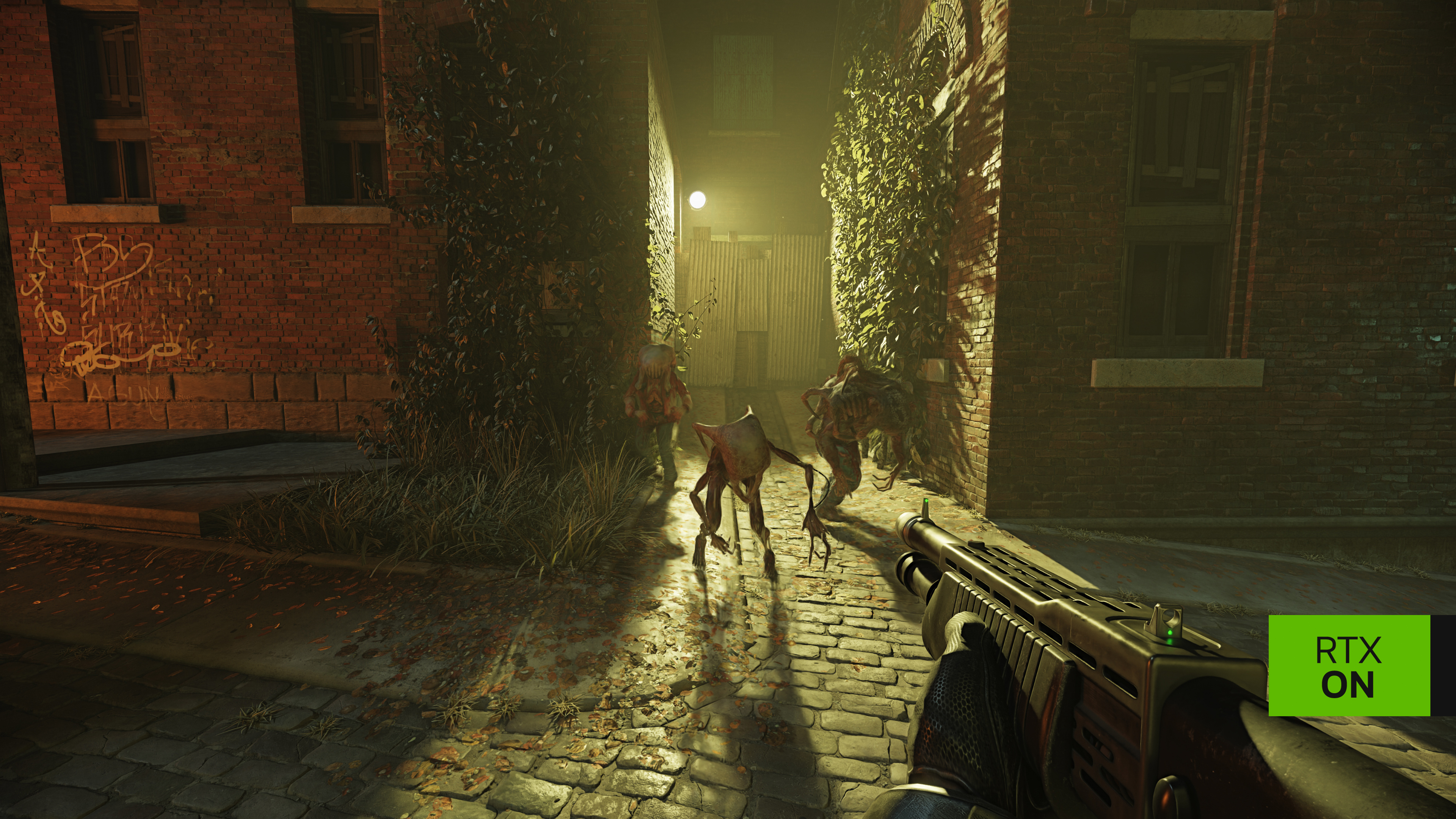
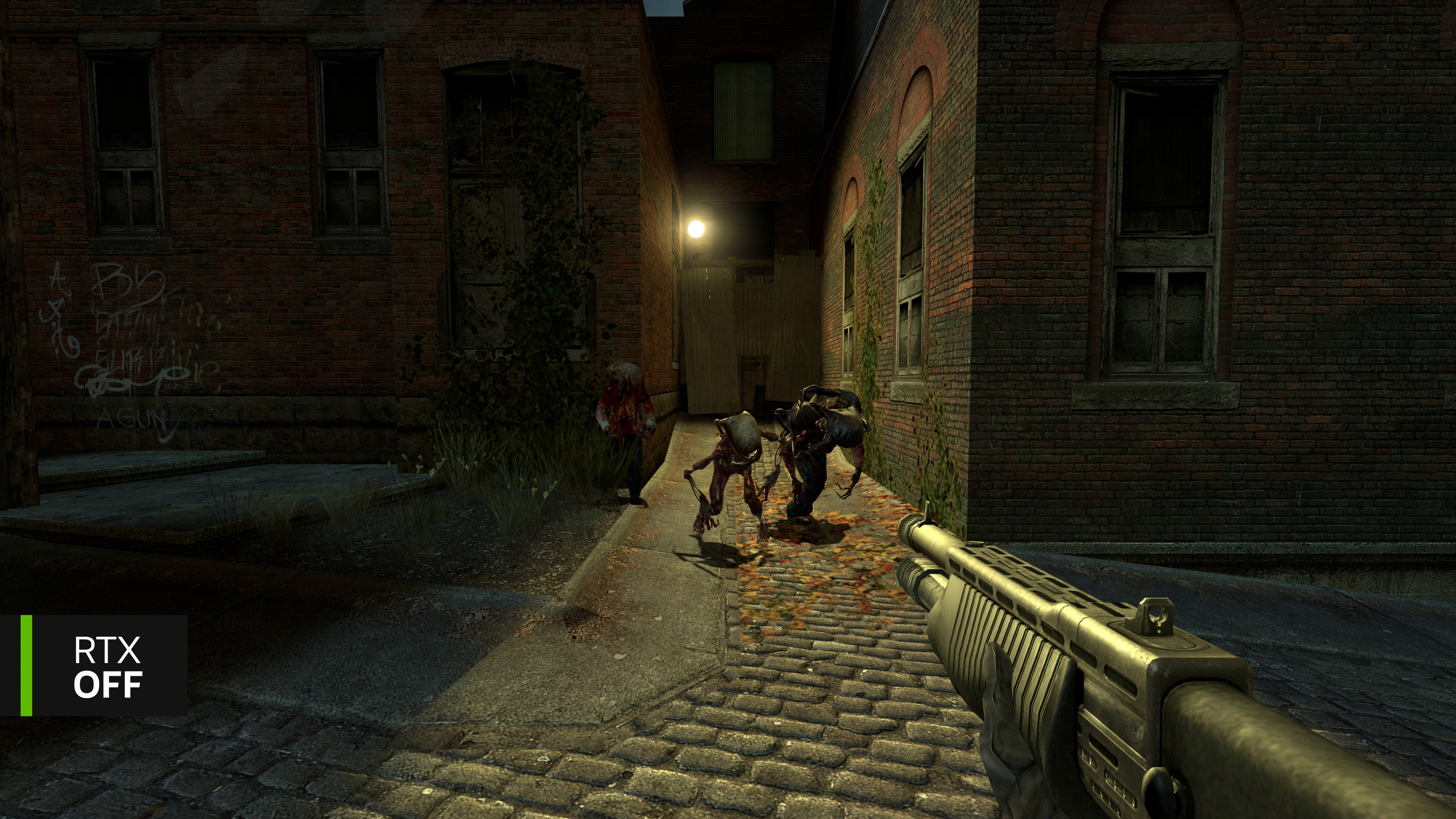
Textures are remade by our artists with height maps and physically-based materials, models are remade from scratch, levels are upgraded in the Hammer editor, and everything’s imported back into RTX Remix to be lit, enhanced by NVIDIA RTX technology, and packaged as a standalone game that will be available for free on Steam for owners of Half-Life 2.
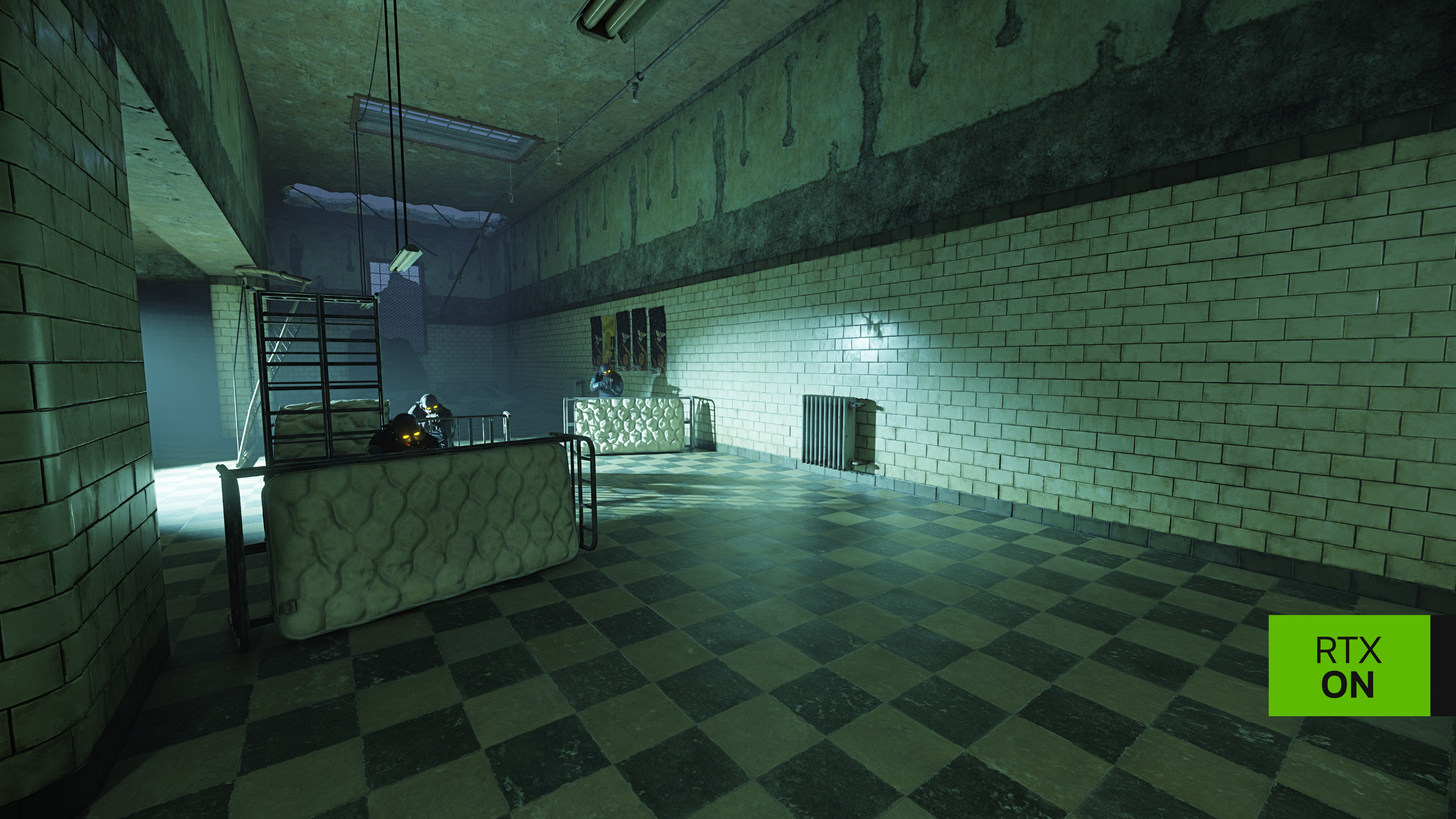
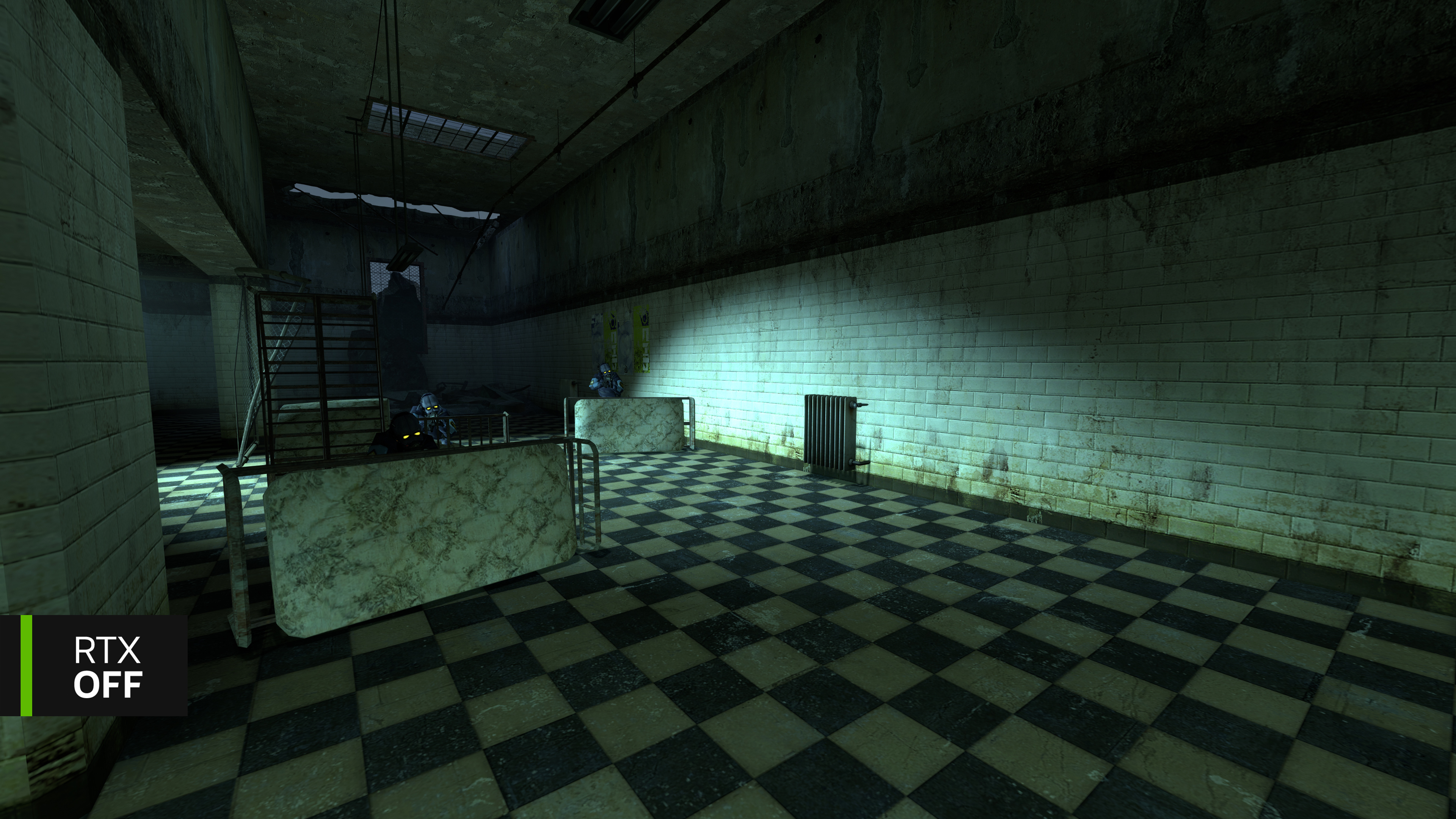
The demo’s levels have been fully upgraded, though the work isn’t final, and further tweaks and tech upgrades are planned for launch. Weapons, enemies, and skyboxes have all been remade, atmospheric effects added, visual effects enhanced, and audio updated.
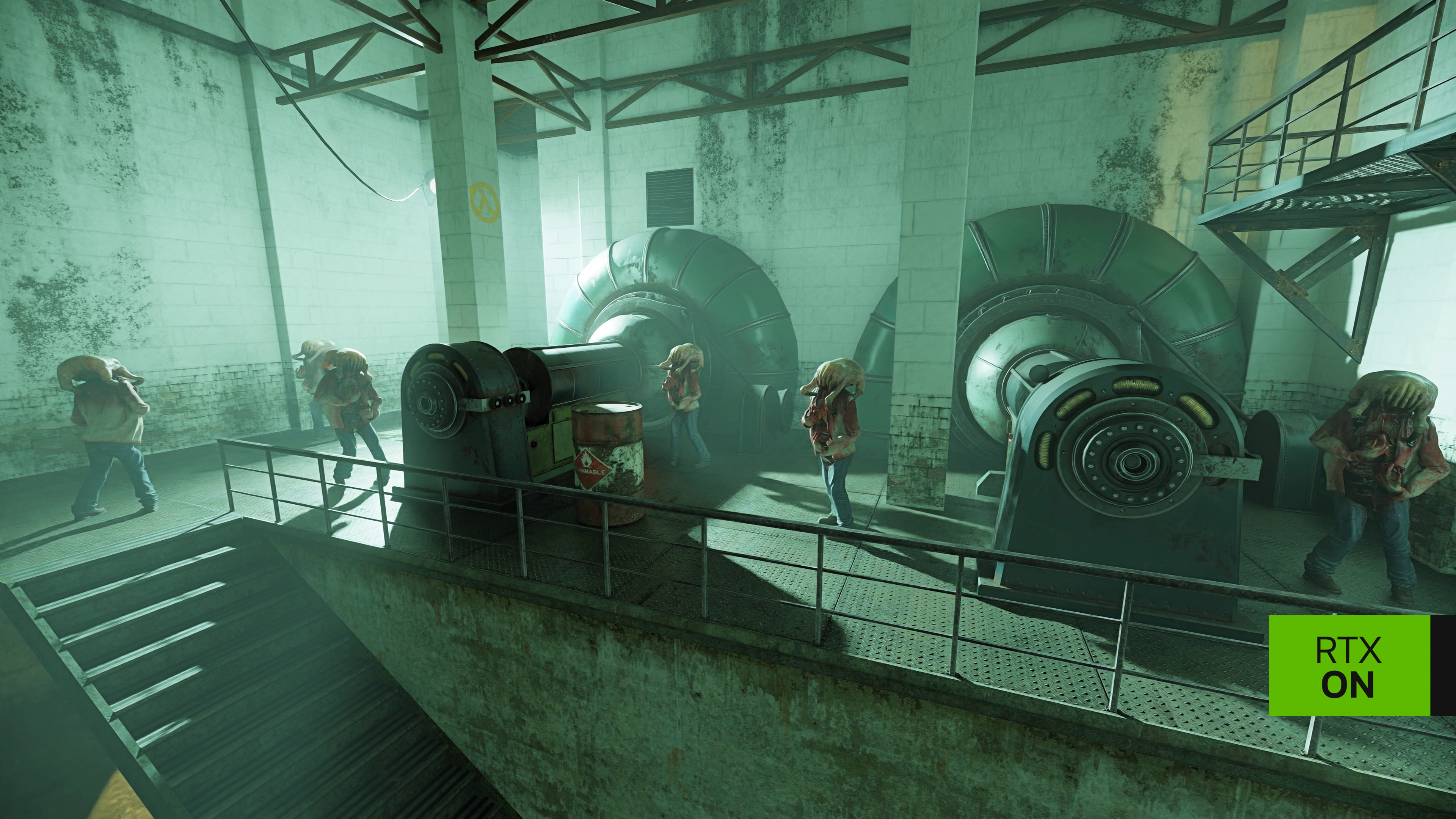
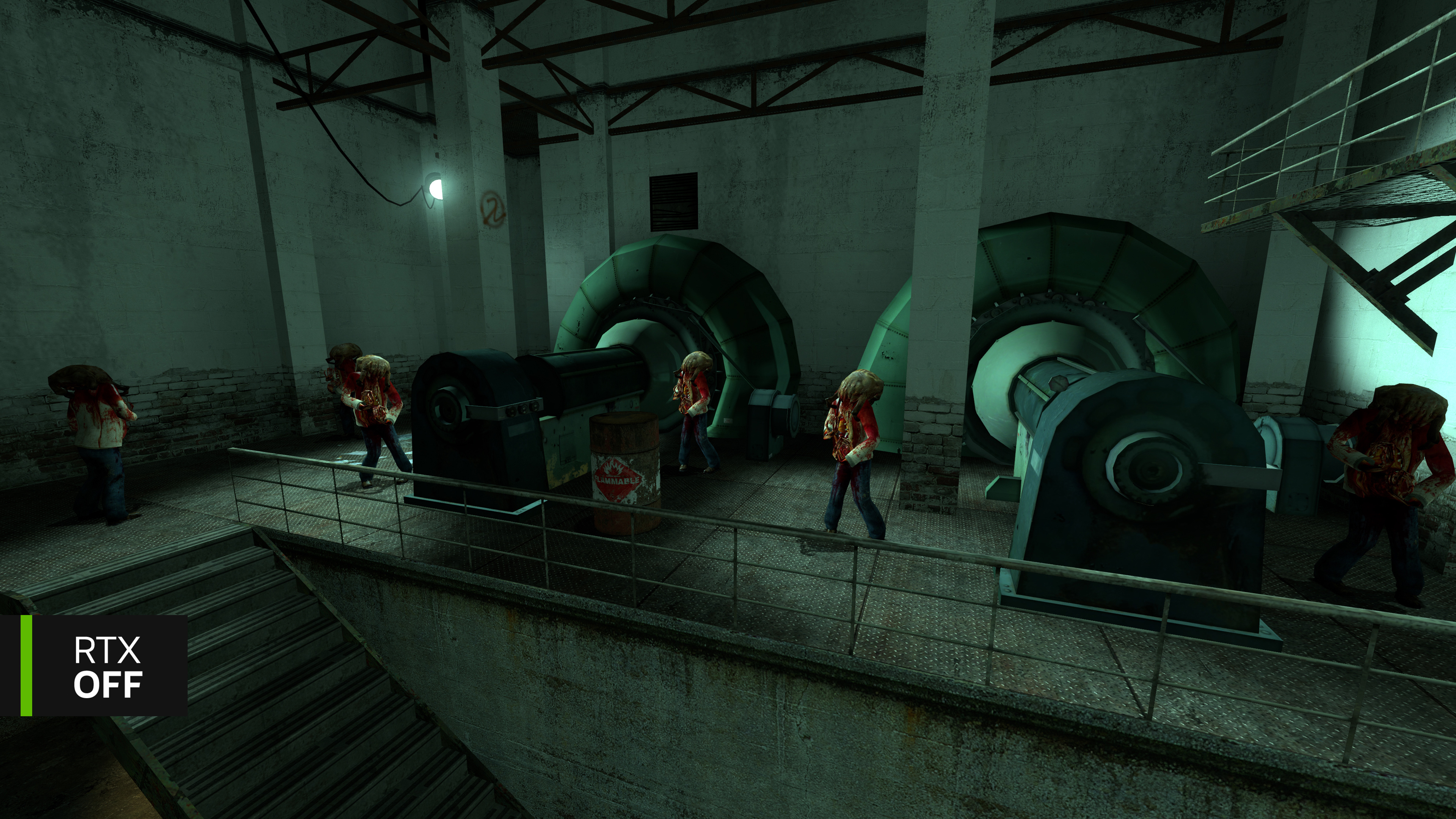
NVIDIA’s DLSS 4 with Multi Frame Generation multiplies frame rates by up to 10X at 4K. DLSS Super Resolution and DLSS Ray Reconstruction look even better thanks to their new transformer AI model. NVIDIA’s Neural Radiance Cache technology further accelerates ray-traced lighting. NVIDIA RTX Skin enhances Father Grigori, headcrabs, and zombies. NVIDIA RTX Volumetrics add realistic smoke effects and fog. And everything interplays and interacts with the fully ray-traced lighting.
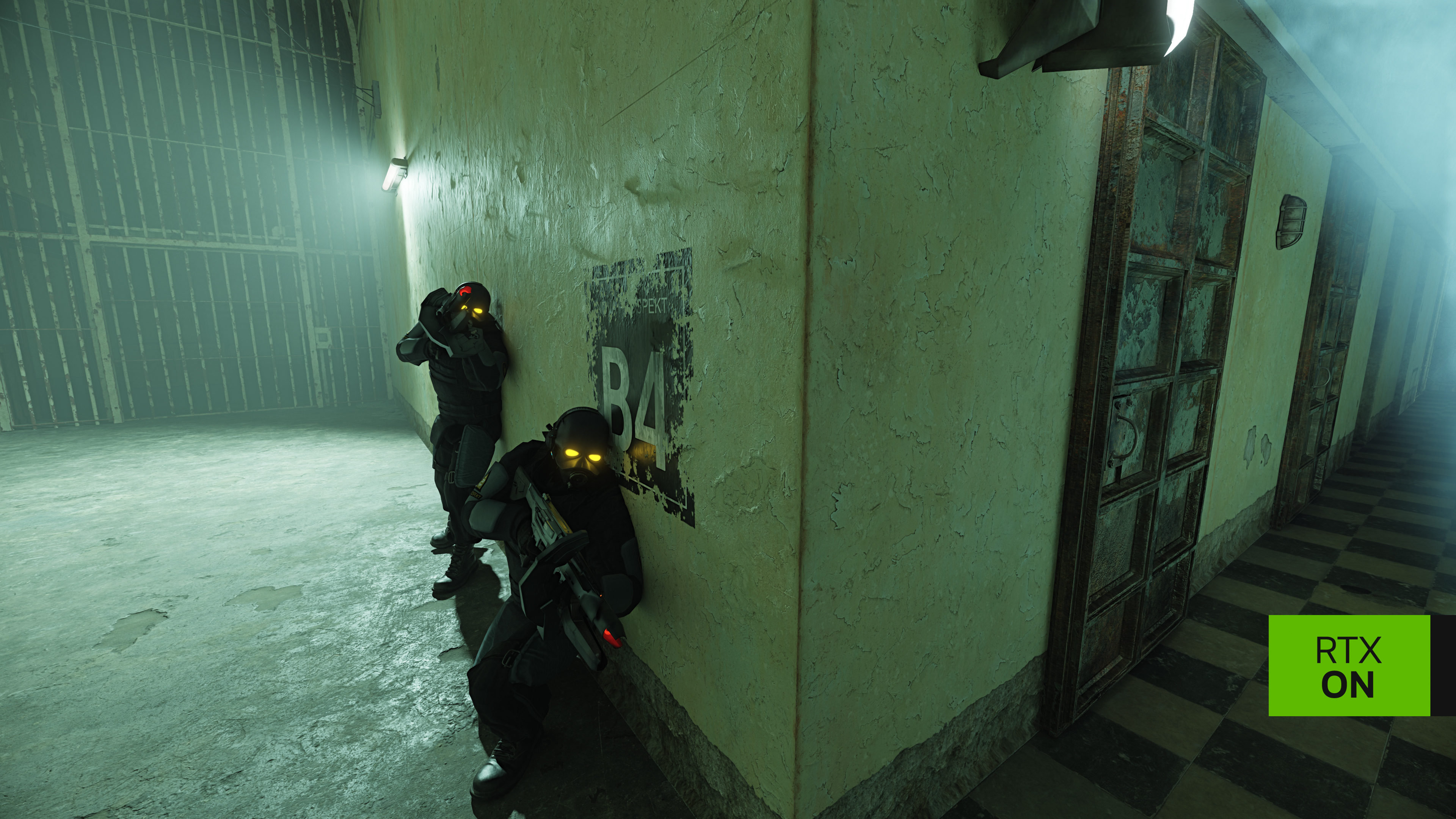
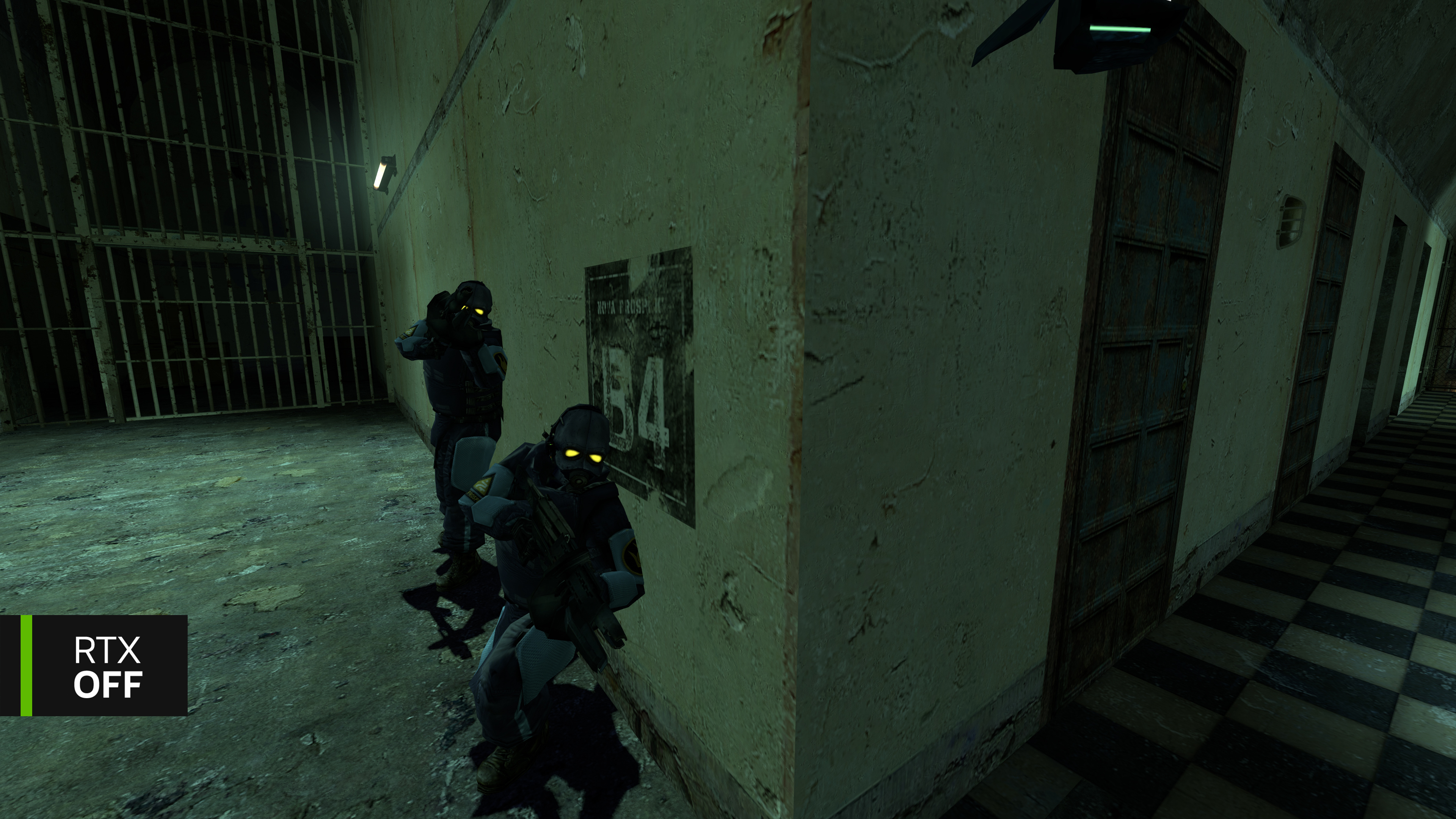
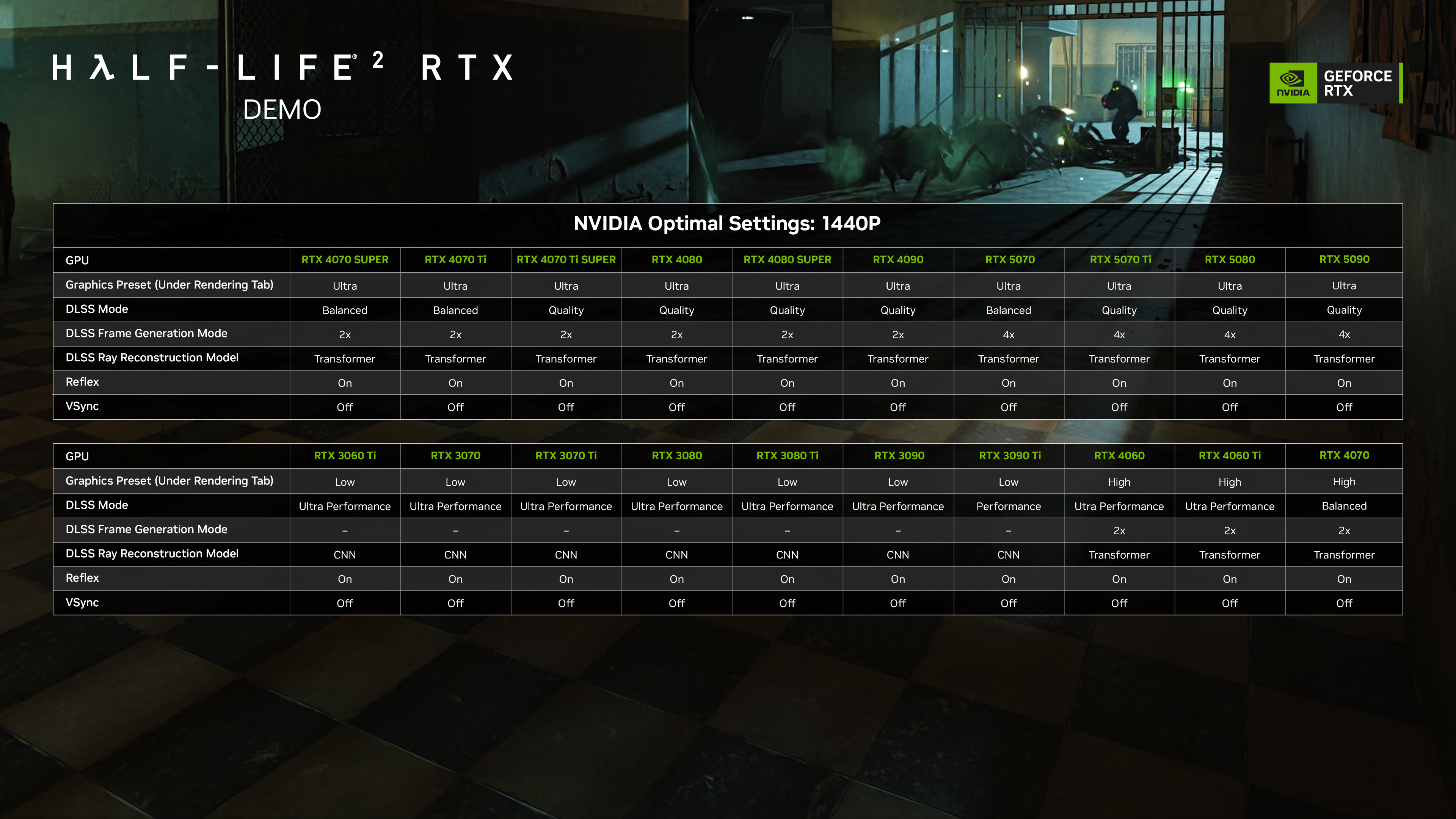
Before you play, please ensure you have the latest GeForce Game Ready Driver installed. The minimum recommended GPU for the demo is a GeForce RTX 3060 Ti, enabling a range of system configs to play:
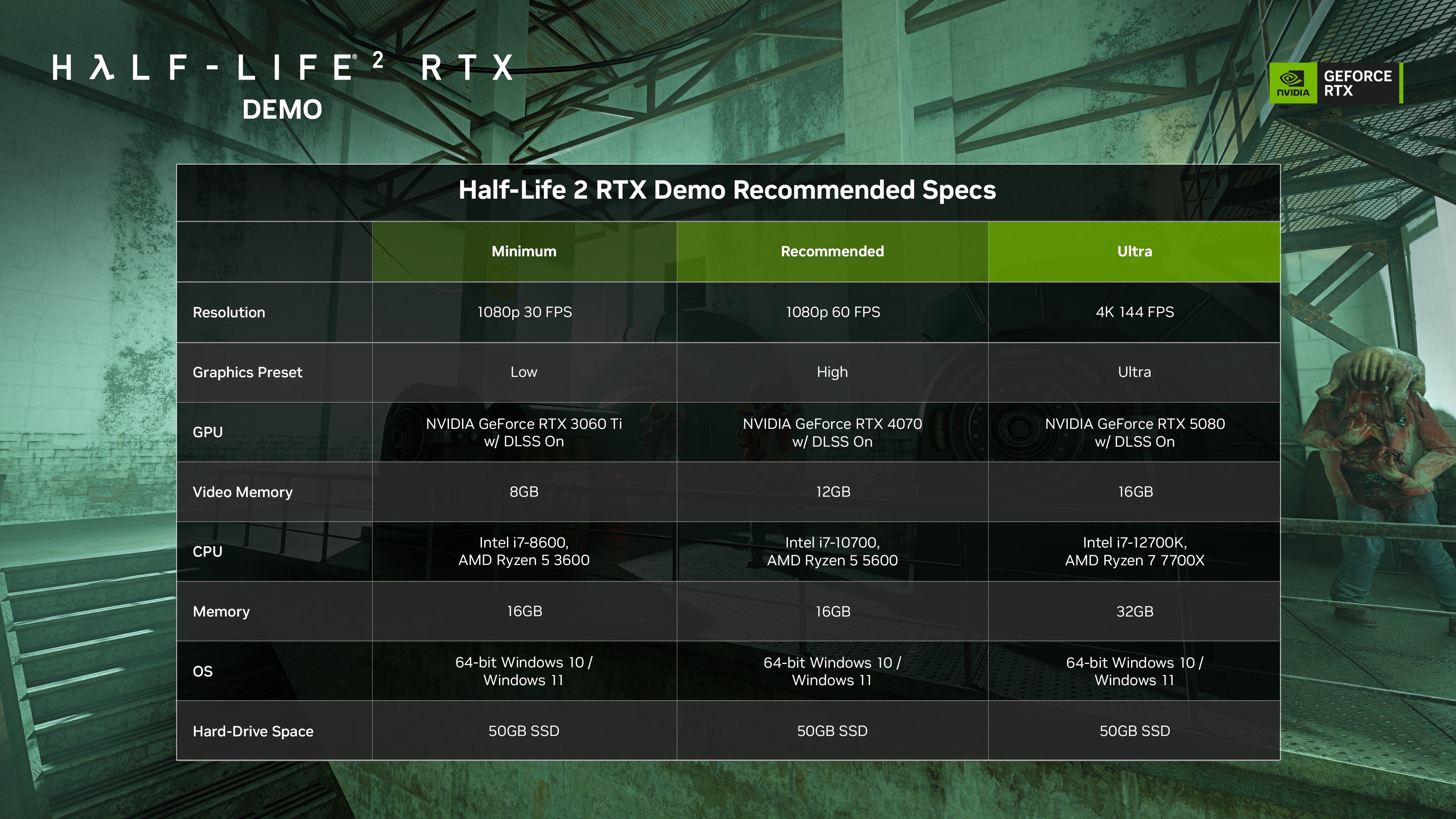
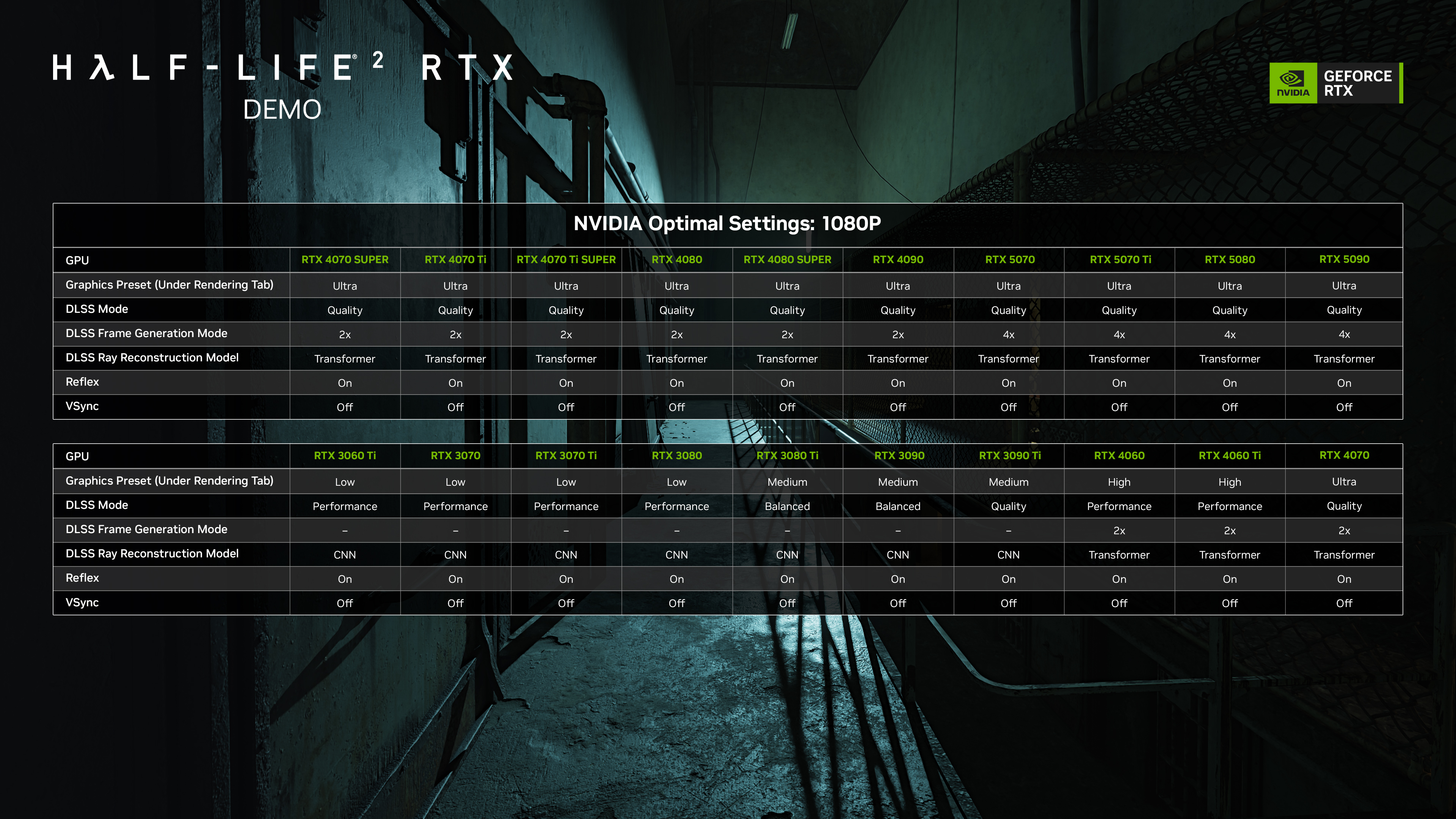
Press Alt+X in-game to open the RTX Remix settings menu, where you can quickly switch between a number of graphics and DLSS presets. The minimum required GPU for the demo is a GeForce RTX 3060 Ti.
To help you get the best experience on your system, check out the charts below for our settings recommendations and adjust in-game via Alt+X.
If you’d like to know more about NVIDIA RTX Remix and our new Half-Life 2 RTX demo, you should check out the GeForce.com article. We’re listening and would love your feedback to help improve the full release of Half-Life 2 RTX - please share it here on Steam, and please be sure to Wishlist the full release to receive Steam news updates and to be notified when it’s released.
Known Issues:
- Build size reads as 82.8 GB~, but is only 41.4 GB on disk
- Steam Hotkey for Screenshots (F12) will crash Half-Life 2 RTX. We recommend using NVIDIA app’s
- Alt+F1 screenshot feature, NVIDIA app’s Alt+F9 video recording feature, or OBS “Display Capture” to take screenshots and video.
- When Desktop Capture is active in NVIDIA app’s settings (Alt+Z --> settings cog --> Video capture) video recording can at times cease working in the Half-Life 2 RTX demo, requiring users to restart the demo. To prevent this, please disable Desktop Capture in NVIDIA app’s settings.
- Blood splatters from bullet impacts are unreplaced/low resolution.
- Father Grigori’s eyes occasionally face away from the player.
- Father Grigori occasionally will not throw the player the shotgun in d1_town_02. If this occurs, please reload a save from before exiting to the rooftop.
- When using certain performance overlays alongside DLSS Frame Generation, crashes can occur
- AR2 secondary fire and suit battery assets have temporary placeholders