Status
SteamPeaks
ChartsSalesUpcomingPatchesNewsCalculator
New on SteamEvery app, DLC and depot the minute Steam creates itAppsEvery app on Steam, newest change firstPackagesSubs and bundles, and what each containsDepotsDepots, manifests and install sizesTagsSteam's user tags and the games under themDevelopers & publishersCompanies and their cataloguesTechnologiesEngines, SDKs and anti-cheat found in the filesChange historyEvery PICS changelist as it lands
SignalsNineteen readings of the whole catalogueCompareAny games side by sideRecordsAll-time peaks and the days they were setReportsWeekly and monthly write-upsAlerts & newsroomWatch a game, get told when it movesSteam statusIs Steam up, right nowWeb API explorerTry the endpoints in the browser
NewsSteam's own announcements and the sales calendarCalculatorWhat a Steam account is worth, and its pile of shame
/
Sign in
/
SteamPeaks
The ultimate resource for Steam data.
ExploreChartsSalesSales and festsUpcomingPatchesNewsRecordsTrendingSignals
DatabaseAppsPackagesDepotsTagsDevelopersTechnologiesChange history
ToolsCalculatorCompareSearchAlertsSteam statusAPI
SiteMethodologyFAQDiscordSupportSign in via Steam
Not affiliated with Valve or Steam. Game names and artwork belong to their owners. All times UTC.
PrivacyCookiesFair useStatus
Half-Life 2 RTXNewsUpdate #2: Tonemapping and Crash Fixes
In-game event

Update #2: Tonemapping and Crash Fixes

Half-Life 2 RTX · published 1 Apr 2025, 15:21 UTC · build 17856672

All newsPlayers around this dateRead on Steam

Thanks for playing the Half-Life 2 RTX demo and sharing your feedback. It has given our mod team a lot of insight on what we should change for the final release.

Our latest update fixes some scenarios where users were experiencing crashes, as well as introduces a more accurate tonemapper in response to community feedback.

This new tonemapper fixes an issue that caused the displayed image to be over-brightened. When you now play Half-Life 2 RTX, you will see more accurate colorization, especially in areas of extreme light and dark. Areas in shadow will feel much darker, while areas in light will still allow details to shine through without being overexposed and “washed out”.
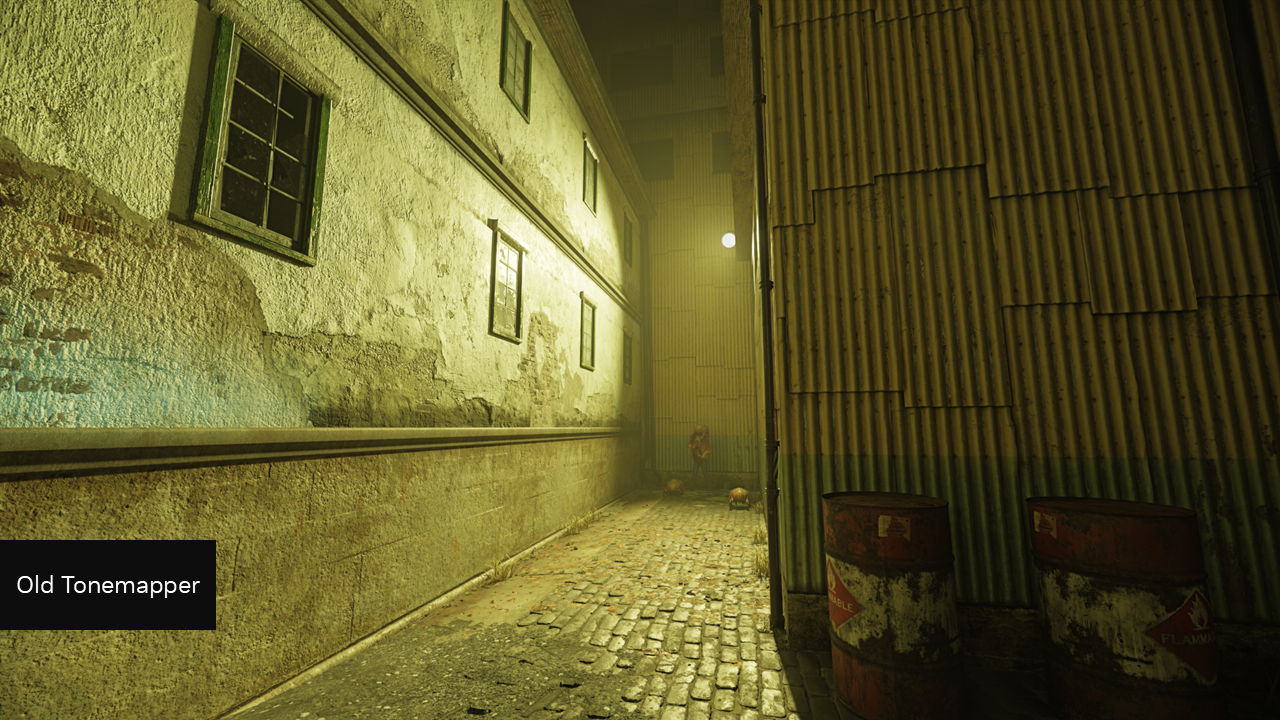
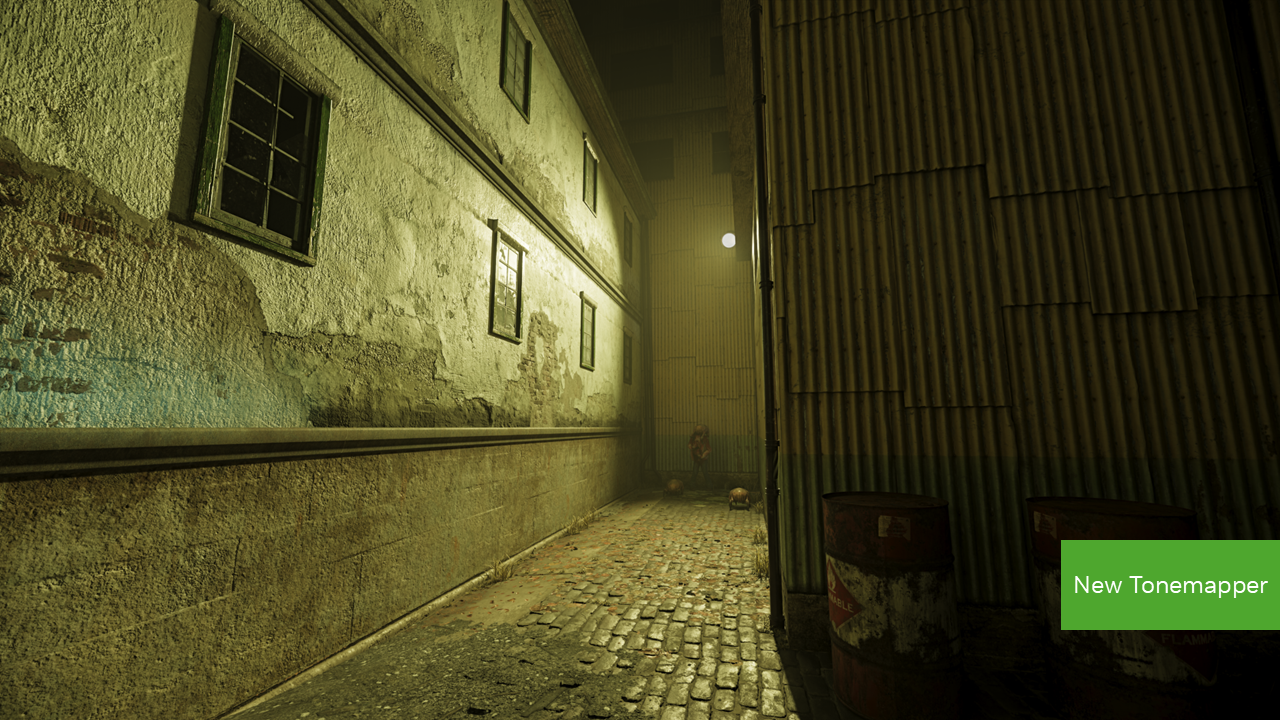
Additionally, some game objects with extreme bright light (like fire) have been colorized by the new tone mapper to better show the full spectrum of light, making it look more realistic and closer to the original game.
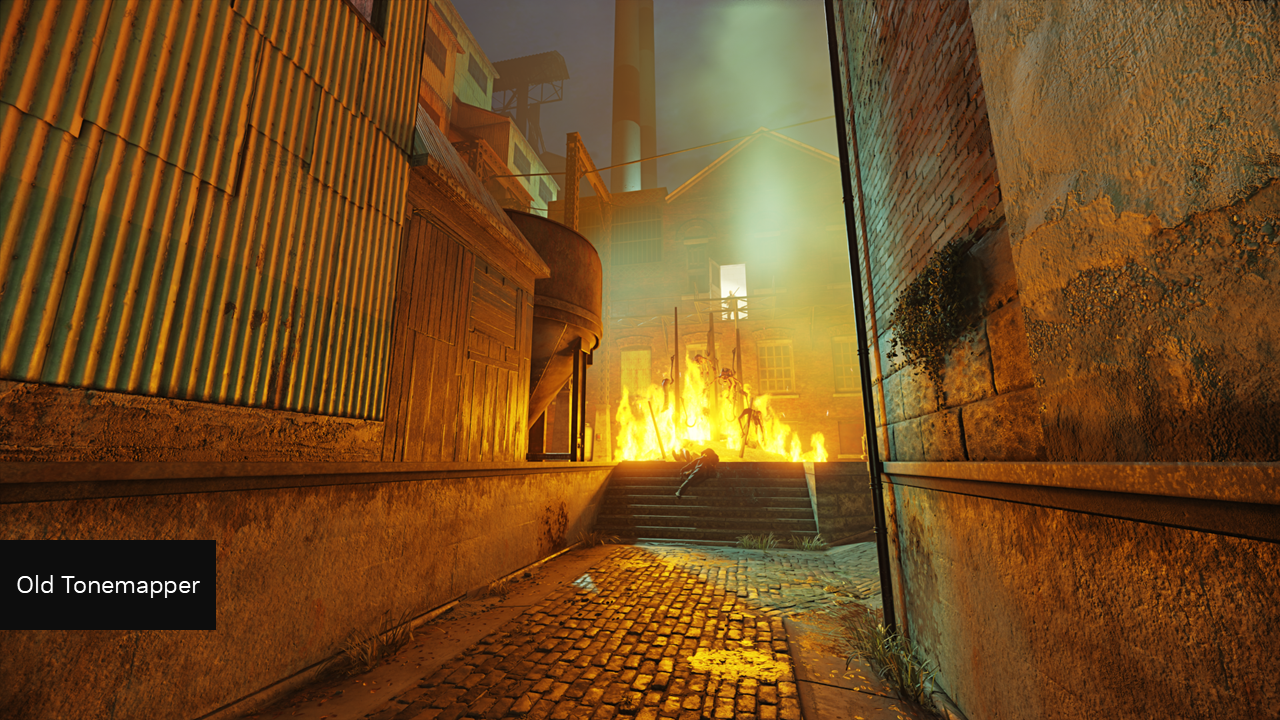
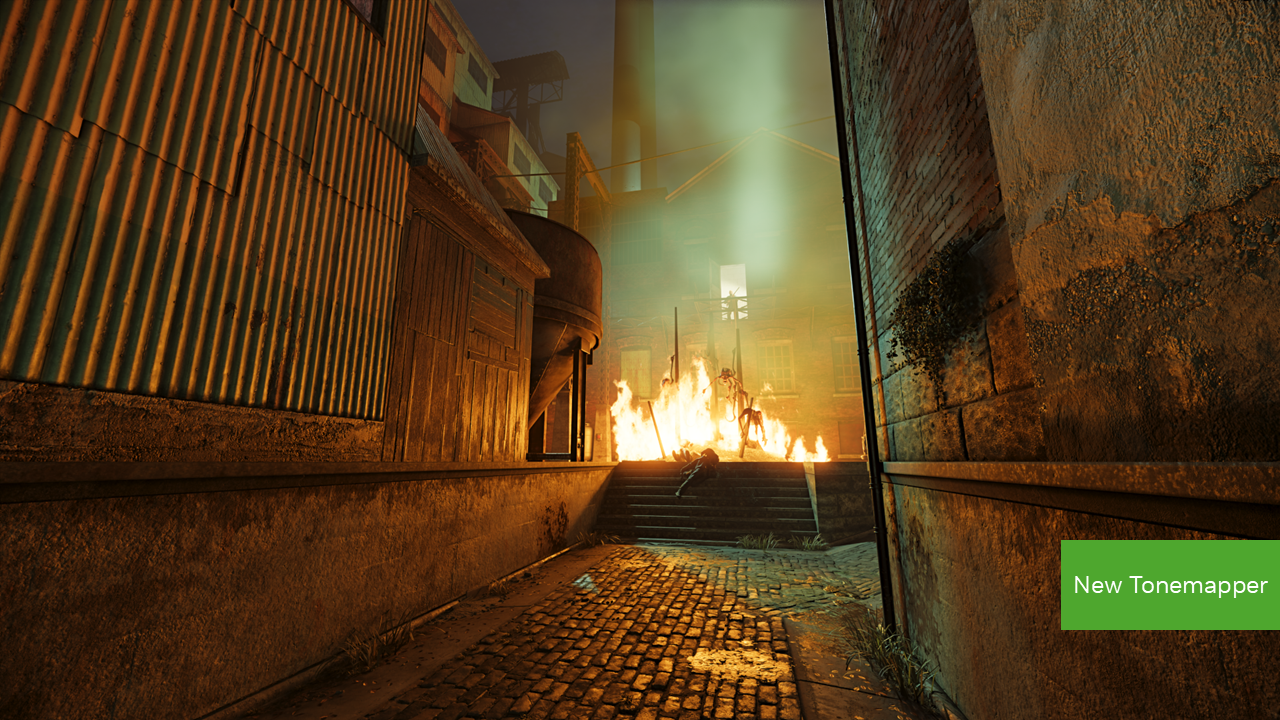
This new tonemapper represents our first step in responding to community feedback, with many more adjustments to lighting and volumetrics to come in a future patch.

We released the Half-Life 2 RTX Demo as a way to get feedback from the community early to build the best remaster we can–we thank you for taking the time to play it, and letting us know what you want to see from Half-Life 2 RTX. We hope to remaster this classic we all love in a way that respects your memory of it, and also feels exciting for a new generation of players who have never played it before.

Changes:

  • Tonemapper has been updated to display a more accurate image
  • Fix for a softlock in town_02 where Grigori would occasionally not throw the shotgun to the player
  • Fix for a crash state
  • Fix for a stall on initial game load
  • Issued fixes to the crossbow, Grigori bucket, and mine-hopper assets
  • Fix for a visual artifact when initially moving with DLSS Frame Generation on


Investigating Reported Issues:

  • We are investigating an issue where some game overlays can cause crashes when used with the Half-Life 2 RTX Demo. We recommend disabling overlays before starting the demo, but can confirm players looking to measure performance can use FrameView without risking a crash.
  • Some players are reporting a crash during the first-time they start the game, due to issues with shader compilation. If you experience this, please start the game again.
  • Steam Hotkey for Screenshots (F12) will crash Half-Life 2 RTX. We recommend using NVIDIA app’s Alt+F1 screenshot feature, NVIDIA app’s Alt+F9 video recording feature, or OBS “Display Capture” to take screenshots and video.
  • When Desktop Capture is active in NVIDIA app’s settings (Alt+Z --> settings cog --> Video capture) video recording can at times cease working in the Half-Life 2 RTX demo, requiring users to restart the demo. To prevent this, please disable Desktop Capture in NVIDIA app’s settings.


For recommended specs and optimization to get the best performance in Half-Life 2 RTX please see here.
Orbifold Team

More from Half-Life 2 RTX

Other announcements

All news
Major update8 May 2025Update #3: Lighting, Fog & Additional FixesUpdate: We have issued a hotfix which additionally removes a file causing false anti-virus hits and solves a missing texture bug. Thanks again for playing the Half-Life 2 RTX demo, and sharing your feedback. We’re continuing to explore how to best address community feedback, and how it plays into the demo and the full release of the game. This latest update to the demo features the next step in…Game update20 Mar 2025Hotfix #1: Update on Various IssuesA hotfix has been pushed live to adjust the displayed download size. Changes: · Fixed an issue that was causing the download size of Half-Life 2 RTX to appear larger than it actually was. The correct download size of 44.1GB is now displayed during installation. Investigating Reported Issues: · We are investigating an issue where some game overlays can cause crashes when used with the Half-Life…Community18 Mar 2025Half-Life 2 RTX Demo Out Now: Optimize Your Graphics SettingsThe Half-Life 2 RTX Demo is now available for download. Experience the award-winning game that has captivated millions of players worldwide with its immersive story, thrilling combat, and mind-bending physics, fully overhauled with full ray tracing (also known as path tracing), new hand-crafted, physically based textures, enhanced high-poly models, and updated lighting, powered by NVIDIA DLSS 4…