Dev Diary #7 - The station in Low Earth Orbit (LEO) - Part V
Space Station Designer · published
Welcome to the seventh Dev Diary entry of 'Space Station Designer'. In the previous entry, we covered the details behind resupply spacecraft which, in addition to transporting astronauts, are used to keep stations operational and to transport the goods manufactured in orbit to Earth. In this article, we'll explain the basics behind two other mechanics: the manufacturing of Commercial Goods in a microgravity environment, and the process of selling these goods back on Earth.
Manufacturing Commercial Goods in Microgravity
Microgravity provides an excellent environment for producing elements to a level of quality that can be difficult, or even impossible, to replicate on Earth. 'Space Station Designer' features a manufacturing system that uses a technology similar to 3D printing and allows us to create exotic compounds we can sell as commercial goods in a dynamic market.
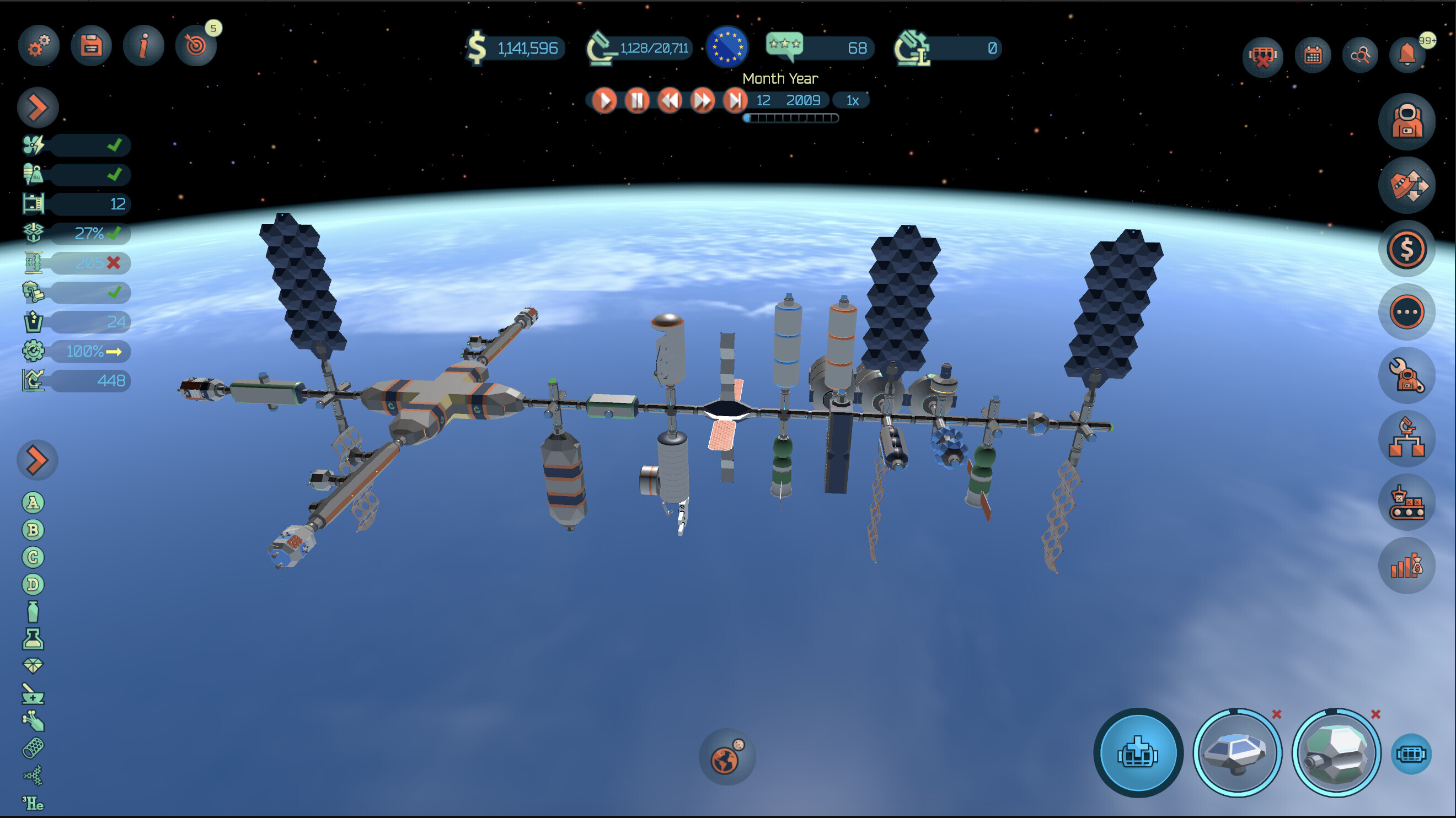
The various types of goods available can be found in the panel located in the lower-left part of the screen.
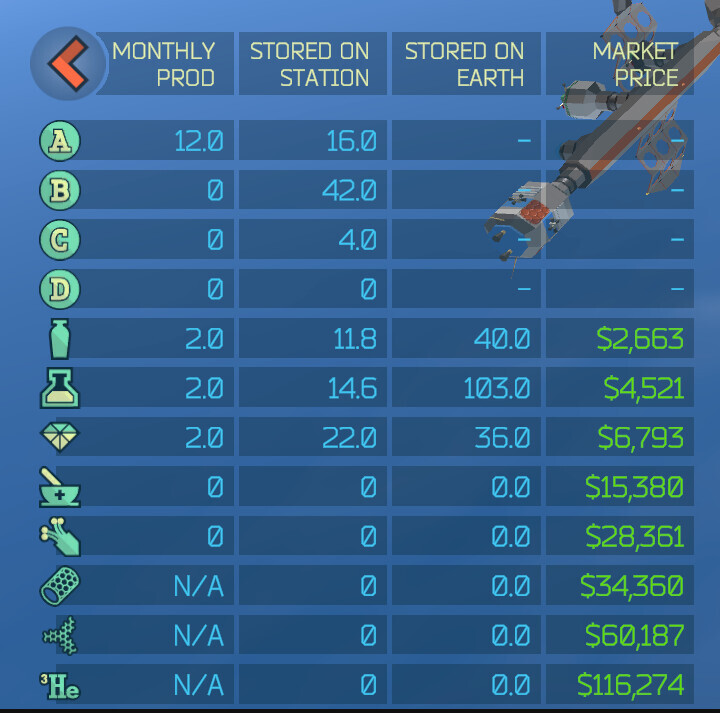
From top to bottom, these are:
- Intermediate Goods A
- Intermediate Goods B
- Intermediate Goods C
- Intermediate Goods D
- Ceramics
- Chemicals
- Crystals
- Pharmaceuticals
- Fiber Optics
- Carbon Nanotubes (Only available for manufacturing in the GSO station)
- Organic Scintillators (Only available for manufacturing in the L2 station)
- Refined He-3 (Only available for manufacturing in the Lunar Orbit station)
Note that the Intermediate Goods are used as building blocks for the rest of the goods. They have no value on their own and, as such, they cannot be sold on Earth.
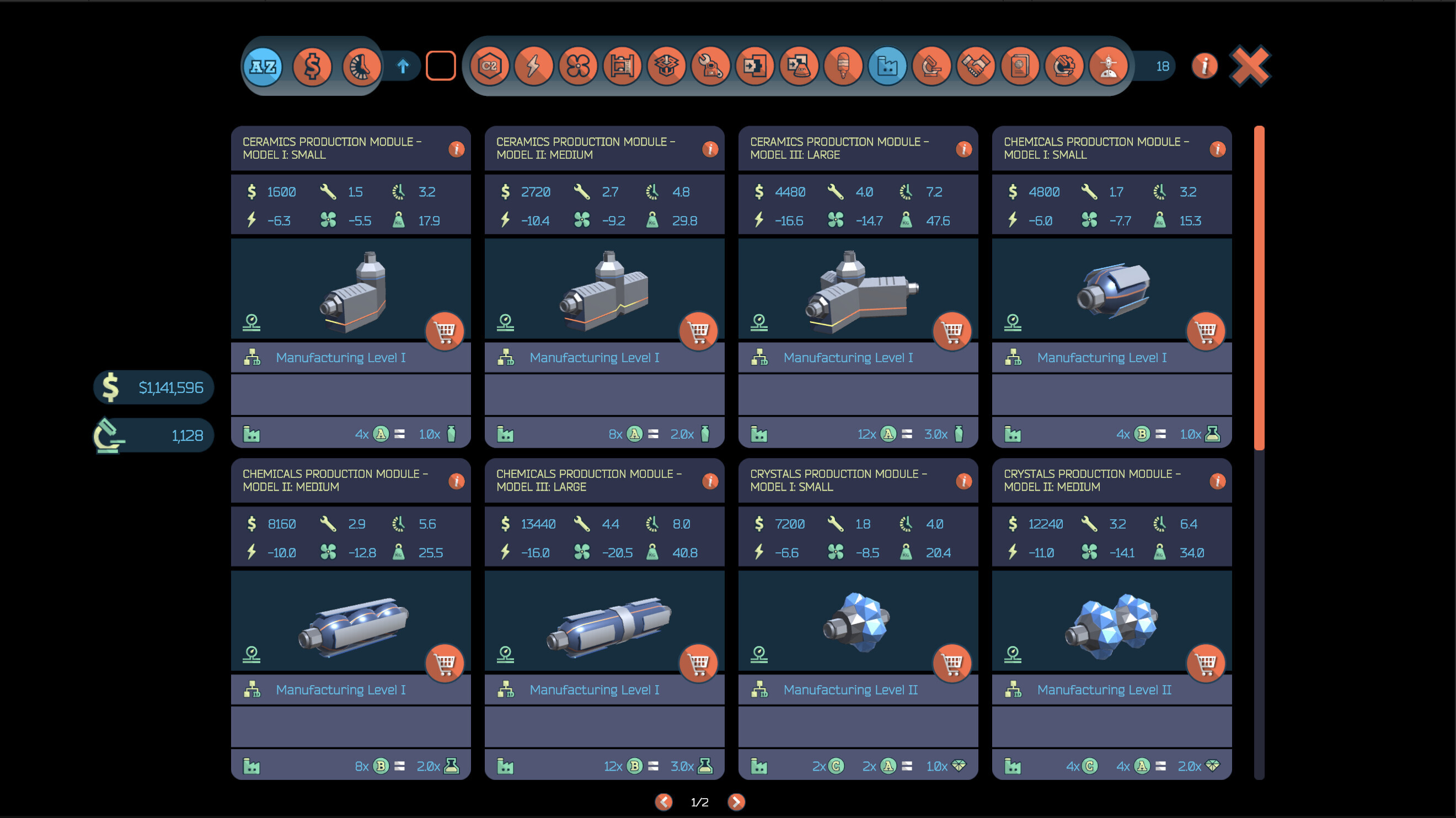
The main ingredients for creating goods are the 'Raw Materials', which are brought to the station via resupply spacecraft, as we've already covered in the previous Dev Diary. The formulas for creating intermediate and commercial goods can be found in the information cards of the various manufacturing modules. For example, the small version of the Ceramics module ('Ceramics Production Module - Model I: Small') takes four 'Intermediate Goods A' units as input, and produces a single unit of 'Ceramics'.
Note that manufacturing the more valuable types of commercial goods requires not only intermediate goods, but also other types of commercial goods. For example, in order to produce a unit of 'Fiber Optics', we need 2 units of 'Intermediate Goods D' and 2 units of 'Ceramics'. This presents an interesting dilemma, and it will be up to us to decide whether to sell our existing 'Ceramics' as they are, or use them as an ingredient for manufacturing 'Fiber Optics', which have a higher nominal value.
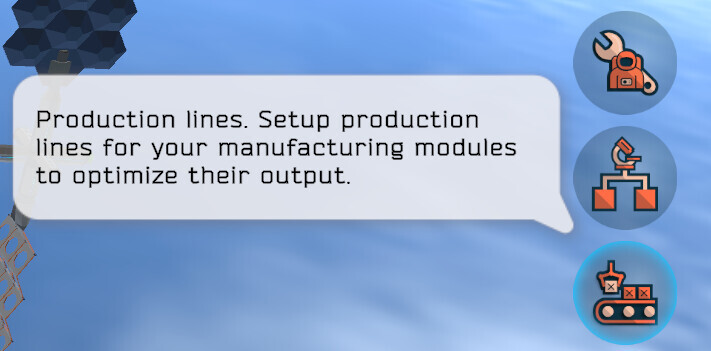
Manufacturing modules need to be put together in production lines, which can be managed by using the 'Production Lines' button located on the right-hand side area of the screen:
In this particular example, we've already created two production lines named 'Inter A' and 'Ceramics'. Note that modules that belong to the same production line must be contiguous, which is required to streamline the production.
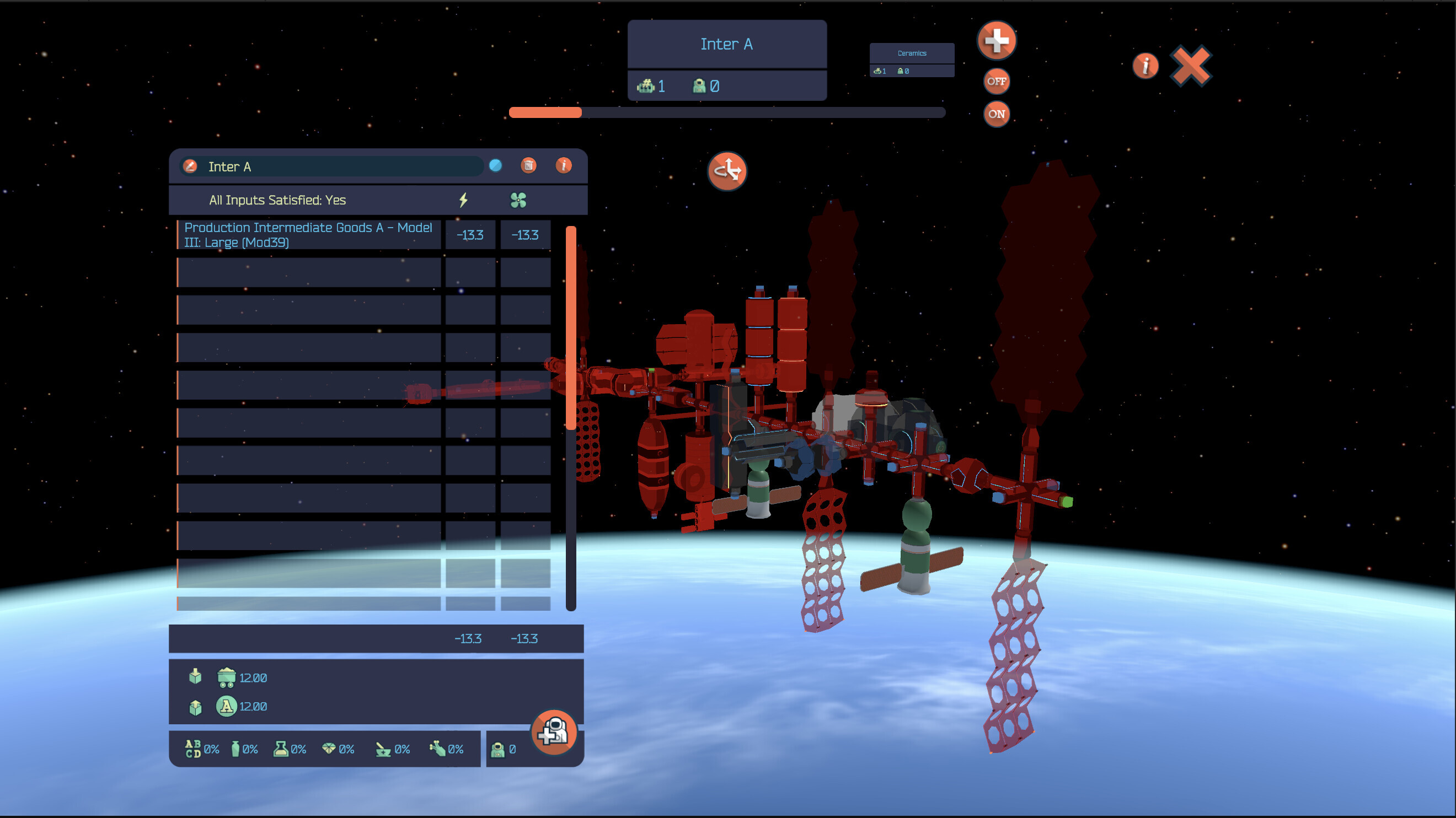
The production lines management screen allows us to create/delete production lines, add/remove modules from an existing production line, and even assign astronauts to them. It also features two handy buttons to enable and disable all production lines.
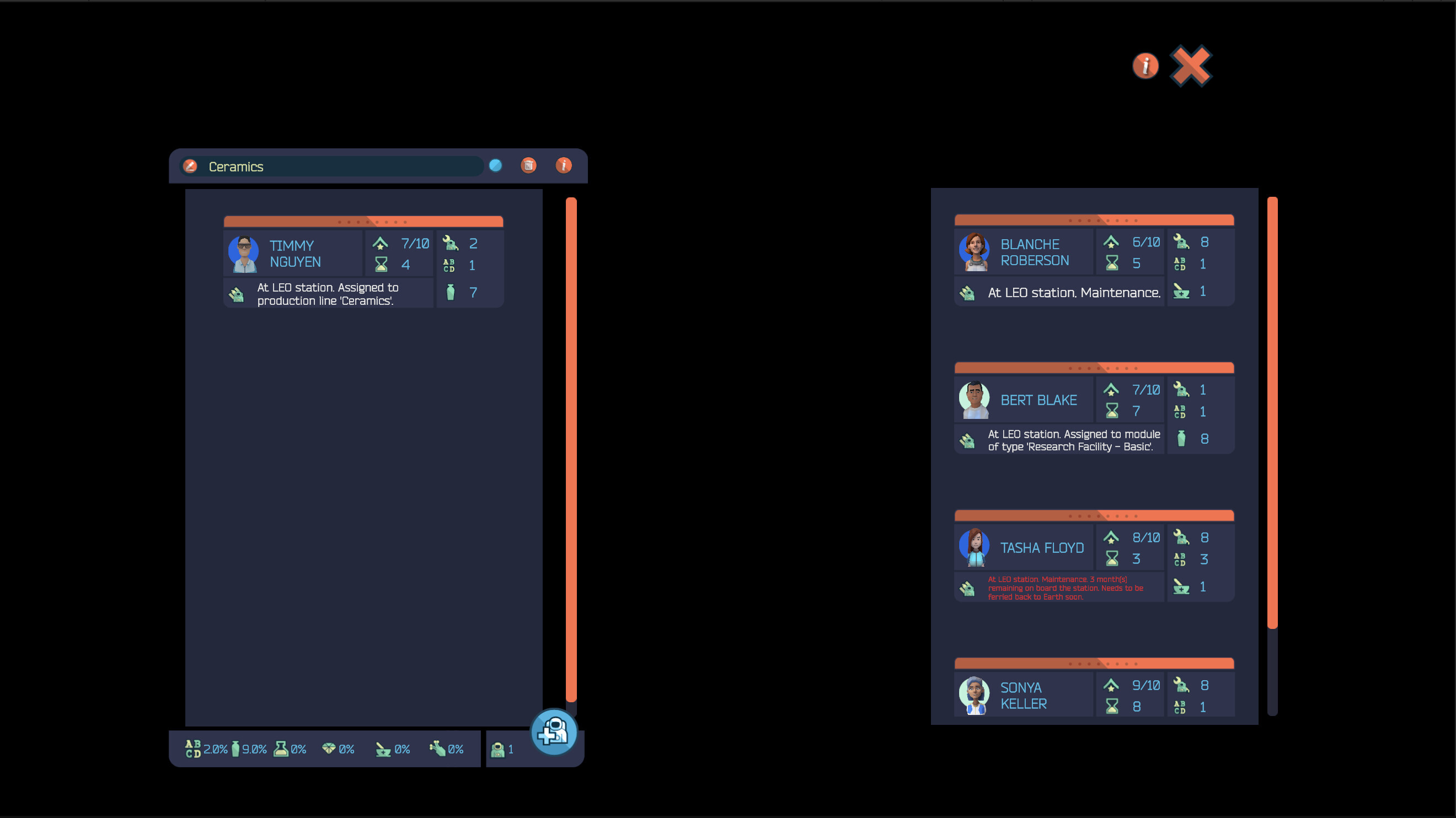
When assigning astronauts to a production line, their 'Intermediate Goods' and 'Commercial Goods' skills will help increase its throughput. In the example above, Timmy Nguyen's 'Intermediate goods' and 'Ceramics' skills are boosting the output of said type of goods by 2% and 9%, respectively.
Selling Commercial Goods
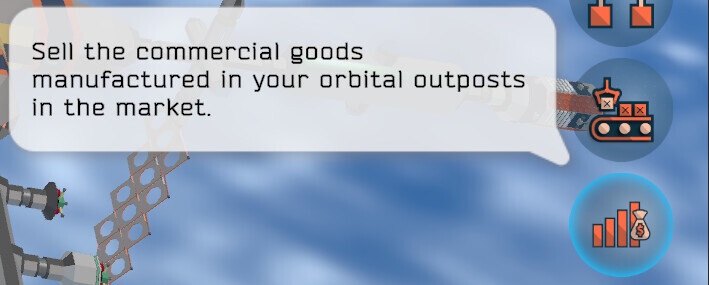
Manufactured commercial goods are stored in the station. In certain cases, we may want to transfer them to another station, but most of the time they will be ferried back to Earth using a bidirectional resupply spacecraft. Once they have reached Earth, we will normally keep some of them in storage (sometimes they come in handy when dealing with random events), or we may want to sell them in the commercial goods market. This market can be accessed via the 'Sell Commercial Goods' button located on the right-hand side of the screen.
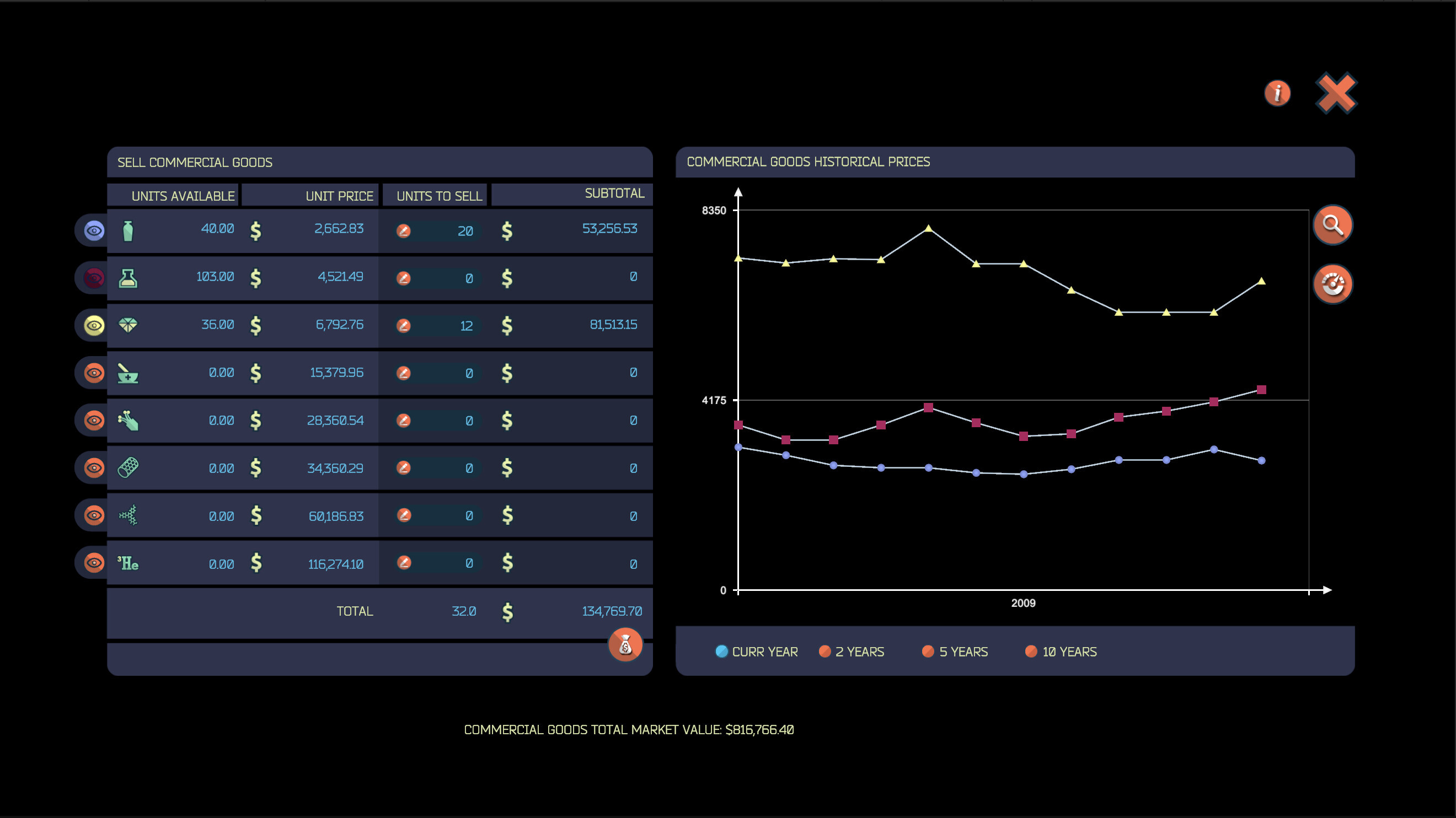
The commercial goods market screen provides a historical graph featuring the values of all types of commercial goods. The various individual graphs can be enabled/disabled by using the toggle buttons located in the left area of the screen.
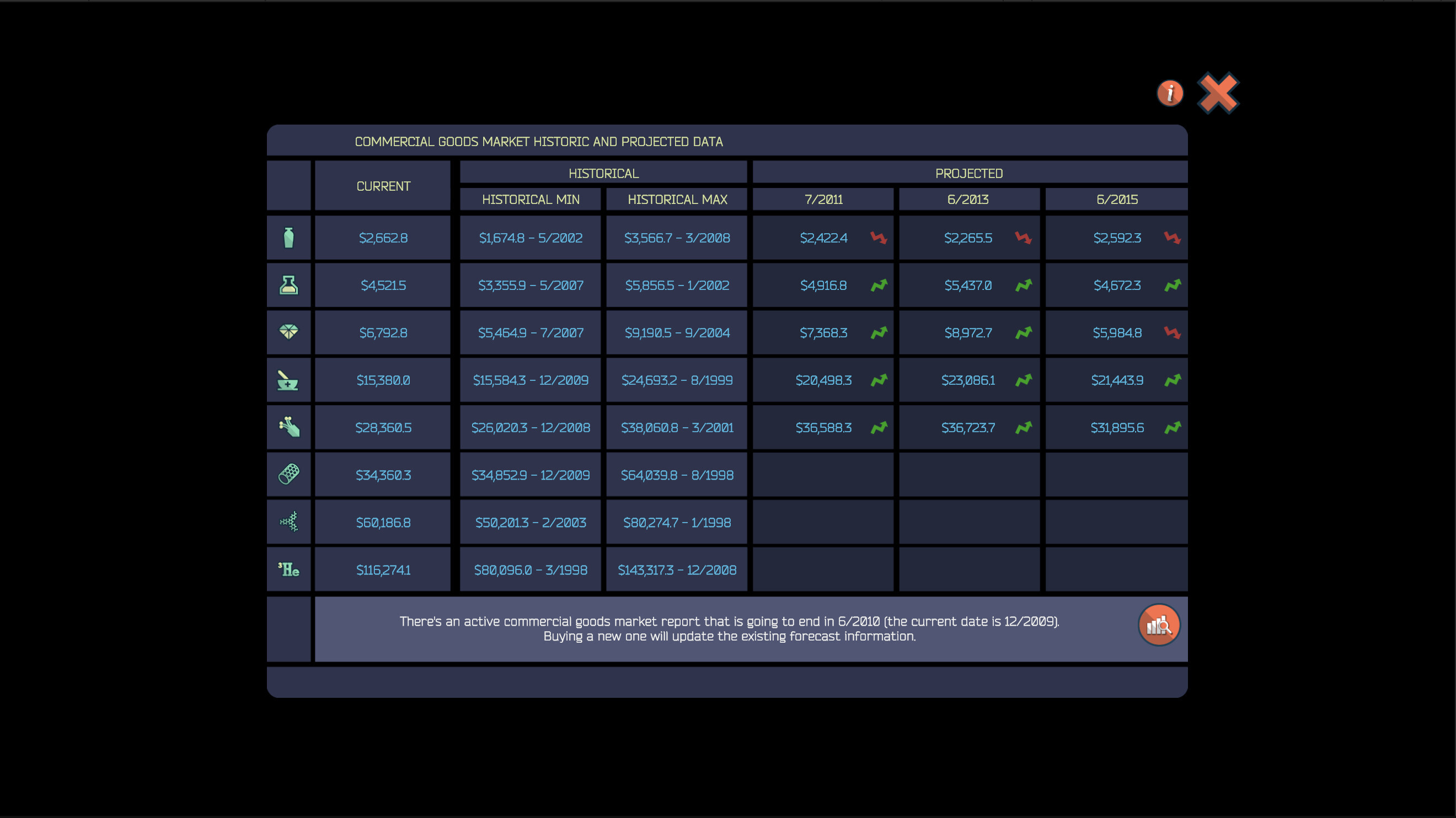
By using the two buttons on the right of the graph, we can review historical and projected data, and place limit orders, respectively. The historical data screen provides all-time minimum and maximum values for each type of commercial goods. We can even commission forecast reports and obtain projected data, which can help us decide the best course of action for our manufactured goods (i.e., shall we sell now, or should we rather wait?).
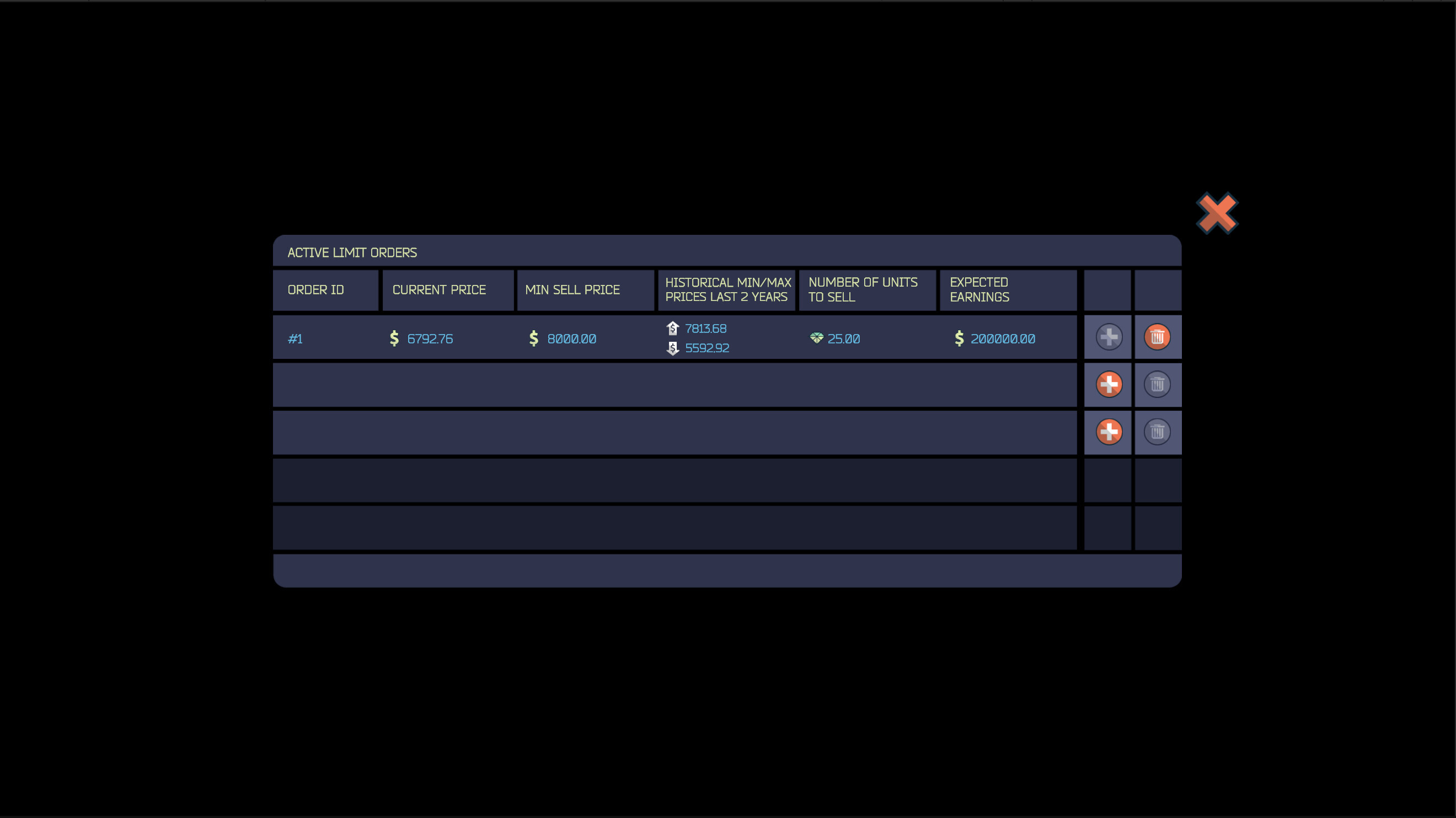
Lastly, if we have a target price for a specific type of good in mind, we can place a limit order, which will trigger once the value of the good reaches the target value. This can be handy as a 'fire and forget' mechanism, as the prices in the market are constantly changing, and keeping an eye on them constantly can be quite taxing.
Coming Up Next
This blog post covered the basics behind the manufacturing and commercialization of goods. There are more mechanics and subsystems around these two systems, but we'll let you play the game and discover them by yourself!
Remember that we're currently running a closed beta for 'Space Station Designer' (more information here). If you like the premise of the game, please consider applying and help us shape its future.
See you in the next entry!
--Ignacio, Mauricio, and Nicolas (Polar Motion)
Wishlist Now
https://store.steampowered.com/app/1447650/Space_Station_Designer/