Earlier in the week, the very helpful "Dohi64" left a nice review for Cascade Cafe (Thanks!). However it seems they ran into a few bugs, which is unfortunate. They also identified a few areas of gameplay/UI that could be improved which I hadn't even thought of.
So today's update fixes the following areas:
Improvements
Added a "Restart Level" button to the menu
Pretty self explanatory - there's now the ability to restart a level without having to go back to the main menu. I'm not sure why that didn't occur to me to add this in before.
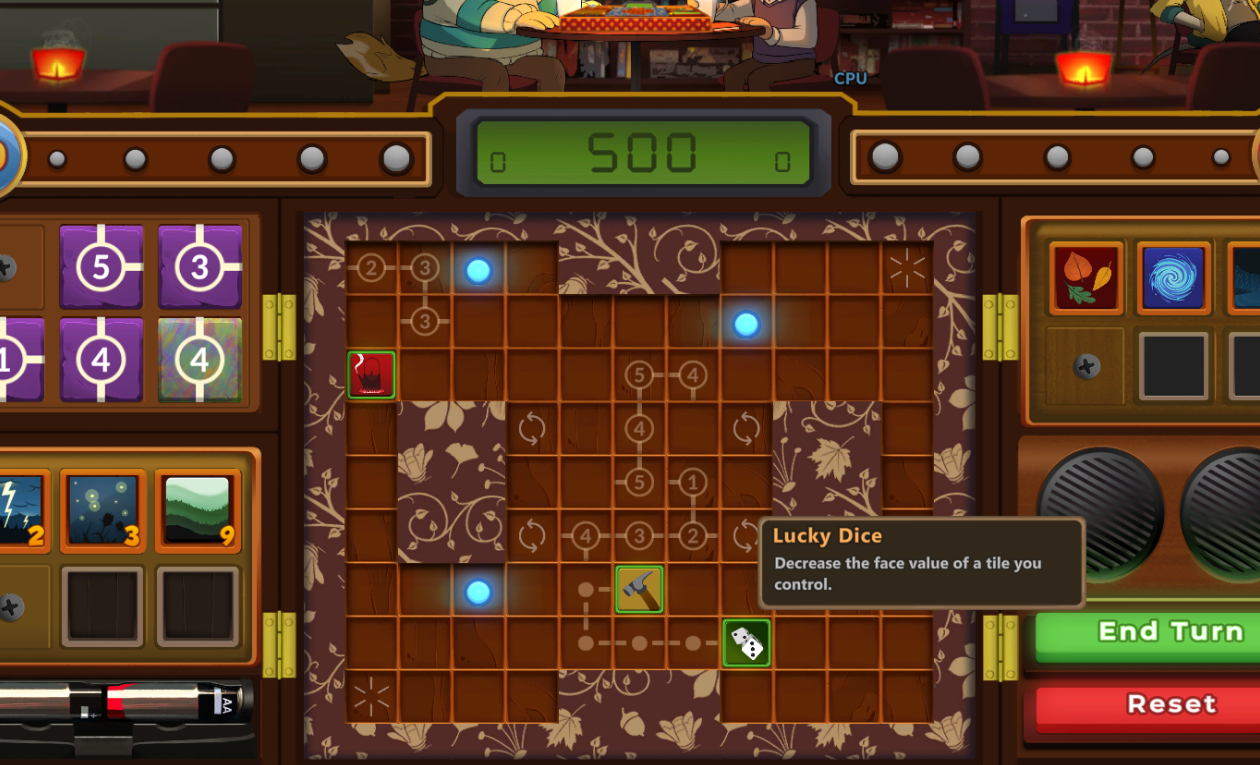
Tooltips for items and stage gimmicks
You can now hover over items and stage gimmicks during the match and you will get the tooltip information. Another one of those 'seems so obvious in retrospect" features that I totally missed!
Block Rotation Reminder
It's funny that Dohi64 mentions in the review that, initially, they forgot you can rotate tiles. The #1 playtest feedback I got from people was that it took them a while to remember they could rotate tiles too. At the time I figured "well that's just because the tutorial still needs some work", but it's still an issue that comes up!
I've now added an alert that popus up on the first real match reminding you that you can rotate tiles, if you've not rotated a tile in the first 20 seconds of the game. I should have listened closer to playtesters - lesson learned!
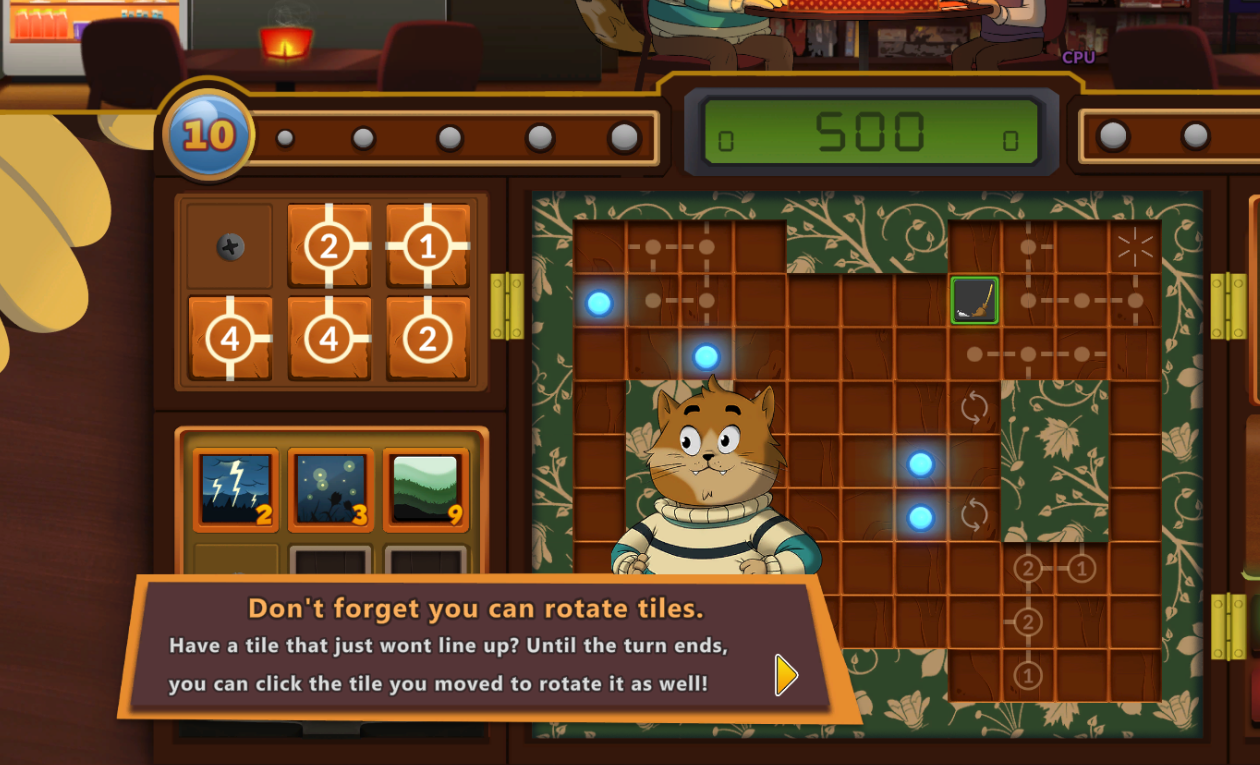
I think the wording could still be improved. I want to note that you can rotate the tile, but only the active tile you played this turn (I don't want someone to click a tile played on a previous turn and be confused why it doesn't rotate, and think they misunderstood the tutorial). I'll probably come back to this and play with the wording.
Bug Fixes
Selected Abilities not being used in level
When selecting your abilities in the stage select book, those abilities were reset to the three first abilities when you enter the match. This has been fixed so that it now retains your selection. When I added the puzzle mode in, I added some code to reset the game settings but that was overriding the abilities you had selected.
Lots of typos in the story fixed
It's probably still not perfect, but I fixed a bunch of typos in the story. I also updated the wording of most of the items and gimmick tiles in the game. I had originally tried to make the sentences as short as possible to reduce reading time, but going back and reading them again now the sentences just feel like they are poorly worded. I've updated them to sound more like natural sentences.
Added a "Return to Stage Select" button back to the menu
You can also now go straight back to the stage select screen rather than all the way to the main menu. This button used to exist, but when I redid the UI with the new styles, I accidentally dropped this button off the menu and didn't notice.
Mouse Cursor Hotspot fixed
I didn't notice this until now, but I reset the mouse cursor hotspot at some point, so when clicking on screen it was actually off by about 9 pixels. This was kind of annoying when trying to click smaller elements on the screen. This has now been fixed.
What's Next
Big thanks to Dohi64 for such a thorough review! If you are interested in their game coverage, check out their reviews here or check out the Puzzle Lovers page for more.