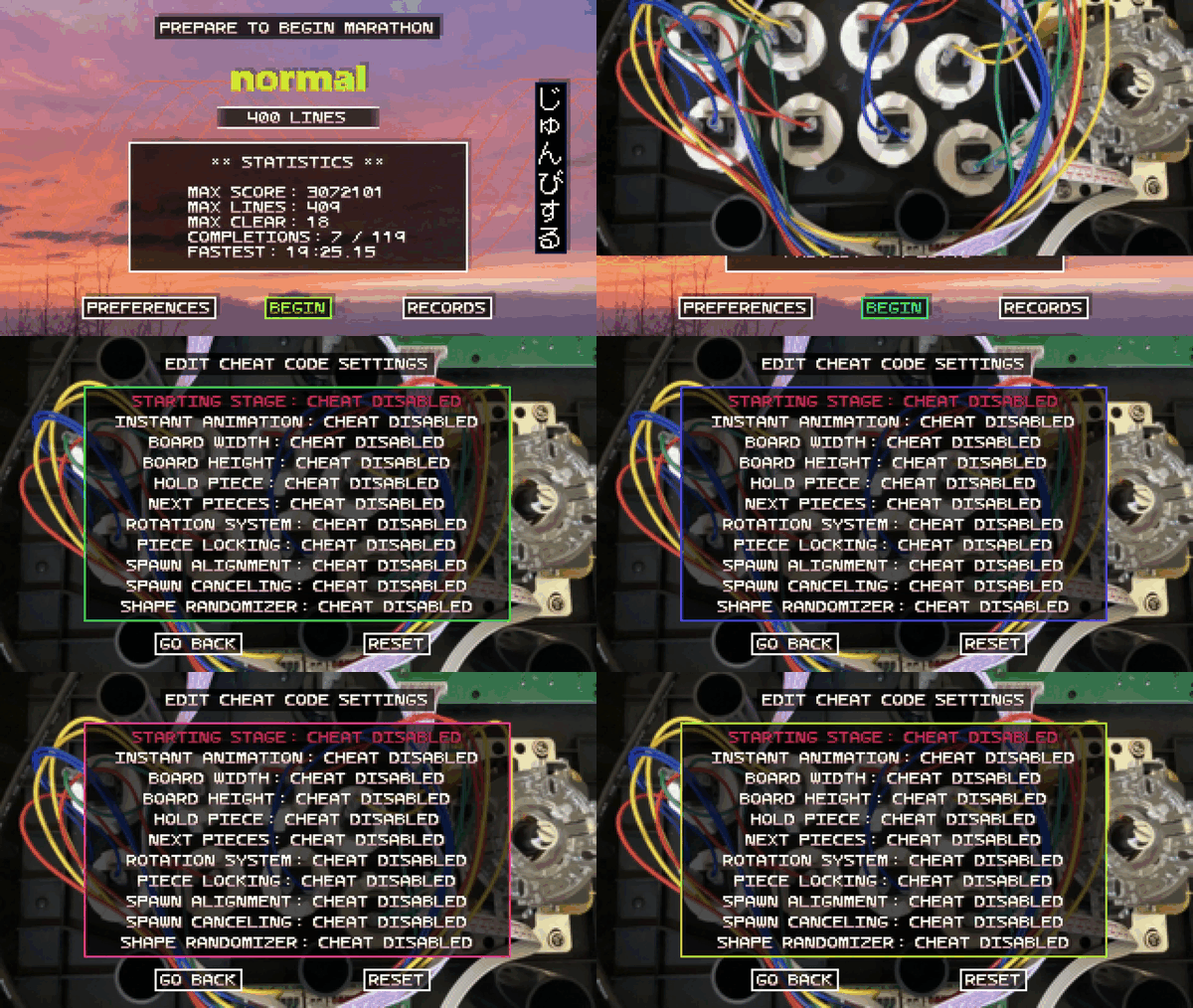
Today's update adds a new Cheat Code screen! On the Difficulty Selection Screen, press Down four times while on the bottom row to reveal the Cheat Code menu. This hidden screen lets you enable or disable gameplay modifiers that can dramatically change how the game plays. Note: playing with a cheat code enabled disables stats and achievements. The in-game timer will also display asterisks next to the time to indicate cheats are active. Cheats are temporary and reset when you quit out of a mode.
What's next:
This update wraps up the main post-launch content I had planned for the game. Huge thanks to everyone who's played and supported it so far--it seriously means a lot! I'll soon be shifting more of my focus to a new project, but I'll still be around to fix any bugs or issues that come up. Bringing the game to consoles is something I'd really love to do, so I'm exploring this possibility as well (fingers crossed!). This game is extremely special to me, but to keep growing creatively and professionally, I need to continue expanding my catalogue. I'd love to return with a big update in the future if the opportunity arises. Stay tuned!
Cheat Codes:
- Starting Stage: Practice the MARATHON modes from any starting stage.
- Instant Animation: Disable animation delay making any mode play like INSTANT mode.
- Board Width: Change the width of the board
- Board Height: Change the height of the board
- Hold Piece: Enable or disable hold piece
- Next Pieces: Set the number of next pieces to display
- Rotation System:
- MODERN - Standard kick table with modified I piece rotations
- ARCADE - Classic arcade style rotations
- CONSOLE - Classic console style rotations
- CELL - Modern rotations with modified piece set
If you're wondering what to try out with this new feature, here are some of the combinations I've found that are fun!
- INSTANT mode with a 20 wide board requires you play in a very different way
- STANDARD mode with a 4 wide board is fun for combo chasing
- CHAOS mode with a 5x10 board (BIG CHAOS)
Changes
- Hotfix 1.3.1: Fixed a configuration file mistake causing the 'Mountain' color palette unlock for Tetrachrome/Wild to be associated with Tetrachrome/Chaos
- Cheat Codes Screen: accessible by pressing down 4 times at the bottom row of the Difficulty Select Screen (full version only)
- Access Records from the Game Over Screen: holding down at the Game Over screen now brings up the Records Screen.
- Advanced Options: Moved the 'Clear Save' option to a new 'Advanced Options' screen.
- Unlock Everything: Added 'Unlock Everything' option to the 'Advanced Options' screen. This unlocks all blocks, palettes, modes, and difficulties (full version only)
- Initial Rotation, Hold, Movement Defaults Change for INSTANT Mode: The initial rotation, hold, and movement options are now off by default in INSTANT mode.Developer's Note: These were previously on by default in all modes, but I found they feel unintuitive in INSTANT mode. Without spawn delay, it’s easy to accidentally trigger inputs just by releasing buttons too late. This change sets these options to a new ‘AUTO’ setting, which disables them in INSTANT mode by default. If you had these set to 'ON', they will now be set to 'AUTO.' You can switch them back to 'ON' if you want that behavior in INSTANT mode.
- Loading Screen Branding: Added sparsevector branding to the loading screen.
- Credits Update: Added reference to Mutopia Project in the game's credits.
- Demo Update: The demo has been updated and is available again: the demo has the same content as before (Marathon/Standard and 15 puzzles), but now incorporates all the full release changes. The demo now lists the full game's other modes in the menu to better preview the features of the full version.
- Achievement Bug Fix: Fixed a bug where getting the exact required time or line clear count wouldn't trigger the corresponding achievement
- Minor Fix: Fixed a bug where editing the noise, wild, or negative piece probabilities could cause the game to hang
- Minor Fix: Fixed a bug where sound style unlocks were not being stored properly in the save file.
- Minor Fix: Fixed a bug where resetting the gameplay preferences then editing them again would cause UI issues
- Minor Fix: Fixed a bug where the vertical alignment of the next / hold piece was off center for the I piece in ARCADE mode