This week has mostly been focused on getting more of the general aspects of the editor done. Things that apply to all gamemodes.
Movement Points
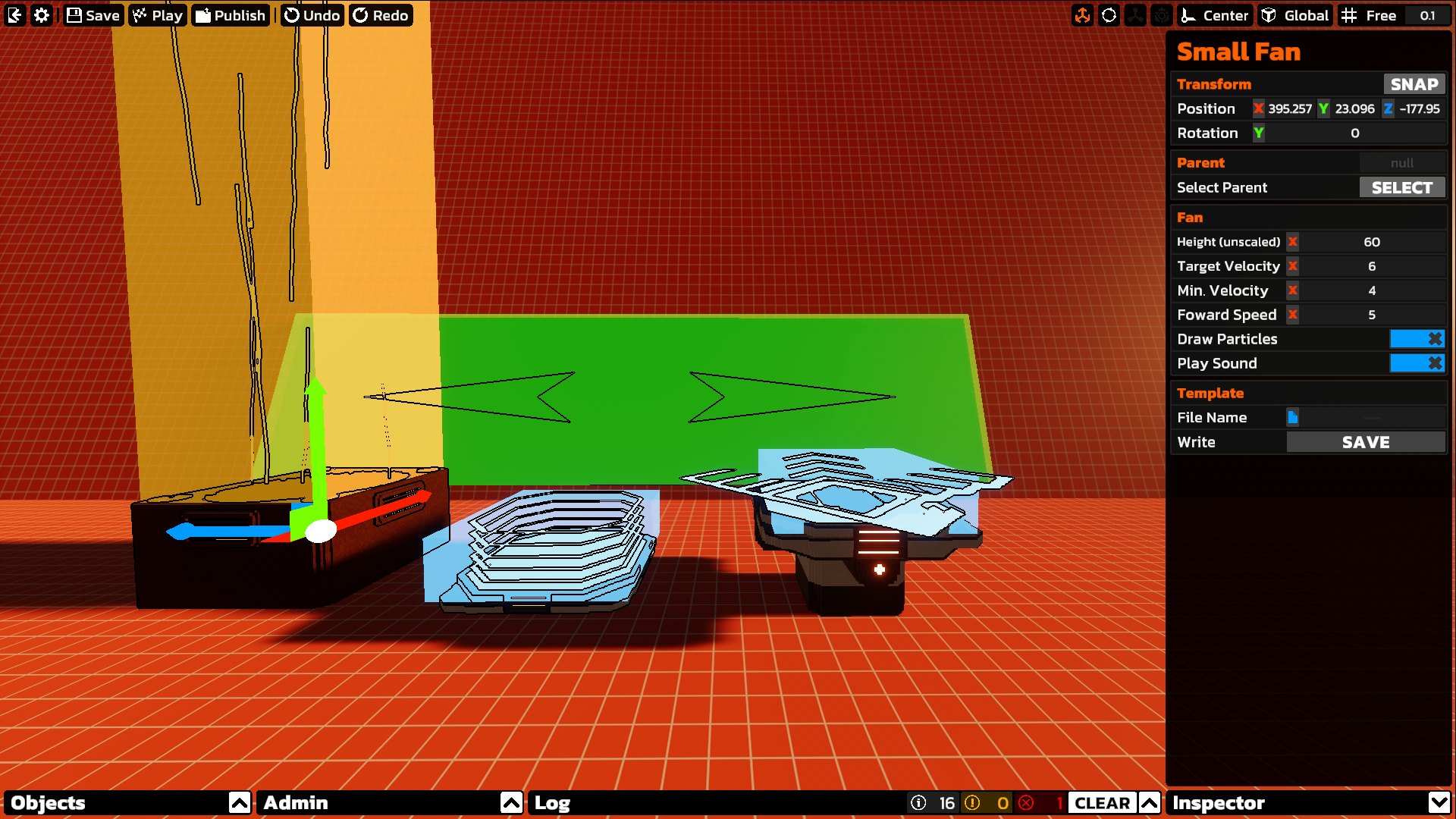
I've now added support for all the movement types: rails, launch pads, wall runs, and fans! Rails and wall runs don't have any parameters to customize speed and stuff, cause they were just never designed for that. But launch pads and fans were! So all their properties are exposed in the inspector. There are also generic triggers for launch pads, wall runs, and fans. So that way you can make your own models for these objects, and just attach a trigger as a child. And when placing wall run triggers down, they will automatically conform to the hovered surfaces angle, for easier placement.
Editor Improvements
Inspector Multiselect
When I first added the inspector, I actively chose to not support multiselect. Buuuuuutttttt then I got to thinking about it a bit more, recently. And I realised it wouldn't actually be too hard... right? RIGHT?! Yes. It ended up being pretty simple. So now you can edit multiple objects from the inspector. There are some limits, however, For instance, only mutual inspectors will be shown. So if you inspect a fan and a launch pad, only the transform inspector will appear. There are also objects that have set transform constraints. For instance, you cannot rotate a rail. So multi selecting objects with different transform types is not possible... at all. But that's more to do with the gizmos in the world, rather than the inspector.
Hierarchy Window
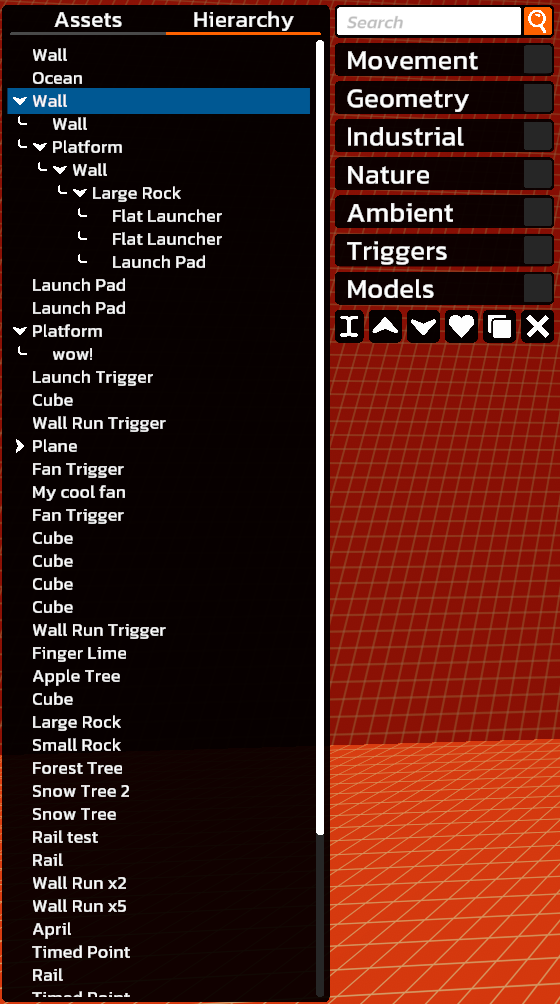
Since I added parenting, I felt a hierarchy view was quite important. So from here, you can view all the objects in the scene, and view the relationships between them. You can also do some basic organisation, like renaming objects, and moving them in the hierarchy. This all ended up being a much greater challenge than I had anticipated. Particularly with optimisation, since it needs to be able to support potentially hundreds of objects. But it can now!
log Window
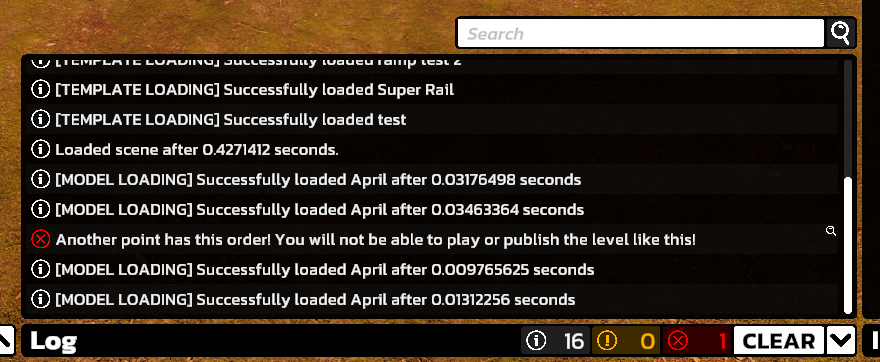
This is where all your logs are stored, and categorised as: Info, Warnings, and Errors. Right now, I've got logging for the scene loading process. Using this, you can check how long it takes to load, as well as how long each of your custom models take to load. You can also clear the log, and search through it. There will also be some logs that have a little magnifying glass icon on them. This indicates that the log has a context, and clicking it will select the object that the log relates to.
Timed Point Ordering
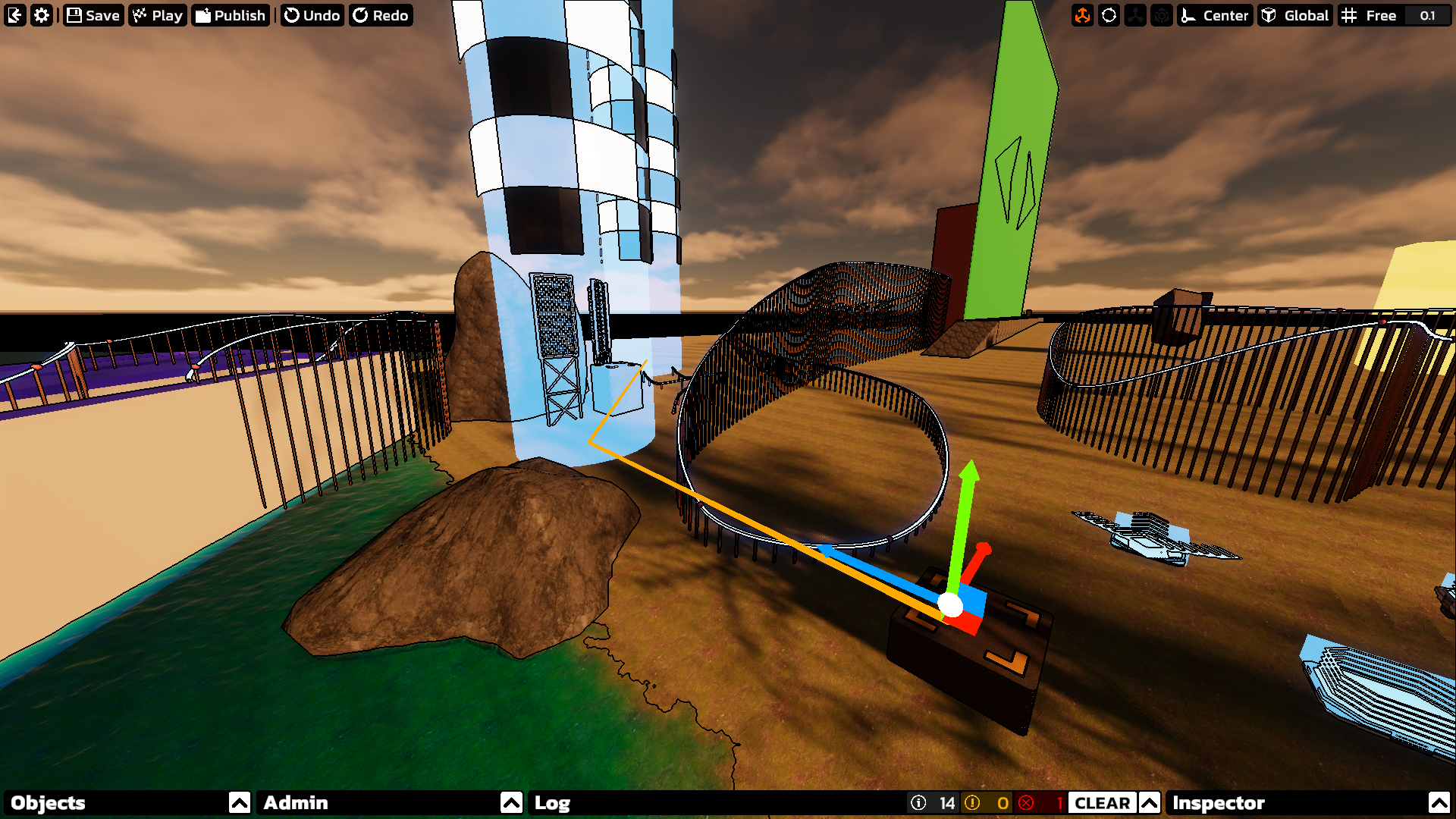
For linear check point courses, you can now change the order that each point must be reached in. I've also added a handy route line that displays when you have the spawn, or a check point selected. This will visualize the order of everything. You obviously can't have multiple points with the same order value, so if there are conflicts, it will be displayed in the log.
Play Mode Checks
This partially applies to the "More robust publishing / updating" point below, but now, whenever you press play, a series of checks will be done based on the level type to determine if the level is valid. So for Timed, you need 1 spawn, and at least one point. You also cannot have any order conflicts.
Material Inspector
Some assets, particularly primitives, and other generic models, now have a material inspector. From here, you can select from a range of materials.
Progress
Here's the list from last week with striked out features that have been completed. Of course, this list does not necessarily include everything, and may have stuff that will be scrapped.
Support for launch pads, fans, and wall runs, all of which will be completely configurable (launch pads have been partially added already)- Light objects, and audio sources
Ability to control the order of Timed checkpointsEditor hierarchy viewEditor log- Much more default assets
- Options to set up leaderboard history snapshots
- Options to set up medal and trophy times
- Support for Capture, Infection, and Zen Chat
- More robust publishing / updating (require publishers to complete the level first)
- Ability to view leaderboards from the level browser
- Documentation / manual for the editor
And that's all for this week! At the moment, I really just wanna get all the existing mechanics implemented. But once that's all done, I wanna start work on some new, and more experimental mechanics, that probably wouldn't work all too well in the base game.
Once again, thank you for your patience,
Tobey
https://store.steampowered.com/app/2560140/The_Local__Supporter_Package/
