Turnover has been updated to v1.0.832. This updates brings a number of new features, changes, and fixes.
Save Slots and Steam Cloud Support
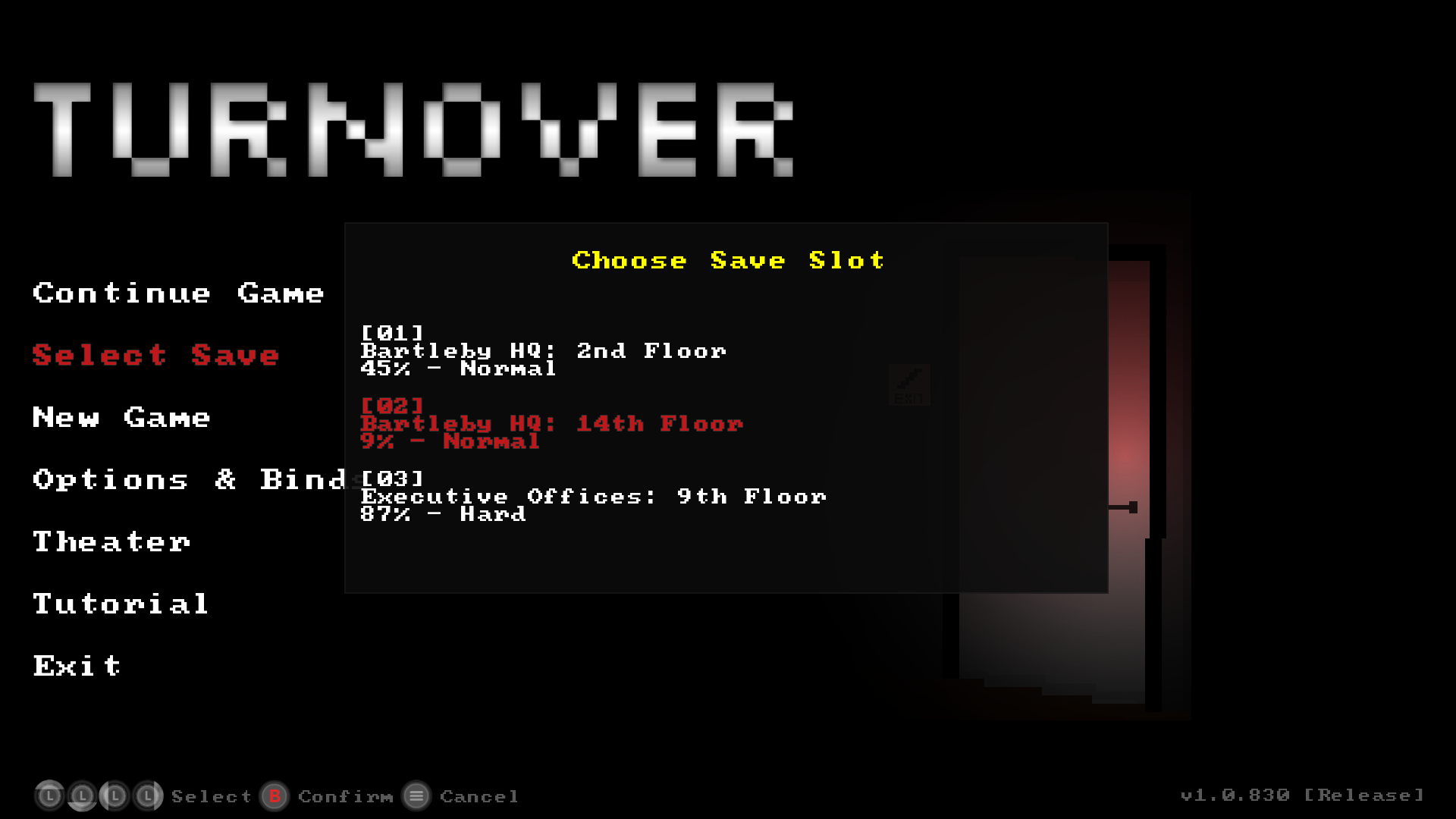
Turnover now has 3 save slots available in game.
- To start a new game, select "New Game" in the Main Menu, then choose a save slot.
- To continue the previously started game, chose "Continue Game" from the Main Menu.
- To load another save, choose "Select Save" from the main menu, then "Continue Game" to resume your game.
- Save games prior to this update will be converted over to Save Slot 1 on first launch, so you should not lose your progress prior to this update.
With this update, Turnover has Steam Cloud support for the 3 save slots.
XInput for Windows (with Force Feedback Rumble)
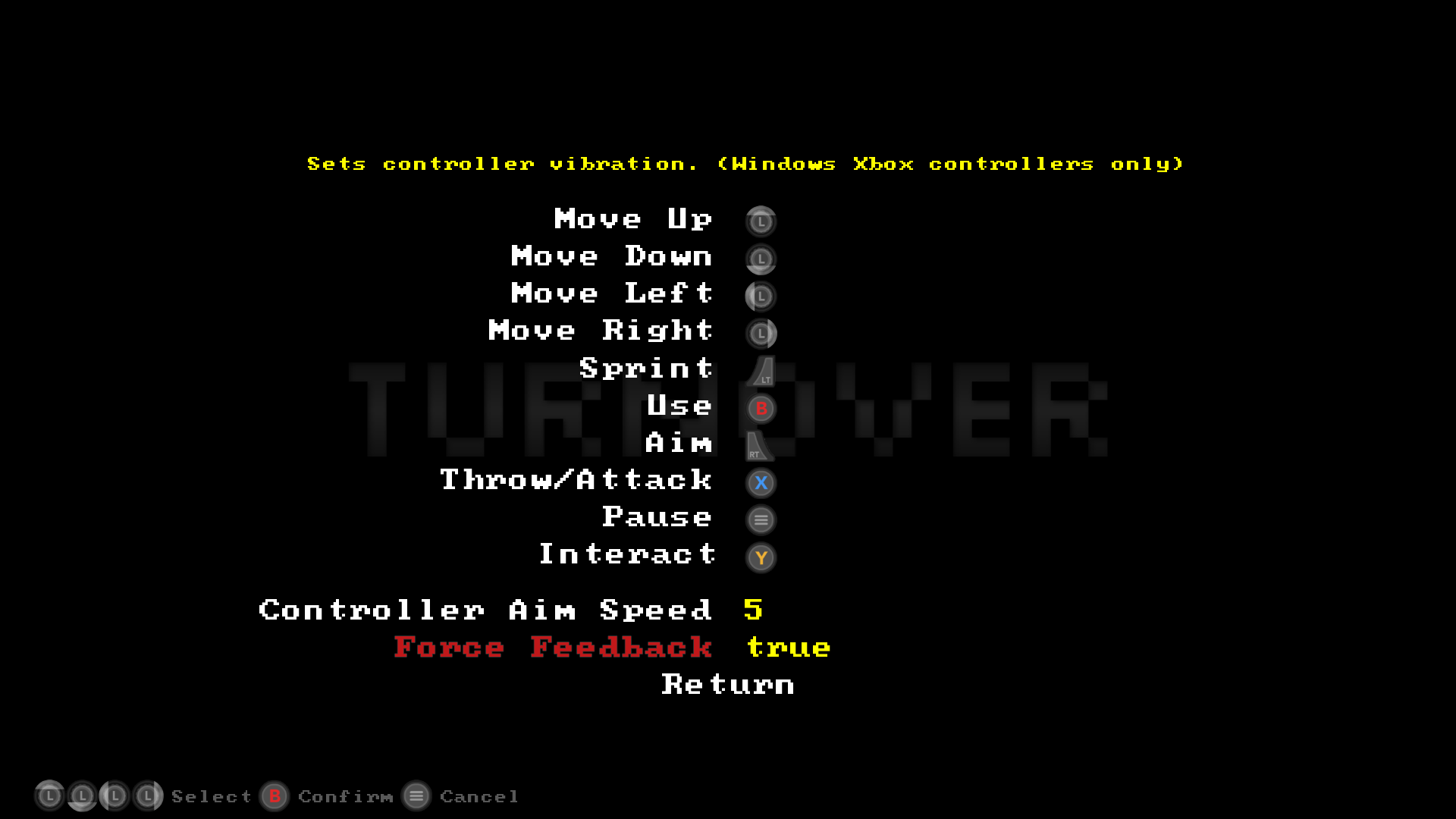
XInput is now used in the Windows build if the game detects an XInput controller. This should fix all current quirks and issues with Xbox 360/One controllers. If you are planning on playing Turnover with a controller, a Xbox 360/One controller is now the recommended controller to use in Windows.
In addition, Turnover now uses Force Feedback rumble with Xbox controllers (in Windows) for many in game actions. It can be enabled/disabled in the Binds menu when a XBox controller is selected in the Options menu.
Note:
The latest version of x360ce has been tested to work with Turnover. If you are using a non Xbox controller and want the Xbox context hints in-game, then this is an option for you to try out.
New Input Context Icons
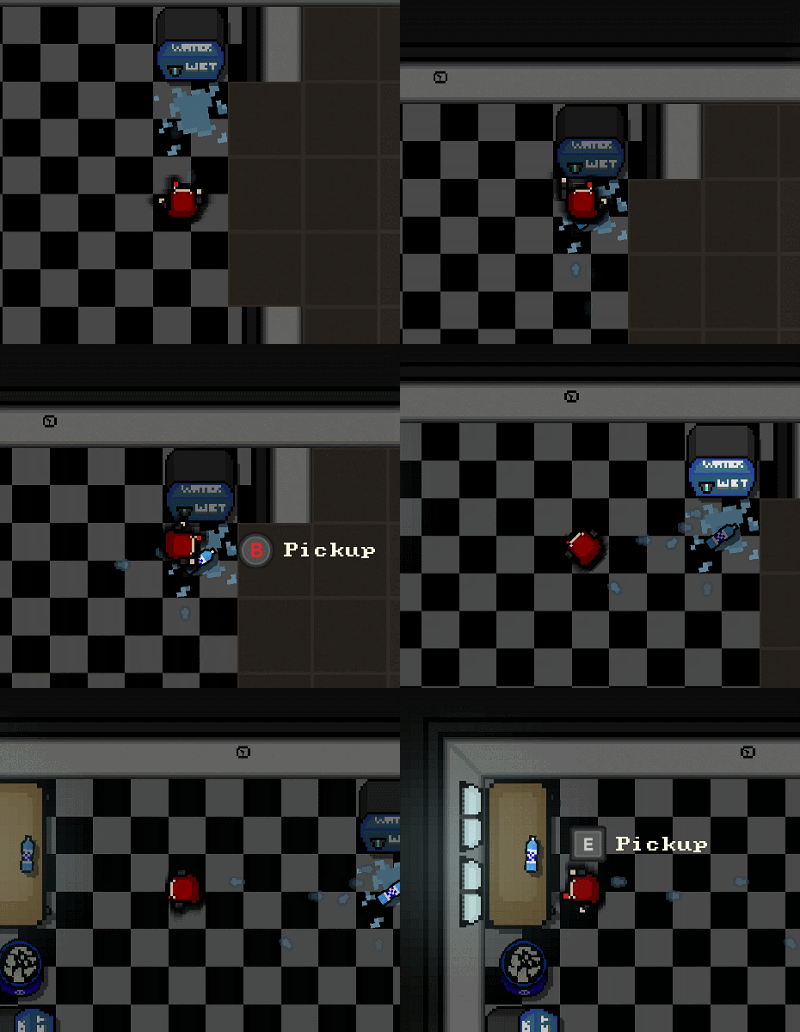
Turnover can now be played with a keyboard/mouse and a controller together, so you can swap between the two on the fly. HUD context icons will dynamically change based on the last input method.
Also, the old text based HUD Hints for input have been replaced with icons. This should give nicer visual cues for input.
Full Changelog
- New: Save Slots. 3 are available.
- New: Steam Cloud support is now available. Save files for the three save slots will sync to cloud.
- New: Added game progress % on Main Menu when Continuing a game.
- New/Windows: XInput is now used in the Windows build for XBox controllers.
- New/Windows: XInput/Xbox Controllers: Force feedback is available and affects a number of actions in-game. The option can be disabled from the Binds menu.
- New: HUD: All new icon graphics for input context hints. Available for XInput (Xbox controllers) and Kb/M. Generic icons will be used for other controllers.
- Changed: Input: KB/M and the selected controller can be used together to play the entire game and navigate menus.
- Changed: Input: If selected controller is unplugged while playing, game will fall back to Kb/M only input.
- Changed: HUD: HUD input contexts will now change dynamically based on the last input device used.
- Changed: HUD: Opacity setting now only affects in-world HUD elements and hints.
- Changed: Fireman: Screen will now shake when Fireman explodes.
- Changed: Sergeant: Screen will now shake when Sergeant dies.
- Changed: Minor menu changes.
- Changed: Minor sound changes.
- Changed: Clarified Options/Binds help text in menus.
- Changed: Removed the clearappdata command line argument.
- Changed: The setkbm/setcontroller commandline arguments have been replaced by setbinds x.
- Use setbinds x to go straight to the binds menu when launching the game. This is useful if you have an issue with the the default binds.
- If x is set to -1, kb/m binds will be set. If x is set to 0, the system perferred controller binds will be set. Anything above 0 is used for other controllers plugged into your system (if any more are present).
- Ex. turnover setbinds 0 will take you to the bind menu where you can set the binds for your system preferred game controller.
- Fixed/Windows: Fixed an issue with the game's config files/log files not being generated on first run for some Windows configurations.
- Fixed/Linux: Improvements to the stability of the Linux build.
- Fixed/All: Improvements to the stability/memory footprint (related to OpenGL) of Windows, Linux, and Mac builds.
- Fixed/All: Fixed some minor game interaction issues where some binds could be incorrectly registered while be held instead of pressed.
- Fixed/All: Fixed default binds sometimes not being assigned when switching between controllers in Options.
- Fixed/All: Fixed vents sometimes not playing their knock-down sound during collision.
- Fixed/All: Fixed a minor collision issue in Bartleby HQ: 10th Floor.
- Fixed/All: Minor misc. optimizations.