The doors to modding MADNESS: Project Nexus are open. Modding is still in beta, but enough is now supported to get the community started.
(If you have any questions or are having any issues, pop onto our Discord or the Workshop discussion page)
-----
ADDING MODS TO THE GAME
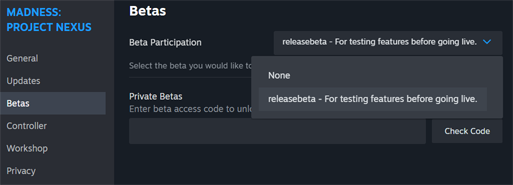
Step 1: Subscribe to the Beta Branch on Steam (Modding is currently in beta).
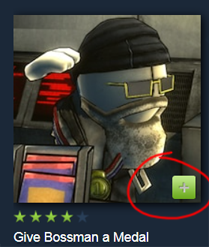
Step 2-a (Workshop Only): Subscribe to mods from the Workshop.
Step 2-b (Local Files): Place the mod's entire folder into the Mods folder located inside the M:PN AppData folder (where your careers are located). Note that Workshop mods are not installed this way.

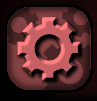
Step 3: Run the game and click the gear icon on the M:PN main menu screen to select which mods to enable.
-----
CREATING MODS
Fancy yourself a Maker, do ya? Get started by familiarizing yourself with the basics (we recommend the Modding Overview), and once you think you've got it, try all of our other modding resources on for size.
(All of these resources live in THIS MASTER DOCUMENT that will be updated regularly!)
ːmpn_hankː M:PN Modding Overview By Swain ːmpn_hankː
Get started understanding how to write mods here.
ːmpn_engiː MCM (MadCard Maker) By DarkSignal ːmpn_engiː
ːmpn_engiː M:PN ModTools Unity project by Swain ːmpn_engiː
ːmpn_engiː M:PN Workshop Uploader by Twingamerdudes ːmpn_engiː
Get your mods on the Workshop with this custom uploader.
ːmpn_engiː FMOD Sample Project for modders by Locknar and xDefault ːmpn_engiː
Get custom audio into the game using the same tools used by M:PN's sound engineer, Locknar!
ːmpn_engiː Lua for M:PN by Twingamerdudes ːmpn_engiː
Additional cool features that wrap on top of the game. May be required for some mods.
-- And a few other links that you may find helpful --
Modern Blender notes by Krinkels
Modding Manifesto by DarkSignal
FMOD tutorial screenshots by xDefault
Custom Armor Tutorial by Cl4ssic
Custom Audio for Weapons Tutorial by Zep
Custom Projectiles Tutorial by Zep