Dev Update #34: Build 22 (Deployment Menu, Roaming Patrol Fixes)
Dead Monarchy · published
Hey guys,
This build will have quite an impact on ongoing playthroughs so a new playthrough is suggested, but not required. It is suggested due to the new "Deployment Menu". Overall, this update continues with more UI improvements.
If you already have a playthrough with "Instant Deployment" enabled, then the playthrough should be fine.
Here are the instructions on accessing the beta version.
Opting In:
- Right click Dead Monarchy.
- Select “Properties”.
- Select “Betas” on the left menu.
- Select “roaming - Experimental build” from the drop down list.
Deployment Menu:
- Manual deployment is now being phased out. If you have an existing playthrough it will still trigger but you will not have the option to toggle it on and off. Manual deployment is being phased out due to there being issues that I just couldn't fix (disappearing deployment grids, wonky camera etc). It's only used during early game and once your party is close to 18, it starts becoming a chore.
- The option "Instant Deployment" is now essentially toggled on by default and not accessible in options. This option always existed however the deployment itself was quite wonky and couldn't be used with smaller party sizes as the player did not have control over where they could place the units in relation to the UI.
- So now, there is a dedicated "Organise" menu where the player will configure their deployment position and drag and drop who is in active/reserve groups. You can no longer drag and drop into active/reserve in the "inventory/perks" menu, you can only do this in the "Organise" menu, otherwise it will break things.
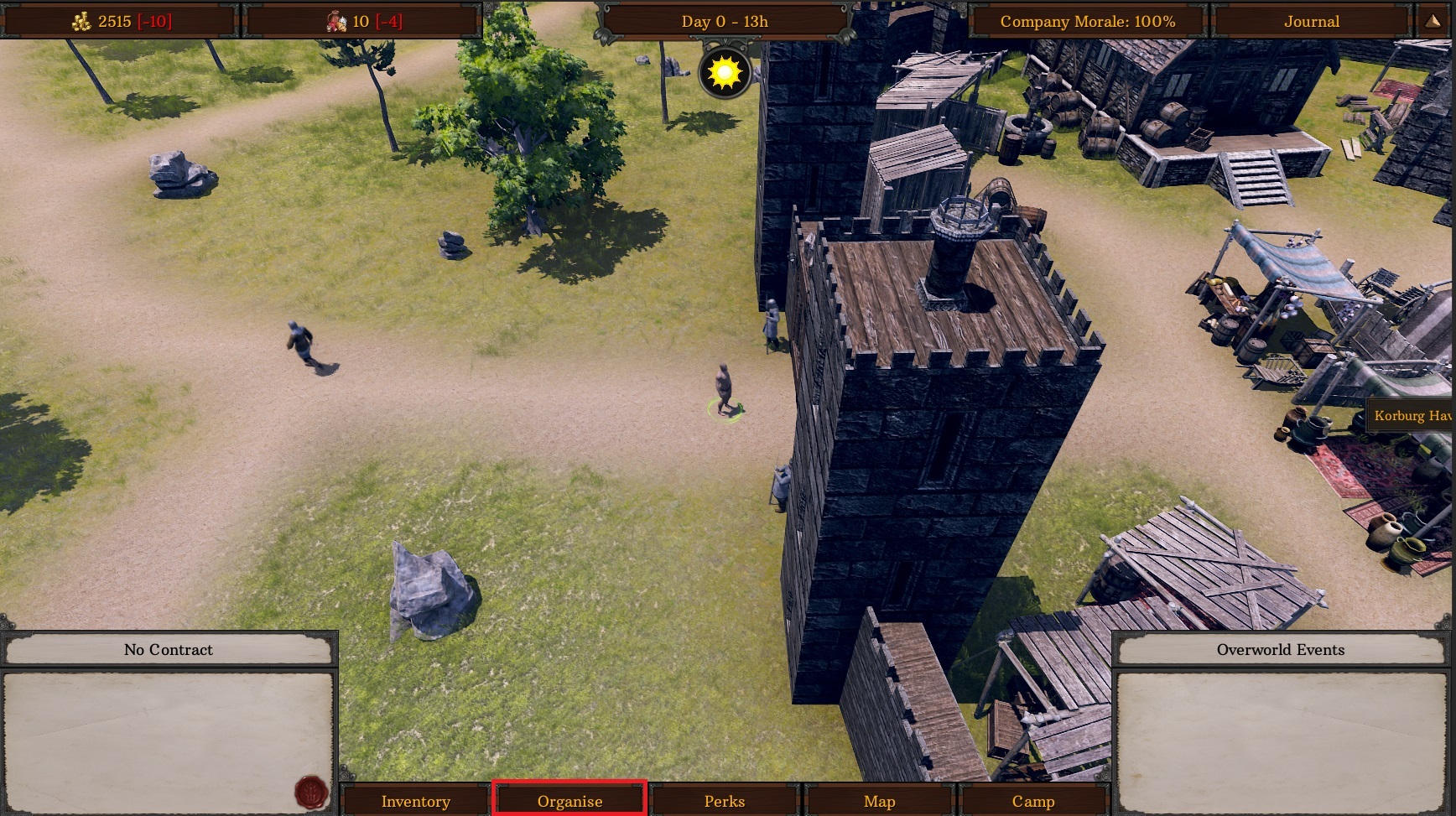
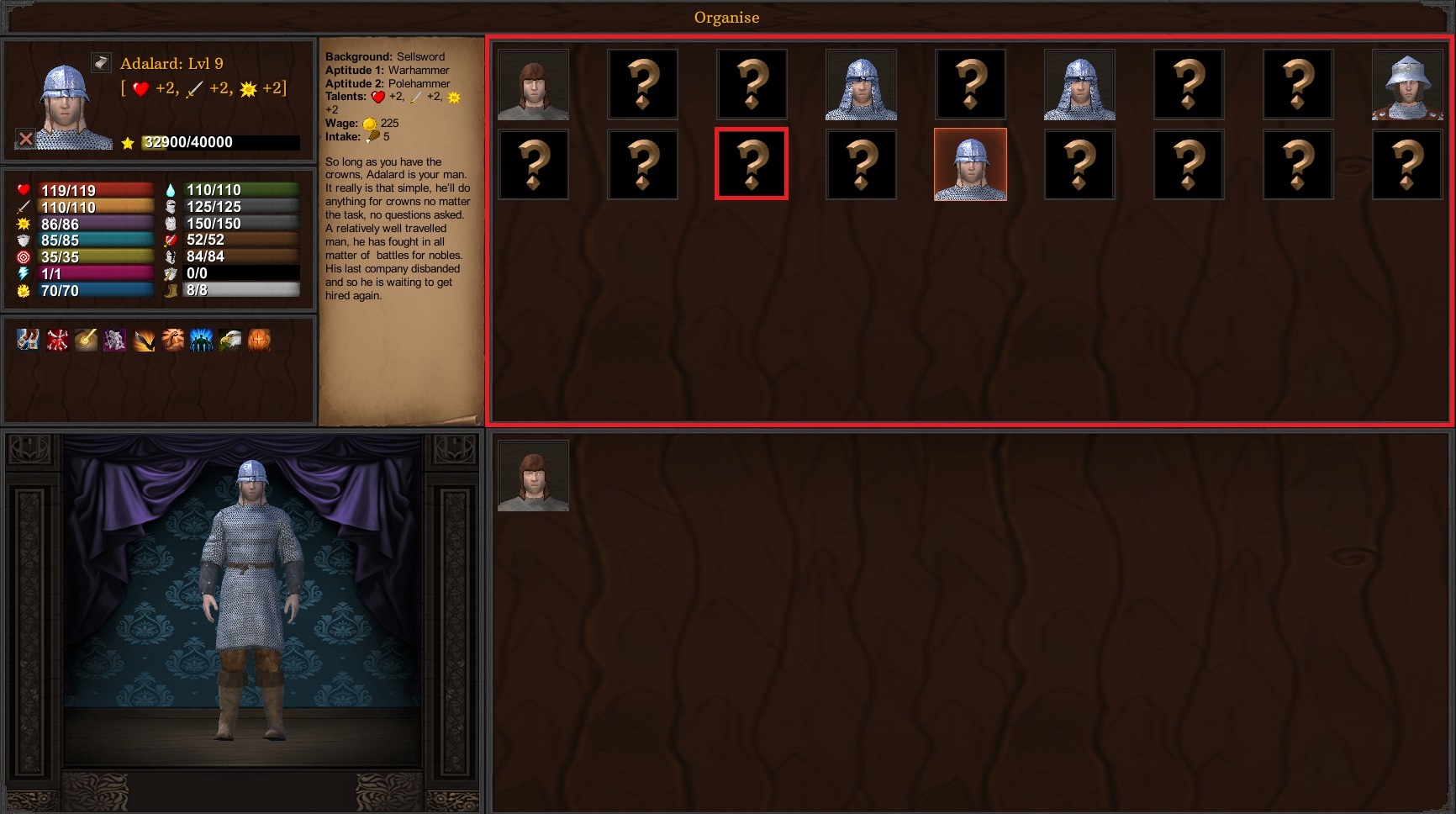
- Within the "Organise" menu, the top box is active and bottom box is reserve, as usual you can drag and drop between the two boxes. The difference is the representation of the active box will match the deployment positions in all battle maps and it also allows for empty positions, meaning the first combatant doesn't always have to be in the top left-hand box. In other words, it is just a literal depiction of the formation. If you want your player captain to spawn in the second line, middle position, then all you need to do is to drag him into the corresponding position within the UI (orange highlighted portrait) and then the player captain will auto deploy in that same position whenever a battle occurs.
- These changes naturally do not reflect in ambush battles, as deployment in ambush battles is not two straight lines.
- I had to manually go through all 250+ battle maps to update their positions in relation to the UI so let me know if you encounter any issues, IE deployment positions not matching up with the UI.
Sorting Keys:
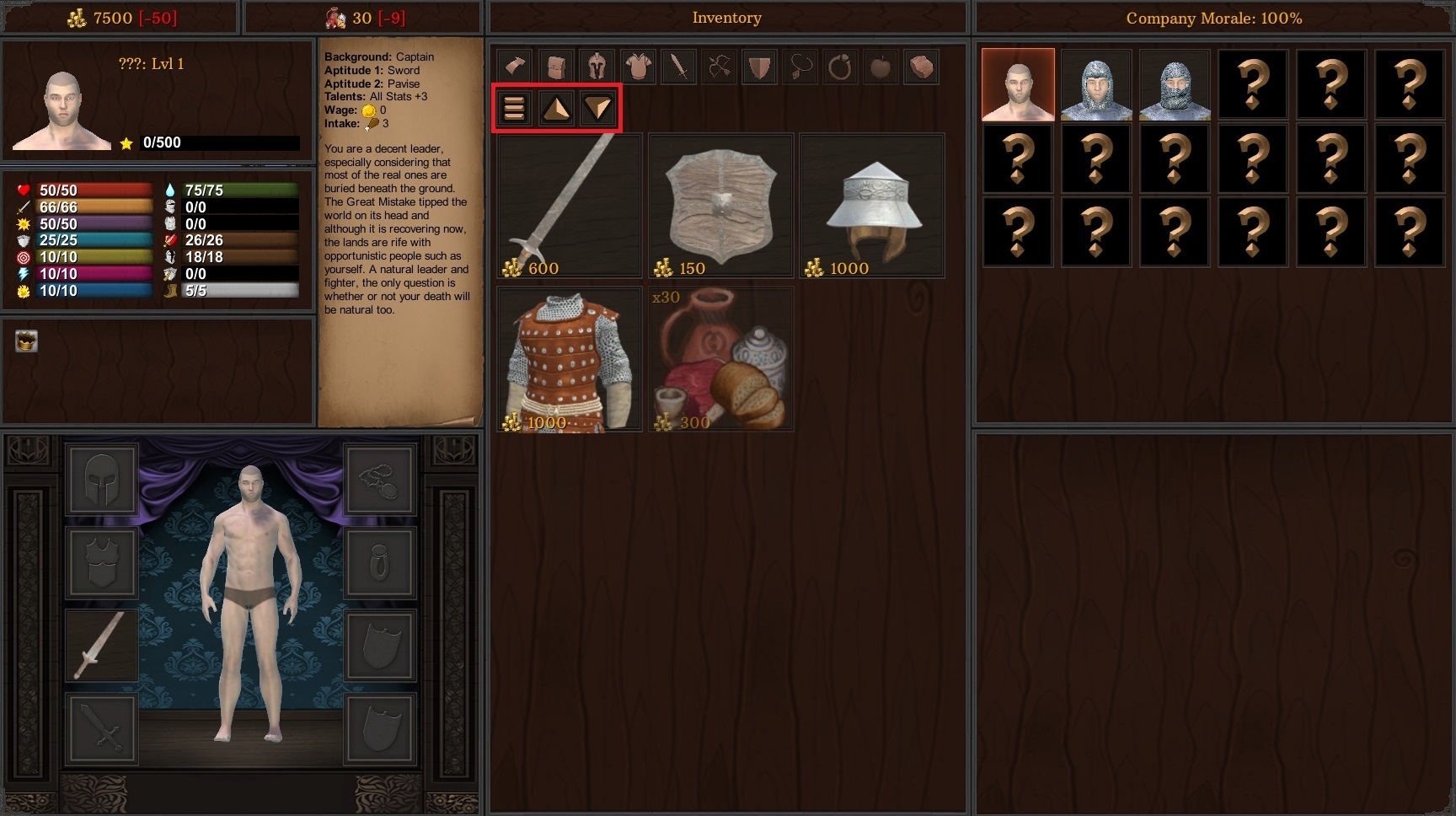
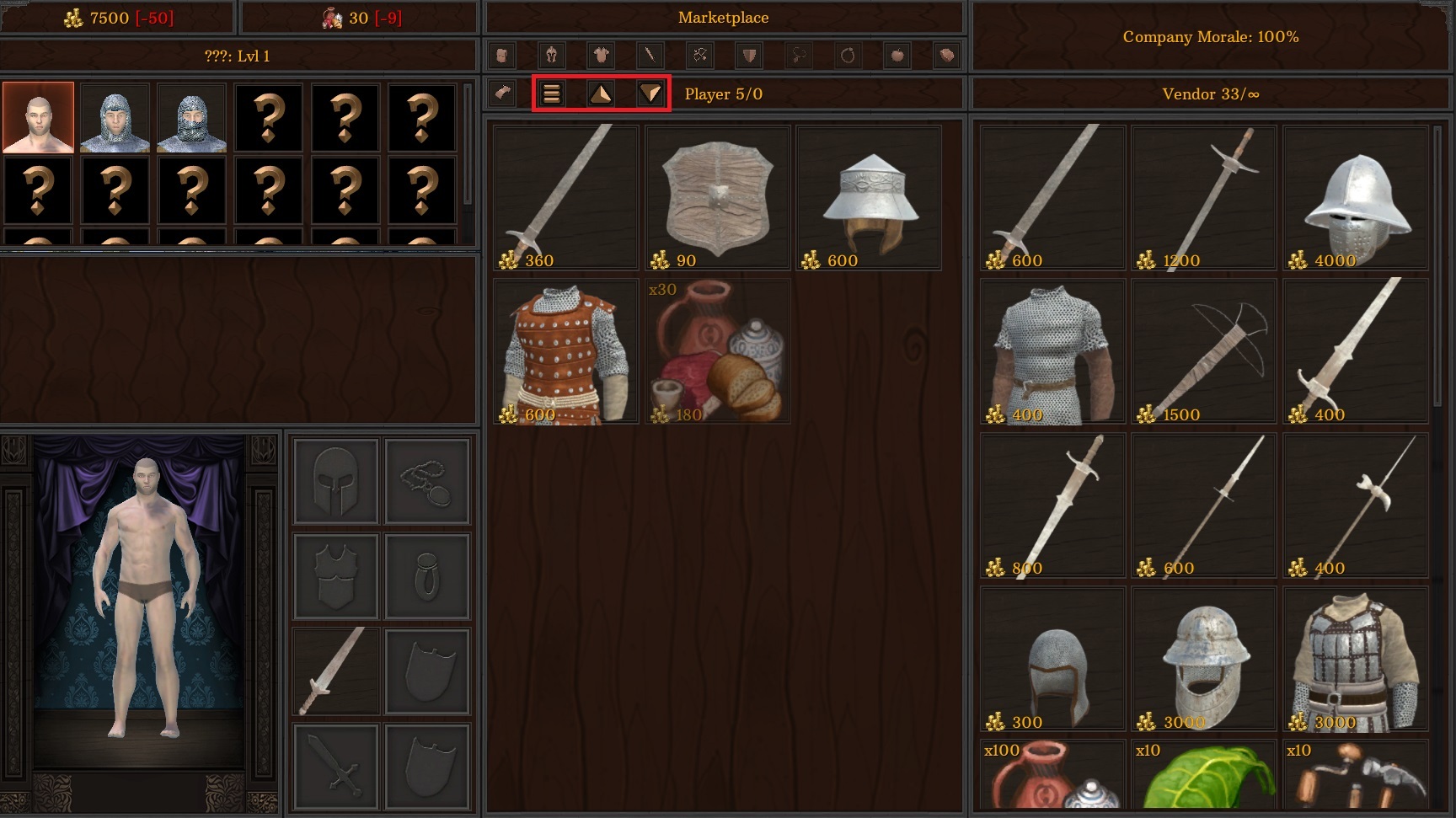
- Sorting keys have been added to Inventory and Marketplace menus. Previously the sorting options were all bound to one key that you would have to click multiple times to cycle through. That was made due to UI limitations however it resulted in the player not knowing what current "sort" filter they were currently on. This has all been reworked now.
- "Quality Filter", there is a separate filter button and it will sort the items from lowest quality to highest. Lowest items at the top so it means selling items will be faster.
- "Lowest Price", there is a separate filter button and it will sort items from lowest price to highest.
- "Highest Price", there is a separate filter button and it will sort items from highest price to lowest.
- The previous sorting button, "curved arrow" icon, will now just sort items in the order that they were added to the inventory, IE the default filter.
Fixes:
1. Fixed the issue of dynamic portraits showing the player's feet when "Faster Movement" is enabled.
2. Sorting of stacked items now takes into account the entire stack value rather than individual price.
3. Fixed the issue of roaming patrols breaking after interacting with the treasure chests that spawn in the overworld maps.
4. Fixed the issue of roaming patrols breaking after completing locations spawned by contracts.
That's it for now, there are still a couple more issues I need to tackle before this will all transition to the live builds. As always, thanks for the support guys.
Cheers,
Kevin.