This patch adds new bot shading options to make bots look more volumetric, a new jetpack fly mode for bots, a time range filter for statistics, and additional bot settings.
Bots Shading:
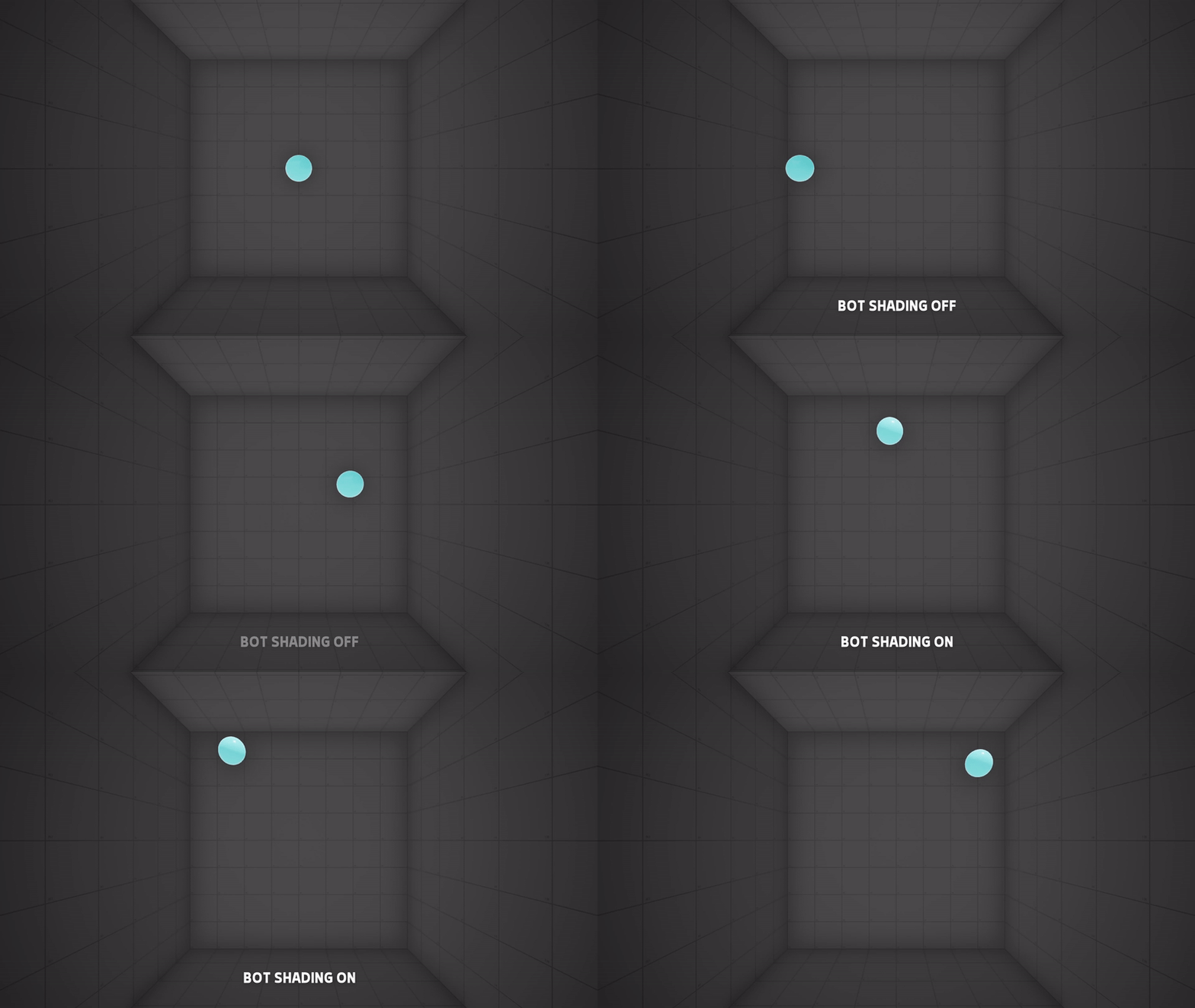
This new feature allows bots to look more volumetric and 3d by adding lighting to their model, which can also help with depth perception. List of the settings included:
- Enable Bot Shading? -> If enabled, bots will receive light and shading, this can help with depth perception and provides more volume to bots models.
- Bot Shading Light Intensity -> The intensity from 0 to 150 of the shading light.
- Bot Shading Light Color -> The color of the shading light.
- Bot Metallic -> Adjusts the metallic of the bot.
*The Bot Shading will be enabled by default with an Intensity of 1.0, but can be disabled in Settings > Graphics.
New Bots Fly Mode - Jetpack:
This new fly system is great when you want to make your bot fly but still be affected by gravity, it works by adding a force over time to the bot. List of the settings included:
- Jetpack Randomize Activation Interval
- Jetpack Activation Interval
- Jetpack Activation Chance
- Jetpack Activate when Grounded -> If enabled, the jetpack will always try to activate when the bot is on the ground.
- Jetpack Randomize Force
- Jetpack Max Speed
- Jetpack Force
- Jetpack Time to Full Force -> The time (in seconds) it takes for the jetpack to go from 0 to Jetpack Force. 0 = Instant full force.
- Jetpack Force Duration (MIN/MAX)
- Jetpack Falling Braking Speed -> The rate at which the jetpack attempts to halt downward motion while active. 0 = No braking.
- Jetpack Min Ceiling Clearance -> If the distance between the Bot and the roof is less than this value, the jetpack will deactivate and reset its interval.
Plus, added these general settings to bots:
- Limit Terminal Velocity -> If enabled, limits the velocity of the bot when falling to the Terminal Velocity value. If the bot exceeds the Terminal Velocity then it will slow down based on the Drag without going lower than the Terminal Velocity.
- Terminal Velocity
- Terminal Velocity Drag
Statistics Filters:
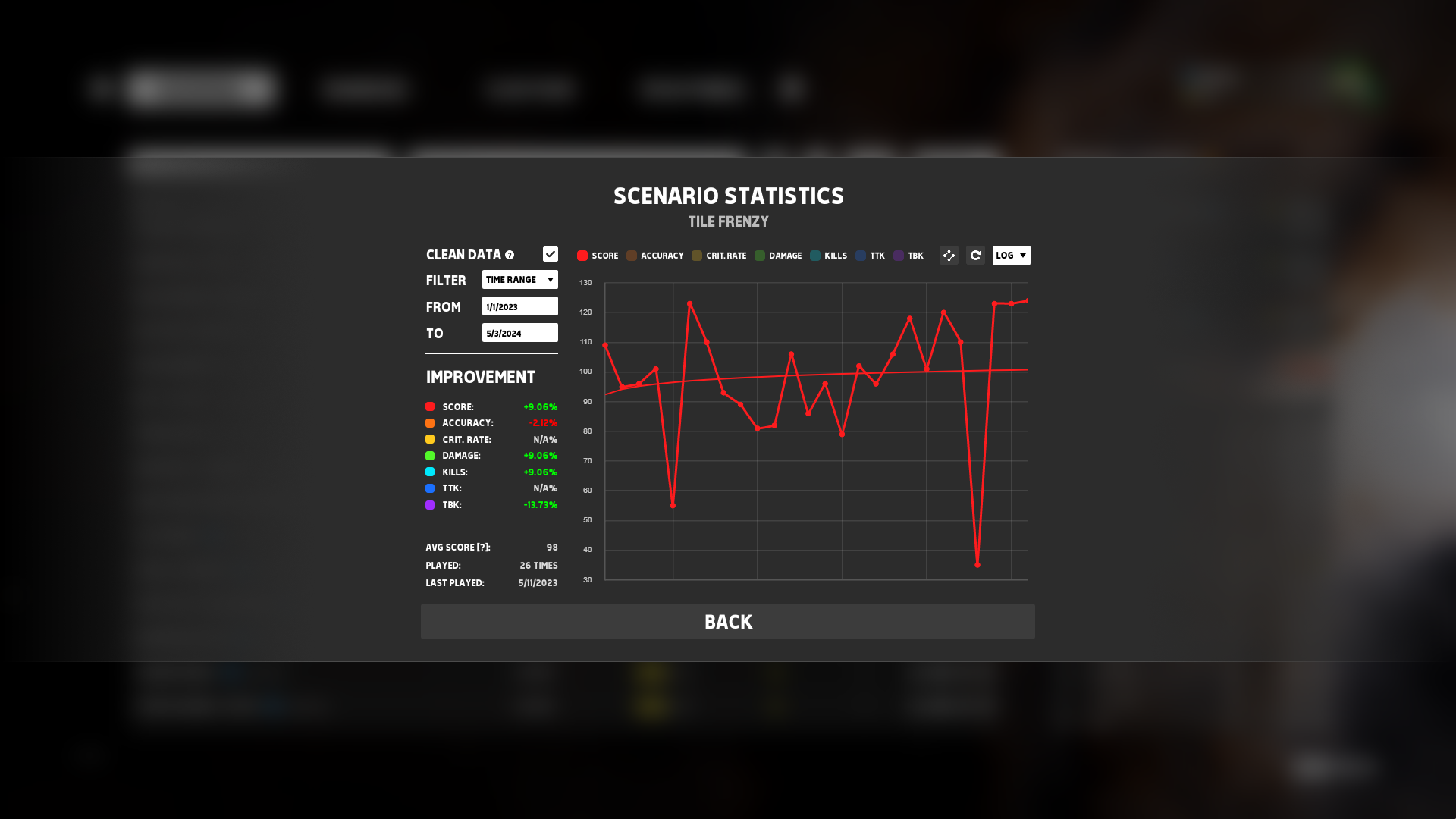
Added the following statistics filters:
- Last 3 Days
- Last 14 Days
- Time Range -> View your statistics within a chosen time range using DD-MM-YYYY dates.
Reworked Bots Debug:
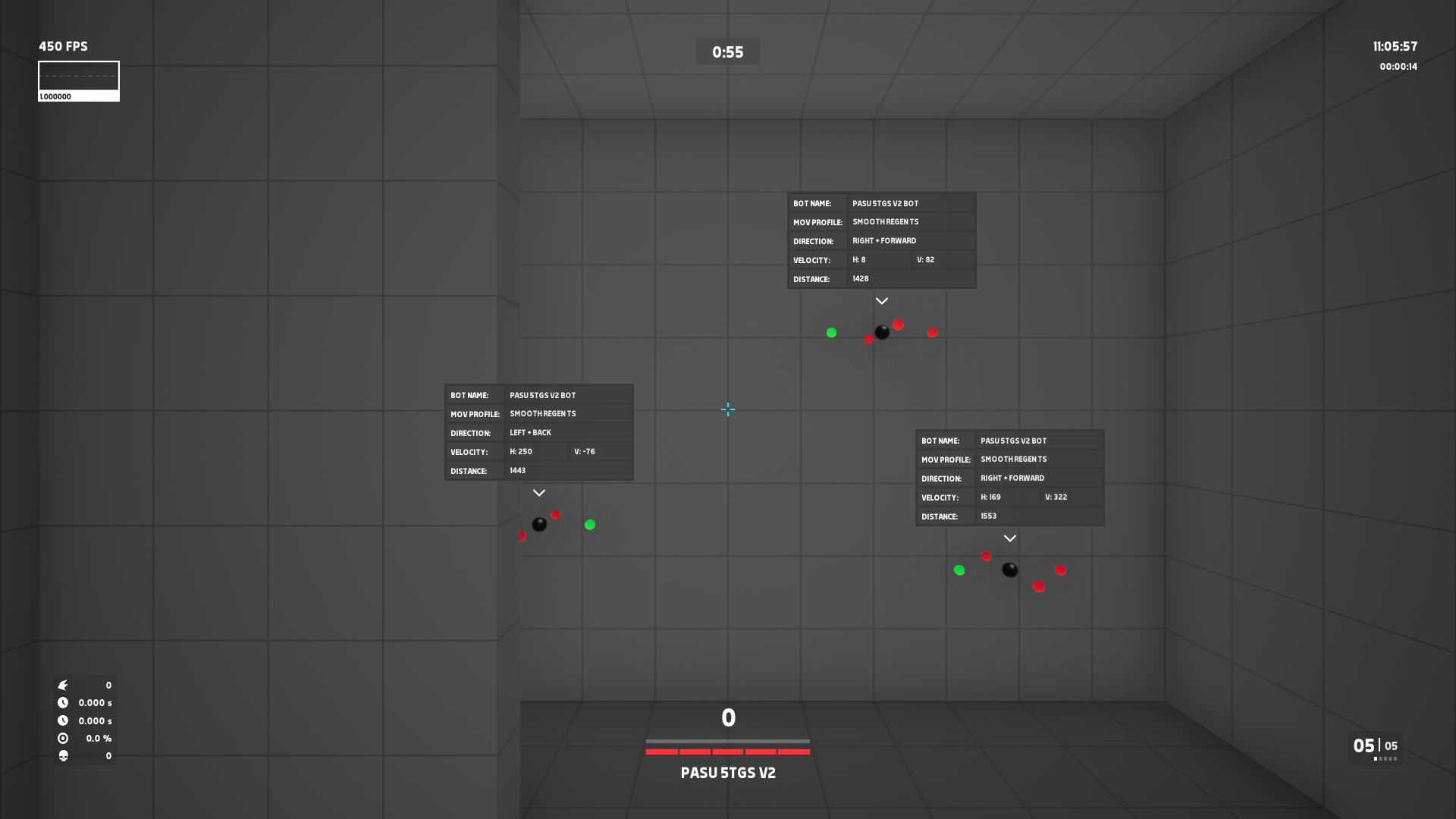
The bots debug view that can be activated with "Alt+8" got fully reworked to improve visibility and with added information to it.
Other Changes:
- Fixed a bug that caused only the last scenario/routine to get downloaded when trying to download multiple ones.
- When favoriting a scenario, it now automatically adds a like, boosting the promotion of scenarios.
- Added the "Restart" button even when completing a routine to restart the current scenario.
- Added "Bot Scale" multiplier when playing in Free Play, multiplies the bot scale by this value.
- Fixed a bug that caused some events not to update the spawn protection when destroying the bot.
- Fixed a rare occasion where the game would freeze while refreshing the scenarios list.
- Added "Verification Guide" button to the scenarios manager to quickly open the scenarios verification guide.
Join our discord to share your feedback and suggestions!
