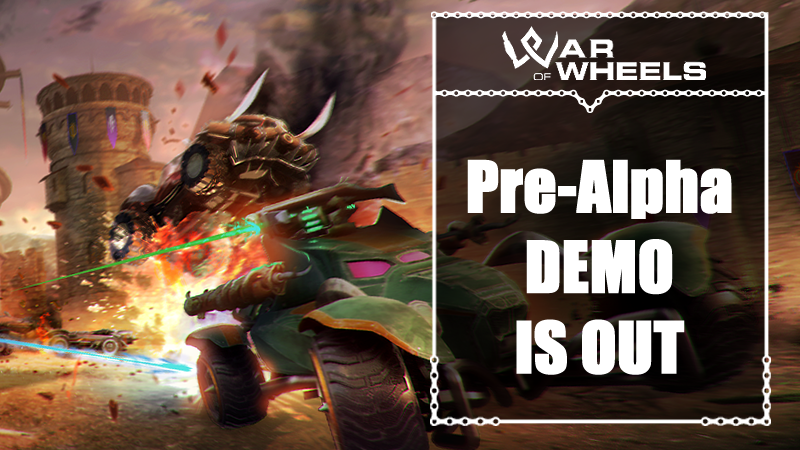
Welcome to the War of Wheels pre-alpha Demo! War of Wheels is a fast-paced car combat game in an original "medievalpunk" setting.
In this demo it is possible to play a "Deathmatch" type game in single player versus facing bots, or in multiplayer mode with up to 8 players (bots will be inserted in the vacant positions).
New arenas and different game modes will be added soon and it will be possible to try a small portion of the Story mode.
START A MATCH
To start a game, select PLAY and choose SINGLE PLAYER DEATHMATCH or MULTIPLAYER DEATHMATCH. By selecting the first option the game will start immediately. By selecting the second one you will enter the Lobby. Even in this state you can continue to customize the car.
When you are ready, you can click on the circle next to the word "NOT READY" to change it to "READY". When all participants are ready, the host can start the game by pressing the START button.
NOTE: at the moment it is not possible to change rooms, you will automatically be assigned to the first free and available one. It is possible to show the information of the room to which you are connected by pressing the "Room Info" debug button. However, it is possible to change the region of the room by pressing the "Change Region" debug button and selecting a new region.
CUSTOMIZE THE CAR
It is possible to select one of the available classes by pressing the GARAGE button from the top menu and clicking on the class icon. By selecting the CUSTOMIZE button it will be possible to change the weapons from the FUNCTIONS panel and the appearance from the COSMETICS panel. Each time a change is made, press SAVE to save the current configuration.
At any time you can press SHIFT + Right/Left Arrow to rotate the car (Xbox Controller: Press Right Analog Stick + Right/Left Arrow).
It is possible to add a custom decoration by clicking on "Custom" in the COSMETICS panel, choosing the decoration and placing it on the car. In positioning mode you can rotate the car by pressing Right/Left Arrow (Xbox Controller: Right/Left Arrow).
By clicking on the equipped decoration icon again you can remove it.
THE CLASSES
The currently playable classes are the Knight and the Ranger.
- Knight: Balanced class, prefers close combat. His passive ability allows him to inflict massive damage on enemies when he strikes with his weapon of choice, spears, at high speeds (the spears begin to glow and leave a trail). His active ability allows him to protect himself, negating damage for a short period of time.
- Ranger: Balanced class, prefers ranged combat. His passive ability makes him immune to traps. His active ability allows him to heal himself instantly.
NOTE: during combat it is possible to slash with a melee weapon by pressing the button corresponding to the weapon. If the button is held down, the weapon will be drawn and ready and will inflict damage when it comes into contact with an enemy. When a weapon is drawn you cannot attack with other weapons.
CHANGE THE OPTIONS
It is possible to change the graphic settings to better adapt the game to the PC in use (normal quality by default).
NOTE: It is currently not possible to change key assignments in the INPUT section.
IN-GAME CONTROLS
Using the controller is recommended for playing. The gamepad is currently not fully supported for menu navigation.
KEYBOARD
WASD: Move the car.
Left Mouse Button: Use Weapon 1
Middle Mouse Button: Use Weapon 2
Right Mouse Button: Use Weapon 3
Space: Handbrake
Left Shift: Use turbo (Feature in progress, not tested!)
Left CTRL: Use the Class's Primary Skill
Tab: Player Ranking
ESC: Open the pause menu
Debug Buttons:
J: UI toggle
K: Music toggle
L: SFX toggle
P: Self-destruction.
Have fun!