Lots of changes in this new update! The main one is of course the Timeline, but there's more cool stuff being added too:

Fluid Collisions
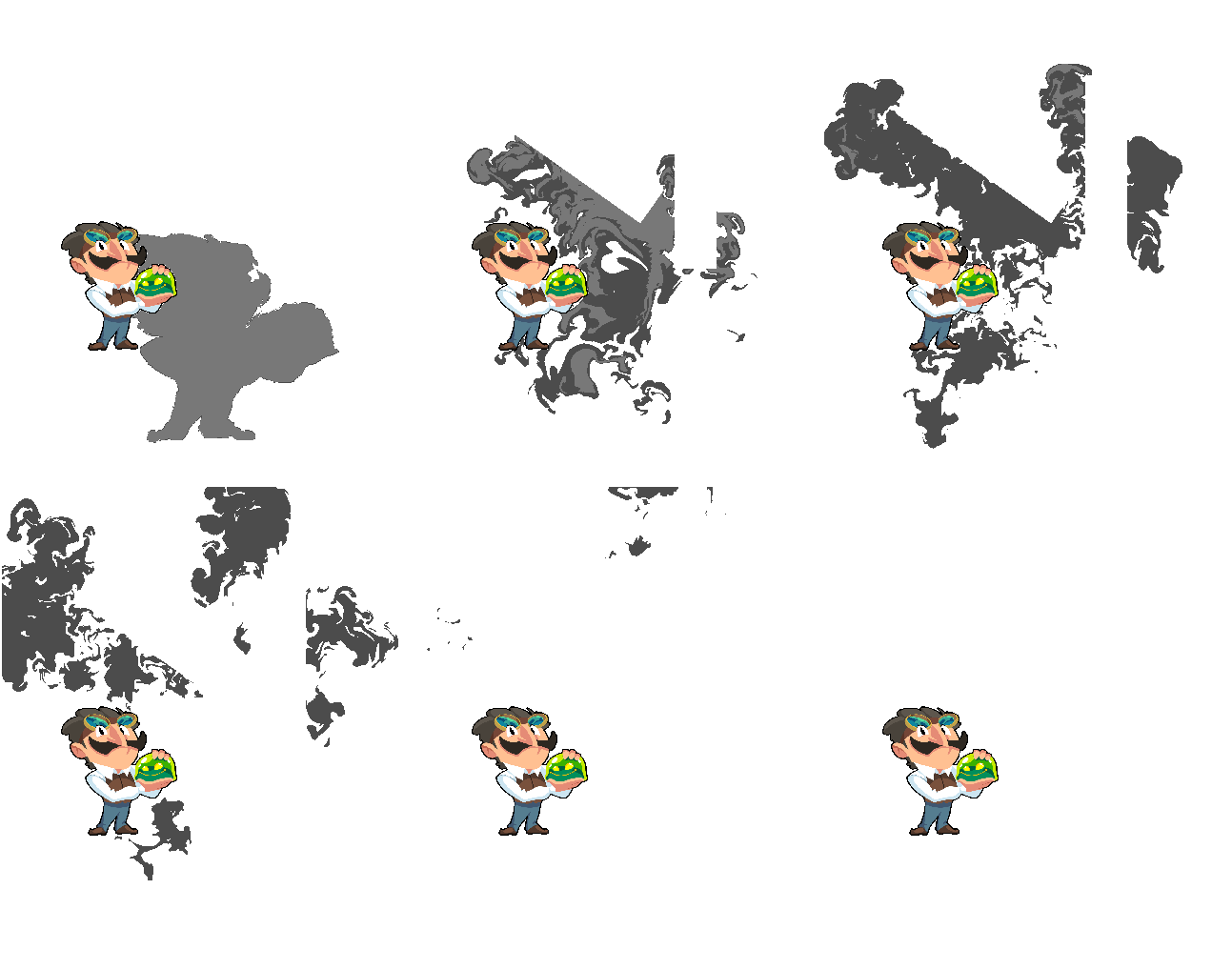
Images and shapes now have a "Solid" checkbox that make them solid for different elements (only fluids for now, more to come).
New Inspector and Layout
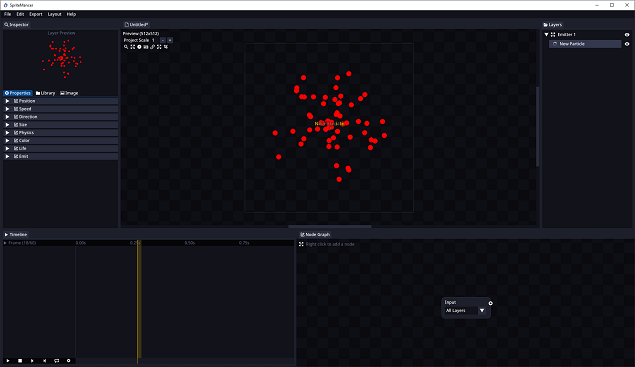
The new layout makes everything more accesible, and the new inspector allows for better control of the element properties and has a nice layer preview included now.
Lots of quality of life changes
SpriteMancer can now be selected as the default app to open .smp files for easier access. JPG support has been added for images, PNG support has been added for palettes, 3D Models materials can now be manually loaded, Integers can now be linked in the Node Graph, added an option to export a single frame, etc.

The timeline section has been added to SpriteMancer. This changes how SpriteMancer works at its core, but you might be happy to hear that you can ignore the timeline section entirely and SpriteMancer will still work as you are used to.
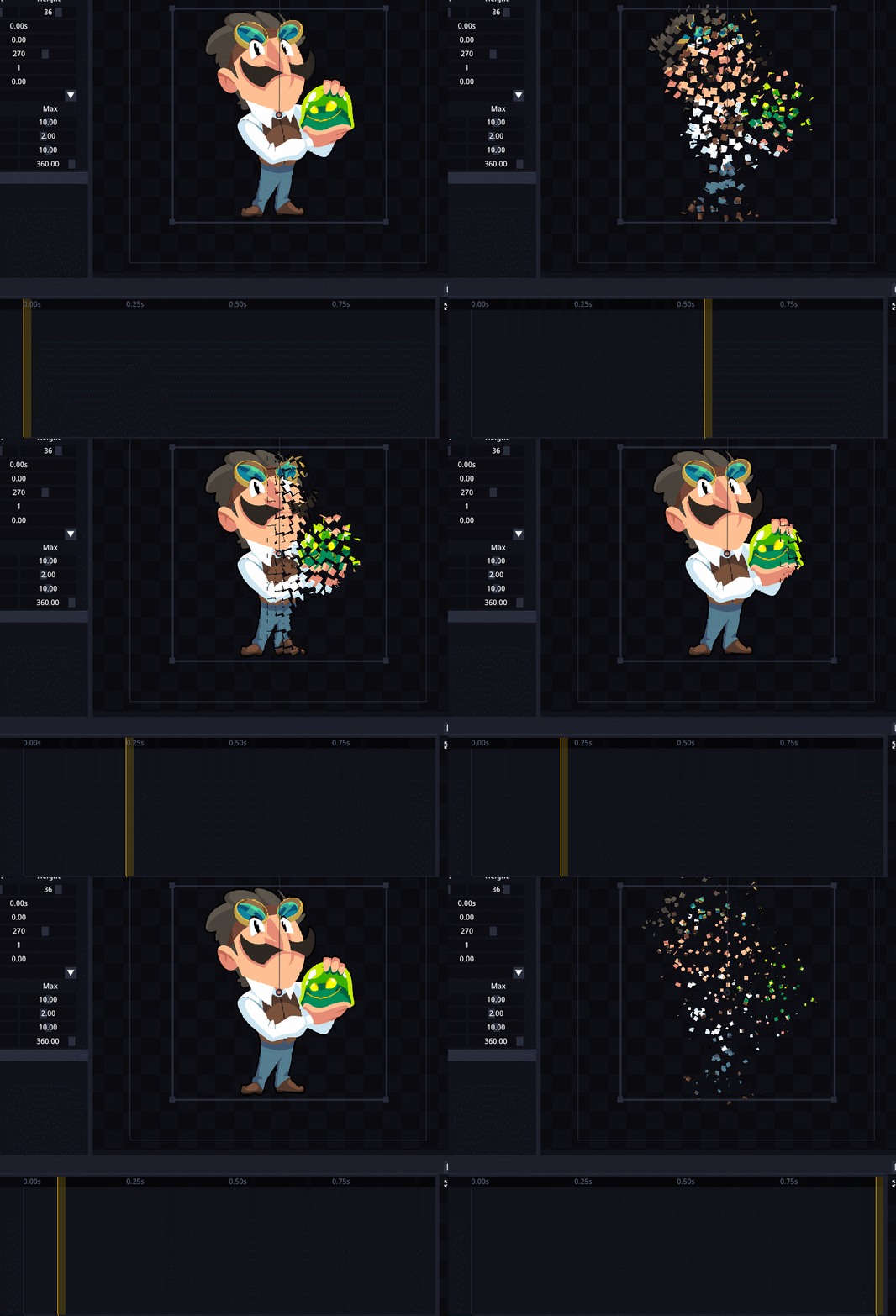
The timeline allows more granular control over all the elements as they can now be modified over time by using keyframes. You can link any value that has a key icon next to it by clicking it, that means that the value is now being tracked and will add a keyframe for that value in the timeline. You can add more keyframes by moving the position of the timeline and changing the values that are being tracked. The timeline then will interpolate values between keyframes, taking into consideration seamless looping when possible.
SpriteMancer's documentation will be updated in the following days to reflect all the changes made and to include the new timeline and other features.

- Added "Timeline" section.
- Added fluid collision masks.
- Images now have a "solid" property to work with Fluid collision masks. (And particles, other images in the future).
- Layer preview in inspector
- Projects can now be opened by selecting SpriteMancer as the app to open them.
- Projects can now be opened by drag and dropping them into SpriteMancer .exe file.
- Added path location for .obj/.mtl files in the 3D Model inspector.
- Added an option to manually load the material (.mtl) file of a 3D Model.
- Added PNG support for palettes.
- Added JPG support for loading images.
- Added an option in preferences to use tabs for "Node Graph" and "Timeline".
- Added an option to export a single frame.
- Added "Voronoi" Node.
- Added "Erode" Node.
- Added "Color Mask" Node.
- Added "Jumble" Node.
- Added "Lens Blur/Bokeh" Node.
- Added more color presets.
- Added option to enable/disable adding frame size to the file name for spritesheets.

- Exporting was moved to the main menu.
- Removed "Render" section.
- Particle position is now shown in the inspector.
- Smear FX now loops.
- Integers can now be linked in the node graph by modifying nodes.
- Added antialias to node graph elements that were missing it.
- Reduced application size by around 25%.
- 3D Model inspector was reorganized.
- Added build version in the main menu for easier access.

- Preview section opacity has been fixed.
- Layer visibility can no longer be edited when a modal is open.
- Shapes are now included in the undo/redo system.
- Fluids fade out looking weird has been fixed.
- Pressing "Delete Image" with no image in a Fluid element no longer crashes the app.
- Reseting layout now centers the preview and node graph.
- Preview and node graph are now centered when the app is open.
- Transform boxes are now properly aligned.
- Transform boxes cannot be selected behind other sections anymore.
- Editing an image through their transform box no longer affect other images if "Show all images transform boxes" is enabled.
- Icons in the preview section cannot be used if they are behind the layer.
- 3D Model animation slider headers are now properly highlighted.
- Fluid simulation box is now properly updated after resizing the canvas.
- Fixed a bug that made exporting skip one frame.
- Fixed a bug that randomly tinted layers.
- Fixed a bug that would tint layers when enabling some options in the preview section.
- Fixed a bug that would perform "Save" when using the "Save Us" command shortcut.
- Fixed a bug that would prevent texture filtering from being reset when using fluids.
- Elements can no longer be moved in the preview section if they are occluded.
- Elements can no longer be moved in the preview section if there's a modal open.