Updated battle editor UI layout
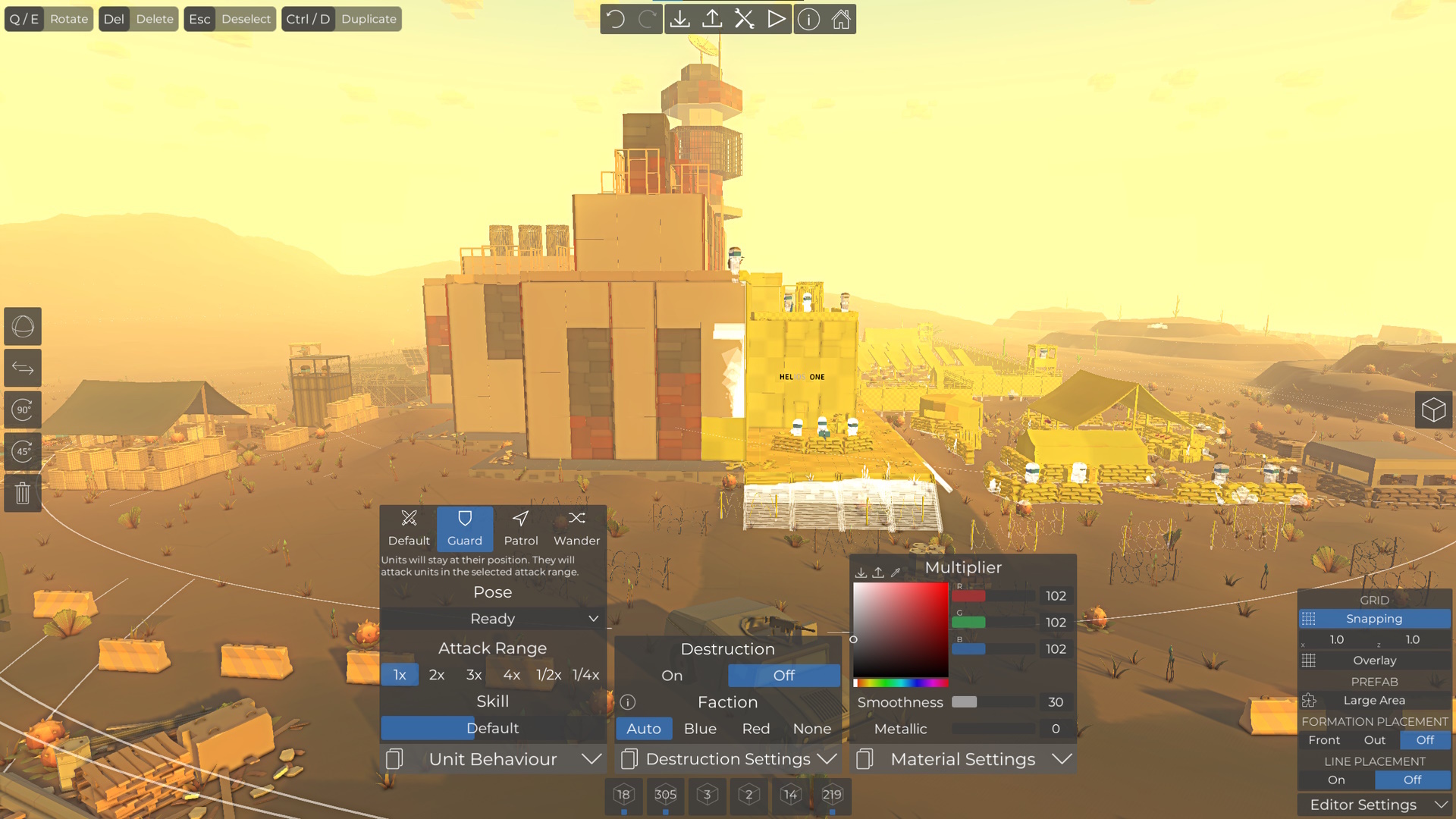
The battle editor layout has been reworked to declutter the toolbar at the top, to which more and more buttons have been added over time. While it takes a moment to adapt to these changes, you will get used to them very quickly.
- The play, load/save and workshop buttons remain at the top, alongside with the newly added undo/redo buttons
- Battle/environment/scripting/... are now displayed as larger buttons on the left
- Formation/line placement and the new grid settings are now in the bottom right corner
- Selected object settings are now aligned at the bottom of the screen and can be toggled on/off
- The placement list remains where it used to be
Improved UI elements
In addition to the layout changes, some of the UI elements have been changed as well, to make them more user-friendly. For instance, switches with many options have been replaced with dropdowns to require fewer clicks to select the desired option.
And there are many other small changes to the style of some elements and UI throughout the battle editor.
Undo/redo
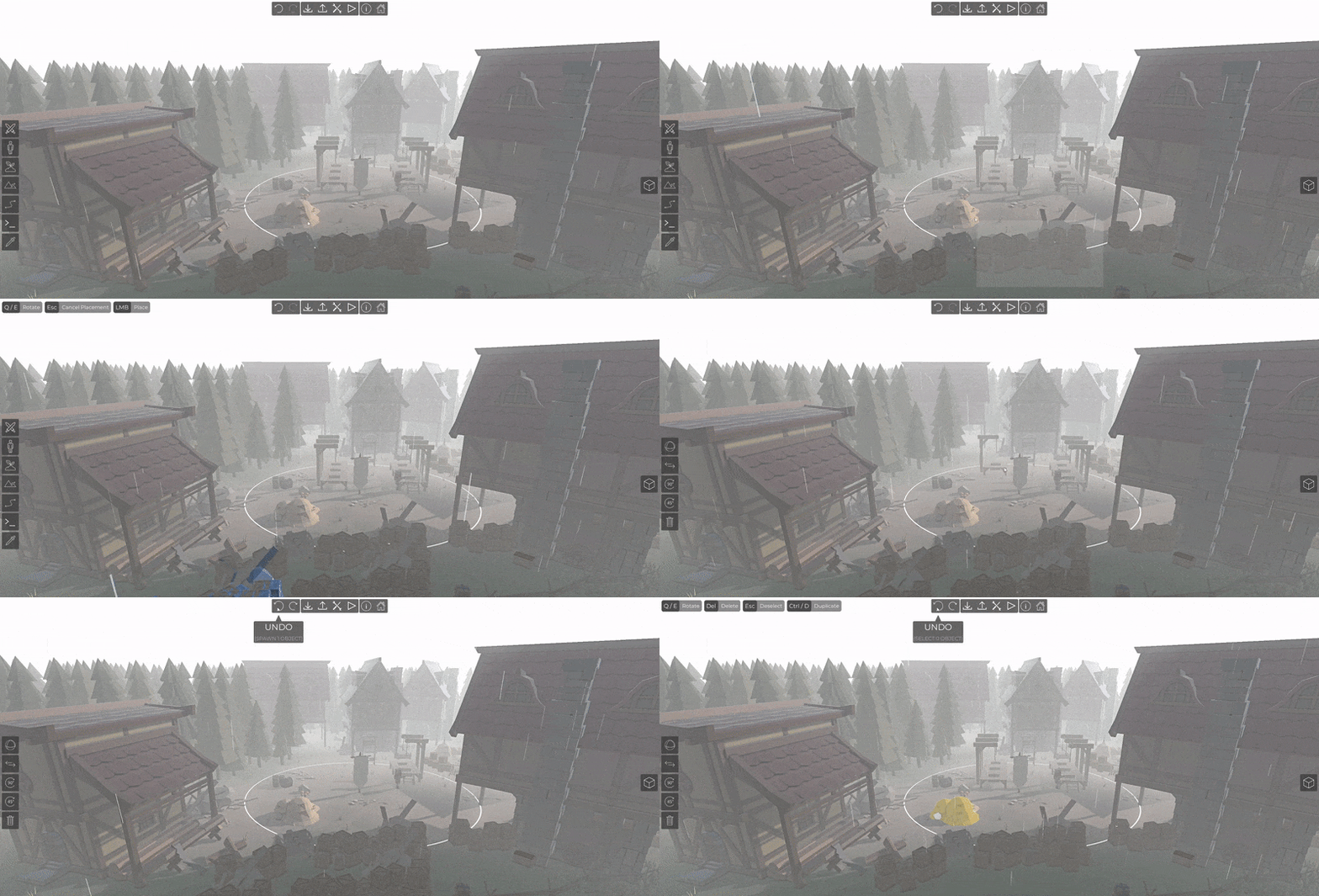
Undo and redo buttons have been added to the battle editor. This is the first iteration of this feature and it's planned to expand it to more areas of the battle editor (like object settings and terrain changes). In this update, the following actions can be undone and redone:
- Selection
- Placement
- Faction swap & deletion
- Transform/rotate handle
- Selected rotation with Q/E
You can also use Ctrl+Z/Y or other keys if you rebind them in the settings
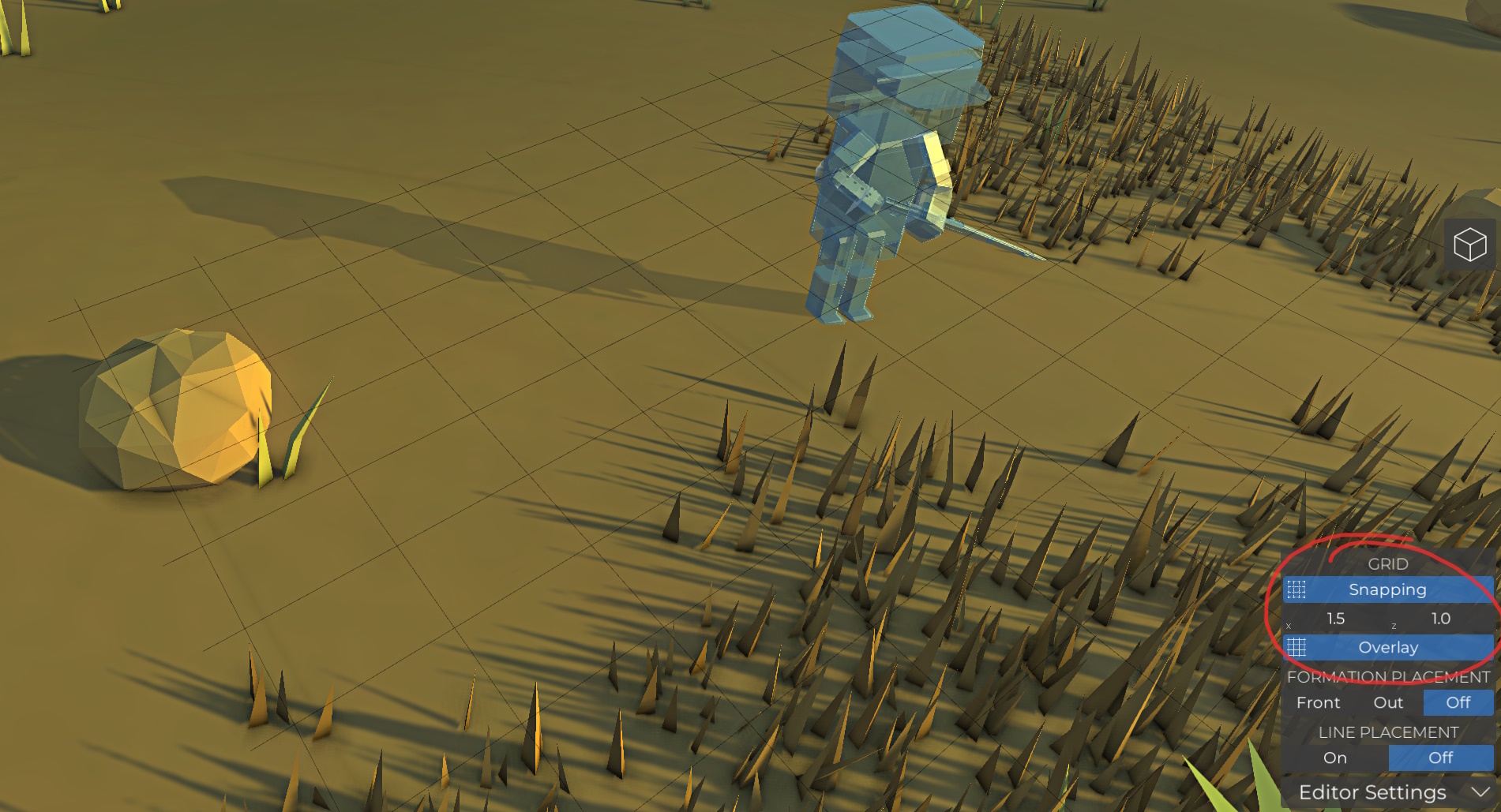
Improved grid snapping
The grid snapping size can now be adjusted.
Steam workshop improvements
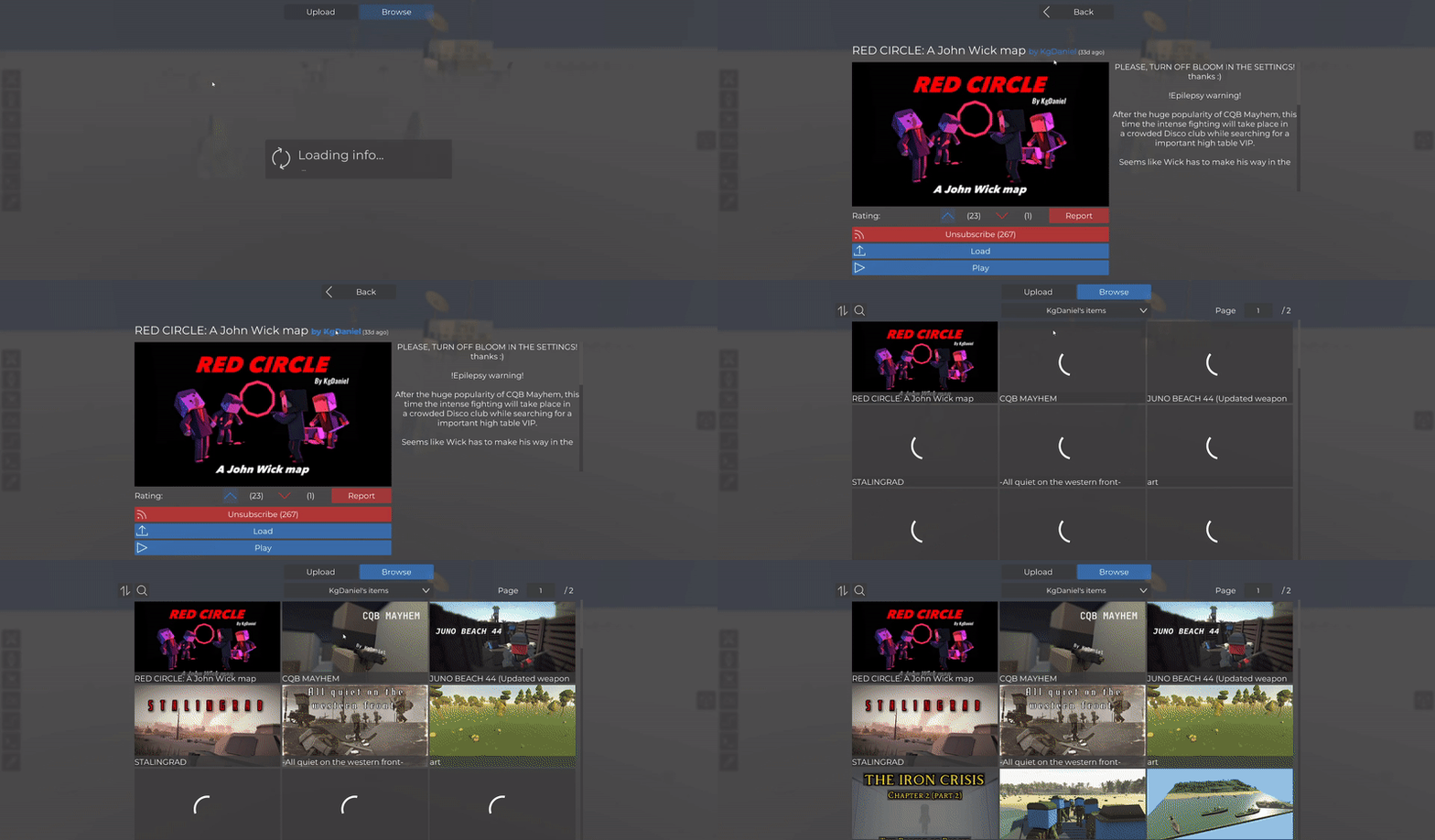
The whole workshop control has been rewritten and the UI has been adjusted. These changes apply to the battle, prefab and unit workshop UI and you should notice that everything looks a bit cleaner and works more reliable while showing more accurate information.
You can also click on the author name of workshop items to display all items of the user and the search text now works with different sort options.
Mirrored custom arm/leg plates
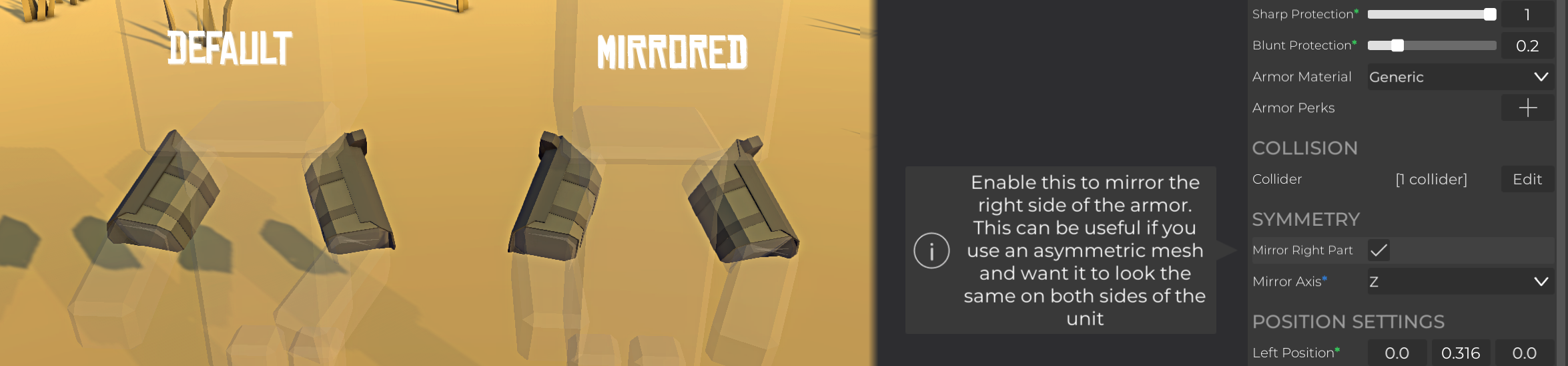
Custom arm/leg plates do now have an option to mirror the right part. This is useful when you have an asymmetric mesh and want it to look the same on both arms/legs.
Scripting improvements
- ActivateHUDPartial can be used to show/hide individual vanilla HUD elements
- GetId to get the equipment id from an equipment reference
- Nodes for custom items can now load subscribed workshop content or any custom item that is currently loaded in the map
Bug fixes
- Fixed invisible units causing rendering problems on some AMD GPU drivers
- Fixed that dog cages would not release their dogs and could not be targeted correctly
- Fixed that the player's legs would clip through clothing while crouching
- Fixed a bug that caused the bolt rifle animation to break when spamming reload after shooting
- Fixed guard idle pose animation looping
- Fixed that spider droids and some grenade units could not be selected in scripting nodes
- Fixed that static objects could be placed on dynamic boats
- Fixed that testing units could not be damaged with melee weapons in the arsenal
New quick play bundle
A new quick play bundle is available in the main menu which features some of the best recent maps, so make sure to check it out!