Tactile World
One of the key philosophies of Deadstick is the focus on being the pilot not the aeroplane. To this end, we have tried to capture as many of the processes that a pilot would go through and faithfully replicate them in-game.
Some of these features we have demonstrated previously, however we have since identified a few areas in which we felt we could go even further to enhance the experience within Deadstick. Some of these items are highlighted below.
Briefing Rooms
One of the key elements of Deadstick we have yet to reveal to the public is the map screen and job planner. Its development has been very fluid with constant iteration as we work to make it as user-friendly and intuitive as possible. As such, it has never quite been at a point where it has been representative enough of the final version to show it off (one for a future update)!
One big lesson from this process however, was the discovery that we were making life far too easy for the player. From the map screen, players had constant access to weather information (TAFs/METARs) and airfield information (NOTAMs). Any jobs that were available would be displayed on the map screen and could be selected at any time.
A key part of good airmanship is gathering relevant information for a planned route and using that information to safely conduct a flight. By providing constant access to this information at the press of a button, we were robbing the player of the opportunity to gather this information in a realistic manner – and so, we decided to make things more difficult!
All weather (TAFs, METARs) and notices (NOTAMs) must now be gathered by the player by visiting an airfield’s briefing room, walking in, and using the briefing computer. Any information obtained will then update the map screen and can be used for planning. As in the real world however, that information is only relevant at the time you retrieved it and will quickly go out of date. It is therefore important to factor these briefing room visits into your daily flights to have a good idea of the forecast and/or temporary airspace restrictions that might be active that day. To complicate matters further however, as in the real world, not all airfields have such facilities and, as such, the player will need to carefully plan their flights to make sure they don’t find themselves in unforecast weather/temporary airspace!
Cell Phone
In much the same way that weather and NOTAMs must be obtained manually via the briefing rooms, we wanted the manner in which the player obtains jobs to be done in a similarly physical fashion and so it was only natural that we equip the player with a cell phone. This is your central device for communication within the game.
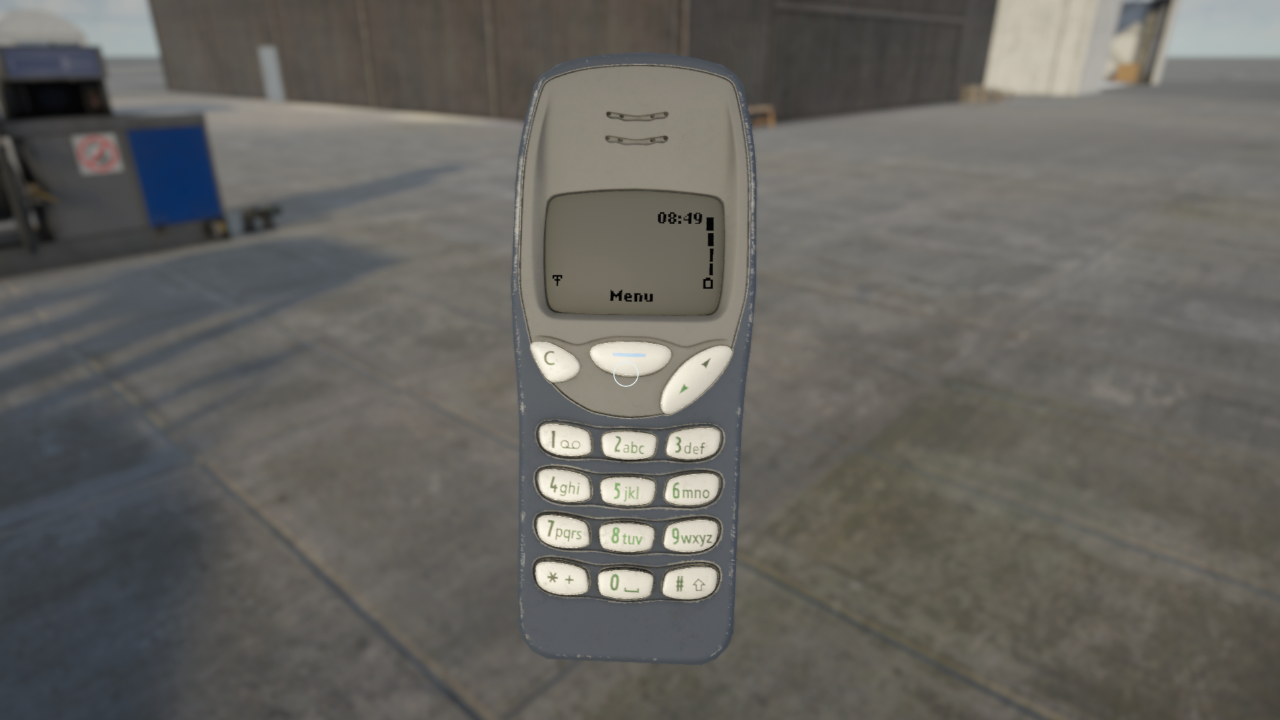
Should you start to get a reputation as a safe and successful Bush Pilot within Deadstick, you will likely start to get text messages with job requests from which you can choose to accept or ignore. Everything you do in Deadstick will have some influence on your reputation and, as such, you must manage it carefully should you wish to grow your bush flying empire. Don’t worry though - if you ruin your reputation in one location you can always fly elsewhere and hope to start afresh. A word of warning though - the extent of damage to your reputation caused by a particular 'event' will also determine how badly that ripples through to other airports and may therefore have implications on your job offers elsewhere. If you’re going to crash - best to do it where no one will see you - although it may then be a long walk home!
With that in mind airport facilities can also be contacted via text messages including salvage companies, should you find yourself stranded out in the bush with a broken aircraft.
Be careful however, as much like the VHF radio simulation, we also simulate cell phone coverage and reception. If you’re in an area of little to no coverage, you may just find yourself walking around on foot searching for signal before you can make that important rescue call. Yes, you can text and fly. However, we don’t recommend it!
Refueling
Managing weight, balance and fuel loads are key elements to performing a successful flight and, as such, we felt it important to improve upon our previous proximity based fueling mechanic with players instead being able to physically refuel the aircraft manually. It is now possible to taxi up to the pumps, remove the fuel hose and manually refuel the aircraft with the hose physics correctly simulated. A small detail that goes a long way to creating a believable and physical world.
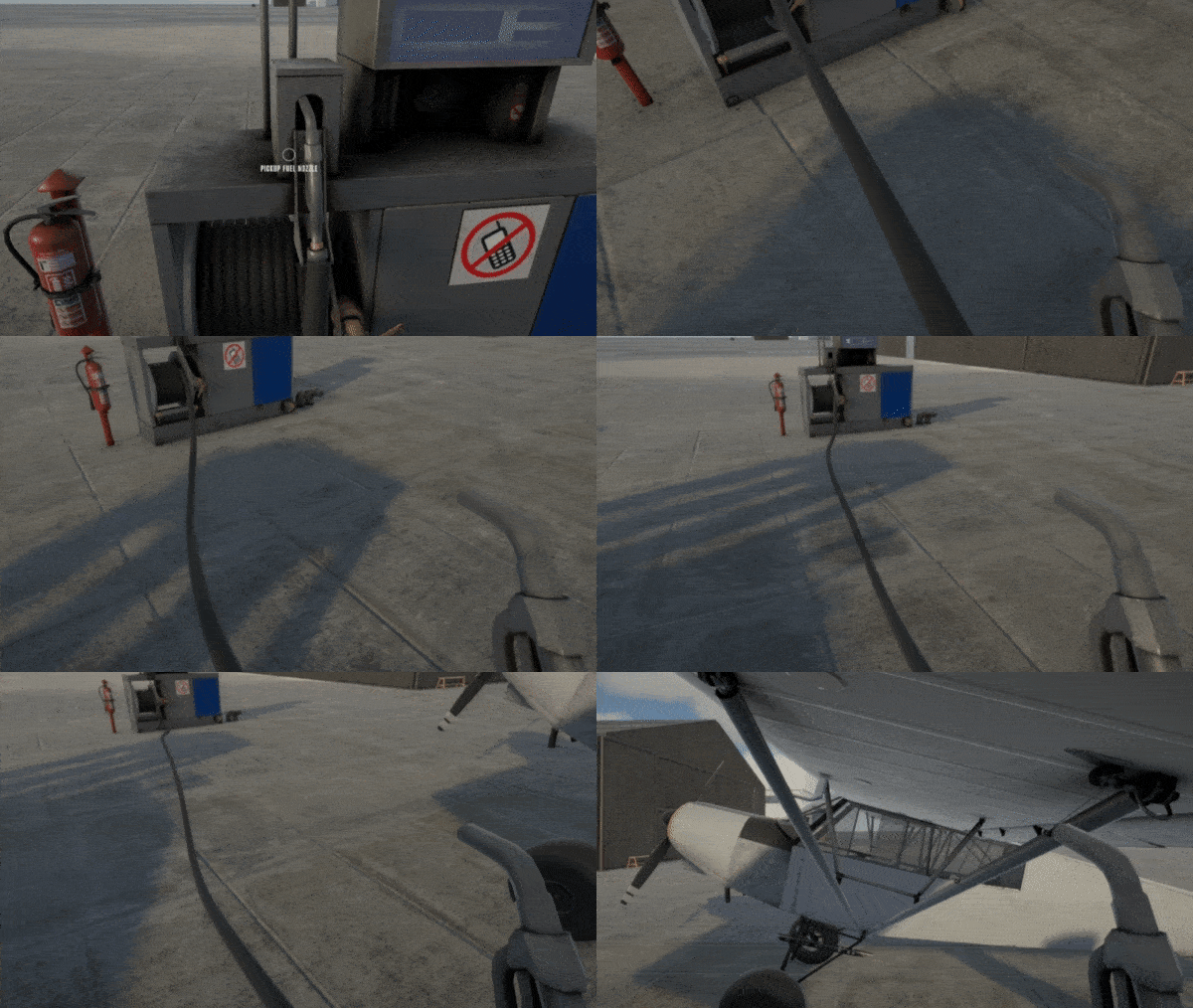
You’ll have to pay for this however, using your hard earned cash, so be sure not to overfill the aircraft and limit your cargo carrying capability should you not need to!
Checklists/Walk Around
One of the goals with Deadstick is to provide purpose to people’s flying, by gamifying the bush flying experience without compromising on the simulation aspects where important (such as the flight model). It was therefore important to us to design an initial aircraft that is forgiving and simple enough for a newcomer to fly, whilst being accurate and faithful enough to the real world inspiration that experienced pilots and simmers can push it to the limit.
Whilst we are happy we have such an aircraft, one thing has continued to foil people not familiar with the type – the Master Switch location! We saw this as a great opportunity to think about and develop our walk around and checklist system. Checklists can now be pulled out and flicked through in the same tactile manner as our other interactions, providing clear and concise instruction to the pilot when performing external walk arounds, pre-flight checks, power checks, etc. For each item, it is also possible to click on a given action and have it highlight the relevant object on the aircraft for your attention – No more searching for the Master Switch!
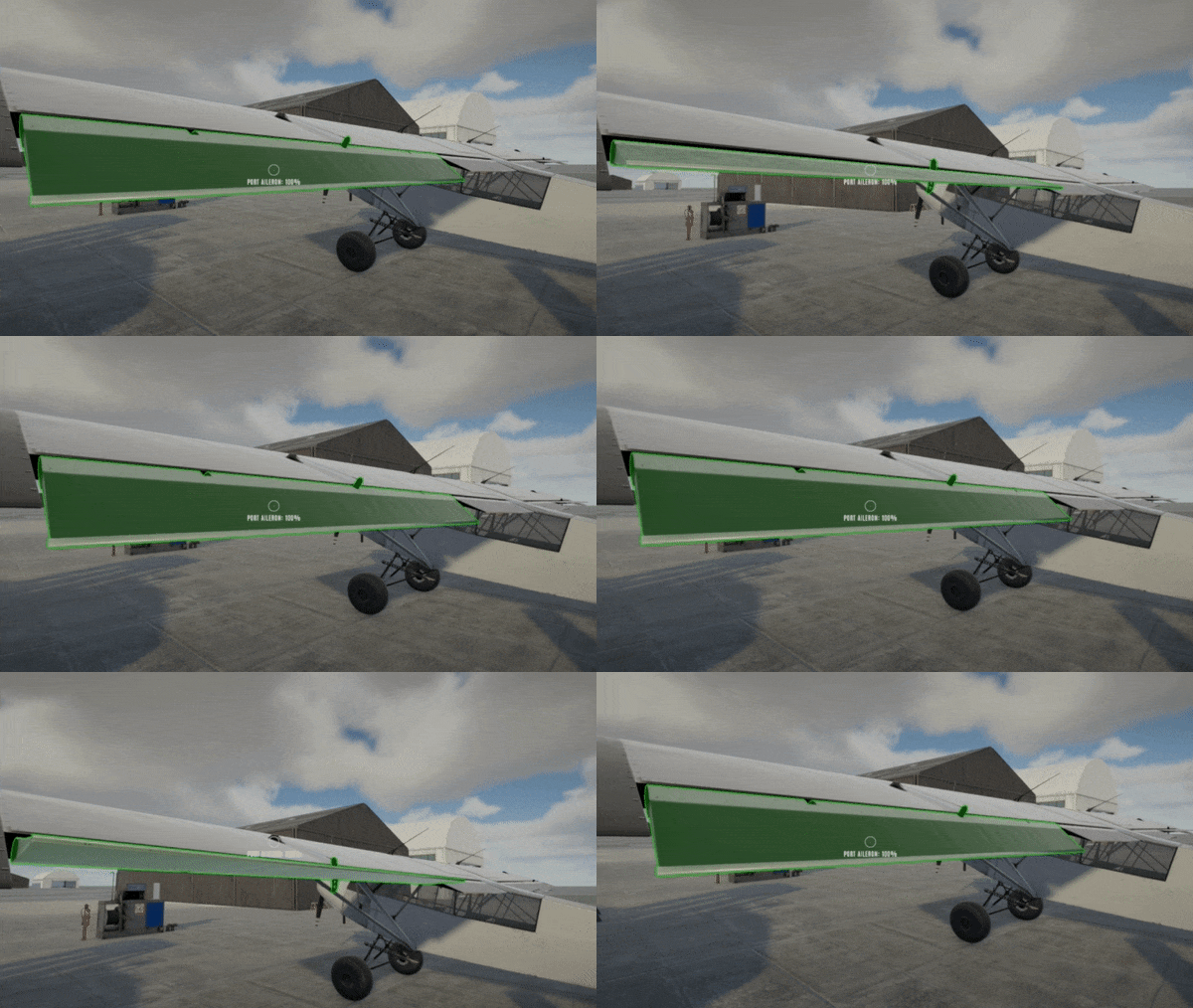
Checklist usage is not mandatory and, similarly, does not force the exact sequence of events to be followed accurately. In the real world, it is possible to skip checklists or read off items out of habit vs properly checking the item leading to mistakes. These all play into the human factors element we see as key to the challenge of Deadstick.
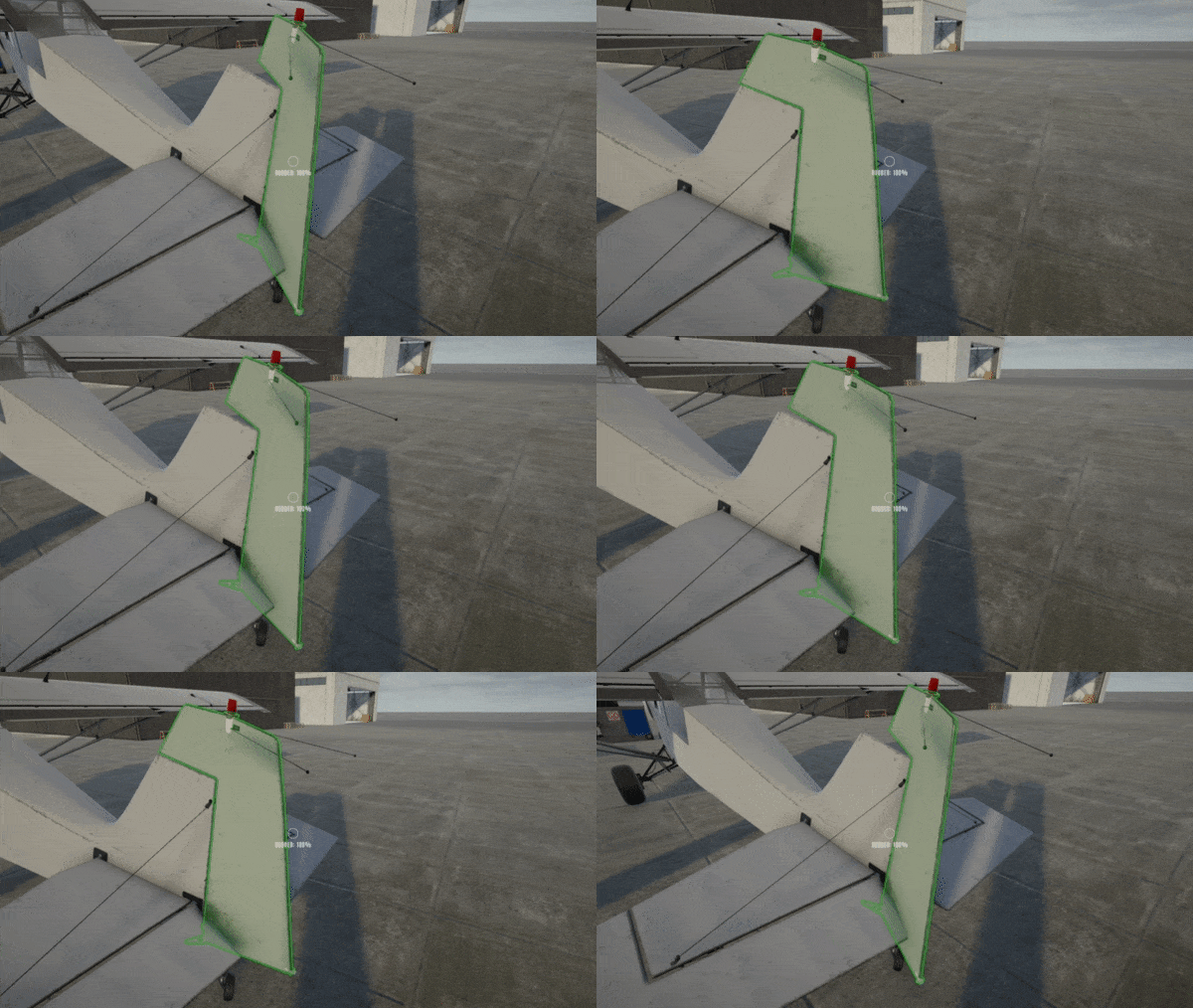
Our walk arounds have been updated too. It is now possible to perform all of your full and free checks whilst examining the exterior condition of the aircraft.
Towbar
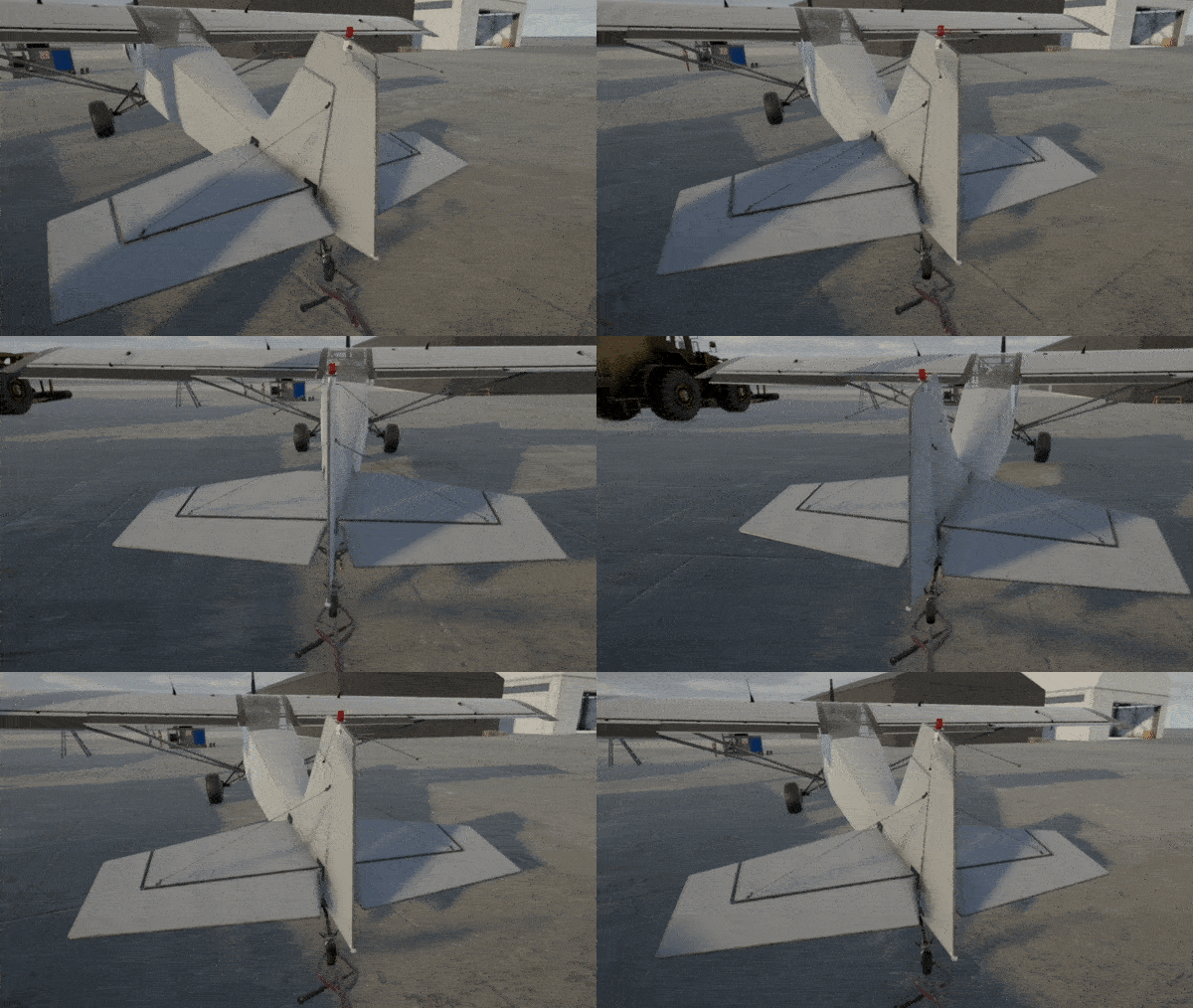
At times, it is not always convenient to start up and taxi your aircraft, particularly if you want to go in reverse! As such came the need to be able to maneuver our aircraft on foot. What better way to do that than with a towbar which can be quickly hooked onto the tailwheel? This is a physical process, with your character applying forces to the aircraft to get it moving. Maneuvering the aircraft on a flat apron may be relatively straightforward but trying to pull it up hill or, worse, stop it from rolling downhill, could lead to an expensive mistake!!
What's Next
We hope you’ve enjoyed this small series of updates which represent a small snapshot of just some of the features that have been going into Deadstick over the past few months. We look forward to sharing more in the future, particularly when our planner is complete and we can start to dive deeper into the career and economy side of Deadstick.
If you're interested in talking more Deadstick, other flight sims, or real-life flight, we have an awesome Discord community! Come say hi :)