Update 1.1.7 aims to bring improvements related to the UI, Quality of Life and multiplayer.
One of the improvements which might be noticed right away was a change to the look of the ingame-medal icons:

The lighting and material was upgraded to make them more vibrant and stand out more even if the images are scaled down.
Another improvement that was made is the checkpoint number and timer display at the bottom of the screen:
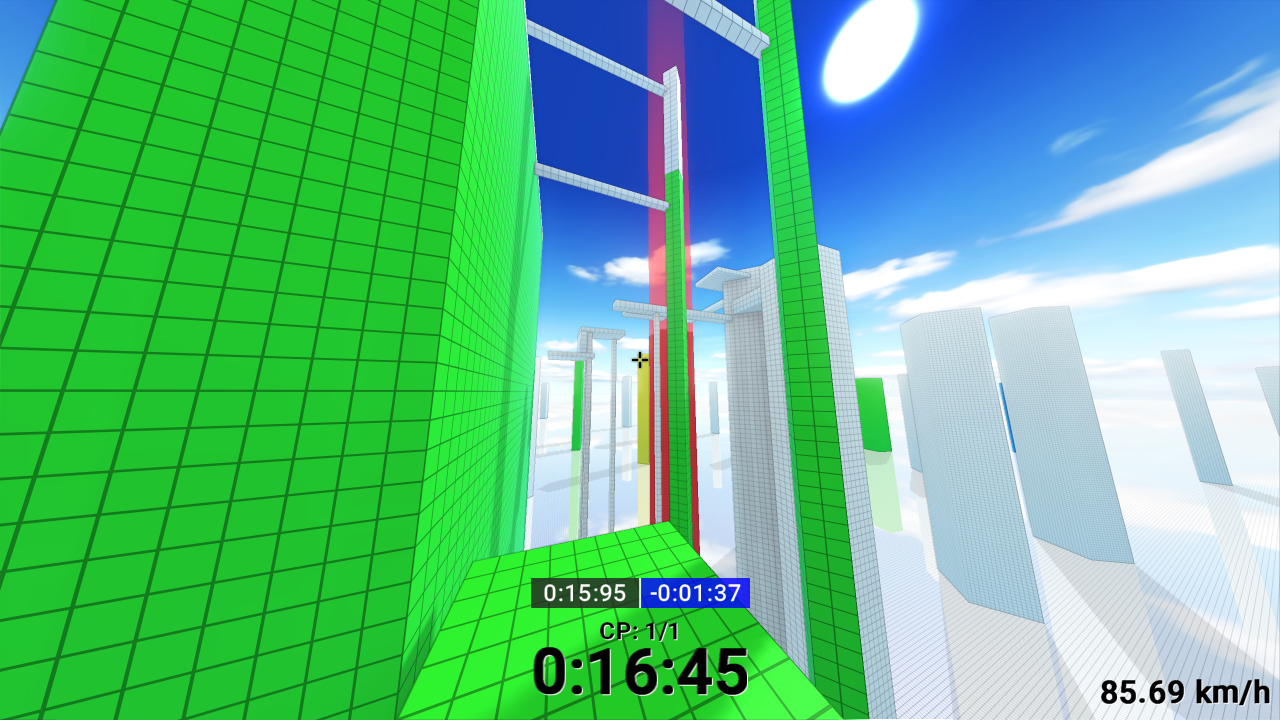
Here is a closer look at the UI at the bottom center of the screen:
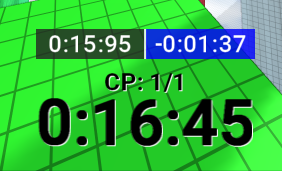
Activating checkpoints now displays 2 times above the checkpoint counter.
On the left (on the darker background) you can see the total time which was achieved on the currently activated checkpoint. On the right (on the blue background) you can see your relative time difference. If you improved your time the background will be blue. Otherwise it will be displayed in red.
The checkpoint counter ("CP: 1/2") was also changed to exclude the last checkpont/finish.
You may also notice that the font recieved a white rim on the edge to help it stand out more from the enviroment.
The client also recieved a couple of bugfixes. Two of the more notable ones were a potential gameplay lockup in multiplayer and a replay offset/delay which caused downloaded replays to be delayed by a couple of frames. (Check the full changelog for all bugfixes.)
Multiplayer
Multiplayer recieved UI and quality of life improvements.
The leaderboard in multiplayer was completely reworked to make it look and function the same as the leaderboard in the menu.
By holding the "TAB" key in multiplayer you can open the leaderboard during gameplay:
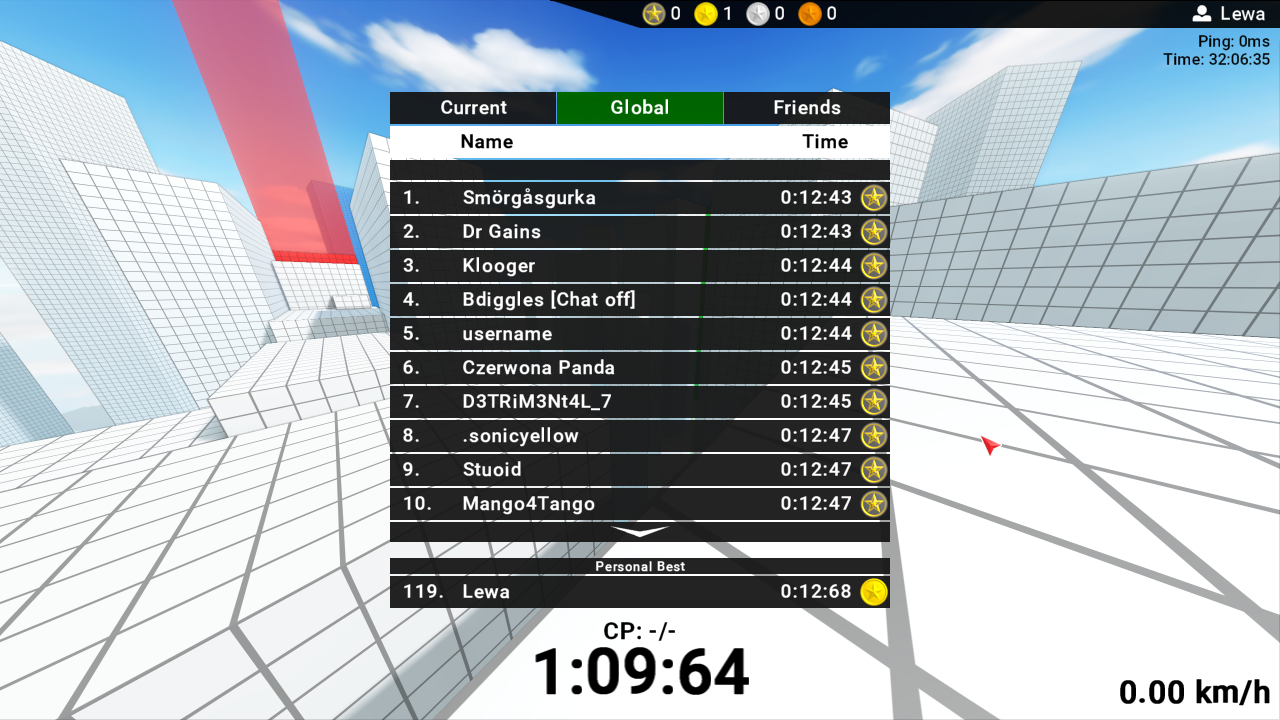
Holding "TAB" will disable camera movement and enable the mouse cursor so that you can easily click through the leaderboard with ease.
One new feature is that the multiplayer leaderboard also includes the ability to swap to the global- and friends leaderboards from Steam. So you can always check how your time compares not only with the local multiplayer party but also with the global playerbase as well.
Multiplayer already synchronizes your runs with the steam-leaderboards as it is the case with the singleplayer- and cutom maps mode. So now it's even easier than before to go on a record hunt while playing with other players over the network.
Server update 1.0.2
For the first time since release the communication protocol which is used to transfer data between the server and the client was updated. This means that you need to update the server software to the new version 1.0.2 if you want to play multiplayer in the newest version of the game.
Attempting to connect older versions of the client with new servers might display "incompatible server version" errors.
Internally, the server recieved bugfixes especially with regards to error handling. So the overall server stability should be much higher.
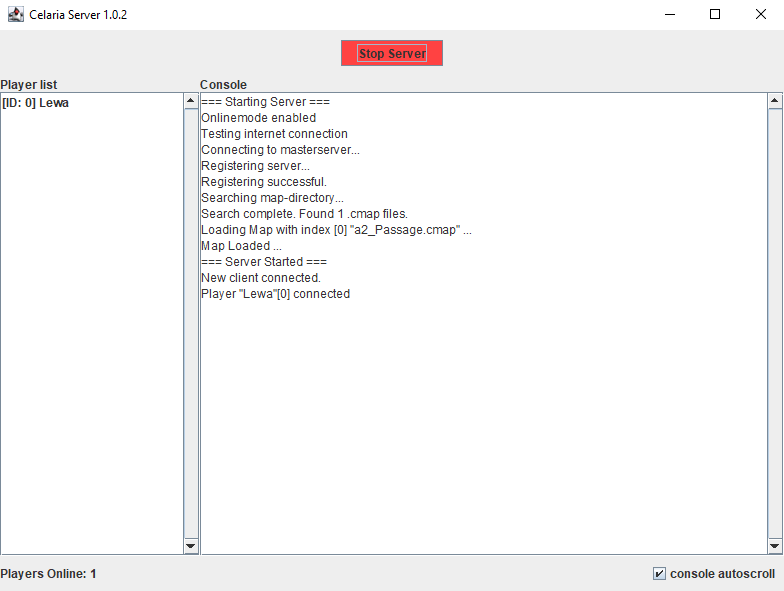
On the UI side the console recieved a checkbox called "console autoscroll" on the bottom right corner of the window which is enabled by default. This checkbox is enabled by default and causes the console to automatically scroll down so that you can always see the most recent messages in the console.
This update also introduces the ability to change the port for the multiplayer server. (By default this port is set to "6510" for both TCP and UDP.)
This makes it now possible to host multiple servers from the same machine/ip-address. (By giving each server its own port.)
The port of a server can be configured by changing the
port = 6510
value in the "server.conf" file which is located in the same directory as the server software.
Future updates and features
There will be more announcements with regards to upcoming updates and features made here on Steam soon. Some unannounced features are already in the works behind the scenes and will be revealed once the time is right.
Full Changelog:
- replaced medal sprites/icons
- updated replay format.
- replaced checkpoint time indicator
- increased upload retry limit for steam-leaderboard runs
- added white outline around timer at the bottom of the screen
- replaced multiplayer leaderboard. Allows now to load local server- as well as global leaderboards
- leaderboards are now displayed at the end of a run in multiplayer
- loading process is properly displayed in multiplayer and displays additional loading steps
- updated server-client communication protocol. (Server update is nessecary and required to play multiplayer on the new version)
- improved precision of the collision detection in some areas (specifically wallruns)
- added smooth freecam movement
- adjusted checkpoint display to exclude the last red block and to display "-" instead of "0"
- added toggle to enable/disable autoscrolling in the server console
- added the ability to change the network port of the server application. This opens up the ability to host multiple servers from the same machine/ip-address.
- adjusted server tickrate to avoid unnessecary cpu workload
Bugfixes:
- general server bugfixes
- fixed replay offsets/delays.
- fixed bug in multiplayer which depending on the map and server configuration could freeze the player in place
- fixed occasional replay character transition bug on resets caused by improper handling of frame interpolation
- fixed bug where replay characters would use the same skin as the individual users.
- fixed fresnel and specular reflections of the character on the mirrored floor