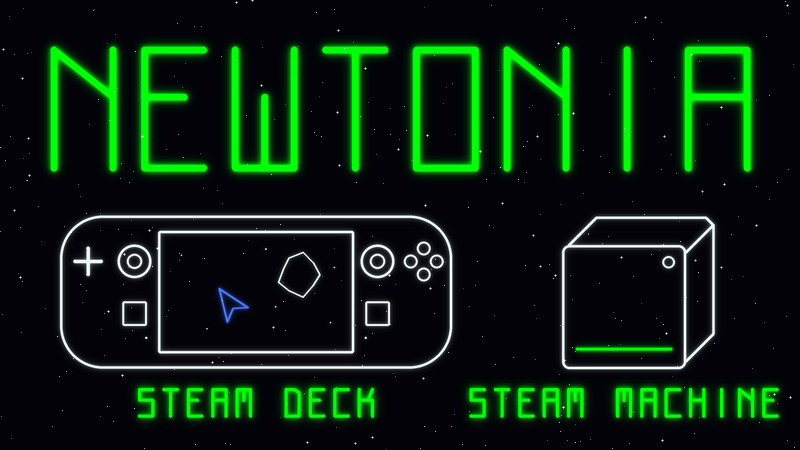
Newtonia on Steam Deck and Steam Machine
Newtonia has now been played through, hands-on, on both a Steam Deck and a Steam Machine, and it is fully supported on both. It ships as a native Linux build for SteamOS (no compatibility layer), it was built controller-first, and every screen in the game (menus, options, pause, the online lobby) works from the pad, from the Deck's touchscreen, or both. Here is exactly what that covers.
Input: everything on the controller
Nothing in Newtonia needs a keyboard or a mouse. On Deck and Steam Machine the whole game is driven from the pad:
Every menu: the main menu, options and its camera and audio sub-screens, the stats screen, the quit confirmation, the pause menu, the online lobby and the PLAYERS roster all navigate with the d-pad or left stick, A confirms, B backs out one level.
In flight: the left stick (or d-pad) steers and thrusts with full analog control: push forward to thrust, pull back to reverse. A or the right trigger fires, B or the left trigger fires your secondary, X cycles primary weapons, Y cycles secondaries, LB boosts, RB teleports, and clicking the left stick switches between the fixed and rotating camera.
Start pauses. Clicking the right stick shows the controls card in-game, so the mapping is always one click away.
Hot-plug: connect or pair a controller at any time, including mid-game. An unassigned pad joins as the next player with a press of A, or claims a specific seat from the PLAYERS screen.
Text entry: Steam's floating keyboard
The one place the game ever asks you to type is the online lobby's five-character room code. On Steam Deck, the moment you reach that field the Steam floating keyboard pops up on its own, docked clear of the code so you can see what you have typed, and it dismisses itself when you are done. Underneath it there is also a d-pad-driven character picker, so the code can be entered from any controller on any device, and X pastes a code from the clipboard. There are no hidden text fields anywhere else.
Display
The interface is vector line-art laid out in resolution-independent units, so text and HUD elements keep the same proportion of the screen at every size. Verified legible at the Deck's native 1280×800 and on a TV from the couch on Steam Machine.
The game launches straight into its attract screen: no launcher, no configuration window, no first-run prompts. The default settings are the right settings on both devices.
Split-screen co-op on one screen: two players get side-by-side strips, three or four get a 2×2 grid, each with its own camera, zoom and HUD.
Touchscreen (Steam Deck)
The Deck's touchscreen is native input, not mouse emulation. Every menu row, option, YES/NO confirm and exit band is a tap target, a new-level intro dismisses with a tap, and the online lobby's roster answers to a finger. It works in Gaming Mode and in Desktop Mode alike.
Couch co-op: up to four on a Steam Machine
Up to four players locally, in any mix of controllers and keyboards. Seats are claimed by pressing a button on an unassigned pad, and the PLAYERS row on the pause screen shows who is flying what and lets you rebind any seat.
Online co-op
Up to four players online, cross-platform: Steam on Deck, Steam Machine, Windows, macOS and Linux, plus the iOS and Android builds. Invite Steam friends straight from the overlay (while you are hosting, your profile shows a Join Game option), or share the room code. A player who drops out rejoins mid-game and picks up their ship where it was.
Steam features
Achievements, rich presence (your friends see the level you are on), Steam Cloud for your lifetime stats, and the seasonal online leaderboard all work identically on Deck, Steam Machine and desktop, from the same account.
Under the hood
Newtonia is a small C++ / SDL2 / OpenGL game with a lightweight vector renderer and a fixed-timestep physics simulation, so it is an easy load for either device. The SteamOS depot is a native Linux build, tested directly on the Steam Deck and Steam Machine as well as in Linux CI on every change.
If anything misbehaves on your Deck or Steam Machine, post in the discussions with what you saw. Device reports are what got the touchscreen support to where it is now.