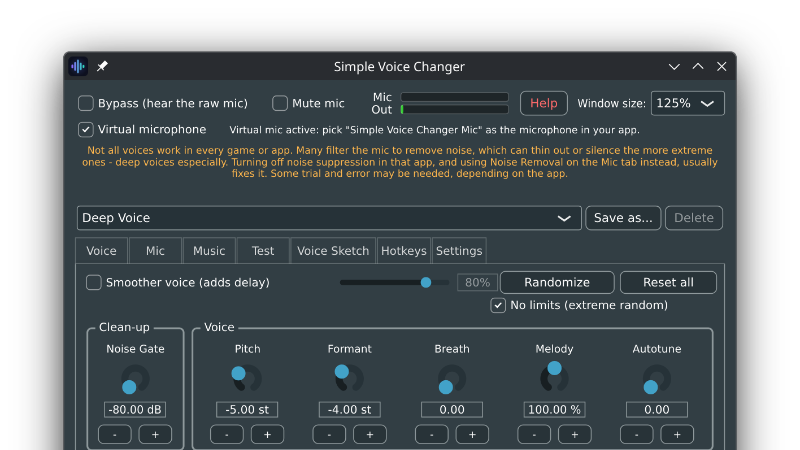
Version 1.1.0 is here, and it plays music into your microphone and speakers at the same time.
Your music, under your voice
Add some tracks, press Play, and the people you are talking to hear them underneath you. Music sets how loud they are. Duck decides how far they drop while you are speaking. The track gets out of the way on its own and comes back when you stop, so your words never end up fighting it.
It stays in tune
This is the part worth explaining, because it is the bit that is hard to do yourself. The usual approach pointing a media player at a virtual audio cables sends your music through the pitch shifter along with your voice. Drop two octaves for a demon voice and your backing track goes down with you. Simple Voice Changer owns the whole path, so music is mixed in after the voice chain and this issue is avoided. However far you push Pitch, Formant or Melody, the track plays exactly as it was recorded.
A proper queue
Drop files — or a whole folder — straight onto the list
Reorder with Up and Down, or just drag a track where you want it
Double-click any track to jump to it
Shuffle deals every track once before any of them repeats, rather than picking at random each time and Prev walks back through what actually played
Repeat the whole queue, repeat one track, or play once through
Keep as many playlists as you like: one for streaming, another for a game
Your queue, its order, and your shuffle and repeat settings are all still there next time you open the app.
No more reaching for the volume
Even out volumes measures each track as you add it and quietly pulls the loud ones and the quiet ones towards each other, so a queue assembled from whatever is in your music folder does not lurch every time the track changes. The correction is shown in decibels next to each track, and you can still set a track's own level by hand the two are kept separate.
Eight new shortcuts
Previous, play/pause, next, stop, volume up and down, shuffle and repeat can all be put on global keyboard shortcuts, so you can run the queue mid-game without leaving what you are doing.
Formats
WAV, MP3, FLAC, OGG and AIFF, plus WMA on Windows. Anything else is skipped when you drop it on the list, and the app tells you what it left out.
Two small things worth knowing. Mute silences the music too. So if you hit mute for a private moment, nothing is going out, track included. And the Test tab is where to check the balance your listeners are actually getting. One word of caution: playing copyrighted music into a stream or a recording is a good way to get muted or taken down. Twitch, YouTube and the rest are very good at recognizing it.