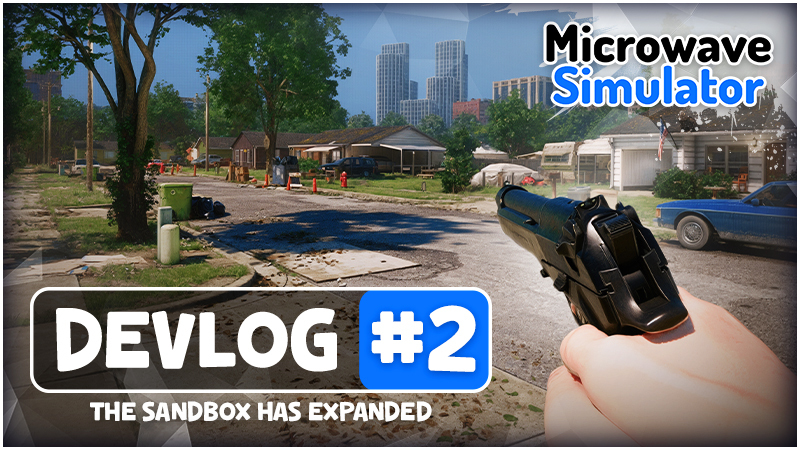
Development on the Microwave Simulator demo has moved forward in ways I only previously conceptualized. With great investment from Ultimate Games, I've been able to expand & enhance (😉) every system. The demo is now pretty much feature complete, with a few more polish items to finish, like your neighborhood NPCs and a bit more UI polish.
Just about every system was rebuilt or heavily refactored based on feedback from Microwave Simulator’s initial test. I take pride in the work, as it took months to complete and bring all of these features together.
Here's an extended look at Microwave Simulator.
Interaction and Item Placement
The interaction system has received a major usability pass. The large prompt that used to sit in the middle of the screen is gone. Interaction information is now placed where it belongs, making it easy to read without blocking your view.
Interactable objects now highlight when you look at them. Placement has also been cleaned up and gives you much more control, with a ribbon showing the placement path and a distance readout showing exactly where the object will land.
These changes apply across doors, packages, loose items, and the microwave. The result is a cleaner system that clearly communicates what you can interact with and where an item will be placed.
Reticles and Player HUD
Dedicated reticles have been added for weapons. The pistol uses a three-point crosshair, while the shrink ray uses curved indicators designed around the way it functions.
The HUD has been improved
Health, Stamina, and Sanity are now tracked in the lower-left HUD. The weapon display shows the ammunition remaining in the current magazine or the shrink ray’s current charge.
This pass adds the information around it. Holding the shrink ray builds charge toward maximum power, and the bar makes it clear when the ray has reached its fastest shrink speed.
Growing Objects
Growing objects are a must-have! You can restore the size of items you shrunk or just have a little fun with it.
Manual Microwave Placement
Items must now be placed into the microwave manually.
The previous automatic placement has been replaced with the updated placement system.
You control the item’s final position before placing it inside, closing the door, and starting the microwave. It is cleaner, more precise, and consistent with interaction throughout the rest of the game.
The Demo's Introduction Is Taking Shape
This introduction is taking shape and introduces you to most aspects of Microwave Simulator's gameplay.
Wait until you find out your packages were stolen. Maybe you just shouldn't order so many at a time? Or maybe you're ready to just go insane on the porch pirates. 🔫
Lighting Closer to Final
The neighborhood has received one of its largest visual updates so far. The oversized trees have been removed, opening up the street and giving the environment a cleaner, more deliberate composition.
The lighting is now much closer to the final target. At night, streetlights cut through the neighborhood with stronger contrast, cleaner shadows, and clearer silhouettes. The environment feels grounded and atmospheric without the visual noise that dominated the previous version.
More Soon!
Microwaving on the moon? Stay tuned! I’ll have more to show as development on the demo continues.
If you want to follow the development, Wishlist Microwave Simulator on Steam. It directly supports the project.