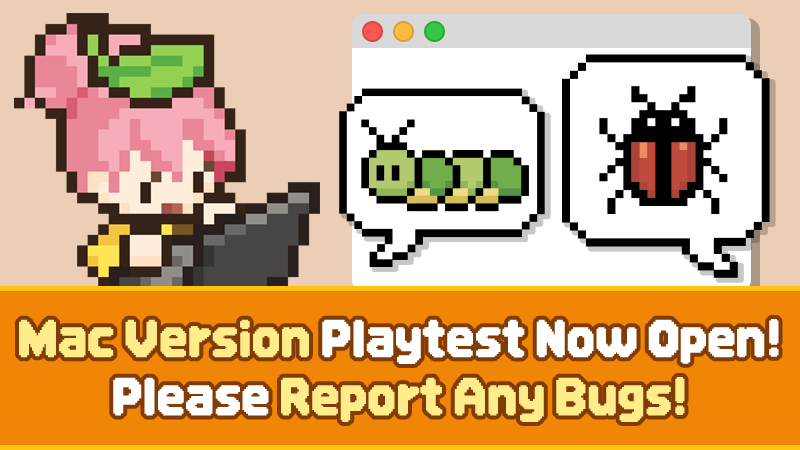
Hello, everyone!
We are the development team of <Mini Cozy Room : Lo-Fi>.
Since the game's release, we have received many requests from players asking for Mac support.
We've been following your feedback closely and working to make Mini Cozy Room available on Mac. We're excited to finally announce that development has reached a stage where we're ready to let you try the Mac version!
Before officially adding Mac support, we're opening a Mac Version Playtest.
This Playtest is being held to test whether the game runs properly and remains stable across a variety of Mac devices and environments, as well as to identify any issues we may have missed before officially supporting Mac.
There is no separate application or participant selection process. Anyone can freely join through the Playtest store page.
▶ Join the Mac Version Playtest
You can participate by clicking the Playtest join button on the Steam Store page below.
🔗 Mini Cozy Room : Lo-Fi — Steam Store Page
The Mac test version is provided as a separate Playtest app, independent from the existing Windows version.
This means you can participate in the Playtest even if you do not own <Mini Cozy Room : Lo-Fi>.
We hope this will be a great opportunity for those who have wanted to try Mini Cozy Room but haven't been able to because they only use a Mac.
If you know any Mac users who have been interested in Mini Cozy Room, please share the news with them!
Please note that DLC content is not included in the Playtest version. Only the base game content is available.
[⚠️ Important Information About Save Data]
Because the Mac Playtest is provided as a separate app from the main game, existing Windows players will also start the Mac Playtest from the beginning.
The main game and Mac Playtest use separate Steam Cloud storage, so progress from the two versions will not be merged automatically.
When official Mac support is added to the main game in the future, Steam may display a Steam Cloud conflict prompt. Therefore, if you currently play the Windows version, please make sure to back up your save data before participating in the Playtest.
We also do not recommend manually transferring save files from the Windows version of the main game to the Mac Playtest, as this may cause issues with your save data or DLC content.
For more detailed information about save data, Steam Cloud, and which data you should select once official Mac support is added, please make sure to read the guide below.
▶ Mac Playtest Save Data FAQ
🔗 Mac Playtest Save Data FAQ — Steam Discussion
This Mac version is also our development team's first time developing for a Mac environment.
While we are currently conducting internal testing, there are limits to how many different Mac models and macOS environments we can test ourselves.
Depending on your Mac model, chip, macOS version, and system environment, you may encounter issues that we haven't discovered yet.
If you encounter any bugs, crashes, unexpected behavior, or other inconveniences while playing, please let us know!
When submitting a report, providing information such as your Mac model, chip, macOS version, game version, what happened, and the steps needed to reproduce the issue will greatly help us investigate the problem.
If you have screenshots, videos, or log files, please include them as well.
📝 Report via Google Form
This is the best way to provide us with detailed information about a bug.
🔗 Mac Playtest Bug Report — Google Form
💬 Report via Discord Ticket
If you use Discord, you can also report bugs through our Ticket Bot.
🔗 Mac Playtest Bug Report — Discord Ticket
💭 Report via Steam Discussions
If using Google Form or Discord is inconvenient, you're also welcome to leave a short comment in the Steam Discussions.
🔗 Mac Playtest Bug Report — Steam Discussion
Even a short report can be a big help. If you would like to provide more details or send log files, please use the Google Form or Discord Ticket.
Including your log files can greatly help us identify the cause of an issue.
Please send the following two files:
Player.log
Player-prev.log
If you can launch the game:
Settings → General → Open Log Folder (for Bug Reports)
If you cannot launch the game:
In Finder, press Command + Shift + G, then enter the following path:
~/Library/Logs/TesseractStudio/MiniCozyRoom/
If you cannot find the log files or have difficulty attaching them, you can still submit your report without log files.
[⚠️ Please Read Before Joining the Playtest]
The version currently available is a Playtest build, not the official Mac version.
You may encounter unexpected errors while playing, and some features may not work as intended. Updates and changes may also be made as the Playtest progresses.
Mac support has been one of the most requested and anticipated features since the game's release.
As this is our first time developing for a Mac environment, there may still be areas that need improvement. Through this Playtest, we hope to identify and resolve issues across a variety of Mac environments so that we can provide a more stable version in the future.
Even reports about small issues or inconveniences you encounter while playing can be a huge help to our development.
We look forward to your participation and bug reports!
If you know any Mac users who have wanted to try <Mini Cozy Room : Lo-Fi>, please share this news with them!
Thank you, as always, for your love and support for <Mini Cozy Room : Lo-Fi>.
The <Mini Cozy Room : Lo-Fi> Development Team