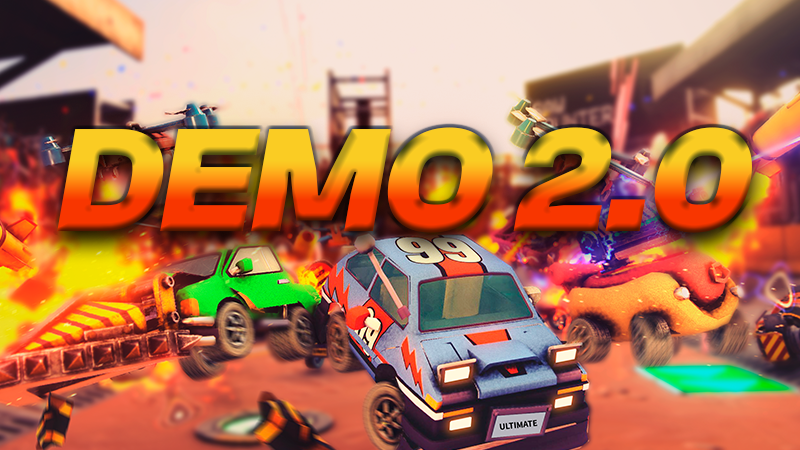
Ultimate Classic Car Racing 2 — Demo 2.0 Changelog
Ultimate Classic Car Racing 2 Demo · published
Game Modesːsteamhappyː
Race
Improved the overall race flow.
Improved the lap and position systems.
Added bot support.
Improved bot behavior during races.
Added recovery systems for vehicles that get stuck.
Improved vehicle behavior after finishing a race.
Vehicles that cross the finish line now stop using smoke and nitro effects.
Players who finish a race are no longer considered valid targets for certain weapons.
Improved the transition between the end of the race and the results screen.
Improved the camera system during matches.
Deathmatch
Added and improved the lives system.
Improved elimination tracking.
Added bot support.
Improved bot behavior during combat.
Added a dedicated UI to display each player's remaining lives.
Improved the final elimination of players.
Improved the transition to the final results.
FreeMode
available is now available in the demo!!!
Rallyːnonplussed_creepː
Rally is now available in the demo!!!
Vehicles
Improved the arcade vehicle controller.
Adjusted acceleration, top speed, and steering behavior.
Improved the braking system.
Added Hold and Toggle braking modes.
Improved the visual and physical transition when starting and releasing the brake.
Improved drifting behavior.
Added additional smoke effects while braking and drifting.
Improved the jumping system.
Improved the additional gravity used to keep vehicles stable.
Improved landing behavior.
Improved the impact system.
Improved vehicle response when taking damage.
Added a short invulnerability period after certain impacts.
Improved the Boost system.
Improved Boost visual effects.
Boost and smoke effects are now properly disabled when a player finishes or is eliminated.
Vehicle Customization
Improved the vehicle selection system.
Added a color and palette system.
Vehicles can now use different paint combinations.
Added support for patterns and secondary colors.
Improved the way colors are applied to vehicle materials.
Improved the vehicle selection system in the lobby.
Added automatic vehicle and color assignment for bots.
Added random appearance assignment for players when joining.
Weapons
The weapon system has received numerous changes to functionality, balance, and compatibility across game modes.
Improved the general weapon pickup and usage system.
Improved the weapon visual mounting system on vehicles.
Weapons can now correctly detect when their owner has been eliminated or has finished a race.
Improved automatic cleanup of weapons and projectiles.
Improved the projectile pooling system.
Improved interactions between weapons and targets.
Improved filtering of players who should no longer be attackable.
Weapons are now properly disabled while the game is paused.
EMP
Improved the inverted controls effect.
Added a special interaction with shields.
An EMP hit can disable a shield without applying the normal EMP effect.
This interaction does not cause additional penalties or affect the score when it only destroys the shield.
Homing Missile
Improved the target search system.
Improved vehicle tracking.
Adjusted range and duration.
Improved invalid target filtering.
Minigun
Improved firing behavior.
Adjusted range and effects.
Improved the impact system.
The Minigun now properly stops firing if its owner is eliminated or finishes the match.
Shield
Improved shield functionality.
Added new interactions with other weapons.
Improved the shield disabling system.
Hook Swap
Improved the target search system.
Improved line-of-sight checks.
Destroyed, eliminated, or finished players are no longer considered valid targets.
Improved the visual representation of the hook.
Sword
Improved interactions with projectiles and certain objects.
The sword can destroy certain mines and missiles.
The sword now properly stops working when its owner is eliminated.
Other Weapons
Improvements and adjustments have also been made to systems related to:
Battering Ram.
Barrel.
Gravestone.
Hopper Mine.
Different projectile types and impact effects.
Bots
Added bot support to several game modes.
Improved bot navigation during races.
Added behavior to detect and recover from situations where bots get stuck.
Improved the use of reversing and jumping for recovery.
Added specific behavior for Deathmatch.
Improved bot weapon usage.
Improved target selection.
Added random visual customization to help differentiate bots during matches.
Local Multiplayerːsteamhappyː
Improved the player join system.
Improved recognition of multiple controllers.
Improved input locking during certain parts of the joining process.
Fixed situations where a vehicle could briefly appear in the wrong position when entering the lobby.
Improved player ordering based on join index.
Improved the player naming system.
Improved preservation of each player's visual selection.
Improved the flow between the lobby, game mode selection, and matches.
Improved behavior when only one player is connected.
Added different validations depending on the number of available players.
Controls
Improved support for Unity's new Input System.
Improved detection of multiple gamepads.
Improved control behavior when switching between scenes.
Added a configurable roumble system.
Added vibration during drifting.
Added vibration when receiving certain impacts.
Added vibration when breaking certain obstacles.
Added a special vibration effect when eliminated.
Improved restoration of vibration state when returning to the menu.
Added an option in Settings to enable or disable vibration.
Camera
Improved the player tracking system.
Improved the group camera.
Added special behavior when only one player remains.
Improved camera behavior when players are eliminated.
Improved framing for matches with multiple vehicles.
Added dedicated camera systems for result screens.
Added camera impact effects in compatible game modes.
Added an option to disable certain Camera Shake effects.
Cinematics and Match Presentation
Added new intro cinematics before matches begin.
Cinematics are played after all required assets have finished loading.
Improved synchronization between cinematics, the transition curtain, and the countdown.
Improved the transition into the 3, 2, 1 countdown.
Improved the presentation flow of different game modes.
Results Screen
Added a new Winner Showcase.
Added a special presentation for the winner.
Added a dedicated results camera.
Improved the presentation of second and third place.
Improved the order in which vehicles are displayed.
Improved the flow between the end of a match and returning to the menu or starting the next round.
UI
Redesigned several parts of the interface.
Improved overall readability.
Improved the visual style of buttons.
Added Idle and Highlighted visual states.
Added smooth color transitions.
Added optional button movement when selected.
Improved navigation sounds.
Improved gamepad navigation.
Added dedicated UI for player information.
Improved the position indicator.
Improved the lives indicator.
Improved the Boost indicator.
Improved the current weapon indicator.
Improved visual states for eliminated players.
Improved the track and game mode selection UI.
UI Tutorial
Added an optional help system for displaying controls.
The tutorial is enabled by default.
Added an option in Settings to enable or disable it.
The preference is saved between sessions.
Audio
Improved the global sound effects system.
Improved the global music system.
Improved audio persistence between scenes.
Added independent control for different audio categories.
Added volume controls for Master, Music, and Environment.
Improved audio slider behavior.
Added support for custom sliders.
Adjusted default volume values.
Added a system to control the starting point of certain audio tracks.
Improved UI and navigation sounds.
Transitions and Loading
Improved the curtain transition system.
Improved additive map loading.
Improved the loading order of players, maps, cameras, and UI.
Improved the flow between the menu, matches, and results.
Improved transitions between rounds.
Reduced situations where game elements could appear before a transition had finished.
Steam
Integrated Steamworks.
Added Steam initialization.
Added support for internal statistics.
Added tracking for completed matches.
Prepared the foundation for statistics and achievements related to different game modes.
Added checks to prevent matches that do not meet the required conditions from being registered.
Performance and Stability
Fixed various issues related to persistent objects between scenes.
Improved handling of DontDestroyOnLoad objects.
Investigated and fixed various object growth issues during extended play sessions.
Improved cleanup of temporary objects.
Fixed issues related to non-convex colliders.
Improved the stability of certain physics interactions.
Fixed various issues related to weapons and projectiles.
Improved game behavior while paused.
Fixed various situations where players could keep incorrect states after changing scenes.
Improved game compatibility and stability when using DirectX 11.
Added various general performance optimizations.
General Fixes
Fixed duplicate player name issues in certain game modes.
Fixed various situations where an eliminated player could still interact with match elements.
Fixed weapons that could continue working after their owner had been eliminated.
Fixed visual effects that remained active after finishing a race.
Fixed various issues with the Quick Play flow.
Fixed various camera issues when the number of active players was reduced.
Fixed input issues when entering or leaving certain menus.
Improved cursor behavior when launching the game.
Fixed various issues related to pausing, restarting matches, and returning to the menu.
Added numerous minor fixes related to UI, physics, audio, and presentation.
Demo Content
The Ultimate Classic Car Racing 2 Demo currently includes:
Race.
Elimination.
Deathmatch.
Free mode.
Local multiplayer.
Bot support in compatible game modes.
3 playable vehicles.
A selection of tracks prepared specifically for the demo.
Other game modes, vehicles, maps, and systems are reserved for the full version of the game.
In Developmentːcozycastondeathː
We are still working on:
Weapon balance.
Bot behavior.
Performance.
Match presentation.
UI improvements.
New maps.
New vehicles.
New weapons.
More game modes.
General stability fixes.