Heyhey!
Update v134 is live on all HAELE 3D apps:
It is a huge quality of life update with 45 lines of change, but with some interesting additions.
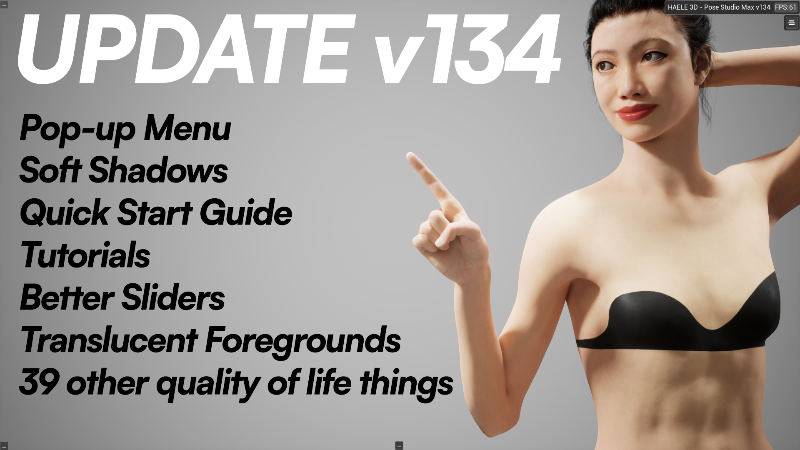
The most interesting parts are: Pop-up Menu, Soft Shadows, Quick Start Guide, Tutorials, Better Sliders, Translucent Back/Foregrounds
Full change log:
- CHANGED - All apps run on UE 5.7 - Performance should be improved.
- ADDED - Tutorial screens, look for little yellow "?" that explain some functions of the app.
- CHANGED - Pivot center switch button to T to avoid accidental button presses.
- CHANGED - Undo and Redo arrows to a more conventional one for easier reading
- ADDED - A little animation as the Transform Toolbar appears for begginers to notice easily.
- CHANGED - Transform Toolbar - disappears when clicking on empty space
- ADDED - A bit of animation to the Shortcuts table on the left, to grab a bit of attantion
- FIXED - Clicking on the Hide Controllers button on the menu (Crossed eye) now hides the bone controllers too.
- ADDED - A designated save button with a little floppy disk
- CHANGED - Improved hover tooltip visibility on the Transform Toolbar
- ADDED - "Move to Center" button to Pose Presets Section
- CHANGED - "Esc" does not close the app instantly, but spawns a question window.
- ADDED - The lighting presets section to the environment menu too.
- CHANGED - Undo and Redo does not effect camera location anymore.
- ADDED - A check box to general settings if camera location should be included in undo or not
- ADDED - A little "Loading" message to actions that could take a little longer.
- CHANGED - The screen space move sphere in the center of the transfrom gizmo is now bigger for easier selection.
- CHANGED - After duplication the new object is now auto selected
- ADDED - An option to the settings to keep bone controls always visible
- ADDED - A Pop-up menu to right click to access the most important features.
- CHANGED - Reordered the Shorcuts panel to improve readability
- ADDED - Ctrl + S/L shortcuts to open the load / save panel of the menu
- ADDED - A camera speed slider to the Camera Settings and to the Pop-up menu
- ADDED - A pop-up message after a prop is created, so it is easier to find.
- ADDED - A highlight to the selected section of the main menu.
- CHANGED - Improved the visibility of the warning when try to edit an object type that is not selected.
- ADDED - Lines that connect the clavicle controls to the shoulders, the make it more readable
- CHANGED - Clicking on left/right hand controls changes the hand selection for preset poses
- FIXED - Undo step was missing after prop creation
- ADDED - Camera Save + Camera Load button to camera settings and the the pop-up menu. It saves the camera settings so you can move around to edit than quickly return.
- ADDED - Extra select buttons to the spot light menu for ease of use
- FIXED - The visibility change of grooms after groom quality switching and undo/redo
- FIXED - Disappearing eyebrows and eyelasesh when getting too close to male models
- ADDED - A New Scene button to File Menu
- ADDED - "A Light Intensity: 0" warning to light intensity sliders.
- ADDED - A reset button next to every slider to reset the default value.
- ADDED - A slider to change the softness of the shadows coming from spotlights.
- FIXED - When using more HAELE 3D apps after eachother sometimes Feet Poses didn't resume to the correct scene.
- ADDED - A new numerical way to edit the transformation of the custom background
- ADDED - A fuction to move the Custom Background in front of the models and decrease it's opacity to act as a translucent reference plane
- FIXED - Some slider values did not visually load back (Floor size, Background Rotation, etc.)
- CHANGED - Bone controllers and lines scale in realtion of the cameras field of view to keep thickness and size.
- FIXED - Selected color indicator did not change color when the color wheel was used.
- CHANGED - Thumbnails previews do not follow the mouse anymore, but stay on top of the menu
- ADDED - Warnings to not use space in screenshot path names or file names.
Wishlist my next upcoming app:
Have a lovely day!