Game Update 0.1.6 - PID Auto Tune, Arm/Disarm, Controller Fix
ACRODRIFT: FPV Drone Simulator · published
⚙️ PID Auto Tune
As we continue improving V2 Flight Physics, some changes may affect the optimal PIDF settings for your drones. To make things easier, we've introduced Auto Tune, so you won't have to manually retune your drone configurations after physics updates.
Auto Tune is enabled by default, but you can turn it off at any time and tune your PIDF settings manually.
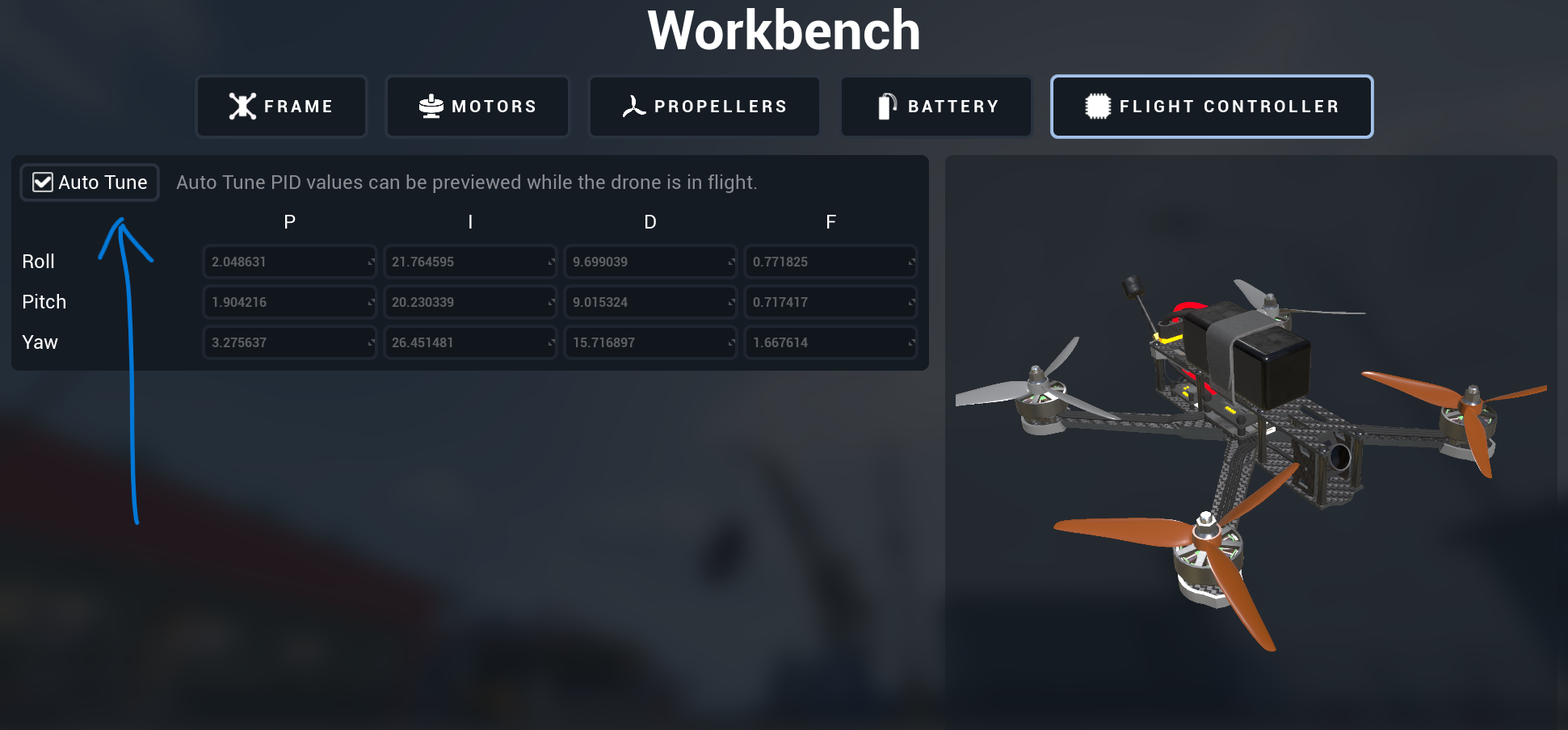
Enabling or disabling Auto Tune will not overwrite or reset your custom PIDF values, so you can freely switch between automatic and manual tuning.
If you prefer manual tuning, here's a small tip from us: try increasing the I value.
🔌 Arm / Disarm
We've added the ability to disarm the drone. You can now disarm it if you crash into something and get stuck.
We've also added an option to disable automatic arming based on throttle input, giving you more control over when your drone becomes armed.
🎮 Device Compatibility
We've fixed an issue that could prevent some input devices with unusual axis ranges from calibrating correctly.
If you've previously had problems calibrating your controller, please give it another try and let us know if anything has improved.
Thank you for your continued feedback and support! 🚁