The most important fix first: restore points were not being taken in the default mode. A red command in Advise — the shipped default — left no restore point at all. One line sat in the wrong place. If you have been running on the default mode, the safety net you thought was behind you was not there. It is now.
Quitting Dollar really stops Dollar. On machines where a closed port hangs instead of refusing, every tool call waited out the timeout — and anything about to run was refused as if a human were still deciding, even a harmless command. (On most machines the connection was refused at once and nothing was held.) The hook read "connection never established" as "a human is looking at the approval box". It now tells those apart: nothing listening means nobody is watching, so your agent runs.
Only the truly irreversible ever blocks and waits. The three guard tiers are now the first screen in Settings. Disk wipes, force-pushing over main, dropping a database, real credentials hitting disk — those stop and wait for you, in every tier. Anything else risky gets a notice that never holds your agent up — Observe records it silently instead, and green is quiet everywhere. When the "restore point before risky changes" setting is on and the files can be snapshotted, a restore point is staged first; it covers local files, not remote, cloud or database effects. Guard differs from Advise in one way: the notice tells you how to get back.
And one thing you can see: Dollar can wear a collar. It is an optional look, off by default — find it in Settings, right under the owner's name. Turn it on and the ten state sprites are redrawn with a collar, each state carrying its own colour on the tag. Turn it off and nothing is hidden: the pose and the status pill were always the ones telling you what Dollar is doing. Both sets sit on the same baseline, so flipping the switch does not make the cat jump on screen. Walking, eating and being dragged are shared between the two sets and were never drawn with a collar.
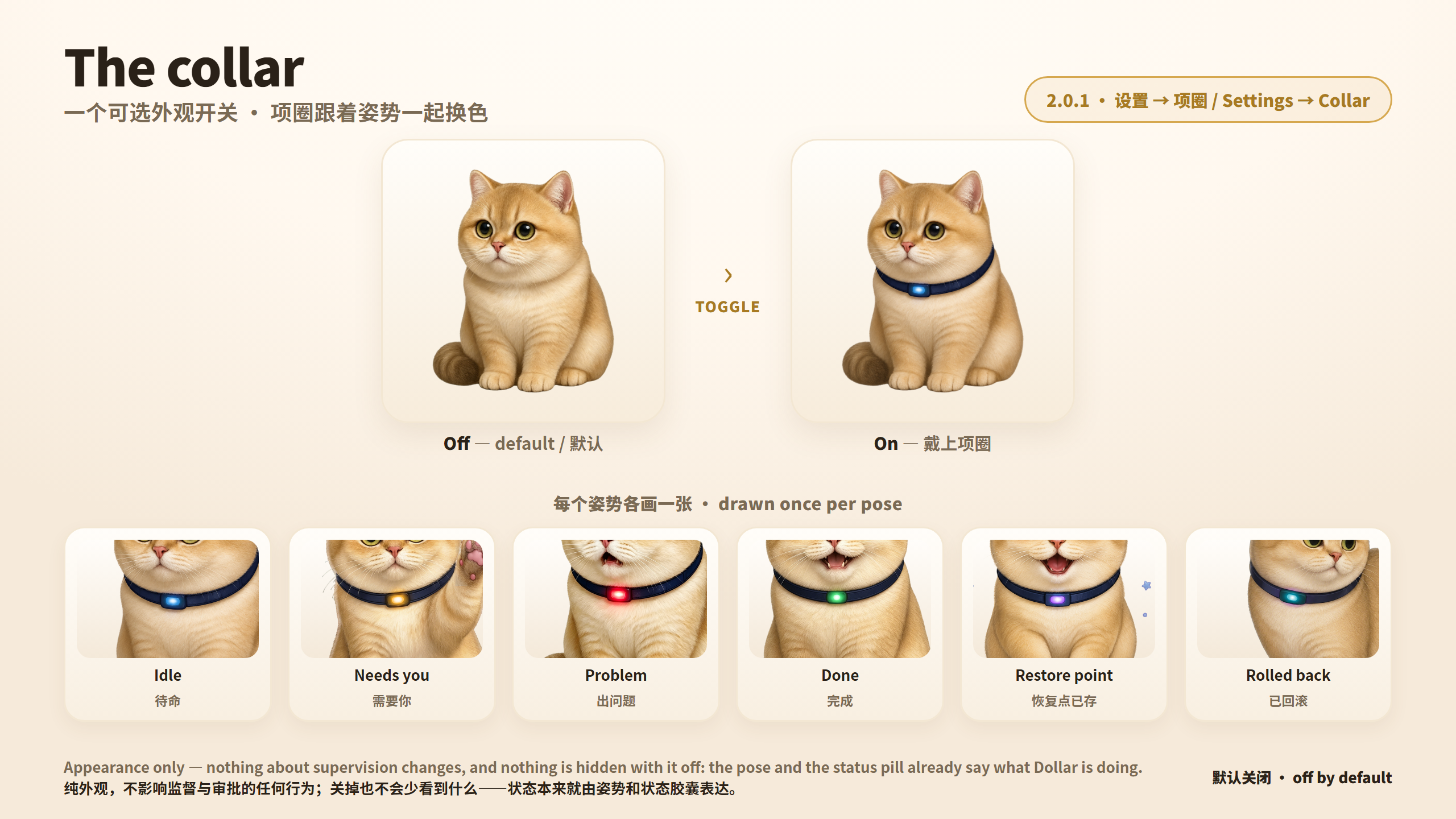
Some numbers you were already looking at were wrong. We would rather say this plainly than quietly correct it:
- The scan walked only four directory levels, so subagent and workflow transcripts — one level deeper — were never opened. On our own machine just 34 of 457 transcripts were even reachable. If you use subagents, your totals were undercounted.
- Two ordinary sessions over 64MB had never been opened at all; reading is now streamed line by line.
- "Cost per task" in the PDF report was a ratio built from two different time windows. It is gone, and the average left on the spend page no longer mixes windows.
- "You saved $X" and "you are ahead of N% of developers" have been removed. A local, zero-telemetry app has no data about anyone else's spending, and those curves were hardcoded. No replacement percentile, and no estimate of time we did not observe.
- CSV and PDF exports now get the same redaction the third channel already had.
Harder to get around. Several rounds of adversarial re-audit closed a whole class of bypasses on the catastrophic floor — obfuscated spellings, structural deletes, interpreter-inline deletes, download-and-execute LOLBins, destructive MCP tools, and more root/home spellings. Fixed in both the online classifier and the offline hook. This changes how well the floor holds, not what it holds.
New, and deliberately modest.
- Completion receipt — when an agent says "done", this counts the evidence: files touched, restore points staged. It does not grade the work.
- Execution receipts — the ledger now says what happened to the call, not just who decided: released / timed out and never ran / refused and never ran.
- State advice — a word when a Claude session's context is filling, or when system memory is tight. Repeated at most once every 30 minutes, and sooner only if it clearly worsens. Observations are marked as estimates.
- Token-pace float window — every reading labelled live / recent / stale, in words, not just a dimmer colour.
Also — "allow same-type this task" now really means this task, not until you quit. You can read what you approved and who authorised it. The secret scan no longer freezes the app for about four seconds. Full-screen pages fit on the window sizes people actually have. Chinese UI no longer leaks English sentences.
Platform note: this build rebuilt Windows only. On macOS you continue to run the 2.0.0 app.