Mousify v0.6.0 — Where the cursor goes, attention follows
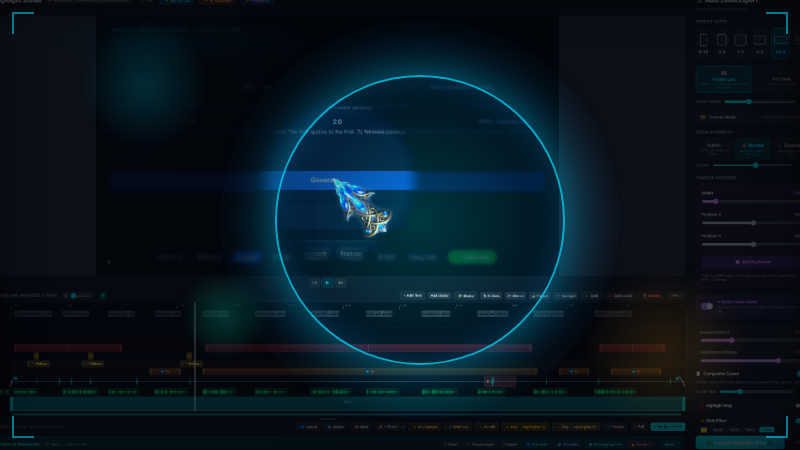
The picture now helps your viewer know where to look.Ever finish a recording that explains the right thing but still feels a little flat?The interface is busy. You know exactly what you clicked, but the viewer can lose the pointer in half a second. Mousify 0.6.0 starts there.
💡 Try this first: Bokeh Spotlight
Think portrait mode, but your cursor is the subject.The area around the pointer stays sharp while the rest of the screen gently blurs and dims. It is not there to make the picture busier. It is there to make it easier to follow.
Four modes: follow the cursor, hug it like a small bubble, stay pinned in place, or blur the whole frame
Turn marks into spotlights: every ⭐ mark can become a short, two-second spotlight pulse with one click
No scrambling, no covered cursor: follow mode leads and smooths, while the mask steps aside to keep the pointer clear
Feather from 0–100: from a crisp edge to a glow you can barely see
Where you point becomes the visual center of the scene.
⚡ Speed you can feel every day
The packaged build's front-end startup stage dropped from about 1.1 seconds to 58ms
Packaged front-end code shrank from 83MB to 7MB; the editor itself went from about 40MB to 2.9MB
Finishing a snip no longer locks up the desktop, and on-device transcription can use every CPU core
Settings, cursor companions and effects do less work while idle, and long editing sessions no longer get heavier as they go
There is no new “performance mode” switch. The unnecessary work is simply gone.
🎞 A recording can now contain another video
Full-screen cards accept video: add a diagram animation, a cutaway, or another recording
Picture-in-picture accepts video too, with volume independent from the full-screen card
Start from inside a clip: drag the in-point instead of trimming the source somewhere else first
Choose fill, letterbox, scale-in-frame or a crop anchor, with scale down to 10% and a natural cross-fade at the edges
🎙 Flub one line, re-record one line
Finish the cut, then read along with it. The teleprompter follows the finished timing and drops each take onto the timeline line by line. If one sentence goes wrong, redo that sentence — not the whole recording.AI presenters can now hold a real conversation too: one voice track maps to one character, so two speakers keep their own lanes instead of stacking faces. Placement and scale follow the character instead of being rebuilt segment by segment.
📊 The timeline finally tells the same time as the finished video
A long card or freeze used to look like a tiny point on the timeline, and clicking inside it could make the playhead jump away. Now:
The ruler, waveforms, freezes and cards are drawn in finished-video time: the width you see is the duration you get
The playhead can stop on any frame inside a card or freeze and continue from there
Press E to drop a ⭐ mark and Shift+E to mark a skip; type exact durations instead of guessing on a long timeline
Chapter names and a filling progress bar can be burned into the export, so viewers always know where they are
🔧 We fixed a few things that could make you question yourself
“Why is the sound early when it was recorded with the picture?” Two root causes are fixed. Export now matches the source frame by frame, measured with tools rather than judged by ear
“I set an outro. Where did it go?” You did nothing wrong: the multi-clip export path had never connected it. It does now
Non-16:9 footage stays centered at full frame, and progress reaches an honest 100% on 30fps exports
Fast-forward no longer freezes at the end of a range, and music holds through speed changes
🛠 And a few more
High-speed preview no longer looks like a slideshow; temporary proxies live in the app cache, never beside your footage
Animated .ani cursors move in preview on the same cadence as export
The title bar shows the current project name, and long recordings get a passive notice without blocking the desktop
Export catches delivery problems such as color range and pixel format before they become someone else's surprise
Try it on an old recording
Add Bokeh Spotlight and watch it again. You will understand this release immediately.And your cursor is still the star of the film.Mousify is still a one-time purchase, not a subscription. On-device transcription, local voices and the AI director are included. Cloud voices and AI presenters are optional and use your own provider account.